Working with Dates and Times in Python: datetime Module
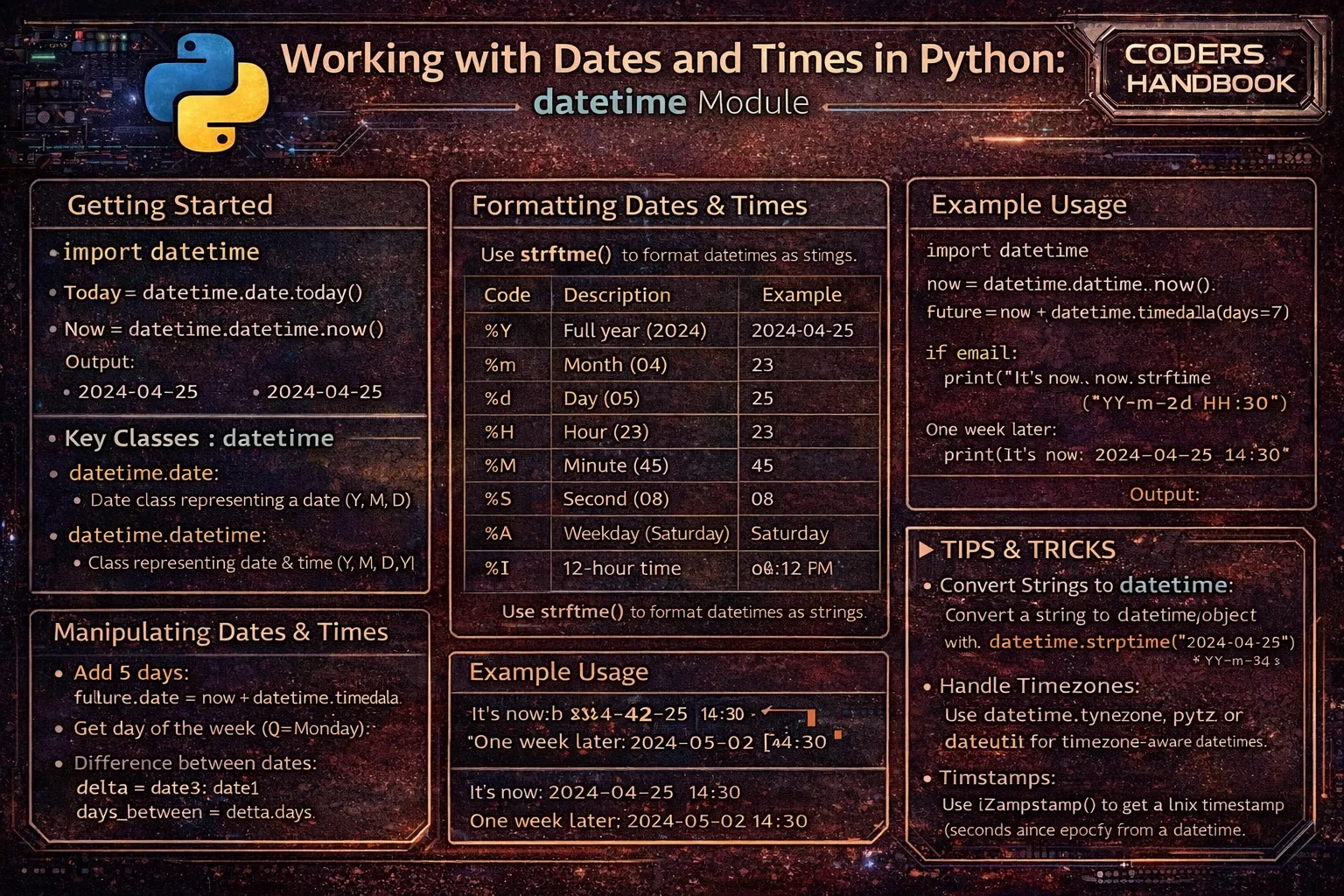
Date and time manipulation is fundamental to software development, with applications requiring timestamp logging, scheduling tasks, calculating durations, handling time zones, validating date ranges, and formatting dates for display. Python's datetime module provides comprehensive classes and functions for working with dates, times, and durations through datetime objects representing specific points in time, date objects for calendar dates without time components, time objects for time-of-day without dates, and timedelta objects for durations and date arithmetic. The module handles complexities including leap years, varying month lengths, daylight saving time transitions, and timezone conversions, enabling robust temporal operations essential for scheduling systems, logging frameworks, data analysis, financial calculations, and any application tracking when events occur.
This comprehensive guide explores datetime objects representing specific moments combining dates and times with methods for current time, creating specific datetimes, and accessing components like year, month, day, hour, minute, and second. Date and time objects handle calendar dates and clock times separately when combined representation isn't needed. Timedelta objects represent durations enabling date arithmetic through addition and subtraction calculating days between dates, adding hours to times, or subtracting weeks from schedules. Formatting with strftime() converts datetime objects to strings using format codes like %Y for year and %m for month, while parsing with strptime() creates datetime objects from strings. Timezone handling with pytz or zoneinfo manages timezone conversions and UTC offsets. Practical applications include age calculation, countdown timers, schedule generation, log timestamp parsing, and business day calculations. Best practices cover timezone-aware datetimes, UTC for storage, proper format string usage, and avoiding naive datetime arithmetic.
datetime, date, and time Objects
The datetime class represents specific moments combining date and time information, date class handles calendar dates without time components, and time class represents time-of-day without dates. The datetime.now() method returns current local date and time, datetime.utcnow() returns current UTC time, and datetime constructors create specific moments by specifying year, month, day, hour, minute, second, and microsecond. Understanding these classes enables choosing appropriate temporal representation for different application requirements.
# datetime, date, and time Objects

from datetime import datetime, date, time

# === datetime Objects ===

# Get current date and time
now = datetime.now()
print(f"Current datetime: {now}")
# Output: Current datetime: 2024-03-15 14:30:45.123456

# Get current UTC time
utc_now = datetime.utcnow()
print(f"UTC datetime: {utc_now}")

# Create specific datetime
dt = datetime(2024, 3, 15, 14, 30, 45)
print(f"Specific datetime: {dt}")
# Output: Specific datetime: 2024-03-15 14:30:45

# With microseconds
dt = datetime(2024, 3, 15, 14, 30, 45, 123456)
print(f"With microseconds: {dt}")

# Access datetime components
print(f"Year: {now.year}")
print(f"Month: {now.month}")
print(f"Day: {now.day}")
print(f"Hour: {now.hour}")
print(f"Minute: {now.minute}")
print(f"Second: {now.second}")
print(f"Microsecond: {now.microsecond}")

# Day of week (0=Monday, 6=Sunday)
print(f"Weekday: {now.weekday()}")
# ISO weekday (1=Monday, 7=Sunday)
print(f"ISO weekday: {now.isoweekday()}")

# === date Objects ===

# Get current date (no time)
today = date.today()
print(f"Today's date: {today}")
# Output: Today's date: 2024-03-15

# Create specific date
my_date = date(2024, 12, 25)
print(f"Christmas 2024: {my_date}")

# Access date components
print(f"Year: {today.year}")
print(f"Month: {today.month}")
print(f"Day: {today.day}")

# Date from datetime
date_only = now.date()
print(f"Date from datetime: {date_only}")

# === time Objects ===

# Create time object
my_time = time(14, 30, 45)
print(f"Time: {my_time}")
# Output: Time: 14:30:45

# With microseconds
my_time = time(14, 30, 45, 123456)
print(f"Time with microseconds: {my_time}")

# Access time components
print(f"Hour: {my_time.hour}")
print(f"Minute: {my_time.minute}")
print(f"Second: {my_time.second}")
print(f"Microsecond: {my_time.microsecond}")

# Time from datetime
time_only = now.time()
print(f"Time from datetime: {time_only}")

# === Combine date and time ===
my_date = date(2024, 3, 15)
my_time = time(14, 30, 45)
combined = datetime.combine(my_date, my_time)
print(f"Combined: {combined}")
# Output: Combined: 2024-03-15 14:30:45

# === Replace components ===
original = datetime(2024, 3, 15, 14, 30, 45)
modified = original.replace(year=2025, month=6)
print(f"Original: {original}")
print(f"Modified: {modified}")
# Output: Modified: 2025-06-15 14:30:45

# === Create from timestamp ===
timestamp = 1710509445
dt = datetime.fromtimestamp(timestamp)
print(f"From timestamp: {dt}")

# Get timestamp from datetime
timestamp = now.timestamp()
print(f"Timestamp: {timestamp}")

# === ISO format ===
iso_string = now.isoformat()
print(f"ISO format: {iso_string}")
# Output: ISO format: 2024-03-15T14:30:45.123456

# Parse ISO format
dt = datetime.fromisoformat("2024-03-15T14:30:45")
print(f"Parsed ISO: {dt}")
datetime for full timestamps, date for calendar dates without times (birthdays, holidays), and time for clock times without dates (business hours).timedelta for Duration and Arithmetic
The timedelta class represents durations or differences between dates and times, enabling date arithmetic through addition and subtraction. Create timedeltas specifying days, seconds, microseconds, milliseconds, minutes, hours, or weeks, then add to or subtract from datetime objects calculating future or past dates. Timedelta arithmetic handles month boundaries, leap years, and varying day counts automatically, simplifying duration calculations without manual date manipulation logic.
# timedelta for Duration and Arithmetic

from datetime import datetime, date, timedelta

# === Create timedelta ===

# Different units
one_day = timedelta(days=1)
one_week = timedelta(weeks=1)
one_hour = timedelta(hours=1)
one_minute = timedelta(minutes=30)
one_second = timedelta(seconds=45)

print(f"One day: {one_day}")
print(f"One week: {one_week}")  # Output: 7 days, 0:00:00

# Combined units
duration = timedelta(days=1, hours=2, minutes=30, seconds=45)
print(f"Duration: {duration}")
# Output: 1 day, 2:30:45

# Access timedelta components
print(f"Total seconds: {duration.total_seconds()}")
print(f"Days: {duration.days}")
print(f"Seconds (remainder): {duration.seconds}")

# === Date arithmetic ===

# Add days to date
today = date.today()
tomorrow = today + timedelta(days=1)
print(f"Today: {today}")
print(f"Tomorrow: {tomorrow}")

# Subtract days
yesterday = today - timedelta(days=1)
print(f"Yesterday: {yesterday}")

# Add weeks
next_week = today + timedelta(weeks=1)
print(f"Next week: {next_week}")

# Add various units
now = datetime.now()
future = now + timedelta(days=7, hours=3, minutes=30)
print(f"Future: {future}")

# === Calculate difference ===

# Days between dates
start_date = date(2024, 1, 1)
end_date = date(2024, 12, 31)
difference = end_date - start_date
print(f"Days in 2024: {difference.days}")
# Output: Days in 2024: 365

# Time between datetimes
start = datetime(2024, 3, 15, 10, 0, 0)
end = datetime(2024, 3, 15, 15, 30, 45)
time_diff = end - start
print(f"Time difference: {time_diff}")
# Output: 5:30:45

print(f"Total seconds: {time_diff.total_seconds()}")
print(f"Hours: {time_diff.total_seconds() / 3600}")

# === Practical examples ===

# Age calculation
birthdate = date(1990, 5, 15)
today = date.today()
age_delta = today - birthdate
age_years = age_delta.days // 365
print(f"Approximate age: {age_years} years")

# Days until event
event_date = date(2024, 12, 25)
days_until = (event_date - today).days
print(f"Days until Christmas: {days_until}")

# Add business days (skip weekends)
def add_business_days(start_date, days):
    current = start_date
    added = 0
    while added < days:
        current += timedelta(days=1)
        if current.weekday() < 5:  # Monday=0, Friday=4
            added += 1
    return current

start = date(2024, 3, 15)  # Friday
result = add_business_days(start, 5)
print(f"5 business days after {start}: {result}")

# Countdown timer
deadline = datetime(2024, 12, 31, 23, 59, 59)
now = datetime.now()
time_left = deadline - now
days_left = time_left.days
hours_left = time_left.seconds // 3600
minutes_left = (time_left.seconds % 3600) // 60
print(f"Time until deadline: {days_left} days, {hours_left} hours, {minutes_left} minutes")

# === timedelta comparison ===
delta1 = timedelta(days=1)
delta2 = timedelta(hours=24)
print(f"Equal: {delta1 == delta2}")  # True

delta3 = timedelta(days=2)
print(f"Greater: {delta3 > delta1}")  # True

# === Negative timedelta ===
past = datetime.now() - timedelta(days=7)
print(f"One week ago: {past}")

# === timedelta arithmetic ===
delta1 = timedelta(days=1)
delta2 = timedelta(hours=12)
total = delta1 + delta2
print(f"Total: {total}")  # 1 day, 12:00:00

# Multiply timedelta
double = delta1 * 2
print(f"Double: {double}")  # 2 days, 0:00:00

# Divide timedelta
half = delta1 / 2
print(f"Half: {half}") # 12:00:00Formatting and Parsing Dates
The strftime() method converts datetime objects to formatted strings using format codes specifying how to display components, while strptime() parses strings into datetime objects. Format codes like %Y for four-digit year, %m for two-digit month, %d for day, %H for 24-hour hour, %M for minute, and %S for second enable flexible date representation. These methods enable displaying dates in user-friendly formats and parsing date strings from user input, APIs, or log files into datetime objects for manipulation.
# Formatting and Parsing Dates

from datetime import datetime

# === strftime() - datetime to string ===

now = datetime.now()

# Common format patterns
formatted = now.strftime("%Y-%m-%d")
print(f"ISO format: {formatted}")  # 2024-03-15

formatted = now.strftime("%m/%d/%Y")
print(f"US format: {formatted}")  # 03/15/2024

formatted = now.strftime("%d/%m/%Y")
print(f"European format: {formatted}")  # 15/03/2024

formatted = now.strftime("%B %d, %Y")
print(f"Full month: {formatted}")  # March 15, 2024

formatted = now.strftime("%b %d, %Y")
print(f"Abbreviated month: {formatted}")  # Mar 15, 2024

# Time formats
formatted = now.strftime("%H:%M:%S")
print(f"24-hour time: {formatted}")  # 14:30:45

formatted = now.strftime("%I:%M %p")
print(f"12-hour time: {formatted}")  # 02:30 PM

# Combined date and time
formatted = now.strftime("%Y-%m-%d %H:%M:%S")
print(f"Datetime: {formatted}")  # 2024-03-15 14:30:45

formatted = now.strftime("%A, %B %d, %Y at %I:%M %p")
print(f"Full format: {formatted}")  # Friday, March 15, 2024 at 02:30 PM

# === Common format codes ===
# %Y - Year (4 digits): 2024
# %y - Year (2 digits): 24
# %m - Month (zero-padded): 03
# %B - Month name (full): March
# %b - Month name (abbreviated): Mar
# %d - Day (zero-padded): 15
# %A - Weekday (full): Friday
# %a - Weekday (abbreviated): Fri
# %H - Hour 24-hour (zero-padded): 14
# %I - Hour 12-hour (zero-padded): 02
# %M - Minute (zero-padded): 30
# %S - Second (zero-padded): 45
# %p - AM/PM: PM
# %f - Microsecond: 123456

# Custom separators
formatted = now.strftime("%Y.%m.%d")
print(f"Dot separator: {formatted}")  # 2024.03.15

formatted = now.strftime("%d-%b-%Y")
print(f"Custom format: {formatted}")  # 15-Mar-2024

# === strptime() - string to datetime ===

# Parse various formats
date_string = "2024-03-15"
dt = datetime.strptime(date_string, "%Y-%m-%d")
print(f"Parsed: {dt}")

date_string = "03/15/2024"
dt = datetime.strptime(date_string, "%m/%d/%Y")
print(f"Parsed US format: {dt}")

date_string = "March 15, 2024"
dt = datetime.strptime(date_string, "%B %d, %Y")
print(f"Parsed full month: {dt}")

date_string = "15-Mar-2024 14:30:45"
dt = datetime.strptime(date_string, "%d-%b-%Y %H:%M:%S")
print(f"Parsed datetime: {dt}")

# ISO format (alternative to fromisoformat)
date_string = "2024-03-15T14:30:45"
dt = datetime.strptime(date_string, "%Y-%m-%dT%H:%M:%S")
print(f"Parsed ISO: {dt}")

# === Practical examples ===

# Parse log timestamp
log_line = "[2024-03-15 14:30:45] ERROR: Database connection failed"
timestamp = log_line[1:20]  # Extract timestamp
log_time = datetime.strptime(timestamp, "%Y-%m-%d %H:%M:%S")
print(f"Log time: {log_time}")

# Format for display
event_date = datetime(2024, 12, 25, 18, 0, 0)
formatted = event_date.strftime("Event: %A, %B %d at %I:%M %p")
print(formatted)  # Event: Wednesday, December 25 at 06:00 PM

# Parse user input
user_input = "12/25/2024"
try:
    date = datetime.strptime(user_input, "%m/%d/%Y")
    print(f"Valid date: {date}")
except ValueError:
    print("Invalid date format")

# Multiple format parsing
def parse_flexible_date(date_string):
    """Try multiple date formats."""
    formats = [
        "%Y-%m-%d",
        "%m/%d/%Y",
        "%d/%m/%Y",
        "%B %d, %Y",
        "%b %d, %Y"
    ]
    for fmt in formats:
        try:
            return datetime.strptime(date_string, fmt)
        except ValueError:
            continue
    raise ValueError(f"Unable to parse date: {date_string}")

date = parse_flexible_date("March 15, 2024")
print(f"Flexibly parsed: {date}")

# Convert between formats
input_date = "15/03/2024"  # European
dt = datetime.strptime(input_date, "%d/%m/%Y")
output_date = dt.strftime("%m/%d/%Y")  # Convert to US
print(f"Converted: {input_date} -> {output_date}")

# Filename with timestamp
filename = f"backup_{datetime.now().strftime('%Y%m%d_%H%M%S')}.sql"
print(f"Filename: {filename}") # backup_20240315_143045.sqlstrptime(), the format string must exactly match the input string structure. Use try-except to handle parsing errors gracefully.Timezone Handling
Timezone handling ensures datetime objects represent correct times across different geographical locations. Naive datetime objects lack timezone information, while aware datetime objects include timezone data enabling proper conversions. The zoneinfo module (Python 3.9+) or pytz library provides timezone support, enabling UTC conversion, localization to specific timezones, and handling daylight saving time transitions. Always store timestamps in UTC and convert to local timezones only for display, preventing ambiguity and conversion errors.
# Timezone Handling

from datetime import datetime, timezone
import zoneinfo  # Python 3.9+
# Alternative: import pytz (for Python < 3.9)

# === Naive vs Aware datetimes ===

# Naive datetime (no timezone info)
naive = datetime.now()
print(f"Naive datetime: {naive}")
print(f"Timezone info: {naive.tzinfo}")  # None

# Aware datetime (with timezone)
aware = datetime.now(timezone.utc)
print(f"Aware datetime: {aware}")
print(f"Timezone info: {aware.tzinfo}")  # UTC

# === Working with UTC ===

# Current UTC time
utc_now = datetime.now(timezone.utc)
print(f"Current UTC: {utc_now}")

# Create aware datetime in UTC
dt_utc = datetime(2024, 3, 15, 14, 30, 0, tzinfo=timezone.utc)
print(f"UTC datetime: {dt_utc}")

# === Using zoneinfo (Python 3.9+) ===

# Get timezone
ny_tz = zoneinfo.ZoneInfo("America/New_York")
la_tz = zoneinfo.ZoneInfo("America/Los_Angeles")
london_tz = zoneinfo.ZoneInfo("Europe/London")
tokyo_tz = zoneinfo.ZoneInfo("Asia/Tokyo")

# Current time in specific timezone
ny_time = datetime.now(ny_tz)
print(f"New York time: {ny_time}")

# Create datetime in specific timezone
dt_ny = datetime(2024, 3, 15, 10, 0, 0, tzinfo=ny_tz)
print(f"10 AM in NY: {dt_ny}")

# === Convert between timezones ===

# UTC to New York
utc_time = datetime.now(timezone.utc)
ny_time = utc_time.astimezone(ny_tz)
print(f"UTC: {utc_time}")
print(f"New York: {ny_time}")

# New York to Los Angeles
la_time = ny_time.astimezone(la_tz)
print(f"Los Angeles: {la_time}")

# Convert multiple timezones
utc_time = datetime(2024, 3, 15, 12, 0, 0, tzinfo=timezone.utc)
print(f"UTC:        {utc_time.strftime('%Y-%m-%d %H:%M %Z')}")
print(f"New York:   {utc_time.astimezone(ny_tz).strftime('%Y-%m-%d %H:%M %Z')}")
print(f"Los Angeles: {utc_time.astimezone(la_tz).strftime('%Y-%m-%d %H:%M %Z')}")
print(f"London:     {utc_time.astimezone(london_tz).strftime('%Y-%m-%d %H:%M %Z')}")
print(f"Tokyo:      {utc_time.astimezone(tokyo_tz).strftime('%Y-%m-%d %H:%M %Z')}")

# === Localize naive datetime ===

# Naive datetime
naive = datetime(2024, 3, 15, 10, 0, 0)
print(f"Naive: {naive}")

# Make it timezone-aware
aware = naive.replace(tzinfo=ny_tz)
print(f"Aware: {aware}")

# === UTC offset ===

# Get offset from UTC
ny_time = datetime.now(ny_tz)
offset = ny_time.utcoffset()
print(f"NY UTC offset: {offset}")

# Check if DST is in effect
print(f"DST: {ny_time.dst()}")

# === Practical examples ===

# Store in UTC, display in local
def store_timestamp():
    """Always store in UTC."""
    return datetime.now(timezone.utc)

def display_timestamp(utc_timestamp, user_timezone):
    """Convert to user's timezone for display."""
    local = utc_timestamp.astimezone(user_timezone)
    return local.strftime("%Y-%m-%d %H:%M:%S %Z")

stored = store_timestamp()
print(f"Stored (UTC): {stored}")
print(f"Display (NY): {display_timestamp(stored, ny_tz)}")
print(f"Display (Tokyo): {display_timestamp(stored, tokyo_tz)}")

# Schedule meeting across timezones
meeting_ny = datetime(2024, 3, 15, 14, 0, 0, tzinfo=ny_tz)
print(f"Meeting time in New York: {meeting_ny.strftime('%I:%M %p %Z')}")
print(f"Meeting time in LA: {meeting_ny.astimezone(la_tz).strftime('%I:%M %p %Z')}")
print(f"Meeting time in London: {meeting_ny.astimezone(london_tz).strftime('%I:%M %p %Z')}")

# Parse timezone-aware string
dt_string = "2024-03-15T14:30:00-05:00"  # ISO with offset
dt = datetime.fromisoformat(dt_string)
print(f"Parsed with timezone: {dt}")
print(f"Timezone: {dt.tzinfo}")

# === Using pytz (alternative for Python < 3.9) ===
# import pytz
# ny_tz = pytz.timezone('America/New_York')
# utc_time = datetime.now(pytz.utc)
# ny_time = utc_time.astimezone(ny_tz)
Best Practices
- Always use timezone-aware datetimes: Include timezone information using
tzinfoparameter. Naive datetimes cause ambiguity and conversion errors - Store timestamps in UTC: Always store datetime values in UTC, converting to local timezones only for display. This prevents DST and timezone issues
- Use ISO format for serialization: Use
isoformat()andfromisoformat()for storing/transmitting datetimes. ISO format is unambiguous and widely supported - Handle parsing errors: Wrap
strptime()in try-except blocks to gracefully handle invalid date strings from user input - Use timedelta for date arithmetic: Never manually manipulate dates by adding days to month numbers. Use timedelta to handle boundaries correctly
- Choose appropriate class: Use
datetimefor timestamps,datefor calendar dates,timefor clock times, andtimedeltafor durations - Use zoneinfo over pytz: For Python 3.9+, prefer
zoneinfooverpytz. It's part of standard library and has simpler API - Document timezone assumptions: Clearly document whether functions expect/return naive or aware datetimes, and which timezone
- Test across DST boundaries: When handling scheduling, test code with dates spanning daylight saving time transitions
- Consider dateutil for complex parsing: For flexible date parsing from various formats, consider the
dateutillibrary'sparser.parse()function
Conclusion
Python's datetime module provides comprehensive date and time manipulation through datetime objects representing specific moments combining dates and times with components accessible via year, month, day, hour, minute, second, and microsecond attributes, date objects handling calendar dates without time components perfect for birthdays and holidays, time objects representing clock times without dates suitable for business hours and schedules, and timedelta objects representing durations enabling date arithmetic through addition and subtraction automatically handling month boundaries, leap years, and varying day counts. The datetime.now() method returns current local time, datetime.utcnow() provides UTC time, datetime constructors create specific moments, and methods like weekday() and isoweekday() extract day-of-week information enabling schedule calculations and business day logic.
Formatting with strftime() converts datetime objects to strings using format codes like %Y for year, %m for month, %d for day, %H for hour, %M for minute, and %S for second enabling user-friendly display formats, while strptime() parses strings into datetime objects requiring exact format string matches enabling input validation and log parsing. Timezone handling distinguishes naive datetimes lacking timezone information from aware datetimes including timezone data, with zoneinfo module (Python 3.9+) or pytz library providing timezone support enabling UTC conversion, localization to specific timezones, and proper daylight saving time handling. Best practices emphasize always using timezone-aware datetimes preventing ambiguity, storing timestamps in UTC converting to local timezones only for display avoiding DST issues, using ISO format for serialization ensuring unambiguous representation, handling parsing errors with try-except blocks for robust input processing, using timedelta for date arithmetic avoiding manual month manipulation, choosing appropriate classes for different temporal concepts, preferring zoneinfo over pytz for modern Python, documenting timezone assumptions clarifying expectations, testing across DST boundaries ensuring schedule reliability, and considering dateutil for flexible parsing handling various input formats. By mastering datetime objects for timestamps, date and time classes for specialized needs, timedelta for duration calculations, formatting and parsing for string conversion, timezone handling for global applications, and best practices ensuring robust temporal operations, you gain essential tools for building scheduling systems, logging frameworks, time-based calculations, international applications, and any software requiring accurate date and time manipulation across timezones and locales in professional Python development.
$ share --platform
$ cat /comments/ (0)
$ cat /comments/
// No comments found. Be the first!


