Loop Control in Python: Break, Continue, and Pass Statements
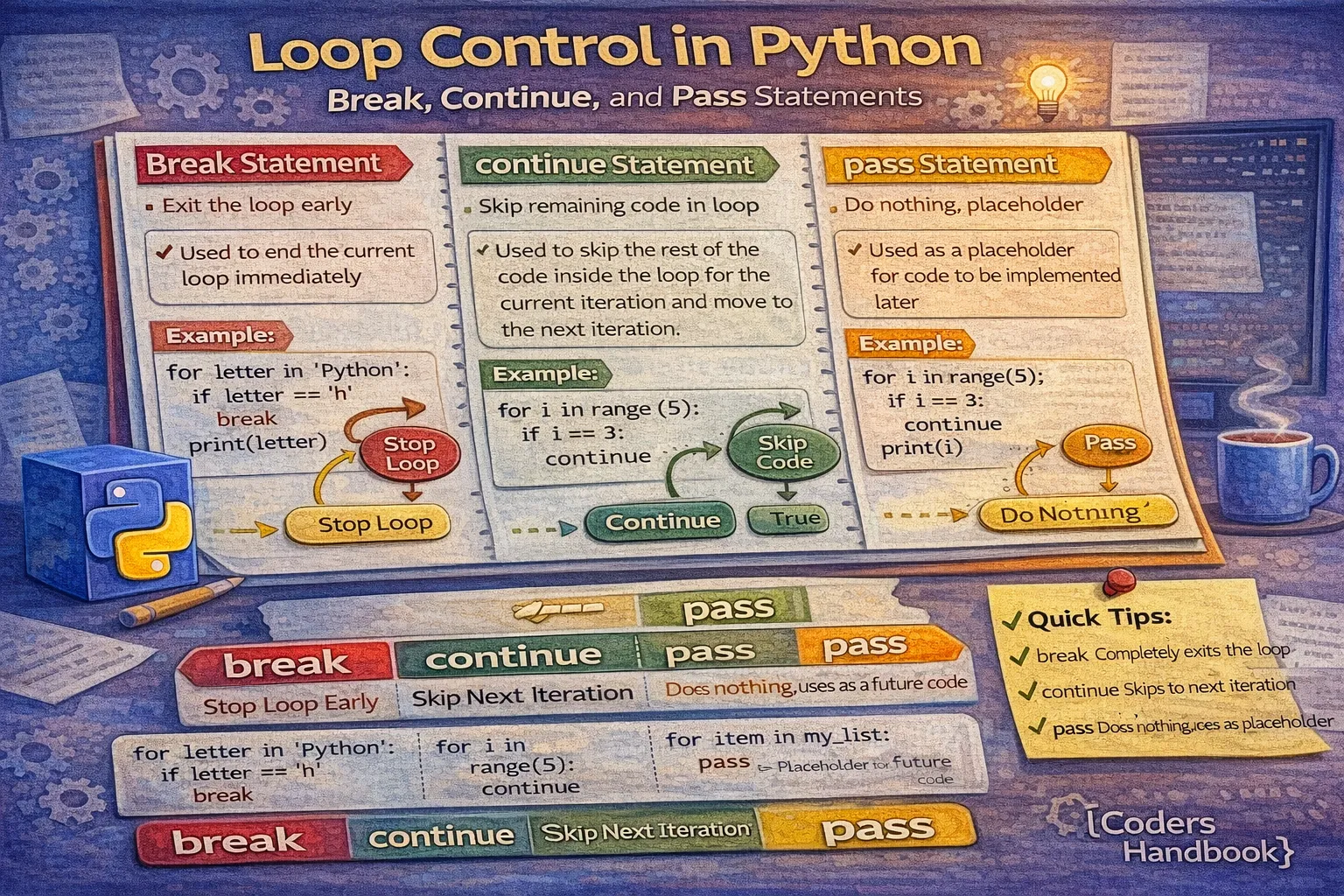
Loop control statements provide fine-grained control over loop execution in Python, enabling you to exit loops early, skip specific iterations, or create placeholder code during development. The three primary control statements—break, continue, and pass—modify the default sequential execution of loops, allowing sophisticated logic patterns that handle edge cases, optimize performance, and improve code clarity. Understanding when and how to use these statements transforms simple loops into powerful control structures capable of implementing complex algorithms, validating data streams, handling errors gracefully, and creating interactive applications that respond intelligently to runtime conditions.
This comprehensive guide explores the break statement for immediate loop termination when conditions are met, the continue statement for skipping current iterations while proceeding to the next, the pass statement as a syntactic placeholder that does nothing but satisfies Python's requirement for non-empty blocks, practical use cases demonstrating when each statement is appropriate, common patterns combining multiple control statements, performance considerations affecting loop efficiency, and best practices for writing maintainable loop control logic. Whether you're searching collections, processing user input, filtering invalid data, or implementing game loops, mastering these control statements is essential for professional Python development.
The Break Statement
The break statement immediately terminates the innermost loop containing it, transferring control to the statement following the loop regardless of whether the loop condition is still true or elements remain to process. Break statements enable early exit from loops when you've found what you're searching for, encountered error conditions requiring immediate termination, or satisfied requirements making further iteration unnecessary. This optimization prevents wasted computation cycles and makes code more efficient by avoiding pointless processing after meaningful work completes.
Break Statement Fundamentals
# Basic Break Statement Examples

# Exit loop when condition is met
print("Find first even number:")
for num in range(1, 20):
    if num % 2 == 0:
        print(f"Found: {num}")
        break  # Exit immediately, don't continue searching

# Output: Found: 2 (stops at first even number)

# Search in list
fruits = ["apple", "banana", "cherry", "date", "elderberry"]
search_term = "cherry"
found_index = -1

for index, fruit in enumerate(fruits):
    if fruit == search_term:
        found_index = index
        print(f"Found '{search_term}' at index {found_index}")
        break

if found_index == -1:
    print(f"'{search_term}' not found")

# Output: Found 'cherry' at index 2

# While loop with break
print("\nEnter 'quit' to exit:")
while True:  # Infinite loop
    user_input = input("Command: ")

    if user_input.lower() == 'quit':
        print("Exiting program...")
        break  # Only way to exit this infinite loop

    print(f"Processing: {user_input}")

# Password attempts example
print("\nPassword validation:")
max_attempts = 3
correct_password = "python123"

for attempt in range(1, max_attempts + 1):
    password = input(f"Attempt {attempt}/{max_attempts}: ")

    if password == correct_password:
        print("Access granted!")
        break  # Successful login, exit loop
    else:
        remaining = max_attempts - attempt
        if remaining > 0:
            print(f"Incorrect. {remaining} attempt(s) remaining.")
else:
    # Executes only if loop completes without break
    print("Account locked due to too many failed attempts.")
The break statement only exits the innermost loop when working with nested loops, meaning outer loops continue executing unless they also encounter break statements. If you need to exit multiple nested loops simultaneously, consider using flag variables, raising exceptions, or refactoring code into functions where return statements exit all nested levels at once. Understanding this behavior prevents confusion when dealing with complex nested loop structures requiring coordinated termination across multiple levels.
Common Break Patterns
# Common Break Statement Patterns

# Pattern 1: Early exit on error
print("Processing data with validation:")
data = [10, 20, -5, 30, 40]

for value in data:
    if value < 0:
        print(f"Error: Invalid value {value} detected!")
        break  # Stop processing on first error
    print(f"Processing: {value}")

# Output stops at -5

# Pattern 2: Search and retrieve
def find_user(user_id, users):
    """Find user by ID and return user object"""
    for user in users:
        if user['id'] == user_id:
            return user  # Return acts like break in functions
    return None  # Not found

users = [
    {'id': 1, 'name': 'Alice'},
    {'id': 2, 'name': 'Bob'},
    {'id': 3, 'name': 'Charlie'}
]

result = find_user(2, users)
print(f"\nFound user: {result['name']}")  # Bob

# Pattern 3: Limit iterations
print("\nFirst 5 prime numbers:")
count = 0
num = 2

while count < 5:
    is_prime = True
    for i in range(2, int(num ** 0.5) + 1):
        if num % i == 0:
            is_prime = False
            break  # Not prime, stop checking divisors

    if is_prime:
        print(num, end=" ")
        count += 1
    num += 1

print()  # Output: 2 3 5 7 11

# Pattern 4: Break from nested loops with flag
print("\nSearching 2D matrix:")
matrix = [
    [1, 2, 3],
    [4, 5, 6],
    [7, 8, 9]
]
target = 5
found = False

for i, row in enumerate(matrix):
    for j, value in enumerate(row):
        if value == target:
            print(f"Found {target} at position ({i}, {j})")
            found = True
            break
    if found:
        break  # Exit outer loop too

# Pattern 5: Resource cleanup
print("\nReading file until keyword:")
lines = [
    "Line 1: Data",
    "Line 2: More data",
    "Line 3: STOP",
    "Line 4: Should not process"
]

for line in lines:
    if "STOP" in line:
        print("Stop keyword found, terminating...")
        break
print(f"Processing: {line}")return, or raise and catch an exception. For example: for outer in data: for inner in outer: if condition: return result exits all loops in a function.The Continue Statement
The continue statement skips the remaining code in the current iteration and immediately jumps to the next iteration of the loop, without terminating the loop entirely like break does. Continue statements are perfect for filtering data where you want to skip invalid, corrupt, or unwanted items while processing valid ones, implementing conditional logic that handles special cases differently, and optimizing performance by avoiding unnecessary computation for items that don't meet criteria. This selective processing pattern appears frequently in data cleaning, validation pipelines, and event handling systems.
Continue Statement Fundamentals
# Basic Continue Statement Examples

# Skip specific values
print("Print odd numbers only:")
for num in range(1, 11):
    if num % 2 == 0:
        continue  # Skip even numbers, go to next iteration
    print(num, end=" ")

print()  # Output: 1 3 5 7 9

# Filter invalid data
prices = [10.50, -5.00, 20.00, 0, 15.75, -10.00, 30.25]
print("\nValid prices (greater than 0):")
total = 0
count = 0

for price in prices:
    if price <= 0:
        print(f"Skipping invalid price: {price}")
        continue  # Skip to next price

    total += price
    count += 1
    print(f"${price:.2f}")

print(f"Average of valid prices: ${total/count:.2f}")

# Skip empty values
names = ["Alice", "", "Bob", None, "Charlie", "  ", "David"]
print("\nValid names:")

for name in names:
    if not name or not name.strip():
        continue  # Skip empty, None, or whitespace-only
    print(f"Hello, {name.strip()}!")

# While loop with continue
print("\nNumber guesser (skip non-numeric):")
attempts = 0
max_attempts = 5
target = 7

while attempts < max_attempts:
    user_input = input(f"Guess {attempts + 1}/{max_attempts}: ")

    if not user_input.isdigit():
        print("Please enter a number!")
        continue  # Don't count invalid attempts

    attempts += 1
    guess = int(user_input)

    if guess == target:
        print("Correct!")
        break
    elif guess < target:
        print("Too low")
    else:
        print("Too high")
Continue statements improve code readability by eliminating deep nesting that would otherwise be required to conditionally execute code for valid items. Instead of wrapping processing logic in if statements checking validity, you can handle invalid cases early with continue and write the main processing logic at the normal indentation level. This pattern, called guard clauses or early returns in functions, makes code flow more naturally and reduces cognitive load when reading and maintaining code.
Common Continue Patterns
# Common Continue Statement Patterns

# Pattern 1: Data validation and cleaning
print("Processing student scores:")
scores = [85, -1, 92, 105, 78, 0, 88, 95, -5]
valid_scores = []

for score in scores:
    # Skip invalid scores
    if score < 0 or score > 100:
        print(f"Invalid score skipped: {score}")
        continue

    # Skip zero scores (incomplete)
    if score == 0:
        print("Incomplete score skipped: 0")
        continue

    valid_scores.append(score)
    print(f"Valid score: {score}")

print(f"Average: {sum(valid_scores) / len(valid_scores):.2f}")

# Pattern 2: Selective processing
print("\nProcessing transactions:")
transactions = [
    {'id': 1, 'amount': 100, 'status': 'completed'},
    {'id': 2, 'amount': 50, 'status': 'pending'},
    {'id': 3, 'amount': 200, 'status': 'completed'},
    {'id': 4, 'amount': 75, 'status': 'failed'},
    {'id': 5, 'amount': 150, 'status': 'completed'}
]

total_completed = 0

for transaction in transactions:
    # Skip non-completed transactions
    if transaction['status'] != 'completed':
        continue

    total_completed += transaction['amount']
    print(f"Transaction {transaction['id']}: ${transaction['amount']}")

print(f"Total completed: ${total_completed}")

# Pattern 3: Skip based on multiple conditions
print("\nFiltering products:")
products = [
    {'name': 'Laptop', 'price': 999, 'stock': 5},
    {'name': 'Mouse', 'price': 25, 'stock': 0},
    {'name': 'Keyboard', 'price': 75, 'stock': 10},
    {'name': 'Monitor', 'price': 0, 'stock': 3},
    {'name': 'Webcam', 'price': 50, 'stock': 8}
]

for product in products:
    # Skip out of stock
    if product['stock'] == 0:
        print(f"Out of stock: {product['name']}")
        continue

    # Skip invalid prices
    if product['price'] <= 0:
        print(f"Invalid price: {product['name']}")
        continue

    # Process valid products
    print(f"{product['name']}: ${product['price']} ({product['stock']} in stock)")

# Pattern 4: Skip iterations based on index
print("\nProcess every 3rd item:")
items = ['A', 'B', 'C', 'D', 'E', 'F', 'G', 'H', 'I']

for index, item in enumerate(items):
    if index % 3 != 0:
        continue  # Skip items not at positions 0, 3, 6, ...
    print(f"Processing: {item}")

# Output: Processing: A C Gfor item in items: if valid(item): process(item), use for item in items: if not valid(item): continue process(item). This guard clause pattern reduces nesting, making code more readable, especially when multiple validation checks are needed.The Pass Statement
The pass statement is a null operation that does nothing when executed, serving as a syntactic placeholder where Python's grammar requires a statement but you don't want to execute any code. Unlike break and continue which actively modify control flow, pass simply allows code to compile and run without performing any action. Pass statements are primarily used during development when creating stub functions, classes, or control structures before implementing their functionality, satisfying Python's requirement that code blocks cannot be empty while allowing gradual development of complex systems.
Pass Statement Usage
# Pass Statement Examples

# Placeholder in loop
print("Loop with pass placeholder:")
for i in range(5):
    if i == 2:
        pass  # TODO: Implement special handling for i=2
    else:
        print(i)

# Output: 0 1 3 4 (2 is processed but pass does nothing)

# Empty loop body
print("\nEmpty loop that does nothing:")
for item in []:
    pass  # Required syntax for empty loop

# Function stub during development
def calculate_discount(price, customer_type):
    """Calculate discount based on customer type."""
    pass  # TODO: Implement discount logic

# Class placeholder
class DataProcessor:
    """Processes data from various sources."""

    def __init__(self):
        pass  # TODO: Initialize processor

    def process(self, data):
        pass  # TODO: Implement processing

    def validate(self, data):
        pass  # TODO: Implement validation

# Exception handling placeholder
try:
    risky_operation()
except ValueError:
    pass  # Silently ignore ValueError (use cautiously!)
except TypeError as e:
    print(f"Type error: {e}")

# Conditional placeholder
user_role = "admin"

if user_role == "admin":
    print("Admin access granted")
elif user_role == "moderator":
    pass  # TODO: Implement moderator logic
else:
    print("Regular user access")

# While loop placeholder
print("\nWaiting for condition:")
counter = 0

while counter < 3:
    counter += 1
    if counter == 2:
        pass  # Placeholder for future special handling
    print(f"Iteration {counter}")
While pass is useful during development, production code should rarely contain pass statements except in specific scenarios like empty exception handlers deliberately ignoring errors (though this should be documented with comments), abstract base classes defining interface methods that subclasses must implement, or minimal implementations satisfying interface requirements. Excessive pass statements in production code often indicate incomplete implementation or opportunities for refactoring, and should be accompanied by clear TODO comments explaining the intended functionality.
Legitimate Pass Use Cases
# Legitimate Pass Statement Use Cases

# 1. Silently ignore specific exceptions
print("File processing with error handling:")
files = ['file1.txt', 'missing.txt', 'file2.txt']

for filename in files:
    try:
        with open(filename, 'r') as f:
            content = f.read()
            print(f"Processed: {filename}")
    except FileNotFoundError:
        pass  # Intentionally ignore missing files
    except PermissionError:
        print(f"Permission denied: {filename}")

# 2. Abstract base class methods
from abc import ABC, abstractmethod

class Animal(ABC):
    """Base class for all animals."""

    @abstractmethod
    def make_sound(self):
        """Subclasses must implement this method."""
        pass  # Abstract method, no implementation

    def sleep(self):
        """Default sleep behavior."""
        print("Sleeping...")

class Dog(Animal):
    def make_sound(self):
        print("Woof!")

# 3. Minimal implementation during incremental development
class PaymentProcessor:
    """Process payments from multiple providers."""

    def process_credit_card(self, card_number, amount):
        """Process credit card payment."""
        # Full implementation
        print(f"Processing ${amount} on card ending in {card_number[-4:]}")
        return True

    def process_paypal(self, email, amount):
        """Process PayPal payment."""
        pass  # TODO: Implement PayPal integration

    def process_crypto(self, wallet, amount):
        """Process cryptocurrency payment."""
        pass  # TODO: Implement crypto integration

# 4. Empty case in match statement (Python 3.10+)
def handle_status(status_code):
    """Handle different HTTP status codes."""
    match status_code:
        case 200:
            print("Success")
        case 404:
            print("Not found")
        case 500:
            print("Server error")
        case _:
            pass  # Ignore other status codes

# 5. Placeholder for complex logic
for item in inventory:
    if item['stock'] < 5:
        print(f"Low stock alert: {item['name']}")
    elif item['stock'] > 100:
        pass  # TODO: Implement overstock handling
    else:
pass # Normal stock level, no action needed... (ellipsis) as a placeholder, often preferred in type hints and stub files: def process(data): .... Both pass and ellipsis are functionally equivalent for placeholders, but ellipsis is more compact and commonly used in modern Python typing.Combining Control Statements
Real-world applications often combine multiple loop control statements to implement sophisticated logic handling various scenarios within single loops. Break and continue work together for complex filtering and search operations, while pass can maintain code structure during development. Understanding how these statements interact, especially in nested loops where each level can have independent control flow, enables writing elegant solutions to problems requiring multi-stage decision making and selective processing with early termination capabilities.
# Combining Loop Control Statements

# Example 1: Data processing with multiple conditions
print("Processing user data:")
users = [
    {'name': 'Alice', 'age': 25, 'active': True},
    {'name': '', 'age': 30, 'active': True},
    {'name': 'Bob', 'age': -5, 'active': True},
    {'name': 'Charlie', 'age': 35, 'active': False},
    {'name': 'David', 'age': 28, 'active': True},
    {'name': 'STOP', 'age': 0, 'active': False}
]

processed_count = 0

for user in users:
    # Break on sentinel value
    if user['name'] == 'STOP':
        print("Stop signal received, terminating...")
        break

    # Skip invalid names
    if not user['name'] or not user['name'].strip():
        print("Skipping: Invalid name")
        continue

    # Skip invalid ages
    if user['age'] <= 0 or user['age'] > 120:
        print(f"Skipping {user['name']}: Invalid age {user['age']}")
        continue

    # Skip inactive users
    if not user['active']:
        print(f"Skipping {user['name']}: Inactive account")
        continue

    # Process valid user
    print(f"Processing: {user['name']}, Age: {user['age']}")
    processed_count += 1

print(f"\nProcessed {processed_count} valid users")

# Example 2: Nested loops with multiple controls
print("\nSearching 2D grid:")
grid = [
    [1, 2, 3, 4],
    [5, 0, 7, 8],
    [9, 10, 11, 12],
    [13, 14, 15, 16]
]

target = 11
found = False

for i, row in enumerate(grid):
    for j, value in enumerate(row):
        # Skip zeros (invalid cells)
        if value == 0:
            print(f"Skipping invalid cell at ({i}, {j})")
            continue

        # Found target
        if value == target:
            print(f"Found {target} at position ({i}, {j})")
            found = True
            break

    if found:
        break  # Exit outer loop

if not found:
    print(f"{target} not found in grid")

# Example 3: Complex validation pipeline
print("\nValidation pipeline:")
data_points = [15, -5, 25, 0, 35, 45, 100, 55, 65]
valid_data = []
error_count = 0
max_errors = 3

for value in data_points:
    # Break on too many errors
    if error_count >= max_errors:
        print(f"Too many errors ({error_count}), stopping validation")
        break

    # Skip negative values
    if value < 0:
        print(f"Error: Negative value {value}")
        error_count += 1
        continue

    # Skip zeros (placeholder for future handling)
    if value == 0:
        pass  # TODO: Decide how to handle zeros
        continue

    # Validate range
    if value > 50:
        print(f"Warning: Value {value} exceeds threshold")
        # Continue processing despite warning

    valid_data.append(value)

print(f"Valid data points: {valid_data}")
print(f"Total errors: {error_count}")
Best Practices and Performance
Effective use of loop control statements requires understanding when each statement is appropriate, how they affect code readability, and their performance implications. Break statements optimize performance by avoiding unnecessary iterations, continue statements reduce nesting improving maintainability, and pass statements should be minimized in production code. Following established patterns and conventions ensures your loop control logic remains clear, efficient, and maintainable as complexity grows and requirements evolve over time.
- Use break for early termination: When you've found what you're searching for or encountered a condition making further processing pointless, break immediately to avoid wasting CPU cycles on unnecessary iterations
- Prefer continue over deep nesting: Instead of wrapping processing in nested if statements, use continue to handle invalid cases early and keep main logic at normal indentation level for better readability
- Document pass statements: Always include TODO or explanatory comments with pass statements indicating intended functionality, making it clear whether code is incomplete or intentionally does nothing
- Consider function extraction: Complex loops with multiple control statements often benefit from extraction into separate functions where return statements provide clearer control flow than break
- Use loop-else for search patterns: The else clause executes only when loops complete without break, providing elegant handling of 'not found' scenarios without flag variables
- Avoid pass in exception handlers: Silently ignoring exceptions with pass can hide bugs; prefer explicit logging or at minimum comments explaining why exceptions are ignored
- Minimize nested breaks: When breaking from nested loops, consider using flags, function returns, or exceptions rather than multiple break statements that are hard to follow
- Profile performance: Use break to optimize loops that process large datasets, especially when searching or validating where early termination prevents processing millions of unnecessary items
Conclusion
Mastering Python's loop control statements—break, continue, and pass—transforms basic loops into sophisticated control structures capable of implementing complex algorithms with elegant, readable code. The break statement provides immediate loop termination when conditions are met, optimizing performance by avoiding unnecessary iterations in search operations, validation pipelines, and interactive applications where finding the first match or encountering an error makes further processing pointless. Continue statements enable selective iteration by skipping invalid, incomplete, or unwanted items while processing valid ones, eliminating deep nesting that would otherwise be required to conditionally execute code and making guard clause patterns that improve readability by handling exceptional cases early. Pass statements serve as syntactic placeholders during development when creating stub functions, classes, or control structures before implementing functionality, though production code should minimize pass usage except in specific scenarios like abstract base classes or intentional null operations documented with clear comments.
Combining multiple control statements enables sophisticated logic patterns handling various scenarios within single loops including data validation with multiple checks, search operations with early termination on sentinel values, processing pipelines that skip invalid data while accumulating error counts, and nested loops where each level maintains independent control flow optimized for specific conditions. Best practices emphasize using break for performance optimization when further iteration serves no purpose, preferring continue over deep nesting to improve code readability and maintainability, documenting pass statements with TODO comments during development, considering function extraction when complexity grows beyond simple loops, leveraging loop-else clauses for elegant search patterns without flag variables, avoiding silent exception handling with undocumented pass statements that hide bugs, and profiling performance to verify that break statements provide expected optimization benefits in production systems. Understanding when each control statement is appropriate, how they interact in nested structures, and their performance implications enables writing loop logic that is efficient, maintainable, and correct for production applications ranging from data processing pipelines to interactive user interfaces and algorithmic implementations requiring sophisticated control flow management.
$ share --platform
$ cat /comments/ (0)
$ cat /comments/
// No comments found. Be the first!


