Python Loops: For and While Loops with Examples
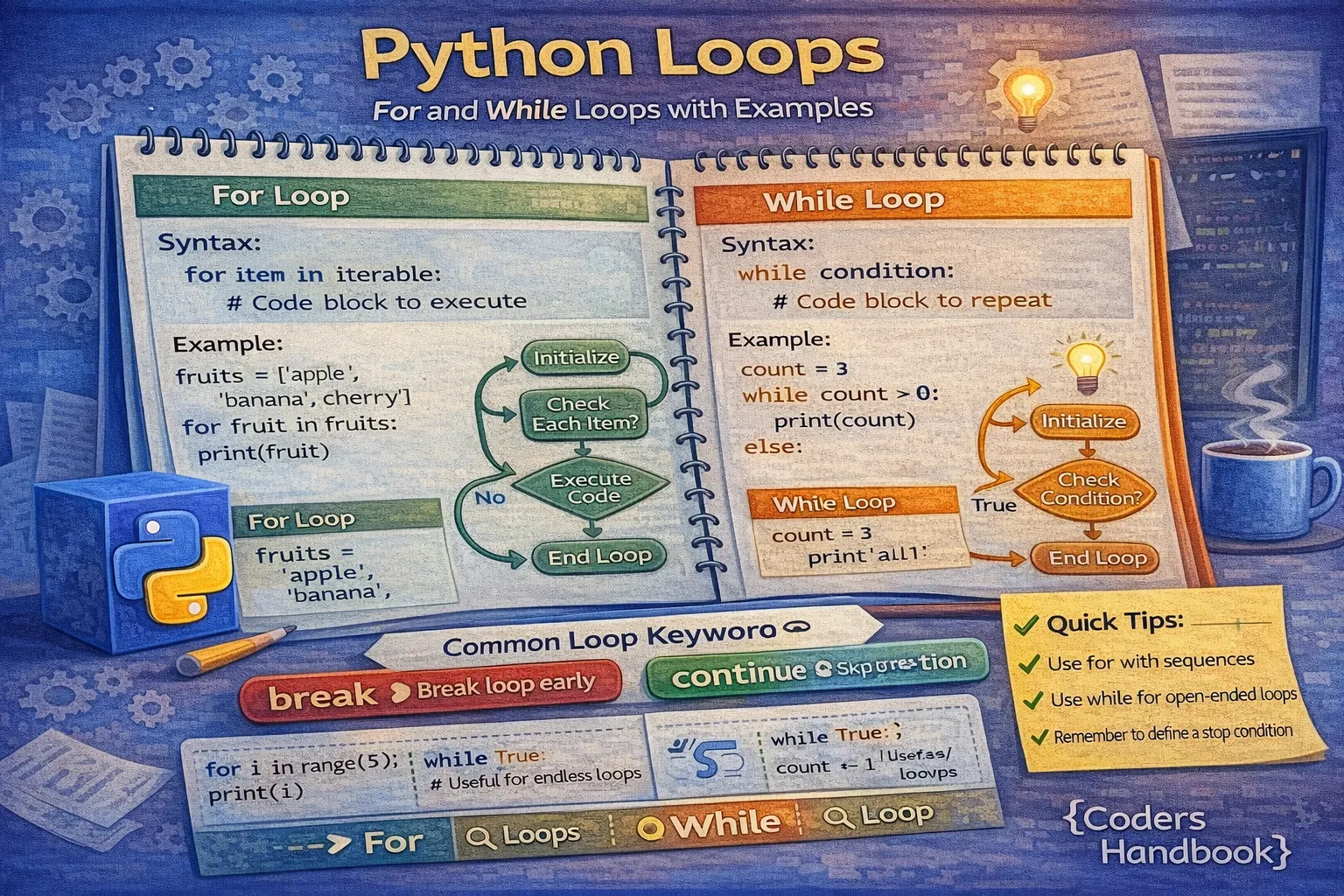
Loops are fundamental programming constructs that enable you to execute code repeatedly without writing the same statements multiple times, dramatically reducing code duplication and improving maintainability. Python provides two primary loop types: for loops that iterate over sequences like lists, strings, and ranges, and while loops that continue executing as long as a condition remains true. Mastering loops is essential for processing collections, automating repetitive tasks, implementing algorithms, reading files line by line, and building interactive programs that respond to user input until specific conditions are met.
This comprehensive guide explores for loops with iteration patterns over various data types, the range() function for generating numeric sequences, while loops for condition-based repetition, nested loops for multi-dimensional iteration, loop control statements including break, continue, and pass, and practical examples demonstrating real-world applications. Whether you're processing data collections, building games with game loops, or automating system tasks, understanding Python's looping mechanisms unlocks powerful programming capabilities for beginners and experienced developers alike.
Understanding For Loops
The for loop iterates over sequences (like lists, tuples, strings, or ranges) and executes a code block for each element in the sequence. Unlike loops in languages like C or Java that require manual index management, Python's for loop automatically handles iteration, making code more readable and less error-prone. The loop variable takes the value of each element in sequence, providing direct access without index calculations or length checks that can cause off-by-one errors common in traditional loops.
Basic For Loop Syntax
# Basic For Loop Examples

# Iterating over a list
fruits = ["apple", "banana", "cherry", "date"]
for fruit in fruits:
    print(f"I like {fruit}")

# Output:
# I like apple
# I like banana
# I like cherry
# I like date

# Iterating over a string
word = "Python"
for letter in word:
    print(letter)

# Output: P y t h o n (each on new line)

# Iterating over a tuple
coordinates = (10, 20, 30)
for coord in coordinates:
    print(f"Coordinate: {coord}")

# Iterating over dictionary keys
student = {"name": "Alice", "age": 25, "grade": "A"}
for key in student:
    print(f"{key}: {student[key]}")

# Better: Iterate over key-value pairs
for key, value in student.items():
    print(f"{key}: {value}")
For loops work with any iterable object in Python, including lists, tuples, strings, dictionaries, sets, and custom objects implementing iteration protocols. This versatility makes for loops the go-to choice for processing collections, where you need to perform the same operation on each element regardless of collection size. The loop automatically stops when all elements have been processed, eliminating the need for manual termination conditions that while loops require.
The range() Function
The range() function generates sequences of numbers commonly used with for loops to execute code a specific number of times. Range accepts up to three arguments: range(stop) generates numbers from 0 to stop-1, range(start, stop) generates numbers from start to stop-1, and range(start, stop, step) allows custom increments or decrements. Understanding that range() excludes the stop value is crucial for avoiding off-by-one errors that frustrate beginners.
# Range Function Examples

# range(stop) - starts at 0, goes to stop-1
print("Count to 5:")
for i in range(5):
    print(i, end=" ")  # Output: 0 1 2 3 4
print()

# range(start, stop) - custom start
print("\nCount 1 to 5:")
for i in range(1, 6):
    print(i, end=" ")  # Output: 1 2 3 4 5
print()

# range(start, stop, step) - custom increment
print("\nEven numbers 0 to 10:")
for i in range(0, 11, 2):
    print(i, end=" ")  # Output: 0 2 4 6 8 10
print()

# Negative step for countdown
print("\nCountdown from 5:")
for i in range(5, 0, -1):
    print(i, end=" ")  # Output: 5 4 3 2 1
print("\nBlastoff!")

# Practical: Calculate sum
total = 0
for num in range(1, 11):
    total += num
print(f"\nSum of 1-10: {total}")  # Output: 55

# Practical: Multiplication table
number = 7
print(f"\nMultiplication table for {number}:")
for i in range(1, 11):
print(f"{number} x {i} = {number * i}")range() function doesn't create a list of all numbers in memory. Instead, it generates numbers on-demand (lazy evaluation), making range(1000000) just as memory-efficient as range(10). This allows loops over huge ranges without memory concerns.Understanding While Loops
The while loop executes a code block repeatedly as long as a specified condition remains True, checking the condition before each iteration. Unlike for loops that iterate over known sequences, while loops continue indefinitely until the condition becomes False, making them ideal for situations where the number of iterations isn't predetermined. While loops are perfect for user input validation, waiting for events, implementing game loops, reading files until end-of-file, and any scenario where termination depends on runtime conditions rather than collection size.
Basic While Loop Syntax
# Basic While Loop Examples

# Simple counter
count = 1
while count <= 5:
    print(f"Count: {count}")
    count += 1  # CRITICAL: Must update condition variable

# Output:
# Count: 1
# Count: 2
# Count: 3
# Count: 4
# Count: 5

# User input validation
print("\nGuess the number (1-10):")
secret_number = 7
guess = 0

while guess != secret_number:
    guess = int(input("Enter your guess: "))
    if guess < secret_number:
        print("Too low!")
    elif guess > secret_number:
        print("Too high!")
    else:
        print("Correct! You guessed it!")

# Accumulator pattern
print("\nCalculating sum:")
total = 0
number = 1

while number <= 10:
    total += number
    number += 1

print(f"Sum of 1-10: {total}")  # Output: 55

# Practical: Menu system
running = True
while running:
    print("\n1. New Game")
    print("2. Load Game")
    print("3. Exit")
    choice = input("Select option: ")

    if choice == "1":
        print("Starting new game...")
    elif choice == "2":
        print("Loading game...")
    elif choice == "3":
        print("Goodbye!")
        running = False
    else:
        print("Invalid option")
The most critical aspect of while loops is ensuring the condition eventually becomes False to avoid infinite loops that hang your program. Every while loop should modify variables involved in the condition, accept external input that can terminate the loop, or include explicit break statements. Forgetting to update the loop variable (like omitting count += 1) creates infinite loops requiring manual program termination with Ctrl+C.
while True: creates an intentional infinite loop, useful for game loops or servers, but requires break statements or sys.exit() for termination. Always ensure your while condition can become False or include explicit exit mechanisms to prevent unresponsive programs.Loop Control Statements
Python provides three loop control statements that modify loop execution: break exits the loop entirely regardless of the condition, continue skips the remaining code in the current iteration and jumps to the next iteration, and pass does nothing but satisfies syntax requirements where a statement is needed. These control statements enable sophisticated loop logic including early termination on error conditions, skipping invalid data, and creating placeholder code structures during development.
Break Statement
# Break Statement Examples

# Exit loop when condition is met
print("Find first number divisible by 7:")
for num in range(1, 100):
    if num % 7 == 0:
        print(f"Found: {num}")
        break  # Exit loop immediately

# Output: Found: 7

# Search in list
fruits = ["apple", "banana", "cherry", "date"]
search_term = "cherry"

for index, fruit in enumerate(fruits):
    if fruit == search_term:
        print(f"Found '{search_term}' at index {index}")
        break
else:
    print(f"'{search_term}' not found")

# User input with break
print("\nEnter 'quit' to exit:")
while True:
    user_input = input("Enter command: ")
    if user_input.lower() == 'quit':
        print("Exiting...")
        break
    print(f"You entered: {user_input}")

# Practical: Password attempts
max_attempts = 3
attempts = 0
correct_password = "secret123"

while attempts < max_attempts:
    password = input("Enter password: ")
    attempts += 1

    if password == correct_password:
        print("Access granted!")
        break
    else:
        remaining = max_attempts - attempts
        if remaining > 0:
            print(f"Incorrect. {remaining} attempts remaining.")
        else:
            print("Account locked.")
Continue Statement
# Continue Statement Examples

# Skip even numbers
print("Odd numbers 1-10:")
for num in range(1, 11):
    if num % 2 == 0:
        continue  # Skip rest of loop, go to next iteration
    print(num, end=" ")
print()

# Output: 1 3 5 7 9

# Skip invalid data
prices = [10.50, -5.00, 20.00, 0, 15.75, -10.00]
print("\nValid prices:")

for price in prices:
    if price <= 0:
        continue  # Skip invalid prices
    print(f"${price:.2f}")

# Processing with filters
names = ["Alice", "Bob", "", "Charlie", None, "David"]
print("\nValid names:")

for name in names:
    if not name:  # Skip empty or None
        continue
    print(f"Hello, {name}!")

# Practical: Grade processing
scores = [85, -1, 92, 78, 101, 88, 95]
print("\nValid scores:")
valid_count = 0
total = 0

for score in scores:
    if score < 0 or score > 100:
        print(f"Skipping invalid score: {score}")
        continue

    valid_count += 1
    total += score
    print(f"Processing score: {score}")

if valid_count > 0:
    average = total / valid_count
    print(f"\nAverage of valid scores: {average:.2f}")
Pass Statement
# Pass Statement Examples

# Placeholder for future code
for i in range(5):
    if i == 2:
        pass  # TODO: Implement special handling for i=2
    else:
        print(i)

# Empty loop body (syntax requires a statement)
for item in []:
    pass  # Does nothing, but satisfies syntax

# Stub function during development
def process_data(data):
    pass  # TODO: Implement data processing

# Practical: Conditional placeholder
for num in range(1, 11):
    if num % 2 == 0:
        pass  # Even numbers - will implement later
    else:
print(f"Odd: {num}")break to exit loops early when you've found what you need or encountered errors. Use continue to skip processing invalid data while continuing with valid items. Use pass as a placeholder during development when syntax requires a statement but you haven't implemented logic yet.Nested Loops
Nested loops place one loop inside another, with the inner loop completing all its iterations for each iteration of the outer loop. This pattern is essential for working with multi-dimensional data like matrices, generating combinations, creating patterns, and processing hierarchical structures. Understanding nested loop execution order—the inner loop runs completely for each outer loop iteration—is crucial for predicting behavior and calculating time complexity, as nested loops multiply iteration counts potentially leading to performance issues with large datasets.
Nested Loop Patterns
# Nested Loop Examples

# Multiplication table
print("Multiplication Table (1-5):")
for i in range(1, 6):
    for j in range(1, 6):
        print(f"{i * j:3}", end=" ")
    print()  # New line after each row

# Output creates 5x5 grid of products

# Pattern printing
print("\nTriangle pattern:")
for i in range(1, 6):
    for j in range(i):
        print("*", end="")
    print()

# Output:
# *
# **
# ***
# ****
# *****

# Processing 2D list (matrix)
matrix = [
    [1, 2, 3],
    [4, 5, 6],
    [7, 8, 9]
]

print("\nMatrix elements:")
for row in matrix:
    for element in row:
        print(element, end=" ")
    print()

# Nested with range
print("\nCoordinate grid:")
for x in range(3):
    for y in range(3):
        print(f"({x},{y})", end=" ")
    print()

# Practical: Find pairs
numbers = [1, 2, 3, 4]
print("\nAll unique pairs:")
for i in range(len(numbers)):
    for j in range(i + 1, len(numbers)):
        print(f"({numbers[i]}, {numbers[j]})")

# Practical: Nested validation
students = ["Alice", "Bob", "Charlie"]
subjects = ["Math", "Science", "English"]

print("\nStudent-Subject combinations:")
for student in students:
    for subject in subjects:
        print(f"{student} - {subject}")
When working with nested loops, be mindful of time complexity as it multiplies with each nesting level. A loop iterating 100 times containing another loop iterating 100 times results in 10,000 total iterations, which can cause performance problems with larger datasets. Consider alternative approaches like list comprehensions for simple operations, dictionary lookups instead of nested searches, or algorithmic optimizations that reduce the need for nested iteration when performance becomes an issue.
Loop Else Clause
Python's loops support an optional else clause that executes only if the loop completes normally without encountering a break statement. This unique feature elegantly handles search operations where you need to know whether an item was found (break occurred) or the entire collection was searched without finding it (else executes). The else clause provides cleaner code than using flag variables to track whether a break occurred, making search patterns more Pythonic and readable.
# Loop Else Clause Examples

# Search with for-else
numbers = [1, 3, 5, 7, 9]
search = 6

for num in numbers:
    if num == search:
        print(f"Found {search}!")
        break
else:
    print(f"{search} not found in list")

# Output: 6 not found in list

# Prime number checker
def is_prime(n):
    if n < 2:
        return False

    for i in range(2, int(n ** 0.5) + 1):
        if n % i == 0:
            return False
    else:
        return True  # Loop completed without break

print(f"\n17 is prime: {is_prime(17)}")
print(f"18 is prime: {is_prime(18)}")

# While-else example
attempts = 0
max_attempts = 3
password = ""

while attempts < max_attempts:
    password = input("Enter password: ")
    attempts += 1

    if password == "secret":
        print("Access granted!")
        break
    print(f"Incorrect. {max_attempts - attempts} attempts left.")
else:
    print("Maximum attempts reached. Account locked.")

# Practical: Validation
print("\nValidating data:")
data = [10, 20, 30, 40, 50]

for value in data:
    if value < 0:
        print("Invalid data found!")
        break
    print(f"Processing {value}")
else:
    print("All data validated successfully!")
Common Loop Patterns
Experienced Python developers recognize and use common loop patterns that solve recurring programming problems elegantly. These patterns include the accumulator pattern for summing or aggregating values, the counter pattern for tracking occurrences, the search pattern for finding elements, the filter pattern for selecting items meeting criteria, and the transform pattern for converting collections. Understanding these patterns helps you write idiomatic Python code that's readable, efficient, and maintainable.
Practical Loop Patterns
# Common Loop Patterns

# 1. Accumulator Pattern
numbers = [1, 2, 3, 4, 5]
total = 0
for num in numbers:
    total += num
print(f"Sum: {total}")  # 15

# 2. Counter Pattern
text = "hello world"
vowel_count = 0
for char in text:
    if char.lower() in 'aeiou':
        vowel_count += 1
print(f"Vowels: {vowel_count}")  # 3

# 3. Maximum/Minimum Finder
scores = [85, 92, 78, 95, 88]
max_score = scores[0]
for score in scores:
    if score > max_score:
        max_score = score
print(f"Highest score: {max_score}")  # 95

# 4. Filter Pattern
ages = [15, 22, 17, 30, 19, 16]
adults = []
for age in ages:
    if age >= 18:
        adults.append(age)
print(f"Adult ages: {adults}")  # [22, 30, 19]

# 5. Transform Pattern
prices = [10, 20, 30, 40]
discounted = []
for price in prices:
    discounted.append(price * 0.9)
print(f"Discounted: {discounted}")  # [9.0, 18.0, 27.0, 36.0]

# 6. Enumerate Pattern (index + value)
fruits = ['apple', 'banana', 'cherry']
for index, fruit in enumerate(fruits):
    print(f"{index + 1}. {fruit}")

# 7. Zip Pattern (parallel iteration)
names = ['Alice', 'Bob', 'Charlie']
scores = [85, 92, 78]
for name, score in zip(names, scores):
    print(f"{name}: {score}")

# 8. Dictionary Iteration
student = {'name': 'Alice', 'age': 20, 'grade': 'A'}

# Keys only
for key in student:
    print(key)

# Values only
for value in student.values():
    print(value)

# Key-value pairs
for key, value in student.items():
print(f"{key}: {value}")squares = [x**2 for x in range(10)] is more Pythonic than a for loop with append. Learn comprehensions after mastering basic loops for more elegant code.Conclusion
Mastering Python loops—both for loops and while loops—is essential for writing efficient, maintainable code that automates repetitive tasks and processes data collections effectively. For loops excel at iterating over sequences with automatic element access and built-in termination, making them the preferred choice for processing lists, strings, tuples, dictionaries, and ranges when you know the collection or iteration count in advance. The range() function provides powerful numeric sequence generation with flexible start, stop, and step parameters, enabling everything from simple counters to complex numeric patterns while maintaining memory efficiency through lazy evaluation that generates values on-demand rather than creating large lists.
While loops continue executing as long as conditions remain true, making them perfect for user input validation, event-driven programming, game loops, and situations where iteration count depends on runtime conditions rather than predetermined sequences. Loop control statements including break for early termination, continue for skipping iterations, and pass for syntax placeholders provide fine-grained control over loop execution enabling sophisticated logic patterns. Nested loops multiply iterations for multi-dimensional data processing, pattern generation, and combination creation, though developers must balance functionality with performance implications as nesting levels increase. The unique loop-else clause executes when loops complete without break statements, elegantly handling search operations and validation scenarios without flag variables. Common loop patterns including accumulators, counters, filters, and transforms provide proven solutions to recurring programming challenges that become second nature with practice. By thoroughly understanding loop mechanics, appropriate use cases, control flow statements, nesting implications, and established patterns, you gain powerful tools for building everything from simple scripts to complex data processing pipelines, interactive applications, and algorithmic solutions that form the foundation of professional Python programming.
$ share --platform
$ cat /comments/ (0)
$ cat /comments/
// No comments found. Be the first!


