Task Scheduling in Python: Automating Repetitive Tasks
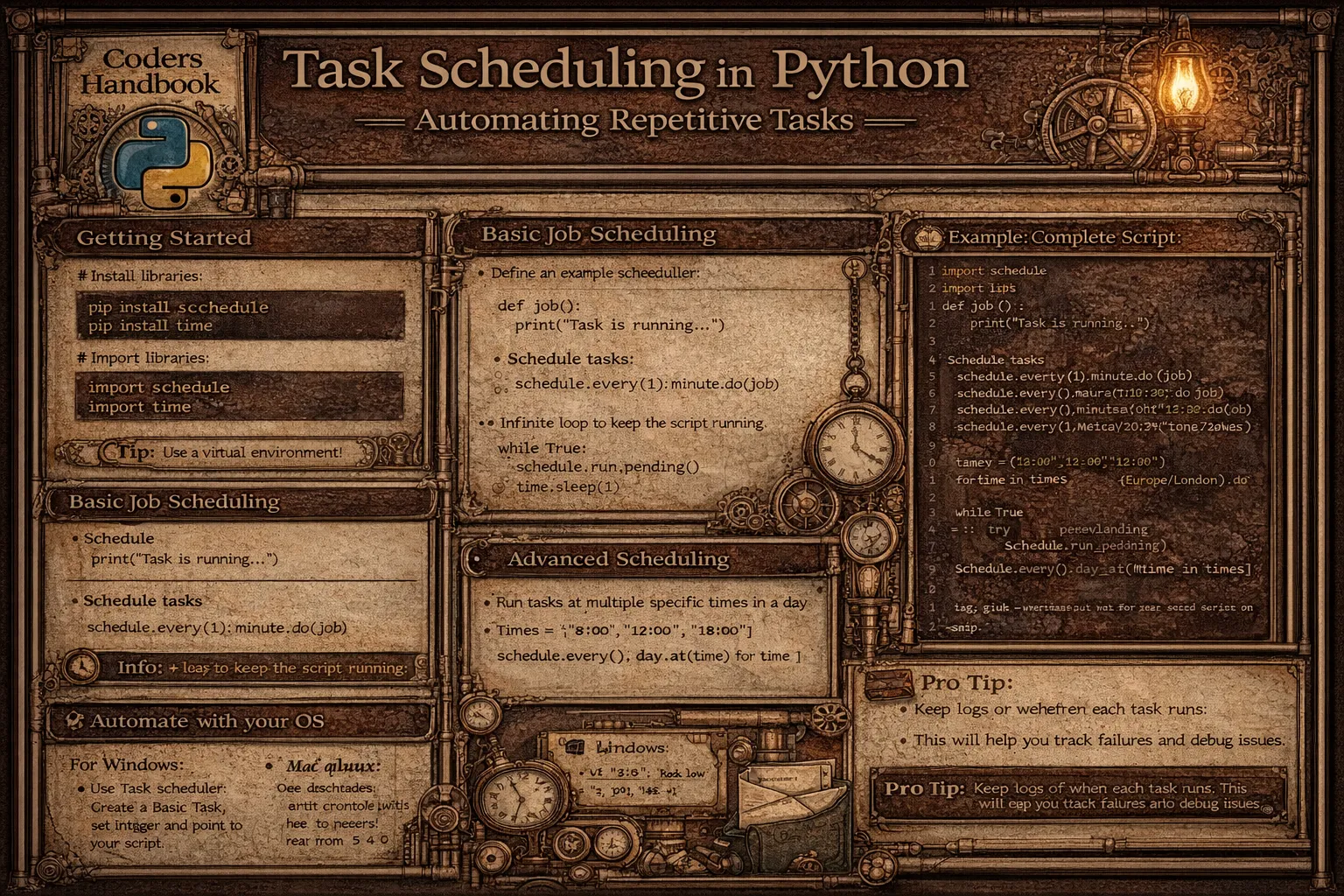
Task scheduling automates repetitive operations executing code at predetermined intervals or specific times eliminating manual intervention for routine tasks including backups, reports, data processing, and system maintenance. Python provides powerful scheduling libraries including schedule offering simple human-readable syntax for periodic tasks, and APScheduler providing advanced features including cron-style scheduling, persistent job storage, and multiple execution backends. Automated task scheduling enables running scripts daily at specific times, processing data hourly, sending scheduled reports, performing system checks, and executing maintenance operations consistently without manual triggering.
This comprehensive guide explores basic scheduling with schedule library using every() defining intervals, at() specifying exact times, and run_pending() executing scheduled jobs in continuous loops, advanced scheduling with APScheduler using BlockingScheduler for dedicated scheduler processes, BackgroundScheduler running in application backgrounds, cron triggers implementing Unix cron-style schedules, interval triggers repeating at fixed durations, and date triggers executing once at specific times, job management including adding jobs with add_job(), removing with remove_job(), pausing and resuming schedulers, and listing active jobs, error handling wrapping job functions in try-except blocks preventing scheduler crashes, logging job execution for monitoring, and retry mechanisms handling transient failures, practical applications including automated backups scheduling regular data backups, report generation sending daily or weekly reports, data synchronization periodically syncing databases, web scraping collecting data at intervals, and system monitoring checking server health, deployment strategies running schedulers as system services, using process managers like systemd or supervisor, containerizing with Docker, and cloud scheduling with AWS EventBridge or Google Cloud Scheduler. Whether you're automating database backups running nightly data exports, generating business reports sending weekly analytics, monitoring systems checking server status every minute, processing data pipelines executing ETL jobs hourly, or maintaining applications running cleanup tasks, mastering Python task scheduling provides essential tools for automation enabling reliable consistent execution of repetitive operations supporting operational efficiency and reducing manual workload across development, operations, and business workflows.
Basic Scheduling with Schedule Library
The schedule library provides intuitive syntax for periodic task scheduling using human-readable time specifications. Jobs are defined with every() setting intervals, chained with time units like seconds, minutes, hours, or days, and executed with run_pending() checking due tasks. Understanding schedule basics enables quick implementation of simple recurring tasks.
# Basic Scheduling with Schedule Library

import schedule
import time
from datetime import datetime

# === Simple periodic jobs ===

def job():
    """Simple job function."""
    print(f"Job executed at {datetime.now().strftime('%H:%M:%S')}")

def morning_routine():
    """Morning routine task."""
    print("Good morning! Time to start the day.")

def backup_data():
    """Backup task."""
    print("Running backup...")
    # Backup logic here
    print("Backup completed!")

# Schedule jobs with different intervals

# Every 10 seconds
schedule.every(10).seconds.do(job)

# Every minute
schedule.every().minute.do(job)

# Every 5 minutes
schedule.every(5).minutes.do(job)

# Every hour
schedule.every().hour.do(job)

# Every day
schedule.every().day.do(job)

# Every Monday
schedule.every().monday.do(job)

# Every Wednesday at 13:15
schedule.every().wednesday.at("13:15").do(job)

# === Specific time scheduling ===

# Every day at specific time
schedule.every().day.at("10:30").do(morning_routine)

# Multiple times per day
schedule.every().day.at("09:00").do(backup_data)
schedule.every().day.at("18:00").do(backup_data)

# === Jobs with parameters ===

def greet(name):
    """Greet with name."""
    print(f"Hello, {name}!")

def send_report(report_type, recipient):
    """Send report."""
    print(f"Sending {report_type} report to {recipient}")

# Schedule with arguments
schedule.every().hour.do(greet, name="Alice")
schedule.every().day.at("09:00").do(send_report,
                                    report_type="Daily",
                                    recipient="[email protected]")

# === Job management ===

# Store job reference for cancellation
job1 = schedule.every().minute.do(job)

# Cancel specific job
schedule.cancel_job(job1)

# Clear all jobs
# schedule.clear()

# Clear jobs with specific tag
schedule.every().day.do(backup_data).tag('backup')
schedule.clear('backup')

# === Running scheduler ===

def run_scheduler_basic():
    """Run scheduler continuously."""

    # Schedule some jobs
    schedule.every(5).seconds.do(job)
    schedule.every().day.at("10:00").do(morning_routine)

    print("Scheduler started...")

    # Keep running
    while True:
        schedule.run_pending()  # Run all pending jobs
        time.sleep(1)  # Wait 1 second

# === Run all jobs immediately ===

def run_all_jobs():
    """Run all scheduled jobs immediately."""
    schedule.every(10).seconds.do(job)

    # Run all jobs now (ignore schedule)
    schedule.run_all()

    # Run with delay between jobs
    schedule.run_all(delay_seconds=2)

# === Get next run time ===

def check_next_run():
    """Check when jobs will run next."""
    job1 = schedule.every().day.at("10:00").do(morning_routine)
    job2 = schedule.every(30).minutes.do(backup_data)

    print(f"Morning routine next run: {job1.next_run}")
    print(f"Backup next run: {job2.next_run}")

    # Get next run time for all jobs
    print(f"Next run: {schedule.next_run()}")

    # Get idle time until next job
    print(f"Idle seconds: {schedule.idle_seconds()}")

# === Job decorators ===

@schedule.repeat(schedule.every().minute)
def decorated_job():
    """Job defined with decorator."""
    print("Decorated job executed")

# === Time until next run ===

def job_with_info():
    """Job that displays its schedule info."""
    print(f"Job executed at {datetime.now()}")

job_ref = schedule.every(10).seconds.do(job_with_info)

print(f"Job interval: {job_ref.interval}")
print(f"Job unit: {job_ref.unit}")
print(f"Next run: {job_ref.next_run}")

# === Conditional job execution ===

def conditional_job():
    """Job that only runs under certain conditions."""
    current_hour = datetime.now().hour

    # Only run during business hours (9 AM - 5 PM)
    if 9 <= current_hour < 17:
        print("Running business hours job")
        return schedule.CancelJob  # Cancel after running
    else:
        print("Outside business hours, skipping...")

schedule.every().hour.do(conditional_job)

# === Complete example: Task scheduler ===

def task_scheduler_example():
    """Complete task scheduling example."""

    def morning_email():
        print(f"[{datetime.now().strftime('%H:%M:%S')}] Sending morning email...")

    def afternoon_report():
        print(f"[{datetime.now().strftime('%H:%M:%S')}] Generating afternoon report...")

    def evening_cleanup():
        print(f"[{datetime.now().strftime('%H:%M:%S')}] Running cleanup tasks...")

    def health_check():
        print(f"[{datetime.now().strftime('%H:%M:%S')}] System health check")

    # Schedule tasks
    schedule.every().day.at("09:00").do(morning_email)
    schedule.every().day.at("15:00").do(afternoon_report)
    schedule.every().day.at("18:00").do(evening_cleanup)
    schedule.every(5).minutes.do(health_check)

    print("Task scheduler started!")
    print("Scheduled tasks:")
    for job in schedule.get_jobs():
        print(f"  - {job}")

    # Run scheduler
    while True:
        schedule.run_pending()
        time.sleep(1)

# Example usage (commented to prevent infinite loop)
# task_scheduler_example()

print("Schedule library examples completed!")while True loop with run_pending(). Without it, scheduled jobs won't execute.Advanced Scheduling with APScheduler
APScheduler (Advanced Python Scheduler) provides enterprise-grade scheduling with multiple backends, persistent job storage, and cron-style expressions. BlockingScheduler runs as dedicated process, BackgroundScheduler operates alongside applications, and AsyncIOScheduler integrates with asyncio. APScheduler supports complex scheduling patterns beyond simple intervals.
# Advanced Scheduling with APScheduler

from apscheduler.schedulers.blocking import BlockingScheduler
from apscheduler.schedulers.background import BackgroundScheduler
from apscheduler.triggers.cron import CronTrigger
from apscheduler.triggers.interval import IntervalTrigger
from apscheduler.triggers.date import DateTrigger
from datetime import datetime, timedelta
import time

# === BlockingScheduler (dedicated scheduler process) ===

def blocking_scheduler_example():
    """BlockingScheduler example."""

    def job():
        print(f"Job executed at {datetime.now()}")

    scheduler = BlockingScheduler()

    # Add interval job (every 10 seconds)
    scheduler.add_job(job, 'interval', seconds=10, id='job1')

    # Add cron job (every day at 10:00)
    scheduler.add_job(job, 'cron', hour=10, minute=0, id='job2')

    print("BlockingScheduler started")
    scheduler.start()  # This blocks until interrupted

# === BackgroundScheduler (runs in background) ===

def background_scheduler_example():
    """BackgroundScheduler runs alongside your application."""

    def job():
        print(f"Background job at {datetime.now()}")

    scheduler = BackgroundScheduler()

    # Add job
    scheduler.add_job(job, 'interval', seconds=5)

    # Start scheduler in background
    scheduler.start()

    print("BackgroundScheduler started")
    print("Application continues running...")

    # Your application code continues here
    try:
        # Keep main thread alive
        while True:
            time.sleep(2)
            print("Main application working...")
    except (KeyboardInterrupt, SystemExit):
        scheduler.shutdown()

# === Interval trigger ===

def interval_trigger_examples():
    """Interval-based scheduling."""

    scheduler = BackgroundScheduler()

    def task():
        print(f"Task executed at {datetime.now()}")

    # Every 30 seconds
    scheduler.add_job(task, 'interval', seconds=30)

    # Every 5 minutes
    scheduler.add_job(task, 'interval', minutes=5)

    # Every 2 hours
    scheduler.add_job(task, 'interval', hours=2)

    # Every 1 day
    scheduler.add_job(task, 'interval', days=1)

    # Start at specific time, then repeat every hour
    start_date = datetime.now() + timedelta(minutes=5)
    scheduler.add_job(task, 'interval', hours=1, start_date=start_date)

    scheduler.start()

    try:
        while True:
            time.sleep(1)
    except (KeyboardInterrupt, SystemExit):
        scheduler.shutdown()

# === Cron trigger (Unix cron-style) ===

def cron_trigger_examples():
    """Cron-style scheduling."""

    scheduler = BackgroundScheduler()

    def job():
        print(f"Cron job at {datetime.now()}")

    # Every day at 10:30 AM
    scheduler.add_job(job, 'cron', hour=10, minute=30)

    # Every Monday at 8:00 AM
    scheduler.add_job(job, 'cron', day_of_week='mon', hour=8, minute=0)

    # Every weekday at 5:00 PM
    scheduler.add_job(job, 'cron', day_of_week='mon-fri', hour=17, minute=0)

    # Every hour at 15 minutes past
    scheduler.add_job(job, 'cron', minute=15)

    # First day of every month at midnight
    scheduler.add_job(job, 'cron', day=1, hour=0, minute=0)

    # Every 15 minutes
    scheduler.add_job(job, 'cron', minute='*/15')

    # Multiple specific times
    scheduler.add_job(job, 'cron', hour='8,12,16', minute=0)

    # Using CronTrigger object
    trigger = CronTrigger(
        day_of_week='mon-fri',
        hour='9-17',
        minute='*/30'
    )
    scheduler.add_job(job, trigger=trigger)

    scheduler.start()

    try:
        while True:
            time.sleep(1)
    except (KeyboardInterrupt, SystemExit):
        scheduler.shutdown()

# === Date trigger (one-time execution) ===

def date_trigger_examples():
    """One-time scheduled execution."""

    scheduler = BackgroundScheduler()

    def one_time_task():
        print(f"One-time task executed at {datetime.now()}")

    # Run once at specific datetime
    run_date = datetime.now() + timedelta(seconds=10)
    scheduler.add_job(one_time_task, 'date', run_date=run_date)

    # Alternative: using DateTrigger
    trigger = DateTrigger(run_date=run_date)
    scheduler.add_job(one_time_task, trigger=trigger)

    scheduler.start()

    print(f"Task scheduled for {run_date}")

    try:
        time.sleep(20)
    except (KeyboardInterrupt, SystemExit):
        scheduler.shutdown()

# === Job management ===

def job_management_examples():
    """Managing scheduled jobs."""

    scheduler = BackgroundScheduler()

    def task():
        print("Task running")

    # Add job with ID
    job = scheduler.add_job(task, 'interval', seconds=10, id='task1')

    scheduler.start()

    # Get job by ID
    retrieved_job = scheduler.get_job('task1')
    print(f"Job: {retrieved_job}")

    # Modify job
    scheduler.reschedule_job('task1', trigger='interval', seconds=5)

    # Pause job
    scheduler.pause_job('task1')

    # Resume job
    scheduler.resume_job('task1')

    # Remove job
    scheduler.remove_job('task1')

    # Get all jobs
    all_jobs = scheduler.get_jobs()
    print(f"All jobs: {all_jobs}")

    # Remove all jobs
    scheduler.remove_all_jobs()

    scheduler.shutdown()

# === Jobs with parameters ===

def jobs_with_parameters():
    """Passing arguments to scheduled jobs."""

    scheduler = BackgroundScheduler()

    def send_email(recipient, subject):
        print(f"Sending email to {recipient}: {subject}")

    def process_data(data_id, priority):
        print(f"Processing data {data_id} with priority {priority}")

    # Pass arguments
    scheduler.add_job(
        send_email,
        'interval',
        minutes=30,
        args=['[email protected]', 'Daily Report']
    )

    # Pass keyword arguments
    scheduler.add_job(
        process_data,
        'cron',
        hour=10,
        kwargs={'data_id': 123, 'priority': 'high'}
    )

    scheduler.start()

    try:
        while True:
            time.sleep(1)
    except (KeyboardInterrupt, SystemExit):
        scheduler.shutdown()

# === Error handling ===

def error_handling_example():
    """Handle errors in scheduled jobs."""

    import logging

    # Configure logging
    logging.basicConfig(
        level=logging.INFO,
        format='%(asctime)s - %(levelname)s - %(message)s'
    )

    scheduler = BackgroundScheduler()

    def risky_job():
        try:
            print("Executing risky job...")
            # Simulate error
            # raise Exception("Something went wrong!")
            print("Job completed successfully")
        except Exception as e:
            logging.error(f"Job failed: {e}")

    # Add job with max_instances to prevent overlap
    scheduler.add_job(
        risky_job,
        'interval',
        seconds=10,
        max_instances=1,  # Only one instance at a time
        misfire_grace_time=30  # Grace time for delayed jobs
    )

    scheduler.start()

    try:
        while True:
            time.sleep(1)
    except (KeyboardInterrupt, SystemExit):
        scheduler.shutdown()

# === Complete example: Task automation system ===

def task_automation_system():
    """Complete task automation example."""

    import logging

    logging.basicConfig(
        level=logging.INFO,
        format='%(asctime)s - %(name)s - %(levelname)s - %(message)s'
    )

    logger = logging.getLogger('TaskAutomation')

    scheduler = BackgroundScheduler()

    def backup_database():
        logger.info("Starting database backup...")
        # Backup logic
        logger.info("Database backup completed")

    def generate_report():
        logger.info("Generating daily report...")
        # Report generation logic
        logger.info("Report generated and sent")

    def cleanup_temp_files():
        logger.info("Cleaning up temporary files...")
        # Cleanup logic
        logger.info("Cleanup completed")

    def health_check():
        logger.info("Running system health check...")
        # Health check logic
        logger.info("System healthy")

    # Schedule tasks

    # Daily backup at 2 AM
    scheduler.add_job(
        backup_database,
        'cron',
        hour=2,
        minute=0,
        id='daily_backup'
    )

    # Daily report at 9 AM on weekdays
    scheduler.add_job(
        generate_report,
        'cron',
        day_of_week='mon-fri',
        hour=9,
        minute=0,
        id='daily_report'
    )

    # Cleanup every 6 hours
    scheduler.add_job(
        cleanup_temp_files,
        'interval',
        hours=6,
        id='cleanup'
    )

    # Health check every 5 minutes
    scheduler.add_job(
        health_check,
        'interval',
        minutes=5,
        id='health_check'
    )

    scheduler.start()
    logger.info("Task automation system started")

    # Display scheduled jobs
    logger.info("Scheduled jobs:")
    for job in scheduler.get_jobs():
        logger.info(f"  {job.id}: {job.next_run_time}")

    try:
        while True:
            time.sleep(1)
    except (KeyboardInterrupt, SystemExit):
        logger.info("Shutting down scheduler...")
        scheduler.shutdown()
        logger.info("Scheduler stopped")

# Example usage (commented to prevent execution)
# task_automation_system()

print("APScheduler examples completed!")BlockingScheduler for dedicated scheduler scripts. Use BackgroundScheduler when scheduler runs alongside other code.Practical Applications and Examples
Practical task scheduling applies to diverse scenarios including automated backups, report generation, data synchronization, web scraping, and monitoring. Real-world implementations combine scheduling with error handling, logging, notifications, and resource management. Understanding practical patterns enables building robust automation systems.
# Practical Applications and Examples

import schedule
from apscheduler.schedulers.background import BackgroundScheduler
import time
import logging
from datetime import datetime
import smtplib
from email.mime.text import MIMEText

# Setup logging
logging.basicConfig(
    level=logging.INFO,
    format='%(asctime)s - %(levelname)s - %(message)s',
    handlers=[
        logging.FileHandler('scheduler.log'),
        logging.StreamHandler()
    ]
)

# === Automated database backup ===

def automated_backup_system():
    """Automated database backup system."""

    import subprocess
    import os

    def backup_database():
        """Backup database to file."""
        try:
            timestamp = datetime.now().strftime('%Y%m%d_%H%M%S')
            backup_file = f'backup_{timestamp}.sql'

            logging.info(f"Starting backup to {backup_file}")

            # Example: MySQL backup
            # cmd = f"mysqldump -u username -p password database > {backup_file}"
            # subprocess.run(cmd, shell=True, check=True)

            # Simulate backup
            with open(backup_file, 'w') as f:
                f.write(f"Backup created at {datetime.now()}")

            logging.info("Backup completed successfully")

            # Cleanup old backups (keep last 7 days)
            cleanup_old_backups(days=7)

        except Exception as e:
            logging.error(f"Backup failed: {e}")
            send_alert(f"Backup failed: {e}")

    def cleanup_old_backups(days=7):
        """Remove backups older than specified days."""
        # Cleanup logic
        logging.info(f"Cleaned up backups older than {days} days")

    def send_alert(message):
        """Send alert notification."""
        logging.warning(f"Alert: {message}")

    # Schedule daily backup at 2 AM
    schedule.every().day.at("02:00").do(backup_database)

    logging.info("Backup system initialized")

    while True:
        schedule.run_pending()
        time.sleep(60)  # Check every minute

# === Report generation system ===

def report_generation_system():
    """Automated report generation and distribution."""

    import pandas as pd

    def generate_daily_report():
        """Generate and send daily report."""
        try:
            logging.info("Generating daily report...")

            # Simulate data collection
            data = {
                'Date': [datetime.now().date()],
                'Sales': [15000],
                'Customers': [250],
                'Revenue': [45000]
            }

            df = pd.DataFrame(data)

            # Save report
            report_file = f"report_{datetime.now().strftime('%Y%m%d')}.csv"
            df.to_csv(report_file, index=False)

            logging.info(f"Report saved to {report_file}")

            # Send report via email
            send_report_email(report_file)

        except Exception as e:
            logging.error(f"Report generation failed: {e}")

    def send_report_email(report_file):
        """Send report via email."""
        logging.info(f"Sending report {report_file} via email")
        # Email sending logic

    scheduler = BackgroundScheduler()

    # Daily report at 9 AM on weekdays
    scheduler.add_job(
        generate_daily_report,
        'cron',
        day_of_week='mon-fri',
        hour=9,
        minute=0
    )

    scheduler.start()
    logging.info("Report generation system started")

    try:
        while True:
            time.sleep(1)
    except (KeyboardInterrupt, SystemExit):
        scheduler.shutdown()

# === Web scraping scheduler ===

def web_scraping_scheduler():
    """Schedule periodic web scraping."""

    def scrape_website():
        """Scrape website for data."""
        try:
            logging.info("Starting web scraping...")

            # Scraping logic (using requests, BeautifulSoup, etc.)
            # response = requests.get(url)
            # soup = BeautifulSoup(response.content, 'html.parser')

            # Simulate scraping
            logging.info("Data scraped successfully")

            # Store data
            save_scraped_data({})

        except Exception as e:
            logging.error(f"Scraping failed: {e}")

    def save_scraped_data(data):
        """Save scraped data to database."""
        logging.info("Data saved to database")

    # Scrape every 6 hours
    schedule.every(6).hours.do(scrape_website)

    logging.info("Web scraping scheduler started")

    while True:
        schedule.run_pending()
        time.sleep(60)

# === System monitoring ===

def system_monitoring():
    """Monitor system health and resources."""

    import psutil

    def check_system_health():
        """Check system resources."""
        try:
            # CPU usage
            cpu_percent = psutil.cpu_percent(interval=1)

            # Memory usage
            memory = psutil.virtual_memory()
            memory_percent = memory.percent

            # Disk usage
            disk = psutil.disk_usage('/')
            disk_percent = disk.percent

            logging.info(
                f"System Health - CPU: {cpu_percent}%, "
                f"Memory: {memory_percent}%, Disk: {disk_percent}%"
            )

            # Alert if thresholds exceeded
            if cpu_percent > 80:
                send_alert(f"High CPU usage: {cpu_percent}%")

            if memory_percent > 85:
                send_alert(f"High memory usage: {memory_percent}%")

            if disk_percent > 90:
                send_alert(f"High disk usage: {disk_percent}%")

        except Exception as e:
            logging.error(f"Health check failed: {e}")

    def send_alert(message):
        """Send alert notification."""
        logging.warning(f"ALERT: {message}")
        # Send email/SMS/Slack notification

    # Check every 5 minutes
    schedule.every(5).minutes.do(check_system_health)

    logging.info("System monitoring started")

    while True:
        schedule.run_pending()
        time.sleep(60)

# === Data synchronization ===

def data_sync_system():
    """Synchronize data between systems."""

    def sync_databases():
        """Sync data between databases."""
        try:
            logging.info("Starting database synchronization...")

            # Fetch data from source
            # source_data = fetch_from_source()

            # Transform data
            # transformed = transform_data(source_data)

            # Load to destination
            # load_to_destination(transformed)

            logging.info("Synchronization completed")

        except Exception as e:
            logging.error(f"Sync failed: {e}")
            # Retry logic
            retry_sync()

    def retry_sync():
        """Retry failed synchronization."""
        logging.info("Retrying synchronization...")

    scheduler = BackgroundScheduler()

    # Sync every hour
    scheduler.add_job(sync_databases, 'interval', hours=1)

    scheduler.start()
    logging.info("Data sync system started")

    try:
        while True:
            time.sleep(1)
    except (KeyboardInterrupt, SystemExit):
        scheduler.shutdown()

# === Task queue processor ===

def task_queue_processor():
    """Process pending tasks from queue."""

    def process_pending_tasks():
        """Process tasks from queue."""
        try:
            # Fetch pending tasks
            # tasks = get_pending_tasks()

            tasks = []  # Simulate

            if tasks:
                logging.info(f"Processing {len(tasks)} tasks...")

                for task in tasks:
                    # Process task
                    logging.info(f"Processing task: {task}")

                logging.info("All tasks processed")
            else:
                logging.debug("No pending tasks")

        except Exception as e:
            logging.error(f"Task processing failed: {e}")

    # Process every 2 minutes
    schedule.every(2).minutes.do(process_pending_tasks)

    logging.info("Task queue processor started")

    while True:
        schedule.run_pending()
        time.sleep(30)  # Check every 30 seconds

print("Practical application examples completed!")
Task Scheduling Best Practices
- Always implement error handling: Wrap job functions in try-except blocks preventing scheduler crashes. Log errors and implement retry mechanisms for transient failures
- Use comprehensive logging: Log job start, completion, and failures with timestamps. Enables monitoring, debugging, and auditing scheduled tasks
- Set job timeouts: Configure maximum execution time for jobs preventing hung processes. Use max_instances in APScheduler preventing job overlap
- Choose appropriate scheduler type: Use BlockingScheduler for dedicated scheduler processes, BackgroundScheduler when running alongside applications. Consider AsyncIOScheduler for async code
- Test scheduling logic thoroughly: Test jobs run at correct times. Verify error handling and edge cases. Use shorter intervals for testing
- Monitor scheduled jobs: Track job execution success rates, durations, and failures. Set up alerts for critical job failures
- Handle time zones correctly: Specify time zones explicitly in schedulers. Use timezone-aware datetime objects preventing DST issues
- Implement graceful shutdown: Catch KeyboardInterrupt and SystemExit calling scheduler.shutdown(). Ensures jobs complete properly before stopping
- Use job IDs for management: Assign unique IDs to jobs enabling modification, removal, and monitoring. Makes job management easier
- Consider resource usage: Avoid resource-intensive jobs during peak hours. Use queue systems for heavy processing. Monitor scheduler memory usage
Conclusion
Task scheduling in Python automates repetitive operations through libraries providing flexible timing control and reliable execution. The schedule library offers simple human-readable syntax with every() defining intervals accepting seconds, minutes, hours, days, or specific weekdays, at() specifying exact execution times in HH:MM format, do() attaching job functions accepting arguments, run_pending() executing due jobs typically called in while True loop with time.sleep(), and job management including cancel_job() removing specific jobs, clear() removing all jobs, and tags organizing related tasks. APScheduler provides enterprise-grade features with BlockingScheduler running as dedicated process blocking main thread, BackgroundScheduler operating alongside applications in separate thread, AsyncIOScheduler integrating with asyncio for async applications, multiple trigger types including interval for fixed-duration repetition, cron for Unix cron-style schedules supporting day_of_week, hour, minute expressions, and date for one-time execution at specific datetime, and advanced features including job persistence storing jobs in databases, misfire handling managing delayed executions, max_instances preventing concurrent job runs, and job coalescing combining missed runs.
Practical applications demonstrate real-world scheduling patterns including automated backups running database exports nightly with cleanup of old files, report generation creating and distributing daily or weekly reports via email, web scraping periodically collecting data from websites storing results, system monitoring checking CPU, memory, and disk usage alerting on threshold violations, data synchronization transferring data between systems on regular intervals, and task queue processing checking for pending work items. Best practices emphasize implementing error handling wrapping jobs in try-except blocks with logging and retry mechanisms, using comprehensive logging tracking execution start, completion, duration, and failures, setting job timeouts preventing hung processes, choosing appropriate scheduler types matching use case requirements, testing thoroughly verifying timing and error handling, monitoring execution tracking success rates and performance, handling time zones correctly using timezone-aware objects, implementing graceful shutdown allowing job completion before stopping, using job IDs enabling management and modification, and considering resource usage avoiding peak-hour heavy processing. Deployment strategies include running as system services using systemd on Linux creating unit files enabling automatic startup, using process managers like supervisor monitoring and restarting failed schedulers, containerizing with Docker creating isolated reproducible environments, cloud scheduling with AWS EventBridge or Google Cloud Scheduler for serverless execution, and logging integration forwarding logs to centralized systems. By mastering basic scheduling with schedule library for simple periodic tasks, advanced patterns with APScheduler for complex requirements, practical applications implementing real-world automation, error handling and monitoring ensuring reliability, and deployment strategies for production environments, you gain essential tools for task automation enabling automated backups, scheduled reports, continuous monitoring, data synchronization, and operational workflows reducing manual effort, improving consistency, and supporting scalable reliable automation across development, operations, and business processes.
$ share --platform
$ cat /comments/ (0)
$ cat /comments/
// No comments found. Be the first!


