Database Operations in Python: SQLite and SQL Basics
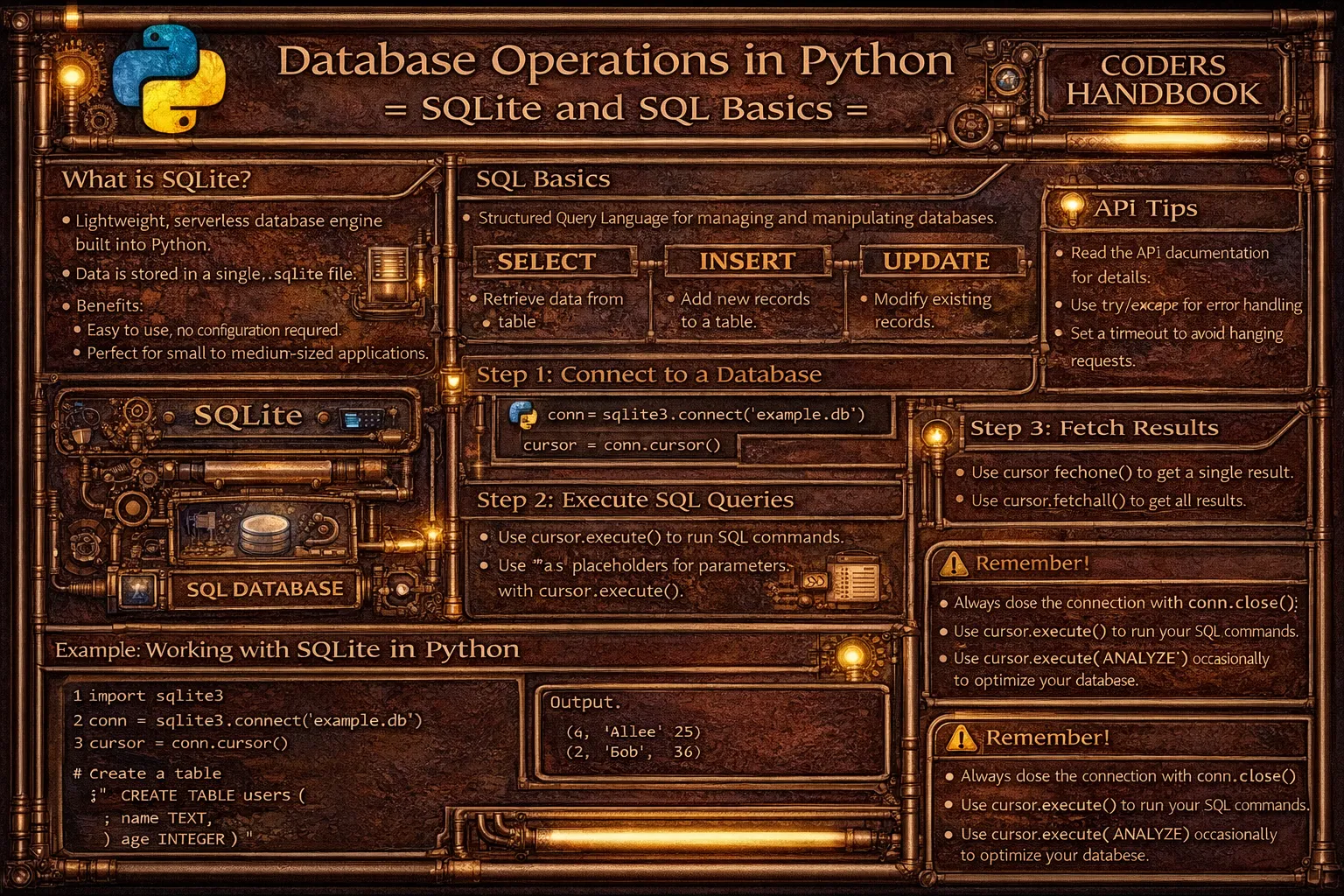
Database operations enable persistent data storage in Python applications, with SQLite providing a lightweight, serverless, file-based database engine included in Python's standard library requiring no separate installation or configuration. SQLite stores entire databases in single files making it perfect for desktop applications, mobile apps, prototypes, and embedded systems, while Python's sqlite3 module provides interfaces for creating connections, executing SQL queries, and managing transactions. SQL (Structured Query Language) is the standard language for database operations with core commands including SELECT for retrieving data, INSERT for adding records, UPDATE for modifying existing data, and DELETE for removing records, organized through tables containing rows and columns with defined schemas.
This comprehensive guide explores database connections using sqlite3.connect() creating database files or in-memory databases, cursor objects executing SQL commands and fetching results, creating tables with CREATE TABLE statements defining columns and data types including INTEGER, TEXT, REAL, and BLOB, CRUD operations with INSERT INTO for creating records using parameterized queries preventing SQL injection, SELECT statements retrieving data with WHERE clauses filtering results, UPDATE statements modifying existing records with conditions, and DELETE statements removing records safely, fetching results with fetchone() retrieving single rows, fetchall() getting all results, and fetchmany() for batch retrieval, transactions with commit() saving changes permanently and rollback() reverting uncommitted changes, context managers automatically handling connections and commits, practical database design with primary keys ensuring unique identification, foreign keys establishing relationships, indexes improving query performance, and best practices using parameterized queries preventing SQL injection, closing connections properly with context managers, handling errors with try-except blocks, normalizing database schemas, and validating data before insertion. Whether you're building desktop applications requiring local data storage, creating web applications with persistent backends, implementing caching systems, storing configuration data, or developing prototypes before migrating to larger databases, mastering SQLite and SQL operations provides essential tools for data persistence enabling reliable storage and retrieval supporting Python applications from simple scripts to complex systems.
Database Connections and Cursors
Database connections establish communication channels with SQLite databases creating or opening database files, while cursor objects execute SQL commands and retrieve results. The sqlite3.connect() function creates connections accepting filenames for file-based databases or special :memory: string for in-memory databases. Understanding connection and cursor management enables proper database interaction.
# Database Connections and Cursors

import sqlite3

# === Creating database connection ===

# Connect to file-based database (creates if doesn't exist)
connection = sqlite3.connect('example.db')
print(f"Connection created: {connection}")

# Close connection
connection.close()
print("Connection closed")

# === In-memory database ===

# Database exists only in RAM (lost when program ends)
memory_db = sqlite3.connect(':memory:')
print("In-memory database created")
memory_db.close()

# === Using context manager (recommended) ===

# Automatically closes connection and commits transactions
with sqlite3.connect('example.db') as conn:
    print("Connected with context manager")
    # Perform operations
    cursor = conn.cursor()
    cursor.execute("SELECT sqlite_version()")
    version = cursor.fetchone()
    print(f"SQLite version: {version[0]}")
# Connection automatically closed

# === Creating and using cursor ===

connection = sqlite3.connect('example.db')

# Create cursor object
cursor = connection.cursor()

# Execute SQL command
cursor.execute("SELECT name FROM sqlite_master WHERE type='table'")

# Fetch results
tables = cursor.fetchall()
print(f"Tables: {tables}")

# Close cursor and connection
cursor.close()
connection.close()

# === Multiple cursors ===

with sqlite3.connect('example.db') as conn:
    cursor1 = conn.cursor()
    cursor2 = conn.cursor()

    # Different cursors can execute different queries
    cursor1.execute("SELECT 1")
    cursor2.execute("SELECT 2")

    print(f"Cursor 1: {cursor1.fetchone()}")
    print(f"Cursor 2: {cursor2.fetchone()}")

# === Connection properties ===

connection = sqlite3.connect('example.db')

print(f"Total changes: {connection.total_changes}")
print(f"In transaction: {connection.in_transaction}")
print(f"Isolation level: {connection.isolation_level}")

connection.close()

# === Setting row factory for dictionary-like access ===

with sqlite3.connect('example.db') as conn:
    # Enable row factory
    conn.row_factory = sqlite3.Row
    cursor = conn.cursor()

    cursor.execute("SELECT 1 as id, 'Alice' as name")
    row = cursor.fetchone()

    # Access by column name
    print(f"ID: {row['id']}")
    print(f"Name: {row['name']}")

    # Also works with index
    print(f"First column: {row[0]}")

# === Checking if table exists ===

def table_exists(conn, table_name):
    """Check if table exists in database."""
    cursor = conn.cursor()
    cursor.execute(
        "SELECT name FROM sqlite_master WHERE type='table' AND name=?",
        (table_name,)
    )
    return cursor.fetchone() is not None

with sqlite3.connect('example.db') as conn:
    if table_exists(conn, 'users'):
        print("Users table exists")
    else:
        print("Users table does not exist")

# === Database file location ===

import os

# Create database in specific directory
db_path = os.path.join(os.getcwd(), 'data', 'myapp.db')

# Ensure directory exists
os.makedirs(os.path.dirname(db_path), exist_ok=True)

connection = sqlite3.connect(db_path)
print(f"Database created at: {db_path}")
connection.close()

# === Error handling ===

try:
    connection = sqlite3.connect('example.db')
    cursor = connection.cursor()

    # Execute query
    cursor.execute("SELECT * FROM non_existent_table")

except sqlite3.Error as error:
    print(f"Database error: {error}")

finally:
    if connection:
        connection.close()
print("Connection closed in finally block")with sqlite3.connect() for automatic connection management. It commits on success and closes connections even if errors occur.Creating Tables and Schema Design
Creating tables defines database structure specifying column names, data types, and constraints. The CREATE TABLE statement establishes table schemas with data types including INTEGER for whole numbers, TEXT for strings, REAL for floating-point numbers, and BLOB for binary data. Constraints like PRIMARY KEY ensure uniqueness, NOT NULL prevent null values, and UNIQUE enforce distinct values.
# Creating Tables and Schema Design

import sqlite3

# === Basic table creation ===

with sqlite3.connect('example.db') as conn:
    cursor = conn.cursor()

    # Create simple table
    cursor.execute('''
        CREATE TABLE IF NOT EXISTS users (
            id INTEGER PRIMARY KEY,
            name TEXT NOT NULL,
            email TEXT UNIQUE,
            age INTEGER
        )
    ''')

    print("Users table created")

# === Data types in SQLite ===

with sqlite3.connect('example.db') as conn:
    cursor = conn.cursor()

    cursor.execute('''
        CREATE TABLE IF NOT EXISTS products (
            id INTEGER PRIMARY KEY AUTOINCREMENT,
            name TEXT NOT NULL,
            price REAL,
            quantity INTEGER DEFAULT 0,
            description TEXT,
            image BLOB,
            created_at TEXT DEFAULT CURRENT_TIMESTAMP
        )
    ''')

    print("Products table created with various data types")

# === Primary key and autoincrement ===

with sqlite3.connect('example.db') as conn:
    cursor = conn.cursor()

    # Autoincrement primary key
    cursor.execute('''
        CREATE TABLE IF NOT EXISTS orders (
            id INTEGER PRIMARY KEY AUTOINCREMENT,
            order_number TEXT UNIQUE NOT NULL,
            customer_name TEXT NOT NULL,
            total_amount REAL NOT NULL,
            status TEXT DEFAULT 'pending'
        )
    ''')

    print("Orders table created with autoincrement ID")

# === Foreign key relationships ===

with sqlite3.connect('example.db') as conn:
    cursor = conn.cursor()

    # Enable foreign key support (disabled by default)
    cursor.execute("PRAGMA foreign_keys = ON")

    # Parent table
    cursor.execute('''
        CREATE TABLE IF NOT EXISTS customers (
            id INTEGER PRIMARY KEY,
            name TEXT NOT NULL,
            email TEXT UNIQUE
        )
    ''')

    # Child table with foreign key
    cursor.execute('''
        CREATE TABLE IF NOT EXISTS orders_fk (
            id INTEGER PRIMARY KEY,
            customer_id INTEGER NOT NULL,
            order_date TEXT DEFAULT CURRENT_TIMESTAMP,
            total REAL,
            FOREIGN KEY (customer_id) REFERENCES customers (id)
                ON DELETE CASCADE
                ON UPDATE CASCADE
        )
    ''')

    print("Tables created with foreign key relationship")

# === Check constraints ===

with sqlite3.connect('example.db') as conn:
    cursor = conn.cursor()

    cursor.execute('''
        CREATE TABLE IF NOT EXISTS employees (
            id INTEGER PRIMARY KEY,
            name TEXT NOT NULL,
            age INTEGER CHECK (age >= 18 AND age <= 65),
            salary REAL CHECK (salary > 0),
            department TEXT DEFAULT 'General'
        )
    ''')

    print("Employees table created with check constraints")

# === Creating indexes ===

with sqlite3.connect('example.db') as conn:
    cursor = conn.cursor()

    # Create table
    cursor.execute('''
        CREATE TABLE IF NOT EXISTS books (
            id INTEGER PRIMARY KEY,
            title TEXT NOT NULL,
            author TEXT NOT NULL,
            isbn TEXT UNIQUE,
            publication_year INTEGER
        )
    ''')

    # Create indexes for faster queries
    cursor.execute(
        'CREATE INDEX IF NOT EXISTS idx_author ON books (author)'
    )
    cursor.execute(
        'CREATE INDEX IF NOT EXISTS idx_year ON books (publication_year)'
    )

    print("Indexes created for faster queries")

# === Dropping tables ===

with sqlite3.connect('example.db') as conn:
    cursor = conn.cursor()

    # Drop table if exists
    cursor.execute('DROP TABLE IF EXISTS temp_table')
    print("Table dropped")

# === Altering tables (limited in SQLite) ===

with sqlite3.connect('example.db') as conn:
    cursor = conn.cursor()

    # Add column (SQLite supports this)
    cursor.execute('''
        ALTER TABLE users ADD COLUMN phone TEXT
    ''')

    # Rename table
    cursor.execute(
        'ALTER TABLE users RENAME TO app_users'
    )

    # Note: SQLite doesn't support DROP COLUMN or MODIFY COLUMN
    # Must create new table and copy data for those operations

# === Complete database schema example ===

def create_blog_schema(db_path):
    """Create complete blog database schema."""
    with sqlite3.connect(db_path) as conn:
        cursor = conn.cursor()

        # Enable foreign keys
        cursor.execute("PRAGMA foreign_keys = ON")

        # Users table
        cursor.execute('''
            CREATE TABLE IF NOT EXISTS users (
                id INTEGER PRIMARY KEY AUTOINCREMENT,
                username TEXT UNIQUE NOT NULL,
                email TEXT UNIQUE NOT NULL,
                password_hash TEXT NOT NULL,
                created_at TEXT DEFAULT CURRENT_TIMESTAMP
            )
        ''')

        # Posts table
        cursor.execute('''
            CREATE TABLE IF NOT EXISTS posts (
                id INTEGER PRIMARY KEY AUTOINCREMENT,
                user_id INTEGER NOT NULL,
                title TEXT NOT NULL,
                content TEXT NOT NULL,
                published BOOLEAN DEFAULT 0,
                created_at TEXT DEFAULT CURRENT_TIMESTAMP,
                updated_at TEXT,
                FOREIGN KEY (user_id) REFERENCES users (id)
            )
        ''')

        # Comments table
        cursor.execute('''
            CREATE TABLE IF NOT EXISTS comments (
                id INTEGER PRIMARY KEY AUTOINCREMENT,
                post_id INTEGER NOT NULL,
                user_id INTEGER NOT NULL,
                content TEXT NOT NULL,
                created_at TEXT DEFAULT CURRENT_TIMESTAMP,
                FOREIGN KEY (post_id) REFERENCES posts (id) ON DELETE CASCADE,
                FOREIGN KEY (user_id) REFERENCES users (id)
            )
        ''')

        # Create indexes
        cursor.execute(
            'CREATE INDEX IF NOT EXISTS idx_posts_user ON posts (user_id)'
        )
        cursor.execute(
            'CREATE INDEX IF NOT EXISTS idx_comments_post ON comments (post_id)'
        )

        print("Blog schema created successfully")

create_blog_schema('blog.db')CREATE TABLE IF NOT EXISTS to prevent errors when table already exists. This makes scripts rerunnable.CRUD Operations: Create, Read, Update, Delete
CRUD operations represent fundamental database interactions creating, reading, updating, and deleting data. INSERT INTO statements add new records with parameterized queries using placeholders preventing SQL injection, SELECT statements retrieve data with WHERE clauses filtering results and ORDER BY sorting output, UPDATE statements modify existing records targeting specific rows with conditions, and DELETE statements remove records safely with WHERE clauses preventing accidental data loss.
# CRUD Operations: Create, Read, Update, Delete

import sqlite3

# Setup database
with sqlite3.connect('crud_example.db') as conn:
    cursor = conn.cursor()
    cursor.execute('''
        CREATE TABLE IF NOT EXISTS students (
            id INTEGER PRIMARY KEY AUTOINCREMENT,
            name TEXT NOT NULL,
            age INTEGER,
            grade TEXT,
            email TEXT UNIQUE
        )
    ''')

# === CREATE (INSERT) operations ===

with sqlite3.connect('crud_example.db') as conn:
    cursor = conn.cursor()

    # Insert single record with placeholders (prevents SQL injection)
    cursor.execute(
        'INSERT INTO students (name, age, grade, email) VALUES (?, ?, ?, ?)',
        ('Alice Smith', 20, 'A', '[email protected]')
    )

    # Get last inserted row ID
    print(f"Inserted student with ID: {cursor.lastrowid}")

    # Insert multiple records
    students = [
        ('Bob Johnson', 21, 'B', '[email protected]'),
        ('Carol White', 19, 'A', '[email protected]'),
        ('David Brown', 22, 'C', '[email protected]')
    ]

    cursor.executemany(
        'INSERT INTO students (name, age, grade, email) VALUES (?, ?, ?, ?)',
        students
    )

    print(f"Inserted {cursor.rowcount} students")
    conn.commit()

# === READ (SELECT) operations ===

with sqlite3.connect('crud_example.db') as conn:
    cursor = conn.cursor()

    # Select all records
    cursor.execute('SELECT * FROM students')
    all_students = cursor.fetchall()
    print(f"\nAll students: {len(all_students)}")
    for student in all_students:
        print(student)

    # Select specific columns
    cursor.execute('SELECT name, grade FROM students')
    print("\nNames and grades:")
    for name, grade in cursor.fetchall():
        print(f"{name}: {grade}")

    # Select with WHERE clause
    cursor.execute(
        'SELECT * FROM students WHERE grade = ?',
        ('A',)
    )
    print("\nA-grade students:")
    for student in cursor.fetchall():
        print(student)

    # Select with multiple conditions
    cursor.execute(
        'SELECT * FROM students WHERE age > ? AND grade = ?',
        (20, 'A')
    )
    print("\nStudents over 20 with A grade:")
    for student in cursor.fetchall():
        print(student)

    # Select with ORDER BY
    cursor.execute('SELECT * FROM students ORDER BY age DESC')
    print("\nStudents ordered by age (descending):")
    for student in cursor.fetchall():
        print(student)

    # Select with LIMIT
    cursor.execute('SELECT * FROM students LIMIT 2')
    print("\nFirst 2 students:")
    for student in cursor.fetchall():
        print(student)

    # Count records
    cursor.execute('SELECT COUNT(*) FROM students')
    count = cursor.fetchone()[0]
    print(f"\nTotal students: {count}")

    # Aggregate functions
    cursor.execute('SELECT AVG(age) FROM students')
    avg_age = cursor.fetchone()[0]
    print(f"Average age: {avg_age:.2f}")

# === Fetching methods ===

with sqlite3.connect('crud_example.db') as conn:
    cursor = conn.cursor()

    # fetchone() - get one row
    cursor.execute('SELECT * FROM students LIMIT 1')
    one_student = cursor.fetchone()
    print(f"\nOne student: {one_student}")

    # fetchmany() - get specified number of rows
    cursor.execute('SELECT * FROM students')
    two_students = cursor.fetchmany(2)
    print(f"Two students: {two_students}")

    # fetchall() - get all remaining rows
    remaining = cursor.fetchall()
    print(f"Remaining: {len(remaining)} students")

# === UPDATE operations ===

with sqlite3.connect('crud_example.db') as conn:
    cursor = conn.cursor()

    # Update single record
    cursor.execute(
        'UPDATE students SET grade = ? WHERE name = ?',
        ('A+', 'Alice Smith')
    )
    print(f"\nUpdated {cursor.rowcount} record(s)")

    # Update multiple columns
    cursor.execute(
        'UPDATE students SET age = ?, grade = ? WHERE name = ?',
        (23, 'B+', 'Bob Johnson')
    )

    # Update with condition
    cursor.execute(
        'UPDATE students SET grade = ? WHERE age < ?',
        ('A', 21)
    )
    print(f"Updated {cursor.rowcount} students under 21")

    conn.commit()

# === DELETE operations ===

with sqlite3.connect('crud_example.db') as conn:
    cursor = conn.cursor()

    # Delete specific record
    cursor.execute(
        'DELETE FROM students WHERE name = ?',
        ('David Brown',)
    )
    print(f"\nDeleted {cursor.rowcount} record(s)")

    # Delete with condition
    cursor.execute(
        'DELETE FROM students WHERE age > ?',
        (25,)
    )
    print(f"Deleted {cursor.rowcount} students over 25")

    # Delete all records (use with caution!)
    # cursor.execute('DELETE FROM students')
    # print(f"Deleted all {cursor.rowcount} students")

    conn.commit()

# === Complete CRUD wrapper class ===

class StudentDB:
    """Student database manager."""

    def __init__(self, db_path):
        self.db_path = db_path
        self._create_table()

    def _create_table(self):
        with sqlite3.connect(self.db_path) as conn:
            cursor = conn.cursor()
            cursor.execute('''
                CREATE TABLE IF NOT EXISTS students (
                    id INTEGER PRIMARY KEY AUTOINCREMENT,
                    name TEXT NOT NULL,
                    age INTEGER,
                    grade TEXT
                )
            ''')

    def create(self, name, age, grade):
        """Create new student."""
        with sqlite3.connect(self.db_path) as conn:
            cursor = conn.cursor()
            cursor.execute(
                'INSERT INTO students (name, age, grade) VALUES (?, ?, ?)',
                (name, age, grade)
            )
            return cursor.lastrowid

    def read(self, student_id=None):
        """Read student(s)."""
        with sqlite3.connect(self.db_path) as conn:
            conn.row_factory = sqlite3.Row
            cursor = conn.cursor()

            if student_id:
                cursor.execute(
                    'SELECT * FROM students WHERE id = ?',
                    (student_id,)
                )
                return cursor.fetchone()
            else:
                cursor.execute('SELECT * FROM students')
                return cursor.fetchall()

    def update(self, student_id, name=None, age=None, grade=None):
        """Update student."""
        with sqlite3.connect(self.db_path) as conn:
            cursor = conn.cursor()

            if name:
                cursor.execute(
                    'UPDATE students SET name = ? WHERE id = ?',
                    (name, student_id)
                )
            if age:
                cursor.execute(
                    'UPDATE students SET age = ? WHERE id = ?',
                    (age, student_id)
                )
            if grade:
                cursor.execute(
                    'UPDATE students SET grade = ? WHERE id = ?',
                    (grade, student_id)
                )

            return cursor.rowcount > 0

    def delete(self, student_id):
        """Delete student."""
        with sqlite3.connect(self.db_path) as conn:
            cursor = conn.cursor()
            cursor.execute(
                'DELETE FROM students WHERE id = ?',
                (student_id,)
            )
            return cursor.rowcount > 0

# Usage example
db = StudentDB('students.db')

# Create
student_id = db.create('John Doe', 20, 'B')
print(f"Created student with ID: {student_id}")

# Read
student = db.read(student_id)
print(f"Student: {dict(student)}")

# Update
db.update(student_id, grade='A')
print("Student updated")

# Delete
db.delete(student_id)
print("Student deleted")?) instead of string formatting to prevent SQL injection attacks. Never use f-strings or % formatting for SQL queries.Database Best Practices
- Use parameterized queries: Always use placeholders (
?) for values preventing SQL injection. Never concatenate user input into SQL strings - Use context managers: Use
with sqlite3.connect()ensuring connections close properly and transactions commit automatically on success - Commit transactions explicitly: Call
conn.commit()after INSERT, UPDATE, DELETE operations. Changes aren't saved until committed - Handle errors properly: Wrap database operations in try-except blocks catching
sqlite3.Error. Always close connections in finally block - Use IF NOT EXISTS: Include
IF NOT EXISTSin CREATE TABLE statements making scripts rerunnable without errors - Enable foreign key constraints: Execute
PRAGMA foreign_keys = ONenabling referential integrity. Disabled by default in SQLite - Create indexes for queries: Create indexes on columns used in WHERE clauses, JOIN conditions, and ORDER BY improving query performance
- Use appropriate data types: Choose correct types: INTEGER for numbers, TEXT for strings, REAL for decimals, BLOB for binary. Don't store everything as TEXT
- Normalize database schema: Design tables avoiding data duplication. Use foreign keys establishing relationships. Follow normalization principles
- Close cursors when done: Call
cursor.close()after use or use context managers. Cursors consume resources even after fetching data
commit(). Use rollback() to undo uncommitted changes. Context managers auto-commit on success.Conclusion
Database operations with SQLite enable persistent data storage in Python applications using lightweight serverless database engine included in standard library requiring no separate installation. Database connections created with sqlite3.connect() establish communication channels accepting filenames for file-based databases or special :memory: string for volatile in-memory databases, with cursor objects executing SQL commands through execute() method and retrieving results through fetch methods. Creating tables uses CREATE TABLE statements defining schemas with column names, data types including INTEGER for whole numbers, TEXT for strings, REAL for floating-point values, and BLOB for binary data, with constraints like PRIMARY KEY ensuring unique identification, NOT NULL preventing null values, UNIQUE enforcing distinct values, CHECK validating conditions, and FOREIGN KEY establishing relationships between tables.
CRUD operations represent fundamental database interactions with INSERT INTO statements creating new records using parameterized queries with placeholders preventing SQL injection attacks, SELECT statements retrieving data with WHERE clauses filtering results, ORDER BY sorting output, LIMIT restricting row counts, and aggregate functions like COUNT and AVG computing statistics. UPDATE statements modify existing records with SET clauses specifying new values and WHERE conditions targeting specific rows, DELETE statements remove records safely requiring WHERE clauses preventing accidental deletion of all data, and fetching methods including fetchone() retrieving single rows, fetchall() getting complete result sets, and fetchmany() for batch retrieval. Best practices emphasize using parameterized queries with placeholders never concatenating user input into SQL strings, using context managers ensuring automatic connection closing and transaction commits, committing transactions explicitly after data modifications, handling errors properly with try-except blocks, including IF NOT EXISTS in CREATE TABLE statements, enabling foreign key constraints with PRAGMA statements, creating indexes on frequently queried columns, choosing appropriate data types, normalizing database schemas avoiding duplication, and closing cursors properly. By mastering database connections and cursor management, table creation with proper schemas and constraints, CRUD operations with safe parameterized queries, transaction handling ensuring data consistency, and best practices preventing security vulnerabilities, you gain essential tools for data persistence enabling reliable storage and retrieval supporting Python applications from desktop software to web backends requiring permanent data storage beyond program execution.
$ share --platform
$ cat /comments/ (0)
$ cat /comments/
// No comments found. Be the first!


