Object-Oriented Programming in Python: Classes and Objects
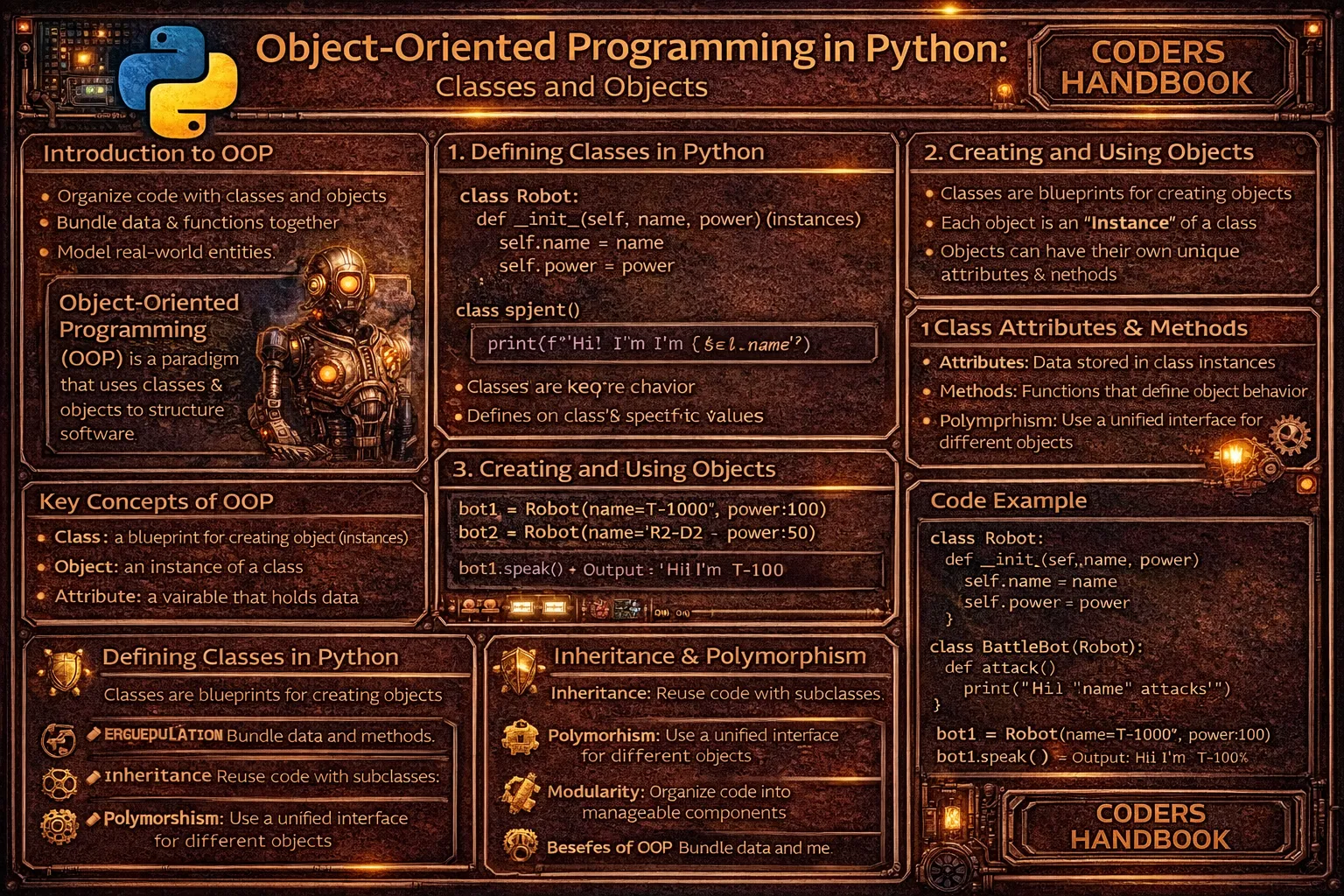
Object-oriented programming is a programming paradigm organizing code around objects combining data and behavior, contrasting with procedural programming treating data and functions separately. Python implements OOP through classes serving as blueprints defining structure and behavior, and objects as instances created from classes containing actual data. Classes define attributes storing object state and methods providing functionality operating on that state, enabling code organization modeling real-world entities like users, products, or bank accounts as objects with properties and actions. This approach promotes code reusability through creating multiple objects from single class definitions, encapsulation bundling related data and methods, and maintainability organizing complex systems into manageable objects with clear responsibilities.
This comprehensive guide explores class definitions using the class keyword with naming conventions, creating objects through instantiation calling class names as functions, the __init__ constructor method initializing object state when instances are created, the self parameter referring to current instances enabling access to attributes and methods, instance variables unique to each object storing individual state, class variables shared across all instances storing common data, defining methods as functions within classes operating on object data, accessing attributes and calling methods using dot notation, the difference between instance and class attributes affecting scope and sharing, practical examples modeling real-world entities like bank accounts and user profiles, and best practices for class design including single responsibility and proper encapsulation. Whether you're building data models for applications, creating reusable components, modeling business logic, managing application state, or organizing complex codebases, mastering classes and objects provides essential foundations for Python programming enabling clean code organization, data abstraction, and behavior encapsulation supporting scalable, maintainable software development.
Defining Classes
Classes are defined using the class keyword followed by a class name in PascalCase convention where each word is capitalized without underscores. Class definitions contain attribute definitions and method definitions establishing what data objects will hold and what operations they can perform. Empty classes using pass serve as placeholders, while practical classes define __init__ constructors and methods providing functionality.
# Defining Classes

# === Basic class definition ===

class Dog:
    """A simple class representing a dog."""
    pass  # Empty class (placeholder)

# Create instance of empty class
my_dog = Dog()
print(type(my_dog))  # <class '__main__.Dog'>

# === Class with attributes ===

class Dog:
    """A dog with species attribute."""

    # Class attribute (shared by all instances)
    species = "Canis familiaris"

# Access class attribute
print(Dog.species)  # Canis familiaris

# === Class with __init__ constructor ===

class Dog:
    """A dog with name and age."""

    species = "Canis familiaris"  # Class attribute

    def __init__(self, name, age):
        """Initialize dog with name and age."""
        self.name = name  # Instance attribute
        self.age = age    # Instance attribute

# Create dog instances
buddy = Dog("Buddy", 3)
max_dog = Dog("Max", 5)

print(buddy.name)     # Buddy
print(buddy.age)      # 3
print(max_dog.name)   # Max
print(max_dog.age)    # 5

# === Class naming conventions ===

# Correct: PascalCase
class BankAccount:
    pass

class UserProfile:
    pass

class ShoppingCart:
    pass

# Incorrect: snake_case (for classes)
# class bank_account:  # Don't do this
#     pass

# === Class with docstring ===

class Circle:
    """A class representing a circle.

    Attributes:
        radius (float): The radius of the circle.

    Methods:
        area(): Calculate the area of the circle.
        circumference(): Calculate the circumference.
    """

    def __init__(self, radius):
        self.radius = radius

# === Multiple classes in one file ===

class Rectangle:
    """Represents a rectangle."""

    def __init__(self, width, height):
        self.width = width
        self.height = height

class Square:
    """Represents a square."""

    def __init__(self, side):
        self.side = side

# === Class with default parameter values ===

class Product:
    """Represents a product."""

    def __init__(self, name, price, quantity=0):
        self.name = name
        self.price = price
        self.quantity = quantity  # Default value

# Create with and without quantity
product1 = Product("Laptop", 999.99)
product2 = Product("Mouse", 29.99, 10)

print(product1.quantity)  # 0 (default)
print(product2.quantity) # 10BankAccount, UserProfile). This distinguishes classes from functions which use snake_case.The __init__ Constructor and self
The __init__ method is a special constructor automatically called when creating new instances, initializing object state by assigning values to instance attributes. The self parameter, always the first parameter of instance methods, refers to the current object instance enabling access to its attributes and methods. Understanding self is crucial for working with instance data, as it distinguishes instance attributes from local variables and enables methods to operate on specific object instances.
# The __init__ Constructor and self

# === Basic __init__ usage ===

class Person:
    """Represents a person."""

    def __init__(self, name, age):
        """Initialize person with name and age."""
        print(f"Creating Person: {name}")
        self.name = name  # self refers to the instance being created
        self.age = age

# When you create an instance, __init__ is called automatically
person1 = Person("Alice", 30)
# Output: Creating Person: Alice

person2 = Person("Bob", 25)
# Output: Creating Person: Bob

# === Understanding self ===

class Counter:
    """A simple counter."""

    def __init__(self):
        self.count = 0  # self.count is an instance attribute

    def increment(self):
        # self refers to the instance calling the method
        self.count += 1

    def get_count(self):
        return self.count

# Create two separate counters
counter1 = Counter()
counter2 = Counter()

# Each has its own count
counter1.increment()
counter1.increment()
print(counter1.get_count())  # 2

counter2.increment()
print(counter2.get_count())  # 1

# They don't share state
print(counter1.count)  # 2
print(counter2.count)  # 1

# === self is implicit when calling methods ===

class Example:
    def __init__(self, value):
        self.value = value

    def show(self):
        print(f"Value: {self.value}")

obj = Example(10)

# When calling method, Python passes obj as self automatically
obj.show()  # Equivalent to: Example.show(obj)

# You can call it explicitly (rarely done):
Example.show(obj)  # Same result

# === __init__ with validation ===

class BankAccount:
    """Represents a bank account."""

    def __init__(self, account_number, balance=0):
        if balance < 0:
            raise ValueError("Balance cannot be negative")

        self.account_number = account_number
        self.balance = balance
        self.transactions = []  # Initialize empty list

# Valid creation
account = BankAccount("123456", 1000)

# This raises ValueError:
# account = BankAccount("123456", -100)

# === __init__ with multiple parameters ===

class Rectangle:
    """Represents a rectangle."""

    def __init__(self, width, height, color="white"):
        self.width = width
        self.height = height
        self.color = color
        self.area = width * height  # Computed attribute

rect1 = Rectangle(10, 5)
print(rect1.color)  # white (default)
print(rect1.area)   # 50

rect2 = Rectangle(8, 4, "red")
print(rect2.color)  # red

# === __init__ calling other methods ===

class User:
    """Represents a user."""

    def __init__(self, username, email):
        self.username = username
        self.email = email
        self.validate()  # Call validation method

    def validate(self):
        if "@" not in self.email:
            raise ValueError(f"Invalid email: {self.email}")
        if len(self.username) < 3:
            raise ValueError("Username too short")

# Valid user
user1 = User("alice123", "[email protected]")

# This raises ValueError:
# user2 = User("ab", "[email protected]")  # Username too short

# === self vs local variables ===

class Example:
    def __init__(self, value):
        self.value = value        # Instance attribute (persists)
        local_var = value * 2     # Local variable (disappears)
        print(f"Local: {local_var}")

obj = Example(10)
print(obj.value)     # 10 (accessible)
# print(obj.local_var)  # AttributeError: no attribute 'local_var'

# === Multiple __init__ not possible (use default args) ===

class Point:
    """Represents a 2D point."""

    def __init__(self, x=0, y=0):
        self.x = x
        self.y = y

# Different ways to create points
point1 = Point()         # Point(0, 0)
point2 = Point(5)        # Point(5, 0)
point3 = Point(3, 4)     # Point(3, 4)

print(point1.x, point1.y)  # 0 0
print(point2.x, point2.y)  # 5 0
print(point3.x, point3.y) # 3 4self. While you can name it differently, self is the universal Python convention everyone expects.Instance vs Class Variables
Instance variables are unique to each object created from a class, defined within __init__ using self, storing data specific to individual instances. Class variables are shared across all instances, defined directly in the class body outside methods, storing data common to all objects. Understanding when to use each type ensures proper data organization, with instance variables for object-specific state like user names or account balances, and class variables for shared constants or counters tracking all instances.
# Instance vs Class Variables

# === Instance variables (unique per object) ===

class Dog:
    """Represents a dog."""

    def __init__(self, name, age):
        # Instance variables - each dog has its own
        self.name = name
        self.age = age

dog1 = Dog("Buddy", 3)
dog2 = Dog("Max", 5)

# Each instance has different values
print(dog1.name)  # Buddy
print(dog2.name)  # Max

# Changing one doesn't affect the other
dog1.age = 4
print(dog1.age)  # 4
print(dog2.age)  # 5 (unchanged)

# === Class variables (shared by all instances) ===

class Dog:
    """Represents a dog."""

    # Class variable - shared by all dogs
    species = "Canis familiaris"

    def __init__(self, name, age):
        self.name = name
        self.age = age

dog1 = Dog("Buddy", 3)
dog2 = Dog("Max", 5)

# All instances share the same class variable
print(dog1.species)  # Canis familiaris
print(dog2.species)  # Canis familiaris
print(Dog.species)   # Canis familiaris (access via class)

# Changing class variable affects all instances
Dog.species = "Canis lupus familiaris"
print(dog1.species)  # Canis lupus familiaris
print(dog2.species)  # Canis lupus familiaris

# === Practical example: Counting instances ===

class Employee:
    """Represents an employee."""

    # Class variable to count total employees
    total_employees = 0

    def __init__(self, name, salary):
        self.name = name      # Instance variable
        self.salary = salary  # Instance variable

        # Increment class variable when creating instance
        Employee.total_employees += 1

emp1 = Employee("Alice", 50000)
emp2 = Employee("Bob", 60000)
emp3 = Employee("Charlie", 55000)

print(f"Total employees: {Employee.total_employees}")  # 3

# Each employee has own salary
print(emp1.salary)  # 50000
print(emp2.salary)  # 60000

# === Shadowing class variables ===

class Example:
    value = 10  # Class variable

    def __init__(self):
        pass

obj1 = Example()
obj2 = Example()

print(obj1.value)  # 10 (accesses class variable)
print(obj2.value)  # 10

# Assign to instance - creates instance variable (shadows class variable)
obj1.value = 20

print(obj1.value)     # 20 (instance variable)
print(obj2.value)     # 10 (still class variable)
print(Example.value)  # 10 (class variable unchanged)

# Delete instance variable to reveal class variable again
del obj1.value
print(obj1.value)  # 10 (now accesses class variable)

# === Mutable class variables (dangerous!) ===

class BadExample:
    items = []  # Mutable class variable (shared!)

    def __init__(self, name):
        self.name = name
        self.items.append(name)  # BAD: Modifies shared list

obj1 = BadExample("A")
obj2 = BadExample("B")

print(obj1.items)  # ['A', 'B'] - Shared!
print(obj2.items)  # ['A', 'B'] - Same list!

# Correct approach: Use instance variable
class GoodExample:
    def __init__(self, name):
        self.name = name
        self.items = []  # Instance variable (not shared)
        self.items.append(name)

obj1 = GoodExample("A")
obj2 = GoodExample("B")

print(obj1.items)  # ['A']
print(obj2.items)  # ['B']

# === When to use each ===

class Car:
    """Represents a car."""

    # Class variables - same for all cars
    wheels = 4
    vehicle_type = "automobile"

    def __init__(self, make, model, year, color):
        # Instance variables - unique per car
        self.make = make
        self.model = model
        self.year = year
        self.color = color
        self.mileage = 0

car1 = Car("Toyota", "Camry", 2020, "blue")
car2 = Car("Honda", "Civic", 2021, "red")

# Shared attributes
print(car1.wheels)        # 4
print(car2.wheels)        # 4

# Unique attributes
print(car1.color)         # blue
print(car2.color)         # red

# === Configuration constants ===

class DatabaseConnection:
    """Database connection handler."""

    # Class variables for configuration (constants)
    DEFAULT_HOST = "localhost"
    DEFAULT_PORT = 5432
    MAX_CONNECTIONS = 100

    def __init__(self, database, host=None, port=None):
        self.database = database
        self.host = host or self.DEFAULT_HOST
self.port = port or self.DEFAULT_PORTDefining Methods
Methods are functions defined inside classes providing behavior and operations on object data. Instance methods take self as the first parameter accessing and modifying instance attributes, while the method implementation defines what actions objects can perform. Methods enable objects to be self-contained units combining data with operations, promoting encapsulation by bundling related functionality with the data it operates on.
# Defining Methods

# === Basic instance methods ===

class Dog:
    """Represents a dog."""

    def __init__(self, name, age):
        self.name = name
        self.age = age

    def bark(self):
        """Make the dog bark."""
        return f"{self.name} says Woof!"

    def get_age_in_dog_years(self):
        """Calculate age in dog years."""
        return self.age * 7

my_dog = Dog("Buddy", 3)
print(my_dog.bark())                    # Buddy says Woof!
print(my_dog.get_age_in_dog_years())   # 21

# === Methods with parameters ===

class BankAccount:
    """Represents a bank account."""

    def __init__(self, account_number, balance=0):
        self.account_number = account_number
        self.balance = balance

    def deposit(self, amount):
        """Deposit money into account."""
        if amount > 0:
            self.balance += amount
            return f"Deposited ${amount}. New balance: ${self.balance}"
        return "Invalid deposit amount"

    def withdraw(self, amount):
        """Withdraw money from account."""
        if amount > self.balance:
            return "Insufficient funds"
        if amount > 0:
            self.balance -= amount
            return f"Withdrew ${amount}. New balance: ${self.balance}"
        return "Invalid withdrawal amount"

    def get_balance(self):
        """Return current balance."""
        return self.balance

account = BankAccount("123456", 1000)
print(account.deposit(500))    # Deposited $500. New balance: $1500
print(account.withdraw(200))   # Withdrew $200. New balance: $1300
print(account.get_balance())   # 1300

# === Methods calling other methods ===

class Calculator:
    """Simple calculator."""

    def __init__(self):
        self.result = 0

    def add(self, value):
        """Add value to result."""
        self.result += value
        return self

    def subtract(self, value):
        """Subtract value from result."""
        self.result -= value
        return self

    def multiply(self, value):
        """Multiply result by value."""
        self.result *= value
        return self

    def get_result(self):
        """Get current result."""
        return self.result

    def clear(self):
        """Reset result to zero."""
        self.result = 0
        return self

# Method chaining (returns self)
calc = Calculator()
result = calc.add(10).multiply(5).subtract(20).get_result()
print(result)  # 30

# === Methods modifying instance state ===

class Counter:
    """A simple counter."""

    def __init__(self, start=0):
        self.count = start

    def increment(self):
        """Increase count by 1."""
        self.count += 1

    def decrement(self):
        """Decrease count by 1."""
        self.count -= 1

    def reset(self):
        """Reset count to 0."""
        self.count = 0

    def get_count(self):
        """Return current count."""
        return self.count

counter = Counter(10)
counter.increment()
counter.increment()
print(counter.get_count())  # 12

counter.reset()
print(counter.get_count())  # 0

# === Methods with default parameters ===

class Rectangle:
    """Represents a rectangle."""

    def __init__(self, width, height):
        self.width = width
        self.height = height

    def area(self):
        """Calculate area."""
        return self.width * self.height

    def perimeter(self):
        """Calculate perimeter."""
        return 2 * (self.width + self.height)

    def scale(self, factor=2):
        """Scale rectangle by factor."""
        self.width *= factor
        self.height *= factor

    def __str__(self):
        """String representation."""
        return f"Rectangle({self.width}x{self.height})"

rect = Rectangle(10, 5)
print(rect.area())       # 50
print(rect.perimeter())  # 30

rect.scale()             # Default factor of 2
print(rect)              # Rectangle(20x10)

rect.scale(0.5)          # Custom factor
print(rect)              # Rectangle(10.0x5.0)

# === Property-like methods (getters/setters) ===

class Person:
    """Represents a person."""

    def __init__(self, first_name, last_name):
        self.first_name = first_name
        self.last_name = last_name

    def get_full_name(self):
        """Return full name."""
        return f"{self.first_name} {self.last_name}"

    def set_name(self, first_name, last_name):
        """Update name."""
        self.first_name = first_name
        self.last_name = last_name

person = Person("John", "Doe")
print(person.get_full_name())  # John Doe

person.set_name("Jane", "Smith")
print(person.get_full_name())  # Jane Smith
Practical Examples
Practical class examples demonstrate OOP principles applied to real-world scenarios modeling entities like shopping carts, user accounts, or todo lists. These examples combine instance variables storing object state, methods providing functionality, and proper encapsulation organizing related data and behavior. Understanding practical implementations reveals how classes organize complex application logic into manageable, reusable components.
# Practical Examples

# === Example 1: Shopping Cart ===

class ShoppingCart:
    """Represents a shopping cart."""

    def __init__(self):
        self.items = []
        self.total = 0

    def add_item(self, name, price, quantity=1):
        """Add item to cart."""
        item = {
            'name': name,
            'price': price,
            'quantity': quantity,
            'subtotal': price * quantity
        }
        self.items.append(item)
        self.total += item['subtotal']
        return f"Added {quantity}x {name} to cart"

    def remove_item(self, name):
        """Remove item from cart."""
        for item in self.items:
            if item['name'] == name:
                self.total -= item['subtotal']
                self.items.remove(item)
                return f"Removed {name} from cart"
        return f"{name} not found in cart"

    def get_total(self):
        """Get cart total."""
        return self.total

    def get_item_count(self):
        """Get total number of items."""
        return sum(item['quantity'] for item in self.items)

    def display_cart(self):
        """Display cart contents."""
        if not self.items:
            return "Cart is empty"

        output = "Shopping Cart:\n"
        for item in self.items:
            output += f"  {item['quantity']}x {item['name']} - ${item['subtotal']:.2f}\n"
        output += f"Total: ${self.total:.2f}"
        return output

# Usage
cart = ShoppingCart()
cart.add_item("Laptop", 999.99)
cart.add_item("Mouse", 29.99, 2)
print(cart.display_cart())
# Output:
# Shopping Cart:
#   1x Laptop - $999.99
#   2x Mouse - $59.98
# Total: $1059.97

# === Example 2: User Account ===

class UserAccount:
    """Represents a user account."""

    def __init__(self, username, email):
        self.username = username
        self.email = email
        self.is_active = True
        self.login_count = 0
        self.created_at = "2024-01-01"  # Simplified

    def login(self):
        """Log user in."""
        if not self.is_active:
            return "Account is inactive"
        self.login_count += 1
        return f"Welcome back, {self.username}! Login #{self.login_count}"

    def deactivate(self):
        """Deactivate account."""
        self.is_active = False
        return f"Account {self.username} has been deactivated"

    def activate(self):
        """Activate account."""
        self.is_active = True
        return f"Account {self.username} has been activated"

    def update_email(self, new_email):
        """Update email address."""
        old_email = self.email
        self.email = new_email
        return f"Email updated from {old_email} to {new_email}"

    def get_info(self):
        """Get account information."""
        status = "Active" if self.is_active else "Inactive"
        return f"User: {self.username}, Email: {self.email}, Status: {status}, Logins: {self.login_count}"

# Usage
user = UserAccount("alice123", "[email protected]")
print(user.login())        # Welcome back, alice123! Login #1
print(user.login())        # Welcome back, alice123! Login #2
print(user.get_info())     # User: alice123, Email: [email protected], Status: Active, Logins: 2

# === Example 3: Todo List ===

class TodoList:
    """Represents a todo list."""

    def __init__(self, name):
        self.name = name
        self.tasks = []
        self.next_id = 1

    def add_task(self, description):
        """Add a task."""
        task = {
            'id': self.next_id,
            'description': description,
            'completed': False
        }
        self.tasks.append(task)
        self.next_id += 1
        return f"Added task #{task['id']}: {description}"

    def complete_task(self, task_id):
        """Mark task as completed."""
        for task in self.tasks:
            if task['id'] == task_id:
                task['completed'] = True
                return f"Completed task #{task_id}"
        return f"Task #{task_id} not found"

    def get_pending_tasks(self):
        """Get uncompleted tasks."""
        return [task for task in self.tasks if not task['completed']]

    def get_completed_tasks(self):
        """Get completed tasks."""
        return [task for task in self.tasks if task['completed']]

    def display(self):
        """Display all tasks."""
        if not self.tasks:
            return f"{self.name}: No tasks"

        output = f"{self.name}:\n"
        for task in self.tasks:
            status = "✓" if task['completed'] else " "
            output += f"  [{status}] {task['id']}. {task['description']}\n"
        return output.strip()

# Usage
todo = TodoList("My Tasks")
todo.add_task("Buy groceries")
todo.add_task("Write blog post")
todo.add_task("Call mom")
todo.complete_task(1)
print(todo.display())
# Output:
# My Tasks:
#   [✓] 1. Buy groceries
#   [ ] 2. Write blog post
#   [ ] 3. Call mom

print(f"Pending: {len(todo.get_pending_tasks())}")  # Pending: 2
Best Practices
- Use PascalCase for class names: Name classes with PascalCase (e.g.,
BankAccount,UserProfile) distinguishing them from functions which use snake_case - Single Responsibility Principle: Each class should have one clear purpose. If a class does too many things, split it into multiple focused classes
- Initialize all attributes in __init__: Define all instance attributes in
__init__method for clear documentation of object state and avoiding undefined attributes - Use docstrings: Document classes and methods with docstrings explaining purpose, parameters, and return values for better code understanding
- Prefer instance variables: Use instance variables for object-specific data. Only use class variables for truly shared data or constants across all instances
- Avoid mutable class variables: Never use mutable objects (lists, dicts) as class variables. They're shared across instances causing unexpected behavior
- Keep methods focused: Methods should do one thing well. Long methods with multiple responsibilities should be split into smaller helper methods
- Use meaningful names: Choose descriptive names for classes, methods, and attributes.
calculate_total()is better thancalc() - Validate in __init__: Validate constructor parameters in
__init__raising exceptions for invalid data ensuring objects are always in valid states - Return self for chaining: Methods modifying object state can return
selfenabling method chaining for fluent interfaces
Conclusion
Object-oriented programming in Python organizes code around classes serving as blueprints defining structure and behavior, and objects as instances created from classes containing actual data and providing functionality through methods. Class definitions use the class keyword with PascalCase naming conventions establishing templates for objects, with __init__ constructor methods automatically called during instantiation initializing object state by assigning values to instance attributes. The self parameter, always the first parameter of instance methods, refers to the current object instance enabling methods to access and modify object-specific data, distinguishing instance attributes persisting throughout object lifetime from local variables existing only during method execution.
Instance variables defined in __init__ using self store data unique to each object like names, ages, or balances, while class variables defined in class bodies outside methods store data shared across all instances like species names, configuration constants, or instance counters. Methods are functions defined within classes providing behavior and operations on object data, with instance methods taking self enabling access to object state and modification of attributes through operations like deposits, withdrawals, or state changes. Practical examples demonstrate OOP modeling real-world entities like shopping carts managing items and totals, user accounts tracking logins and status, and todo lists organizing tasks, showing how classes bundle related data and behavior into cohesive units. Best practices emphasize using PascalCase for class names, following single responsibility principle with focused classes, initializing all attributes in __init__ documenting object state, using docstrings explaining purpose and usage, preferring instance variables for object-specific data, avoiding mutable class variables preventing shared state bugs, keeping methods focused on single tasks, using meaningful descriptive names, validating constructor parameters ensuring valid objects, and returning self for method chaining enabling fluent interfaces. By mastering class definitions establishing object templates, __init__ constructors initializing state, self parameter accessing instances, instance versus class variables managing scope, method definitions providing functionality, and practical patterns modeling real entities, you gain essential foundations for Python object-oriented programming enabling clean code organization, data abstraction bundling related functionality, behavior encapsulation hiding implementation details, and reusable components supporting scalable, maintainable software development across applications from web services to data processing systems.
$ share --platform
$ cat /comments/ (0)
$ cat /comments/
// No comments found. Be the first!


