Web Scraping with Python: BeautifulSoup and Requests Tutorial
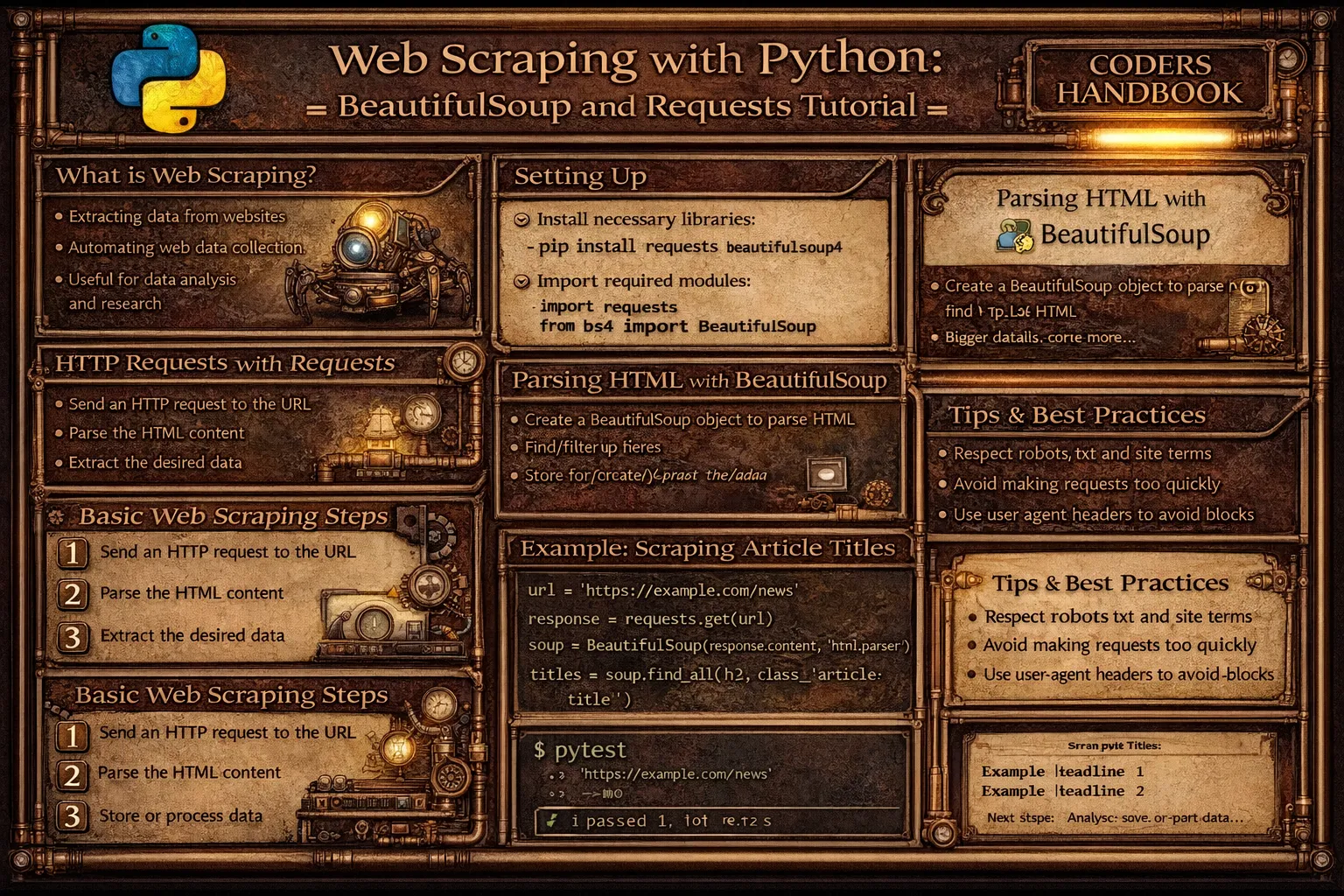
Web scraping is the automated process of extracting data from websites enabling collection of information from web pages for analysis, monitoring, or aggregation. Python provides powerful libraries including requests for fetching HTML content from web servers through HTTP GET requests, and BeautifulSoup for parsing HTML documents navigating DOM trees and extracting specific elements using tags, classes, or CSS selectors. Web scraping enables diverse applications from price monitoring and market research to content aggregation and data journalism, though ethical considerations require respecting robots.txt files indicating scraping permissions, implementing rate limiting avoiding server overload, and honoring website terms of service.
This comprehensive guide explores making HTTP requests with requests.get() fetching HTML content from URLs with headers and timeout settings, parsing HTML using BeautifulSoup converting raw HTML into navigable parse trees, finding elements with find() and find_all() locating tags by name, class, or attributes, CSS selectors with select() method using powerful selector syntax including class selectors, ID selectors, and attribute selectors, extracting data accessing text content with .text property, attributes with dictionary-style access, and nested elements through navigation, handling pagination following next page links programmatically scraping multiple pages, storing scraped data saving results to CSV files or databases, error handling managing network failures, missing elements, and rate limit responses, and ethical scraping practices checking robots.txt files respecting crawl delays, implementing request throttling with time.sleep(), using appropriate User-Agent headers identifying scrapers, and best practices testing on single pages before bulk scraping, handling dynamic content requiring JavaScript execution, respecting website bandwidth, and avoiding disruptive scraping patterns. Whether you're collecting product data for price comparison, monitoring competitor websites, building datasets for machine learning, aggregating news articles, or researching market trends, mastering BeautifulSoup and requests provides essential tools for web data extraction enabling automated collection from diverse sources supporting data-driven decision making.
Basic Web Scraping with Requests and BeautifulSoup
Basic web scraping combines requests library fetching HTML content and BeautifulSoup parsing HTML into navigable objects. The requests.get() function retrieves web pages returning Response objects containing HTML, while BeautifulSoup constructor parses HTML creating soup objects supporting element navigation and extraction. Understanding this fundamental workflow enables data extraction from static web pages.
# Basic Web Scraping with Requests and BeautifulSoup

import requests
from bs4 import BeautifulSoup
import time

# === Fetching HTML content ===

url = 'https://example.com'

# Send GET request
response = requests.get(url)

print(f"Status Code: {response.status_code}")
print(f"Content Type: {response.headers['Content-Type']}")
print(f"HTML Length: {len(response.text)} characters")

# Get HTML content
html_content = response.text

# === Parsing HTML with BeautifulSoup ===

# Create BeautifulSoup object
soup = BeautifulSoup(html_content, 'html.parser')

# Pretty print HTML
print(soup.prettify()[:500])  # First 500 characters

# === Finding elements by tag ===

# Find first occurrence
title = soup.find('title')
print(f"Title: {title.text}")

# Find all occurrences
paragraphs = soup.find_all('p')
print(f"Found {len(paragraphs)} paragraphs")

for i, p in enumerate(paragraphs[:3]):
    print(f"Paragraph {i}: {p.text[:100]}...")  # First 100 chars

# === Finding elements by class ===

# Find elements with specific class
articles = soup.find_all('div', class_='article')
print(f"Found {len(articles)} articles")

# Alternative: using attrs dictionary
articles = soup.find_all('div', attrs={'class': 'article'})

# === Finding elements by ID ===

header = soup.find('div', id='header')
if header:
    print(f"Header text: {header.text}")

# Alternative: using attrs
header = soup.find('div', attrs={'id': 'header'})

# === Extracting text content ===

# Get text from element
element = soup.find('h1')
if element:
    text = element.text  # or element.get_text()
    print(f"H1 text: {text}")

    # Strip whitespace
    clean_text = element.text.strip()
    print(f"Clean text: {clean_text}")

# === Extracting attributes ===

# Get href from link
link = soup.find('a')
if link:
    href = link.get('href')  # or link['href']
    print(f"Link URL: {href}")

    # Check if attribute exists
    if link.has_attr('title'):
        title = link['title']
        print(f"Link title: {title}")

# Get src from image
image = soup.find('img')
if image:
    src = image.get('src')
    alt = image.get('alt', 'No alt text')  # Default value
    print(f"Image: {src} - {alt}")

# === Navigating element tree ===

# Parent element
if element:
    parent = element.parent
    print(f"Parent tag: {parent.name}")

# Children elements
container = soup.find('div', class_='container')
if container:
    children = container.find_all(recursive=False)  # Direct children only
    print(f"Direct children: {len(children)}")

# Siblings
if element:
    next_sibling = element.find_next_sibling()
    if next_sibling:
        print(f"Next sibling: {next_sibling.name}")

# === Real-world example: Scraping quotes ===

def scrape_quotes(url):
    """Scrape quotes from website."""
    response = requests.get(url)

    if response.status_code != 200:
        print(f"Error: Status {response.status_code}")
        return []

    soup = BeautifulSoup(response.text, 'html.parser')

    quotes = []
    quote_elements = soup.find_all('div', class_='quote')

    for quote_elem in quote_elements:
        # Extract quote text
        text_elem = quote_elem.find('span', class_='text')
        text = text_elem.text if text_elem else ''

        # Extract author
        author_elem = quote_elem.find('small', class_='author')
        author = author_elem.text if author_elem else ''

        # Extract tags
        tag_elements = quote_elem.find_all('a', class_='tag')
        tags = [tag.text for tag in tag_elements]

        quotes.append({
            'text': text,
            'author': author,
            'tags': tags
        })

    return quotes

# Example usage
# quotes = scrape_quotes('http://quotes.toscrape.com')
# for quote in quotes[:3]:
#     print(f"{quote['text']} - {quote['author']}")
#     print(f"Tags: {', '.join(quote['tags'])}")
#     print()

# === Error handling ===

def safe_scrape(url):
    """Scrape with error handling."""
    try:
        response = requests.get(url, timeout=10)
        response.raise_for_status()  # Raise exception for bad status

        soup = BeautifulSoup(response.text, 'html.parser')

        # Extract data
        title = soup.find('title')
        return title.text if title else 'No title found'

    except requests.exceptions.Timeout:
        print("Request timed out")
        return None
    except requests.exceptions.RequestException as e:
        print(f"Request error: {e}")
        return None
    except Exception as e:
        print(f"Error: {e}")
        return None

# === Custom headers ===

headers = {
    'User-Agent': 'Mozilla/5.0 (Windows NT 10.0; Win64; x64) AppleWebKit/537.36',
    'Accept': 'text/html,application/xhtml+xml',
    'Accept-Language': 'en-US,en;q=0.9'
}

response = requests.get(url, headers=headers)

# === Session for multiple requests ===

session = requests.Session()
session.headers.update(headers)

# Make multiple requests with same session
response1 = session.get('https://example.com/page1')
response2 = session.get('https://example.com/page2')

session.close()response.status_code == 200 before parsing. 404 means not found, 403 might indicate blocking.CSS Selectors and Advanced Extraction
CSS selectors provide powerful syntax for locating elements using the same selectors as CSS stylesheets. The select() method accepts CSS selector strings including class selectors with dots, ID selectors with hashes, attribute selectors with brackets, and descendant combinators with spaces. CSS selectors often provide more concise and readable element location than multiple find() calls.
# CSS Selectors and Advanced Extraction

import requests
from bs4 import BeautifulSoup

# Sample HTML for demonstration
html = '''
<html>
<head><title>Sample Page</title></head>
<body>
    <div id="header">
        <h1>Main Title</h1>
    </div>
    <div class="content">
        <div class="article" data-id="1">
            <h2>Article 1</h2>
            <p class="description">Description 1</p>
            <a href="/article1">Read more</a>
        </div>
        <div class="article" data-id="2">
            <h2>Article 2</h2>
            <p class="description">Description 2</p>
            <a href="/article2">Read more</a>
        </div>
    </div>
    <footer id="footer">Footer content</footer>
</body>
</html>
'''

soup = BeautifulSoup(html, 'html.parser')

# === Basic CSS selectors ===

# Select by tag
titles = soup.select('h2')
print(f"H2 titles: {[t.text for t in titles]}")

# Select by class (use dot)
articles = soup.select('.article')
print(f"Articles: {len(articles)}")

# Select by ID (use hash)
header = soup.select('#header')
print(f"Header: {header[0].text.strip() if header else 'Not found'}")

# === Descendant selectors ===

# Space means descendant
descriptions = soup.select('div.article p.description')
for desc in descriptions:
    print(f"Description: {desc.text}")

# Direct child selector (>)
direct_divs = soup.select('body > div')
print(f"Direct child divs: {len(direct_divs)}")

# === Attribute selectors ===

# Select by attribute existence
links = soup.select('a[href]')
print(f"Links with href: {len(links)}")

# Select by attribute value
article1 = soup.select('div[data-id="1"]')
if article1:
    print(f"Article 1: {article1[0].find('h2').text}")

# Attribute starts with
internal_links = soup.select('a[href^="/"]')
print(f"Internal links: {len(internal_links)}")

# Attribute ends with
pdf_links = soup.select('a[href$=".pdf"]')
print(f"PDF links: {len(pdf_links)}")

# Attribute contains
image_links = soup.select('a[href*="image"]')

# === Multiple selectors ===

# Comma separates multiple selectors (OR)
headings = soup.select('h1, h2, h3')
print(f"All headings: {[h.text for h in headings]}")

# === Pseudo-class selectors ===

# First child
first_article = soup.select('.article:first-child')

# Last child
last_article = soup.select('.article:last-child')

# Nth child
second_article = soup.select('.article:nth-child(2)')

# === select_one() for single element ===

# Get first match only
first_link = soup.select_one('a')
if first_link:
    print(f"First link: {first_link.get('href')}")

# === Real-world example: Scraping product listings ===

def scrape_products(url):
    """Scrape product listings."""
    response = requests.get(url)
    soup = BeautifulSoup(response.text, 'html.parser')

    products = []

    # Use CSS selector to find all product cards
    product_cards = soup.select('div.product-card')

    for card in product_cards:
        # Extract product details using CSS selectors
        name_elem = card.select_one('h3.product-name')
        price_elem = card.select_one('span.price')
        rating_elem = card.select_one('div.rating')
        link_elem = card.select_one('a.product-link')

        product = {
            'name': name_elem.text.strip() if name_elem else 'N/A',
            'price': price_elem.text.strip() if price_elem else 'N/A',
            'rating': rating_elem.get('data-rating') if rating_elem else 'N/A',
            'url': link_elem.get('href') if link_elem else 'N/A'
        }

        products.append(product)

    return products

# === Combining find() and select() ===

def extract_article_data(url):
    """Extract article data combining methods."""
    response = requests.get(url)
    soup = BeautifulSoup(response.text, 'html.parser')

    articles = []

    # Find article containers
    article_containers = soup.find_all('article', class_='post')

    for container in article_containers:
        # Use CSS selector within container
        title = container.select_one('h2.title')
        author = container.select_one('span.author')
        date = container.select_one('time[datetime]')

        # Use find for other elements
        content = container.find('div', class_='content')
        tags = container.find_all('a', class_='tag')

        article = {
            'title': title.text if title else '',
            'author': author.text if author else '',
            'date': date.get('datetime') if date else '',
            'content': content.text.strip() if content else '',
            'tags': [tag.text for tag in tags]
        }

        articles.append(article)

    return articles

# === Extracting tables ===

def scrape_table(url, table_class=None):
    """Scrape HTML table into list of dictionaries."""
    response = requests.get(url)
    soup = BeautifulSoup(response.text, 'html.parser')

    # Find table
    if table_class:
        table = soup.find('table', class_=table_class)
    else:
        table = soup.find('table')

    if not table:
        return []

    # Extract headers
    headers = []
    header_row = table.find('thead')
    if header_row:
        headers = [th.text.strip() for th in header_row.find_all('th')]

    # Extract rows
    rows = []
    tbody = table.find('tbody')
    if tbody:
        for tr in tbody.find_all('tr'):
            cells = [td.text.strip() for td in tr.find_all('td')]
            if headers:
                row_dict = dict(zip(headers, cells))
                rows.append(row_dict)
            else:
                rows.append(cells)

    return rows

# === Extracting nested data ===

def scrape_nested_structure(url):
    """Scrape nested comment structure."""
    response = requests.get(url)
    soup = BeautifulSoup(response.text, 'html.parser')

    comments = []

    # Find all top-level comments
    top_comments = soup.select('div.comment.level-0')

    for comment in top_comments:
        # Extract comment data
        author = comment.select_one('span.author')
        text = comment.select_one('p.comment-text')

        # Find nested replies
        replies = comment.select('div.comment.level-1')
        reply_data = []

        for reply in replies:
            reply_author = reply.select_one('span.author')
            reply_text = reply.select_one('p.comment-text')

            reply_data.append({
                'author': reply_author.text if reply_author else '',
                'text': reply_text.text if reply_text else ''
            })

        comments.append({
            'author': author.text if author else '',
            'text': text.text if text else '',
            'replies': reply_data
        })

return commentsselect('.class') for complex queries with multiple conditions. Use find('tag', class_='class') for simple single-tag searches.Pagination and Data Storage
Pagination enables scraping multiple pages following next page links programmatically. Common patterns include numbered pages with URL parameters, next/previous links requiring href extraction, and infinite scroll requiring JavaScript execution. Storing scraped data involves writing to CSV files using csv module, saving to databases, or outputting JSON for further processing.
# Pagination and Data Storage

import requests
from bs4 import BeautifulSoup
import time
import csv
import json

# === Pagination with numbered pages ===

def scrape_multiple_pages(base_url, max_pages=5):
    """Scrape multiple pages with page numbers."""
    all_data = []

    for page_num in range(1, max_pages + 1):
        # Construct URL for current page
        url = f"{base_url}?page={page_num}"
        print(f"Scraping page {page_num}: {url}")

        try:
            response = requests.get(url, timeout=10)
            response.raise_for_status()

            soup = BeautifulSoup(response.text, 'html.parser')

            # Extract data from current page
            items = soup.find_all('div', class_='item')

            for item in items:
                title = item.find('h2')
                description = item.find('p')

                all_data.append({
                    'title': title.text.strip() if title else '',
                    'description': description.text.strip() if description else ''
                })

            # Respectful delay between requests
            time.sleep(1)

        except requests.exceptions.RequestException as e:
            print(f"Error on page {page_num}: {e}")
            break

    return all_data

# === Pagination following next links ===

def scrape_with_next_links(start_url, max_pages=10):
    """Follow 'next' links to scrape multiple pages."""
    all_data = []
    current_url = start_url
    page_count = 0

    while current_url and page_count < max_pages:
        print(f"Scraping: {current_url}")

        try:
            response = requests.get(current_url, timeout=10)
            response.raise_for_status()

            soup = BeautifulSoup(response.text, 'html.parser')

            # Extract data
            items = soup.find_all('div', class_='item')
            for item in items:
                # Extract item data
                data = extract_item_data(item)
                all_data.append(data)

            # Find next page link
            next_link = soup.find('a', class_='next')

            if next_link and next_link.get('href'):
                # Handle relative URLs
                next_url = next_link['href']
                if not next_url.startswith('http'):
                    from urllib.parse import urljoin
                    current_url = urljoin(current_url, next_url)
                else:
                    current_url = next_url
            else:
                current_url = None  # No more pages

            page_count += 1
            time.sleep(1)  # Rate limiting

        except requests.exceptions.RequestException as e:
            print(f"Error: {e}")
            break

    return all_data

def extract_item_data(item):
    """Extract data from item element."""
    return {
        'title': item.find('h2').text.strip() if item.find('h2') else '',
        'price': item.find('span', class_='price').text if item.find('span', class_='price') else ''
    }

# === Detecting last page ===

def scrape_until_end(base_url):
    """Scrape until no more data found."""
    all_data = []
    page = 1

    while True:
        url = f"{base_url}?page={page}"
        print(f"Scraping page {page}")

        response = requests.get(url)
        soup = BeautifulSoup(response.text, 'html.parser')

        items = soup.find_all('div', class_='item')

        # Check if page has content
        if not items:
            print("No more items found")
            break

        # Check for "no results" message
        no_results = soup.find('div', class_='no-results')
        if no_results:
            print("Reached end of results")
            break

        for item in items:
            all_data.append(extract_item_data(item))

        page += 1
        time.sleep(1)

    return all_data

# === Saving to CSV ===

def save_to_csv(data, filename='scraped_data.csv'):
    """Save scraped data to CSV file."""
    if not data:
        print("No data to save")
        return

    # Get field names from first item
    fieldnames = data[0].keys()

    with open(filename, 'w', newline='', encoding='utf-8') as csvfile:
        writer = csv.DictWriter(csvfile, fieldnames=fieldnames)

        # Write header
        writer.writeheader()

        # Write data rows
        for row in data:
            writer.writerow(row)

    print(f"Saved {len(data)} items to {filename}")

# === Saving to JSON ===

def save_to_json(data, filename='scraped_data.json'):
    """Save scraped data to JSON file."""
    with open(filename, 'w', encoding='utf-8') as jsonfile:
        json.dump(data, jsonfile, indent=2, ensure_ascii=False)

    print(f"Saved {len(data)} items to {filename}")

# === Complete scraping pipeline ===

def scrape_and_save(base_url, output_format='csv'):
    """Complete scraping pipeline with data storage."""
    print("Starting scraping...")
    start_time = time.time()

    # Scrape data
    data = scrape_multiple_pages(base_url, max_pages=5)

    print(f"Scraped {len(data)} items in {time.time() - start_time:.2f}s")

    # Save data
    if output_format == 'csv':
        save_to_csv(data)
    elif output_format == 'json':
        save_to_json(data)
    else:
        print(f"Unknown format: {output_format}")

    return data

# === Incremental saving ===

def scrape_with_incremental_save(base_url, max_pages=10):
    """Scrape and save incrementally to handle large datasets."""
    filename = 'incremental_data.csv'

    for page_num in range(1, max_pages + 1):
        url = f"{base_url}?page={page_num}"
        print(f"Scraping page {page_num}")

        response = requests.get(url)
        soup = BeautifulSoup(response.text, 'html.parser')

        items = soup.find_all('div', class_='item')
        page_data = [extract_item_data(item) for item in items]

        # Append to CSV
        mode = 'w' if page_num == 1 else 'a'
        with open(filename, mode, newline='', encoding='utf-8') as csvfile:
            if page_data:
                writer = csv.DictWriter(csvfile, fieldnames=page_data[0].keys())
                if page_num == 1:
                    writer.writeheader()
                writer.writerows(page_data)

        print(f"Saved page {page_num} ({len(page_data)} items)")
        time.sleep(1)

# === Usage example ===

if __name__ == '__main__':
    # Scrape and save
    # data = scrape_and_save('https://example.com/products', output_format='csv')

    # Or use specific pagination method
    # data = scrape_with_next_links('https://example.com/articles')
    # save_to_json(data)

    pass
Ethical Scraping Practices
Ethical scraping respects website resources and policies through robots.txt compliance checking allowed paths, rate limiting implementing delays between requests preventing server overload, appropriate User-Agent headers identifying scrapers honestly, and respecting terms of service. Understanding ethical practices prevents legal issues, server disruption, and IP blocking while maintaining responsible data collection.
# Ethical Scraping Practices

import requests
from bs4 import BeautifulSoup
import time
from urllib.parse import urljoin, urlparse
from urllib.robotparser import RobotFileParser

# === Checking robots.txt ===

def can_scrape(url):
    """Check if URL can be scraped according to robots.txt."""
    parsed = urlparse(url)
    robots_url = f"{parsed.scheme}://{parsed.netloc}/robots.txt"

    rp = RobotFileParser()
    rp.set_url(robots_url)

    try:
        rp.read()
        # Check if user agent can fetch URL
        user_agent = "MyScraperBot/1.0"
        return rp.can_fetch(user_agent, url)
    except Exception as e:
        print(f"Error reading robots.txt: {e}")
        # If robots.txt unavailable, proceed cautiously
        return True

# Usage
url = "https://example.com/page"
if can_scrape(url):
    print("Scraping allowed")
else:
    print("Scraping disallowed by robots.txt")

# === Rate limiting ===

class RateLimitedScraper:
    """Scraper with rate limiting."""

    def __init__(self, requests_per_minute=30):
        self.delay = 60 / requests_per_minute  # Delay between requests
        self.last_request_time = 0

    def get(self, url, **kwargs):
        """Make rate-limited request."""
        # Calculate time to wait
        elapsed = time.time() - self.last_request_time
        if elapsed < self.delay:
            wait_time = self.delay - elapsed
            print(f"Waiting {wait_time:.2f}s for rate limit")
            time.sleep(wait_time)

        # Make request
        response = requests.get(url, **kwargs)
        self.last_request_time = time.time()

        return response

# Usage
scraper = RateLimitedScraper(requests_per_minute=20)  # 20 requests per minute

for url in ['https://example.com/page1', 'https://example.com/page2']:
    response = scraper.get(url)
    print(f"Scraped {url}: {response.status_code}")

# === Appropriate User-Agent ===

def get_with_user_agent(url):
    """Make request with appropriate User-Agent."""
    headers = {
        'User-Agent': 'MyScraperBot/1.0 (+https://mywebsite.com/bot-info; [email protected])',
        'Accept': 'text/html,application/xhtml+xml',
        'Accept-Language': 'en-US,en;q=0.9'
    }

    return requests.get(url, headers=headers)

# === Handling rate limit responses ===

def scrape_with_retry(url, max_retries=3):
    """Scrape with exponential backoff on rate limits."""
    for attempt in range(max_retries):
        try:
            response = requests.get(url, timeout=10)

            # Check for rate limiting
            if response.status_code == 429:  # Too Many Requests
                retry_after = response.headers.get('Retry-After', 60)
                wait_time = int(retry_after)
                print(f"Rate limited. Waiting {wait_time}s")
                time.sleep(wait_time)
                continue

            response.raise_for_status()
            return response

        except requests.exceptions.RequestException as e:
            print(f"Attempt {attempt + 1} failed: {e}")
            if attempt < max_retries - 1:
                # Exponential backoff
                wait = 2 ** attempt
                print(f"Retrying in {wait}s")
                time.sleep(wait)
            else:
                print("Max retries reached")
                return None

# === Ethical scraper class ===

class EthicalScraper:
    """Ethical web scraper with all best practices."""

    def __init__(self, user_agent, requests_per_minute=30):
        self.session = requests.Session()
        self.session.headers.update({
            'User-Agent': user_agent,
            'Accept': 'text/html,application/xhtml+xml',
        })
        self.delay = 60 / requests_per_minute
        self.last_request_time = 0
        self.robots_parsers = {}

    def _check_robots(self, url):
        """Check robots.txt compliance."""
        parsed = urlparse(url)
        domain = f"{parsed.scheme}://{parsed.netloc}"

        if domain not in self.robots_parsers:
            robots_url = f"{domain}/robots.txt"
            rp = RobotFileParser()
            rp.set_url(robots_url)
            try:
                rp.read()
                self.robots_parsers[domain] = rp
            except:
                self.robots_parsers[domain] = None

        rp = self.robots_parsers[domain]
        if rp:
            return rp.can_fetch(self.session.headers['User-Agent'], url)
        return True

    def _rate_limit(self):
        """Apply rate limiting."""
        elapsed = time.time() - self.last_request_time
        if elapsed < self.delay:
            time.sleep(self.delay - elapsed)
        self.last_request_time = time.time()

    def get(self, url, **kwargs):
        """Make ethical request."""
        # Check robots.txt
        if not self._check_robots(url):
            print(f"Robots.txt disallows scraping: {url}")
            return None

        # Apply rate limiting
        self._rate_limit()

        # Make request
        try:
            response = self.session.get(url, timeout=10, **kwargs)

            if response.status_code == 429:
                print("Rate limited by server")
                return None

            response.raise_for_status()
            return response

        except requests.exceptions.RequestException as e:
            print(f"Error: {e}")
            return None

    def scrape(self, url):
        """Scrape URL ethically."""
        response = self.get(url)

        if not response:
            return None

        soup = BeautifulSoup(response.text, 'html.parser')
        return soup

# === Usage example ===

if __name__ == '__main__':
    # Create ethical scraper
    scraper = EthicalScraper(
        user_agent='MyBot/1.0 (+https://example.com/bot)',
        requests_per_minute=20  # Conservative rate
    )

    # Scrape pages
    urls = [
        'https://example.com/page1',
        'https://example.com/page2',
        'https://example.com/page3'
    ]

    for url in urls:
        print(f"\nScraping: {url}")
        soup = scraper.scrape(url)

        if soup:
            title = soup.find('title')
            print(f"Title: {title.text if title else 'N/A'}")
        else:
print("Failed to scrape")https://example.com/robots.txt before scraping. Disallow paths are off-limits. Use crawl-delay if specified.Web Scraping Best Practices
- Check robots.txt compliance: Always read
robots.txtfile at website root checking allowed and disallowed paths. Respect crawl-delay directives - Implement rate limiting: Add delays between requests using
time.sleep(). Typical delays: 1-3 seconds. Prevent overwhelming servers with rapid requests - Use appropriate User-Agent: Identify your scraper with descriptive User-Agent including contact information. Don't pretend to be regular browser if scraping at scale
- Handle errors gracefully: Catch network exceptions, handle missing elements safely, retry on transient failures. Don't crash on single page errors
- Test on single pages first: Develop and debug scrapers on single pages before running bulk operations. Verify extraction logic works correctly
- Respect terms of service: Read website terms of service checking if scraping is explicitly prohibited. Some sites forbid automated access entirely
- Cache responses locally: Save downloaded HTML avoiding repeated requests for same content. Speeds development and reduces server load
- Use sessions for multiple requests:
requests.Session()reuses connections improving performance. Maintains cookies across requests - Handle dynamic content appropriately: BeautifulSoup parses static HTML. JavaScript-rendered content requires Selenium or Playwright for browser automation
- Consider APIs first: Check if website offers official API before scraping. APIs provide structured data, are more reliable, and are explicitly permitted
Conclusion
Web scraping extracts data from websites combining requests library for fetching HTML content through HTTP GET requests and BeautifulSoup for parsing HTML into navigable objects. Making HTTP requests uses requests.get() accepting URLs and returning Response objects containing HTML accessed through response.text property, with status code checking verifying successful retrieval, custom headers providing User-Agent and other metadata, and timeout parameters preventing indefinite waits. Parsing HTML with BeautifulSoup creates soup objects through BeautifulSoup constructor accepting HTML and parser specification, enabling element navigation through find() locating first matching element, find_all() returning all matches, and select() using CSS selector syntax with class selectors, ID selectors, and attribute selectors providing powerful element location.
Extracting data accesses text content through .text property stripping HTML tags, attributes using dictionary-style access or get() method with defaults, and nested elements navigating parent-child relationships. Pagination enables scraping multiple pages through numbered page URLs with query parameters, following next links extracting href attributes and handling relative URLs, and detecting end conditions checking for empty results or no-results messages. Storing scraped data uses CSV files with csv.DictWriter for tabular data, JSON files with json.dump() for structured data, or databases for large-scale storage. Ethical scraping practices require checking robots.txt files with RobotFileParser verifying allowed paths respecting disallow directives, implementing rate limiting with time.sleep() adding delays between requests preventing server overload, using appropriate User-Agent headers identifying scrapers honestly with contact information, handling 429 Too Many Requests responses implementing exponential backoff, and respecting terms of service checking if scraping is permitted. Best practices emphasize always checking robots.txt before scraping, implementing conservative rate limits defaulting to 1-3 second delays, using descriptive User-Agent strings, handling errors gracefully catching exceptions, testing on single pages before bulk operations, respecting website bandwidth and resources, caching responses locally avoiding redundant requests, using sessions for multiple requests, recognizing dynamic content limitations requiring JavaScript execution tools, and considering official APIs first before scraping. By mastering basic scraping combining requests and BeautifulSoup, CSS selectors for precise element location, pagination patterns for multi-page scraping, ethical practices respecting website policies and resources, and best practices ensuring reliable responsible data collection, you gain essential tools for web data extraction supporting price monitoring, content aggregation, market research, and data analysis enabling automated information gathering while maintaining ethical standards and respecting website owners.
$ share --platform
$ cat /comments/ (0)
$ cat /comments/
// No comments found. Be the first!


