Python Lambda Functions: Anonymous Functions Explained
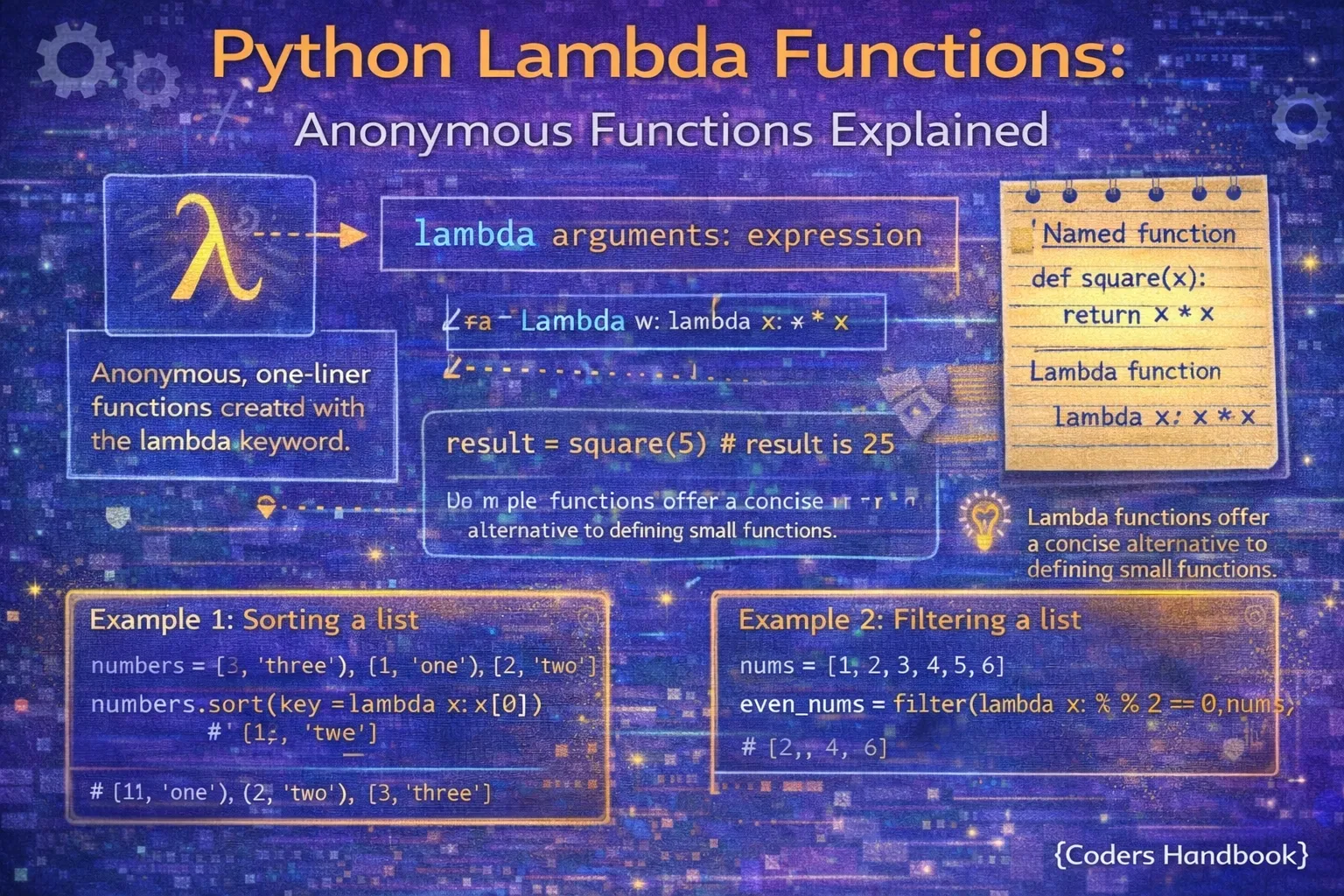
Lambda functions are Python's syntax for creating anonymous single-expression functions without formal definitions using the def keyword, providing concise notation for simple operations passed as arguments to higher-order functions like map(), filter(), and sorted(). Created with the lambda keyword followed by parameters, colon, and an expression automatically returned, lambda functions enable functional programming patterns where functions are treated as first-class objects passed to other functions. Understanding lambda functions is essential for writing idiomatic Python code, as they appear frequently in data processing pipelines, list transformations, sorting customizations, and anywhere simple function logic needs compact representation without cluttering code with named function definitions.
This comprehensive guide explores lambda function syntax and limitations constraining them to single expressions without statements, comparison with regular functions highlighting trade-offs between conciseness and clarity, practical use cases with map() for transformations, filter() for selections, reduce() for aggregations, and sorted() for custom ordering, lambda functions with multiple arguments and default values, common patterns and anti-patterns distinguishing appropriate from inappropriate lambda usage, performance characteristics and debugging considerations, and decision criteria for choosing lambda versus regular named functions. Whether you're processing data with functional transformations, customizing sort behavior for complex objects, implementing callback functions for event handlers, or writing concise code for simple operations, mastering lambda functions provides powerful tools for expressive Python programming while understanding their limitations ensures you apply them judiciously maintaining code readability and maintainability.
Lambda Syntax and Basics
Lambda functions use the syntax lambda parameters: expression where parameters are comma-separated like regular functions, and the single expression is evaluated and returned implicitly without needing a return keyword. Lambda functions are expressions themselves, meaning they can be assigned to variables, passed as arguments, or used immediately in-place. The key limitation is that lambda bodies must be single expressions, prohibiting statements like assignments, loops, or multiple lines, restricting them to simple operations computable in one expression.
# Lambda Syntax and Basics

# Basic lambda syntax: lambda parameters: expression
square = lambda x: x ** 2
print(square(5))  # Output: 25

# Equivalent regular function
def square_func(x):
    return x ** 2

print(square_func(5))  # Output: 25

# Lambda with multiple parameters
add = lambda a, b: a + b
print(add(3, 7))  # Output: 10

multiply = lambda x, y, z: x * y * z
print(multiply(2, 3, 4))  # Output: 24

# Lambda with no parameters
get_pi = lambda: 3.14159
print(get_pi())  # Output: 3.14159

# Lambda with default arguments
greet = lambda name, greeting="Hello": f"{greeting}, {name}!"
print(greet("Alice"))              # Output: Hello, Alice!
print(greet("Bob", "Hi"))          # Output: Hi, Bob!

# Lambda with conditional expression
absolute = lambda x: x if x >= 0 else -x
print(absolute(-5))   # Output: 5
print(absolute(10))   # Output: 10

# Lambda returning tuple
coordinates = lambda x, y: (x, y)
print(coordinates(10, 20))  # Output: (10, 20)

# Immediately invoked lambda (rare but valid)
result = (lambda x, y: x + y)(5, 3)
print(result)  # Output: 8

# Lambda in data structures
operations = {
    'square': lambda x: x ** 2,
    'cube': lambda x: x ** 3,
    'double': lambda x: x * 2
}

print(operations['square'](5))  # Output: 25
print(operations['cube'](3))    # Output: 27

# Lambda limitations - cannot use statements
# Invalid: lambda x: x = x + 1  # SyntaxError!
# Invalid: lambda x: print(x); return x  # SyntaxError!
# Invalid: lambda x: for i in range(x): print(i)  # SyntaxError!

# Valid: use expression only
increment = lambda x: x + 1  # Returns value
print(increment(5)) # Output: 6Lambda with map() Function
The map() function applies a function to every item in an iterable, returning a map object that can be converted to lists or other sequences. Lambda functions pair naturally with map() for transforming data without explicit loops, enabling functional programming patterns. While list comprehensions often provide more Pythonic alternatives for simple transformations, map() with lambda remains valuable for passing to other functions or when the transformation logic already exists as a callable.
# Lambda with map() Function

# Basic map usage with lambda
numbers = [1, 2, 3, 4, 5]
squared = list(map(lambda x: x ** 2, numbers))
print(squared)  # Output: [1, 4, 9, 16, 25]

# Map with multiple iterables
nums1 = [1, 2, 3]
nums2 = [4, 5, 6]
sums = list(map(lambda x, y: x + y, nums1, nums2))
print(sums)  # Output: [5, 7, 9]

# String transformation
words = ['python', 'lambda', 'functions']
uppercase = list(map(lambda s: s.upper(), words))
print(uppercase)  # Output: ['PYTHON', 'LAMBDA', 'FUNCTIONS']

# Converting types
string_numbers = ['1', '2', '3', '4']
integers = list(map(lambda x: int(x), string_numbers))
# Simpler: integers = list(map(int, string_numbers))
print(integers)  # Output: [1, 2, 3, 4]

# Extracting from dictionaries
users = [
    {'name': 'Alice', 'age': 25},
    {'name': 'Bob', 'age': 30},
    {'name': 'Charlie', 'age': 35}
]
names = list(map(lambda u: u['name'], users))
print(names)  # Output: ['Alice', 'Bob', 'Charlie']

# Complex transformation
prices = [10.50, 20.75, 15.25]
with_tax = list(map(lambda p: round(p * 1.08, 2), prices))
print(with_tax)  # Output: [11.34, 22.41, 16.47]

# List comprehension alternative (more Pythonic)
squared_comp = [x ** 2 for x in numbers]
print(squared_comp)  # Output: [1, 4, 9, 16, 25]

# When map is better: passing to another function
from functools import reduce
total = reduce(lambda x, y: x + y, map(lambda x: x ** 2, numbers))
print(total)  # Output: 55 (sum of squares)

# Practical: Formatting output
data = [('Alice', 25), ('Bob', 30)]
formatted = list(map(lambda t: f"{t[0]}: {t[1]} years old", data))
for item in formatted:
    print(item)
# Output:
# Alice: 25 years old
# Bob: 30 years old
Lambda with filter() Function
The filter() function selects items from an iterable where the provided function returns True, effectively filtering sequences based on conditions. Lambda functions provide concise predicate functions for filter(), enabling data filtering without explicit loop logic. Like map(), list comprehensions with conditions often provide more readable alternatives, but filter() remains useful for composition with other functional operations or when predicates are reusable.
# Lambda with filter() Function

# Basic filter usage
numbers = [1, 2, 3, 4, 5, 6, 7, 8, 9, 10]
evens = list(filter(lambda x: x % 2 == 0, numbers))
print(evens)  # Output: [2, 4, 6, 8, 10]

# Filter positive numbers
values = [-5, -2, 0, 3, 7, -1, 10]
positive = list(filter(lambda x: x > 0, values))
print(positive)  # Output: [3, 7, 10]

# Filter strings by length
words = ['a', 'to', 'cat', 'python', 'code', 'hi']
long_words = list(filter(lambda w: len(w) > 3, words))
print(long_words)  # Output: ['python', 'code']

# Filter with multiple conditions
numbers = range(1, 21)
multiples_of_3_or_5 = list(filter(
    lambda x: x % 3 == 0 or x % 5 == 0,
    numbers
))
print(multiples_of_3_or_5)  # Output: [3, 5, 6, 9, 10, 12, 15, 18, 20]

# Filter dictionaries
users = [
    {'name': 'Alice', 'age': 25, 'active': True},
    {'name': 'Bob', 'age': 17, 'active': False},
    {'name': 'Charlie', 'age': 30, 'active': True}
]
adult_active = list(filter(
    lambda u: u['age'] >= 18 and u['active'],
    users
))
print([u['name'] for u in adult_active])  # Output: ['Alice', 'Charlie']

# Remove empty strings
data = ['hello', '', 'world', '', 'python']
non_empty = list(filter(lambda s: s, data))
# Simpler: non_empty = list(filter(None, data))
print(non_empty)  # Output: ['hello', 'world', 'python']

# List comprehension alternative (more Pythonic)
evens_comp = [x for x in numbers if x % 2 == 0]
print(evens_comp)  # Output: [2, 4, 6, 8, 10]

# Combining filter and map
numbers = [1, 2, 3, 4, 5, 6]
even_squares = list(map(
    lambda x: x ** 2,
    filter(lambda x: x % 2 == 0, numbers)
))
print(even_squares)  # Output: [4, 16, 36]

# More Pythonic with comprehension
even_squares_comp = [x ** 2 for x in numbers if x % 2 == 0]
print(even_squares_comp)  # Output: [4, 16, 36]

# Practical: Filter valid emails
emails = [
    '[email protected]',
    'invalid-email',
    '[email protected]',
    'no-at-sign.com'
]
valid_emails = list(filter(lambda e: '@' in e and '.' in e, emails))
print(valid_emails) # Output: ['[email protected]', '[email protected]'][x**2 for x in nums if x > 0] are usually more readable than map() and filter() with lambdas. Use functional style when composing operations.Lambda with reduce() Function
The reduce() function from the functools module applies a function cumulatively to sequence items from left to right, reducing the sequence to a single value. Lambda functions provide inline binary operations for reduce(), enabling aggregations like sums, products, and custom accumulations. While often replaceable with built-in functions like sum() or explicit loops, reduce() with lambda elegantly expresses certain mathematical operations and functional pipelines.
# Lambda with reduce() Function

from functools import reduce

# Basic reduce: sum all numbers
numbers = [1, 2, 3, 4, 5]
total = reduce(lambda x, y: x + y, numbers)
print(total)  # Output: 15
# Better: sum(numbers)

# Product of all numbers
product = reduce(lambda x, y: x * y, numbers)
print(product)  # Output: 120

# Finding maximum
maximum = reduce(lambda x, y: x if x > y else y, numbers)
print(maximum)  # Output: 5
# Better: max(numbers)

# Finding minimum
minimum = reduce(lambda x, y: x if x < y else y, numbers)
print(minimum)  # Output: 1
# Better: min(numbers)

# String concatenation
words = ['Python', 'is', 'awesome']
sentence = reduce(lambda x, y: f"{x} {y}", words)
print(sentence)  # Output: Python is awesome
# Better: ' '.join(words)

# Custom accumulation with initial value
numbers = [1, 2, 3, 4]
doubled_sum = reduce(lambda acc, x: acc + (x * 2), numbers, 0)
print(doubled_sum)  # Output: 20 (2+4+6+8)

# Flattening nested lists
nested = [[1, 2], [3, 4], [5, 6]]
flattened = reduce(lambda x, y: x + y, nested)
print(flattened)  # Output: [1, 2, 3, 4, 5, 6]
# Better: [item for sublist in nested for item in sublist]

# Building dictionary
items = [('a', 1), ('b', 2), ('c', 3)]
result_dict = reduce(
    lambda acc, item: {**acc, item[0]: item[1]},
    items,
    {}
)
print(result_dict)  # Output: {'a': 1, 'b': 2, 'c': 3}
# Better: dict(items)

# Practical: Calculate factorial
def factorial(n):
    return reduce(lambda x, y: x * y, range(1, n + 1))

print(factorial(5))  # Output: 120

# Combining operations
numbers = [1, 2, 3, 4, 5]
# Sum of squares of even numbers
result = reduce(
    lambda x, y: x + y,
    map(lambda x: x ** 2, filter(lambda x: x % 2 == 0, numbers))
)
print(result)  # Output: 20 (4 + 16)

# More readable with comprehension
result_comp = sum(x ** 2 for x in numbers if x % 2 == 0)
print(result_comp)  # Output: 20
Lambda with Sorting Functions
Lambda functions excel in customizing sort behavior through the key parameter of sorted() and list.sort(), enabling sorting by computed values, object attributes, or complex criteria. This is one of lambda's most common and appropriate use cases, providing concise sort keys without defining separate named functions. Understanding lambda-based sorting enables elegant solutions for sorting complex data structures by any criterion.
# Lambda with Sorting Functions

# Sort by absolute value
numbers = [-5, 2, -8, 1, -3, 7]
sorted_abs = sorted(numbers, key=lambda x: abs(x))
print(sorted_abs)  # Output: [1, 2, -3, -5, 7, -8]

# Sort strings by length
words = ['python', 'is', 'awesome', 'and', 'powerful']
by_length = sorted(words, key=lambda w: len(w))
print(by_length)  # Output: ['is', 'and', 'python', 'awesome', 'powerful']

# Sort by last character
by_last = sorted(words, key=lambda w: w[-1])
print(by_last)  # Output: ['awesome', 'and', 'powerful', 'python', 'is']

# Sort tuples by second element
points = [(1, 5), (3, 2), (2, 8), (4, 1)]
by_second = sorted(points, key=lambda p: p[1])
print(by_second)  # Output: [(4, 1), (3, 2), (1, 5), (2, 8)]

# Sort dictionaries by value
scores = {'Alice': 85, 'Bob': 92, 'Charlie': 78, 'Diana': 95}
sorted_by_score = sorted(scores.items(), key=lambda item: item[1], reverse=True)
print(sorted_by_score)
# Output: [('Diana', 95), ('Bob', 92), ('Alice', 85), ('Charlie', 78)]

# Sort objects by attribute
class Student:
    def __init__(self, name, grade):
        self.name = name
        self.grade = grade

    def __repr__(self):
        return f"Student({self.name}, {self.grade})"

students = [
    Student('Alice', 85),
    Student('Bob', 92),
    Student('Charlie', 78)
]

by_grade = sorted(students, key=lambda s: s.grade, reverse=True)
for student in by_grade:
    print(student)
# Output:
# Student(Bob, 92)
# Student(Alice, 85)
# Student(Charlie, 78)

# Multiple sort criteria
data = [('Alice', 25), ('Bob', 30), ('Alice', 30), ('Bob', 25)]
# Sort by name, then by age
sorted_data = sorted(data, key=lambda x: (x[0], x[1]))
print(sorted_data)
# Output: [('Alice', 25), ('Alice', 30), ('Bob', 25), ('Bob', 30)]

# Sort with custom logic
words = ['Python', 'java', 'JavaScript', 'ruby']
# Case-insensitive sort
case_insensitive = sorted(words, key=lambda w: w.lower())
print(case_insensitive)  # Output: ['java', 'JavaScript', 'Python', 'ruby']

# In-place sorting
numbers = [3, 1, 4, 1, 5, 9, 2]
numbers.sort(key=lambda x: -x)  # Descending order
print(numbers) # Output: [9, 5, 4, 3, 2, 1, 1]When to Use Lambda vs Regular Functions
Choosing between lambda and regular functions requires balancing conciseness against clarity and reusability. Lambda functions suit simple, one-off operations passed as arguments where defining separate functions would be verbose. Regular named functions are better for complex logic, operations used multiple times, functions needing documentation, or anywhere clarity trumps brevity. Understanding these trade-offs ensures lambdas enhance rather than obscure code readability.
# When to Use Lambda vs Regular Functions

# GOOD: Simple lambda for sorting
students = [('Alice', 85), ('Bob', 92), ('Charlie', 78)]
by_grade = sorted(students, key=lambda s: s[1])

# BAD: Complex logic in lambda (hard to read)
# Don't do this:
processed = list(map(
    lambda x: x ** 2 if x > 0 else -x ** 2 if x < 0 else 0,
    numbers
))

# GOOD: Use regular function for complex logic
def process_number(x):
    """Process number with sign-dependent squaring."""
    if x > 0:
        return x ** 2
    elif x < 0:
        return -x ** 2
    else:
        return 0

processed = list(map(process_number, numbers))

# GOOD: Lambda for simple transformation
prices = [10.50, 20.75, 15.25]
with_tax = list(map(lambda p: p * 1.08, prices))

# BAD: Reusing lambda (defeats purpose)
calculate_tax = lambda p: p * 1.08
result1 = calculate_tax(100)
result2 = calculate_tax(200)

# GOOD: Regular function for reusable logic
def calculate_tax(price, rate=0.08):
    """Calculate price with tax."""
    return price * (1 + rate)

result1 = calculate_tax(100)
result2 = calculate_tax(200)

# GOOD: Lambda for callback
button.on_click(lambda: print("Button clicked"))

# BAD: Complex callback logic in lambda
# Don't do this:
button.on_click(lambda: (
    log_event('click'),
    update_counter(),
    refresh_ui()
))  # Hard to read and debug

# GOOD: Regular function for complex callback
def handle_click():
    """Handle button click event."""
    log_event('click')
    update_counter()
    refresh_ui()

button.on_click(handle_click)

# GOOD: Lambda in functional pipeline
result = reduce(
    lambda x, y: x + y,
    map(lambda x: x ** 2, filter(lambda x: x > 0, numbers))
)

# BETTER: List comprehension (more Pythonic)
result = sum(x ** 2 for x in numbers if x > 0)

# When lambda is appropriate:
# 1. Simple one-off operations
# 2. Sorting/filtering with simple keys
# 3. Short callbacks
# 4. Functional programming pipelines

# When regular functions are better:
# 1. Complex logic or multiple statements
# 2. Reusable operations
# 3. Functions needing documentation
# 4. Debugging required
# 5. Type hints needed
Lambda Best Practices and Guidelines
- Keep it simple: Lambda functions should fit comfortably on one line. If you're tempted to make it complex, use a regular function instead
- Don't assign lambdas: Avoid
func = lambda x: x ** 2. Usedefinstead. PEP 8 explicitly discourages lambda assignment - Use for higher-order functions: Lambda shines when passing functions to
map(),filter(),sorted(), etc., not for standalone operations - Consider comprehensions: List/dict comprehensions are often more Pythonic than
map()/filter()with lambda for simple operations - Avoid nested lambdas: Lambda returning lambda is confusing. Use regular functions or closures for nested function patterns
- No side effects: Lambda functions should be pure, returning values without modifying external state or causing side effects
- Descriptive in context: Lambda expressions should be self-explanatory from their context and usage, without needing comments
- Debug-friendly: Remember lambda functions appear as
<lambda>in tracebacks, making debugging harder than named functions - Sorting sweet spot: Custom sort keys with
key=lambdaare lambda's ideal use case - concise and clear - When in doubt, use def: If you're questioning whether lambda is appropriate, it probably isn't. Regular functions are always acceptable
def. Lambda is for anonymous, one-off operations only.Conclusion
Python lambda functions provide concise syntax for creating anonymous single-expression functions using lambda parameters: expression notation where expressions are evaluated and returned implicitly without return keywords. Lambda functions support multiple parameters, default values, and conditional expressions but are restricted to single expressions without statements like assignments, loops, or multiple lines, limiting them to simple operations computable in one expression. The map() function applies lambdas to every iterable item for transformations, filter() selects items where lambda predicates return True for filtering, reduce() from functools applies lambdas cumulatively for aggregations, and sorting functions use lambda keys for custom ordering criteria, though list comprehensions often provide more Pythonic alternatives for simple transformations and filtering.
Lambda functions excel in specific scenarios including custom sort keys providing concise ordering logic, simple one-off operations passed to higher-order functions without cluttering code, functional programming pipelines composing transformations, and short callback functions for event handlers. Regular named functions are superior for complex logic requiring multiple statements, reusable operations called from multiple locations, functions needing comprehensive documentation, debugging-intensive code where lambda's anonymous nature hinders error tracking, and anywhere clarity trumps brevity. Best practices emphasize keeping lambdas simple enough to fit comfortably on one line, avoiding lambda assignment since PEP 8 explicitly discourages it favoring def for named functions, preferring list comprehensions over map()/filter() with lambda for simple operations, avoiding nested lambdas causing confusion, ensuring lambda functions remain pure without side effects, and defaulting to regular functions when uncertain. By understanding lambda syntax and limitations, mastering usage with map(), filter(), reduce(), and sorting functions, recognizing appropriate use cases versus anti-patterns, and following established best practices balancing conciseness with clarity, you gain powerful tools for expressive functional Python programming while ensuring code remains readable, maintainable, and professional through judicious application of anonymous functions only where they truly enhance rather than obscure code intent and logic.
$ share --platform
$ cat /comments/ (0)
$ cat /comments/
// No comments found. Be the first!


