Map, Filter, and Reduce in Python: Functional Programming
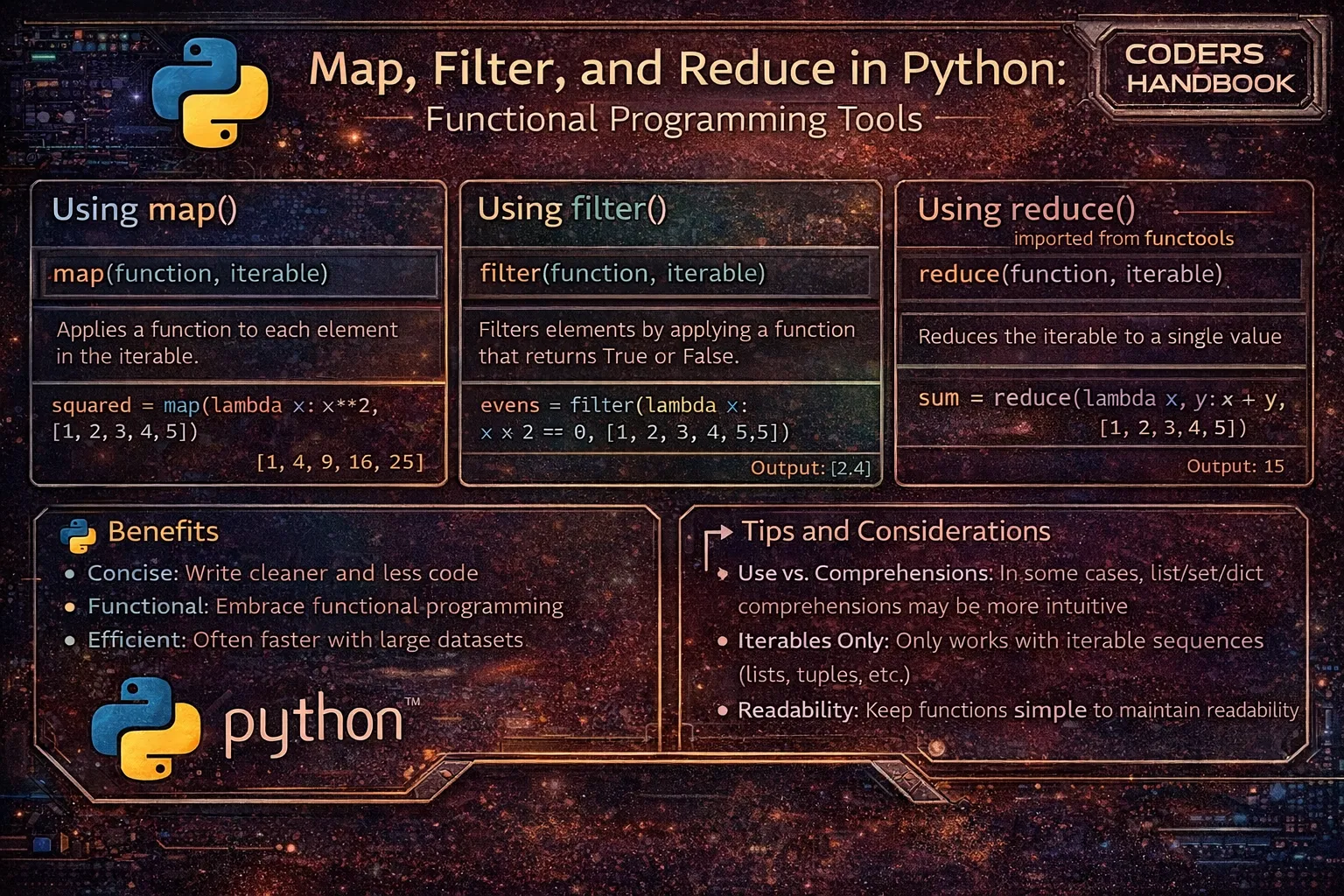
Functional programming in Python embraces declarative code through higher-order functions that operate on entire collections, with map(), filter(), and reduce() forming the foundation of functional data transformation. The map() function applies transformations to every element in an iterable returning a new iterator with transformed values, filter() selects elements matching conditions creating filtered iterators, and reduce() from the functools module combines elements into single values through cumulative operations. These functions enable processing collections without explicit loops, replacing imperative iteration with declarative transformations that express what to do rather than how to do it, resulting in cleaner, more maintainable code that emphasizes data flow and transformations over control structures.
This comprehensive guide explores map() syntax applying functions to iterables with single or multiple sequences, using lambda expressions for inline transformations versus named functions for reusability, filter() syntax selecting elements matching predicates, combining map() and filter() for transformation pipelines, reduce() syntax from functools performing cumulative operations with optional initializers, practical applications including data cleaning and aggregation, comparison with list comprehensions weighing readability versus functional style, performance characteristics of lazy evaluation through iterators, chaining operations building data processing pipelines, and best practices balancing functional approaches with Pythonic idioms. Whether you're transforming API responses, cleaning datasets, calculating statistics, processing user input, building ETL pipelines, or implementing mathematical operations on collections, mastering map(), filter(), and reduce() provides powerful functional programming tools for writing expressive, efficient Python code that processes data through composition of simple, reusable functions.
The map() Function
The map() function applies a given function to every item in an iterable, returning an iterator of transformed values following the syntax map(function, iterable). It supports multiple iterables passing corresponding elements as arguments to the function, enabling parallel transformation of multiple sequences. Map returns an iterator rather than a list, providing memory-efficient lazy evaluation where values are computed only when needed.
# The map() Function

# Basic syntax: map(function, iterable)
# Returns an iterator, convert to list to see results

# Traditional approach with loop
numbers = [1, 2, 3, 4, 5]
squares = []
for n in numbers:
    squares.append(n ** 2)
print(squares)  # Output: [1, 4, 9, 16, 25]

# Using map with named function
def square(x):
    return x ** 2

squares = list(map(square, numbers))
print(squares)  # Output: [1, 4, 9, 16, 25]

# Using map with lambda
squares = list(map(lambda x: x ** 2, numbers))
print(squares)  # Output: [1, 4, 9, 16, 25]

# Map with string transformation
words = ['hello', 'world', 'python']
uppercase = list(map(str.upper, words))
print(uppercase)  # Output: ['HELLO', 'WORLD', 'PYTHON']

# Alternative using method reference
uppercase = list(map(lambda s: s.upper(), words))

# Map with type conversion
string_numbers = ['1', '2', '3', '4', '5']
integers = list(map(int, string_numbers))
print(integers)  # Output: [1, 2, 3, 4, 5]

# Map with multiple iterables
numbers1 = [1, 2, 3, 4]
numbers2 = [10, 20, 30, 40]
sums = list(map(lambda x, y: x + y, numbers1, numbers2))
print(sums)  # Output: [11, 22, 33, 44]

# Equivalent to zip
sums = [x + y for x, y in zip(numbers1, numbers2)]

# Map with three iterables
a = [1, 2, 3]
b = [10, 20, 30]
c = [100, 200, 300]
result = list(map(lambda x, y, z: x + y + z, a, b, c))
print(result)  # Output: [111, 222, 333]

# Complex transformation
prices = [10.50, 20.75, 15.25]
with_tax = list(map(lambda p: round(p * 1.08, 2), prices))
print(with_tax)  # Output: [11.34, 22.41, 16.47]

# Map with built-in functions
numbers = [-5, -2, 0, 3, 7]
absolute = list(map(abs, numbers))
print(absolute)  # Output: [5, 2, 0, 3, 7]

# Map returns iterator (lazy evaluation)
map_result = map(square, range(1000000))
print(type(map_result))  # Output: <class 'map'>
# Values computed only when needed
first_five = list(map_result)[:5]

# Map with custom function
def fahrenheit_to_celsius(f):
    return (f - 32) * 5 / 9

temps_f = [32, 68, 86, 104]
temps_c = list(map(fahrenheit_to_celsius, temps_f))
print(temps_c)  # Output: [0.0, 20.0, 30.0, 40.0]

# Map with dictionary values
user_ages = {'Alice': 25, 'Bob': 30, 'Charlie': 35}
ages_doubled = list(map(lambda age: age * 2, user_ages.values()))
print(ages_doubled)  # Output: [50, 60, 70]

# Map with tuples
coordinates = [(1, 2), (3, 4), (5, 6)]
x_coords = list(map(lambda coord: coord[0], coordinates))
print(x_coords)  # Output: [1, 3, 5]

# Map for data extraction
users = [
    {'name': 'Alice', 'age': 25},
    {'name': 'Bob', 'age': 30},
    {'name': 'Charlie', 'age': 35}
]
names = list(map(lambda u: u['name'], users))
print(names) # Output: ['Alice', 'Bob', 'Charlie']map() returns an iterator, not a list. Use list(map(...)) to convert to list, or iterate directly. This lazy evaluation saves memory for large datasets.The filter() Function
The filter() function selects elements from an iterable based on a predicate function that returns True or False, using syntax filter(function, iterable). It returns an iterator containing only elements for which the predicate returns True, effectively removing elements that don't match the condition. Like map(), filter() provides lazy evaluation, computing results only when requested, making it memory-efficient for large datasets.
# The filter() Function

# Basic syntax: filter(function, iterable)
# Function should return True/False

# Traditional approach with loop
numbers = [1, 2, 3, 4, 5, 6, 7, 8, 9, 10]
evens = []
for n in numbers:
    if n % 2 == 0:
        evens.append(n)
print(evens)  # Output: [2, 4, 6, 8, 10]

# Using filter with named function
def is_even(x):
    return x % 2 == 0

evens = list(filter(is_even, numbers))
print(evens)  # Output: [2, 4, 6, 8, 10]

# Using filter with lambda
evens = list(filter(lambda x: x % 2 == 0, numbers))
print(evens)  # Output: [2, 4, 6, 8, 10]

# Filter odd numbers
odds = list(filter(lambda x: x % 2 != 0, numbers))
print(odds)  # Output: [1, 3, 5, 7, 9]

# Filter positive numbers
values = [-5, -2, 0, 3, 7, -1, 10]
positive = list(filter(lambda x: x > 0, values))
print(positive)  # Output: [3, 7, 10]

# Filter strings by length
words = ['a', 'to', 'cat', 'python', 'code', 'hi']
long_words = list(filter(lambda w: len(w) > 3, words))
print(long_words)  # Output: ['python', 'code']

# Filter with multiple conditions
numbers = range(1, 21)
result = list(filter(lambda x: x % 3 == 0 and x % 5 == 0, numbers))
print(result)  # Output: [15]

# Filter None values
data = [1, None, 3, None, 5, 0, 7]
filtered = list(filter(None, data))  # None as function removes falsy values
print(filtered)  # Output: [1, 3, 5, 7]

# Note: 0 is falsy, so it's also removed
# Better: explicit check
filtered = list(filter(lambda x: x is not None, data))
print(filtered)  # Output: [1, 3, 5, 0, 7]

# Filter empty strings
strings = ['hello', '', 'world', '', 'python']
non_empty = list(filter(None, strings))
print(non_empty)  # Output: ['hello', 'world', 'python']

# Or explicit:
non_empty = list(filter(lambda s: len(s) > 0, strings))

# Filter dictionaries
users = [
    {'name': 'Alice', 'age': 25, 'active': True},
    {'name': 'Bob', 'age': 17, 'active': False},
    {'name': 'Charlie', 'age': 30, 'active': True}
]

# Filter active adults
active_adults = list(filter(lambda u: u['age'] >= 18 and u['active'], users))
print(active_adults)
# Output: [{'name': 'Alice', ...}, {'name': 'Charlie', ...}]

# Filter valid emails
emails = ['[email protected]', 'invalid', '[email protected]', 'no-at-sign']
valid = list(filter(lambda e: '@' in e and '.' in e, emails))
print(valid)  # Output: ['[email protected]', '[email protected]']

# Filter with custom predicate
def is_prime(n):
    if n < 2:
        return False
    for i in range(2, int(n ** 0.5) + 1):
        if n % i == 0:
            return False
    return True

numbers = range(1, 21)
primes = list(filter(is_prime, numbers))
print(primes)  # Output: [2, 3, 5, 7, 11, 13, 17, 19]

# Filter returns iterator
filter_result = filter(is_even, range(1000000))
print(type(filter_result))  # Output: <class 'filter'>

# Filter in stock items
inventory = [
    {'item': 'apple', 'qty': 50},
    {'item': 'banana', 'qty': 0},
    {'item': 'orange', 'qty': 25}
]
in_stock = list(filter(lambda i: i['qty'] > 0, inventory))
print(in_stock)filter(None, iterable) removes all falsy values (0, '', False, None, etc.). For precise filtering, use explicit lambda: filter(lambda x: x is not None, items).The reduce() Function
The reduce() function from the functools module applies a binary function cumulatively to items in an iterable, reducing it to a single value. Following syntax reduce(function, iterable, initializer), it takes the first two elements, applies the function, then uses the result with the next element, continuing until one value remains. The optional initializer provides a starting value, useful for handling empty sequences or setting initial states.
# The reduce() Function

# Must import from functools
from functools import reduce

# Basic syntax: reduce(function, iterable, initializer)
# Function takes two arguments and returns one value

# Traditional approach: Sum with loop
numbers = [1, 2, 3, 4, 5]
total = 0
for n in numbers:
    total = total + n
print(total)  # Output: 15

# Using reduce
total = reduce(lambda x, y: x + y, numbers)
print(total)  # Output: 15

# How reduce works:
# Step 1: lambda(1, 2) -> 3
# Step 2: lambda(3, 3) -> 6
# Step 3: lambda(6, 4) -> 10
# Step 4: lambda(10, 5) -> 15

# Product of all numbers
numbers = [1, 2, 3, 4, 5]
product = reduce(lambda x, y: x * y, numbers)
print(product)  # Output: 120 (5!)

# With named function
def multiply(x, y):
    return x * y

product = reduce(multiply, numbers)
print(product)  # Output: 120

# Find maximum value
numbers = [5, 8, 2, 10, 3, 9]
maximum = reduce(lambda x, y: x if x > y else y, numbers)
print(maximum)  # Output: 10

# Better: use built-in max()
maximum = max(numbers)

# Find minimum value
minimum = reduce(lambda x, y: x if x < y else y, numbers)
print(minimum)  # Output: 2

# Using initializer (third parameter)
numbers = [1, 2, 3, 4, 5]
total = reduce(lambda x, y: x + y, numbers, 10)
print(total)  # Output: 25 (10 + 1 + 2 + 3 + 4 + 5)

# Initializer helps with empty lists
empty = []
total = reduce(lambda x, y: x + y, empty, 0)
print(total)  # Output: 0

# Without initializer, empty list raises TypeError:
# total = reduce(lambda x, y: x + y, empty)  # Error!

# String concatenation
words = ['Hello', ' ', 'World', '!']
sentence = reduce(lambda x, y: x + y, words)
print(sentence)  # Output: 'Hello World!'

# Better: use ''.join(words)
sentence = ''.join(words)

# Count occurrences
letters = ['a', 'b', 'a', 'c', 'b', 'a']
count_a = reduce(lambda count, letter: count + (1 if letter == 'a' else 0),
                 letters, 0)
print(count_a)  # Output: 3

# Better: use letters.count('a')

# Flatten nested list
nested = [[1, 2], [3, 4], [5, 6]]
flattened = reduce(lambda x, y: x + y, nested)
print(flattened)  # Output: [1, 2, 3, 4, 5, 6]

# Better: use list comprehension
flattened = [item for sublist in nested for item in sublist]

# Complex accumulation: Running sum
numbers = [1, 2, 3, 4, 5]

def running_sum(acc, x):
    acc.append(acc[-1] + x if acc else x)
    return acc

result = reduce(running_sum, numbers, [])
print(result)  # Output: [1, 3, 6, 10, 15]

# Calculate factorial
def factorial(n):
    return reduce(lambda x, y: x * y, range(1, n + 1))

print(factorial(5))  # Output: 120
print(factorial(7))  # Output: 5040

# Combine dictionaries
dicts = [{'a': 1}, {'b': 2}, {'c': 3}]
combined = reduce(lambda x, y: {**x, **y}, dicts)
print(combined)  # Output: {'a': 1, 'b': 2, 'c': 3}

# Using operator module with reduce
import operator

numbers = [1, 2, 3, 4, 5]
total = reduce(operator.add, numbers)
print(total)  # Output: 15

product = reduce(operator.mul, numbers)
print(product)  # Output: 120

# Greatest Common Divisor (GCD) of multiple numbers
import math

numbers = [48, 64, 80]
gcd = reduce(math.gcd, numbers)
print(gcd) # Output: 16sum(), max(), min(), and ''.join() that are clearer than reduce(). Use reduce() only when no simpler alternative exists.Combining Map, Filter, and Reduce
Chaining map(), filter(), and reduce() creates powerful data processing pipelines transforming, filtering, and aggregating data in sequence. These combinations enable complex operations expressed as series of simple transformations, each step clearly showing its purpose. However, deeply nested functional calls can reduce readability, suggesting list comprehensions or intermediate variables for complex pipelines requiring balance between functional elegance and code clarity.
# Combining Map, Filter, and Reduce

from functools import reduce

# Chain filter and map
numbers = [1, 2, 3, 4, 5, 6, 7, 8, 9, 10]

# Get squares of even numbers
result = list(map(lambda x: x ** 2, filter(lambda x: x % 2 == 0, numbers)))
print(result)  # Output: [4, 16, 36, 64, 100]

# Equivalent list comprehension (often more readable)
result = [x ** 2 for x in numbers if x % 2 == 0]
print(result)

# Pipeline: filter -> map -> reduce
numbers = [1, 2, 3, 4, 5, 6, 7, 8, 9, 10]

# Sum of squares of even numbers
evens = filter(lambda x: x % 2 == 0, numbers)
squares = map(lambda x: x ** 2, evens)
total = reduce(lambda x, y: x + y, squares)
print(total)  # Output: 220 (4 + 16 + 36 + 64 + 100)

# Same in one line
total = reduce(
    lambda x, y: x + y,
    map(lambda x: x ** 2, filter(lambda x: x % 2 == 0, numbers))
)
print(total)  # Output: 220

# With named functions (more readable)
def is_even(x):
    return x % 2 == 0

def square(x):
    return x ** 2

def add(x, y):
    return x + y

total = reduce(add, map(square, filter(is_even, numbers)))
print(total)  # Output: 220

# Process strings: filter non-empty, convert to upper, join
words = ['hello', '', 'world', '', 'python']
result = reduce(
    lambda x, y: x + ' ' + y,
    map(str.upper, filter(None, words))
)
print(result)  # Output: 'HELLO WORLD PYTHON'

# Better: use join
result = ' '.join(map(str.upper, filter(None, words)))

# Complex data processing
users = [
    {'name': 'Alice', 'age': 25, 'active': True},
    {'name': 'Bob', 'age': 17, 'active': False},
    {'name': 'Charlie', 'age': 30, 'active': True},
    {'name': 'Diana', 'age': 22, 'active': True}
]

# Get total age of active adults
total_age = reduce(
    lambda x, y: x + y,
    map(lambda u: u['age'],
        filter(lambda u: u['age'] >= 18 and u['active'], users))
)
print(total_age)  # Output: 77 (25 + 30 + 22)

# List comprehension alternative (clearer)
total_age = sum(u['age'] for u in users if u['age'] >= 18 and u['active'])
print(total_age)

# Price calculation pipeline
prices = [10, 20, 15, 30, 25]

# Apply discount to items > $20, add tax, sum total
total = reduce(
    lambda x, y: x + y,
    map(lambda p: p * 1.08,  # Add 8% tax
        map(lambda p: p * 0.9 if p > 20 else p,  # 10% discount if > $20
            prices))
)
print(f"${total:.2f}")  # Output: $88.56

# Step by step (more readable)
discounted = map(lambda p: p * 0.9 if p > 20 else p, prices)
with_tax = map(lambda p: p * 1.08, discounted)
total = reduce(lambda x, y: x + y, with_tax)
print(f"${total:.2f}")

# Word processing pipeline
text = "The Quick Brown Fox Jumps Over The Lazy Dog"

# Get unique lengths of words > 3 chars
words = text.split()
result = set(map(
    len,
    filter(lambda w: len(w) > 3, words)
))
print(result)  # Output: {5, 4} (unique lengths)

# Extract and sum numeric strings
data = ['10', 'abc', '20', 'def', '30', '40']
total = reduce(
    lambda x, y: x + y,
    map(int, filter(str.isdigit, data))
)
print(total)  # Output: 100

# Functional pipeline with intermediate steps
import operator

numbers = range(1, 11)
step1 = filter(lambda x: x % 2 == 0, numbers)  # Even numbers
step2 = map(lambda x: x ** 2, step1)            # Square them
step3 = reduce(operator.add, step2)             # Sum them
print(step3)  # Output: 220
Functional vs List Comprehensions
Python offers both functional approaches with map()/filter() and list comprehensions for transforming collections, each with strengths. List comprehensions are often more readable for simple operations, directly showing transformation logic in familiar syntax. Functional approaches shine with reusable named functions, complex pipelines, or emphasizing transformation composition. Understanding when to use each approach balances Pythonic readability with functional programming principles.
# Functional vs List Comprehensions

numbers = [1, 2, 3, 4, 5, 6, 7, 8, 9, 10]

# === Simple Transformation ===

# Functional
squares = list(map(lambda x: x ** 2, numbers))

# List comprehension (usually more readable)
squares = [x ** 2 for x in numbers]

# === Filtering ===

# Functional
evens = list(filter(lambda x: x % 2 == 0, numbers))

# List comprehension (more Pythonic)
evens = [x for x in numbers if x % 2 == 0]

# === Filter and Transform ===

# Functional
result = list(map(lambda x: x ** 2, filter(lambda x: x % 2 == 0, numbers)))

# List comprehension (clearer)
result = [x ** 2 for x in numbers if x % 2 == 0]

# === With Reusable Functions ===

def is_even(x):
    return x % 2 == 0

def square(x):
    return x ** 2

# Functional (good: reusable functions)
result = list(map(square, filter(is_even, numbers)))

# List comprehension (also good)
result = [square(x) for x in numbers if is_even(x)]

# === Complex Pipeline ===

words = ['hello', 'world', 'python', 'programming']

# Functional (emphasizes transformation chain)
result = list(
    map(len,
        filter(lambda w: len(w) > 5,
               map(str.upper, words))))

# List comprehension (single expression)
result = [len(w) for w in map(str.upper, words) if len(w) > 5]

# Or pure comprehension
result = [len(w.upper()) for w in words if len(w) > 5]

# === When to Use Each ===

# Use list comprehension when:
# 1. Simple, straightforward logic
result = [x * 2 for x in numbers]

# 2. Single transformation or filter
result = [x for x in numbers if x > 5]

# 3. Pythonic readability matters
result = [x ** 2 for x in numbers if x % 2 == 0]

# Use functional approach when:
# 1. You have reusable named functions
def process(x):
    return x ** 2

result = list(map(process, numbers))

# 2. Working with existing functions
string_nums = ['1', '2', '3']
integers = list(map(int, string_nums))  # Clearer than comprehension

# 3. Multiple sequences
a = [1, 2, 3]
b = [10, 20, 30]
result = list(map(lambda x, y: x + y, a, b))

# Comprehension equivalent (less clear)
result = [x + y for x, y in zip(a, b)]

# === Performance (similar for most cases) ===
import time

n = 1000000

# List comprehension
start = time.time()
result = [x ** 2 for x in range(n)]
comp_time = time.time() - start

# Map
start = time.time()
result = list(map(lambda x: x ** 2, range(n)))
map_time = time.time() - start

print(f"Comprehension: {comp_time:.4f}s")
print(f"Map: {map_time:.4f}s")
# Usually similar, comprehensions slightly faster

# === Generator Expressions (Memory Efficient) ===

# List comprehension (creates full list)
large_list = [x ** 2 for x in range(1000000)]

# Generator expression (lazy evaluation)
large_gen = (x ** 2 for x in range(1000000))

# Functional with map (also lazy)
large_map = map(lambda x: x ** 2, range(1000000))

# Both generator and map save memory
total = sum(x ** 2 for x in range(1000000))  # Memory efficient
total = sum(map(lambda x: x ** 2, range(1000000)))  # Also efficient
Best Practices
- Prefer list comprehensions for simple cases: For straightforward transformations and filtering, list comprehensions are more Pythonic and readable than map/filter
- Use named functions for reusability: When functions are reused or complex, define them separately rather than using lambda expressions
- Avoid reduce when alternatives exist: Python has
sum(),max(),min(),any(), andall()that are clearer than reduce - Convert map/filter results to lists when needed: Remember that map() and filter() return iterators. Use
list()if you need the full result immediately - Use generator expressions for memory efficiency: For large datasets, generator expressions
(x for x in items)or map/filter iterators save memory - Keep lambda expressions simple: If lambda needs multiple lines or complex logic, use a named function instead
- Consider operator module: For simple operations,
operator.addis clearer thanlambda x, y: x + y - Use initializer with reduce: Always provide initializer to reduce() for handling empty sequences and setting starting values
- Don't over-nest functional calls: Deeply nested map/filter/reduce becomes unreadable. Use intermediate variables or comprehensions
- Choose based on context: Functional style emphasizes transformation pipelines; use it when composition and reusability matter most
Conclusion
The map(), filter(), and reduce() functions form Python's functional programming foundation enabling declarative collection processing through transformation, selection, and aggregation. The map() function applies transformations to every element using map(function, iterable) syntax supporting single or multiple iterables with parallel processing, returning memory-efficient iterators computing values lazily when needed. The filter() function selects elements matching predicates through filter(function, iterable) creating filtered iterators containing only elements where the predicate returns True, effectively removing non-matching items while maintaining lazy evaluation. The reduce() function from functools applies binary functions cumulatively using reduce(function, iterable, initializer) combining all elements into single values through successive operations, with optional initializers providing starting values for empty sequences or initial accumulator states.
Combining these functions creates powerful data processing pipelines chaining transformations, filters, and aggregations expressing complex operations as sequences of simple functions, though deeply nested calls can reduce readability suggesting intermediate variables or list comprehensions for complex logic. Comparison with list comprehensions shows comprehensions are generally more Pythonic and readable for simple transformations and filtering like [x ** 2 for x in nums if x > 0], while functional approaches excel with reusable named functions, multiple sequence operations, or emphasizing transformation composition. Best practices recommend preferring list comprehensions for straightforward cases valuing Python's readability, using named functions for complex or reusable logic avoiding complicated lambdas, avoiding reduce() when simpler built-ins like sum() or max() exist, converting map/filter results to lists when full results are needed immediately, using generator expressions or lazy iterators for memory efficiency with large datasets, keeping lambda expressions simple moving complex logic to named functions, considering the operator module for common operations, always providing initializers to reduce() for handling edge cases, avoiding over-nested functional calls that harm readability, and choosing functional style when transformation pipelines, composition, and reusability provide clear benefits over imperative approaches. By mastering map() for transformations, filter() for selections, reduce() for aggregations, function combination for pipelines, and balance between functional programming and Pythonic idioms, you gain powerful tools for writing expressive, efficient collection processing code that emphasizes data transformations while maintaining the clarity and readability essential for professional Python development.
$ share --platform
$ cat /comments/ (0)
$ cat /comments/
// No comments found. Be the first!


