Multiprocessing in Python: True Parallel Execution
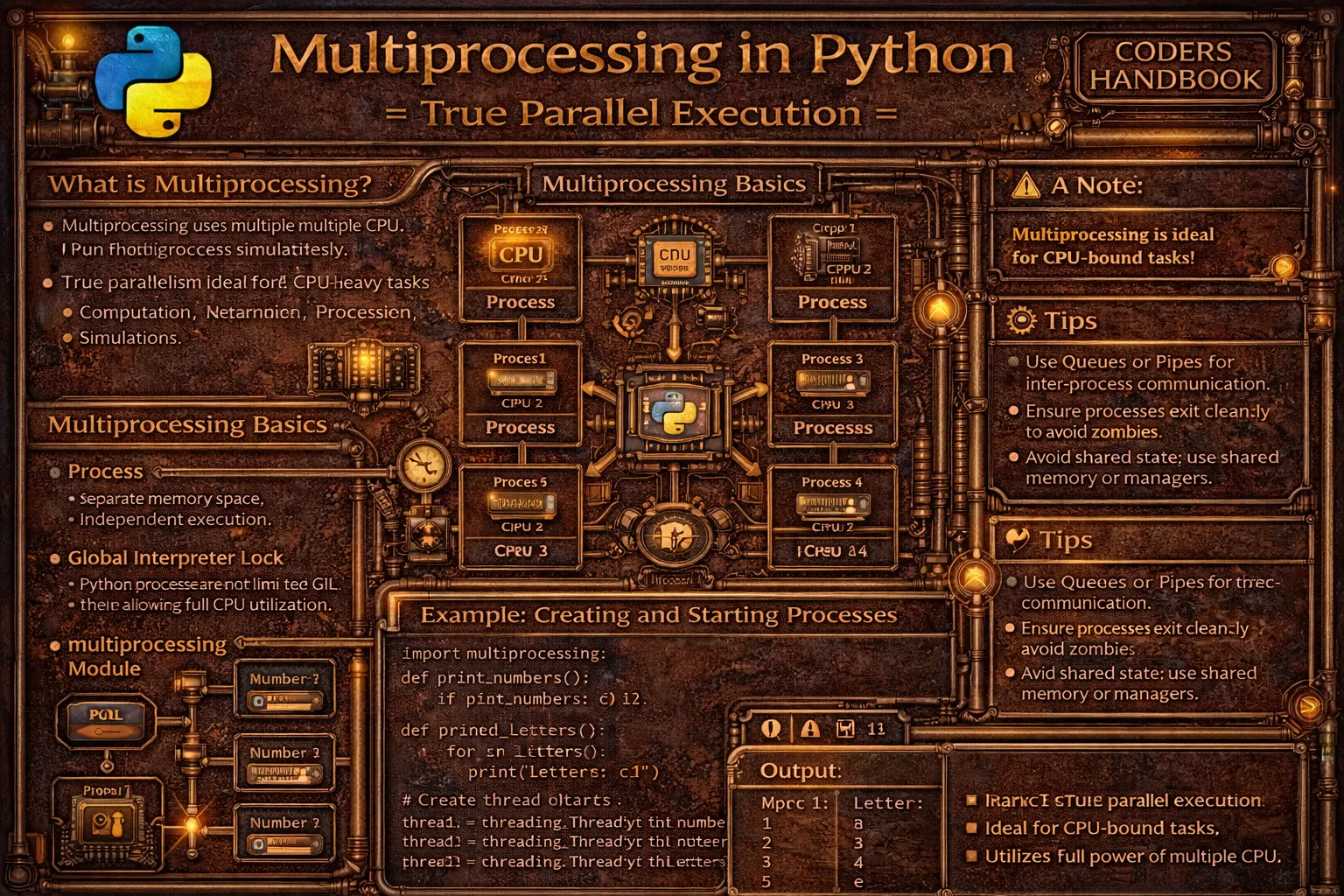
Multiprocessing enables true parallel execution by creating separate processes with independent memory spaces, bypassing Python's Global Interpreter Lock (GIL) that limits threading performance for CPU-bound tasks. Unlike threads sharing memory within a single process, processes run independently with separate Python interpreters, allowing simultaneous execution of Python bytecode across multiple CPU cores. Python's multiprocessing module provides Process class for creating processes similar to threading.Thread interface, Pool class for managing worker process pools distributing tasks efficiently, Queue and Pipe for inter-process communication enabling data exchange between isolated processes, and shared memory objects for efficient data sharing avoiding serialization overhead.
This comprehensive guide explores creating processes using multiprocessing.Process with target functions and arguments launching independent execution contexts, starting processes with start() method and waiting with join() for completion, process pools using Pool.map() distributing tasks across worker processes for parallel execution, Pool.apply_async() for asynchronous task submission with result retrieval, ProcessPoolExecutor from concurrent.futures providing high-level interface with context managers, inter-process communication through Queue enabling thread-safe message passing between processes, Pipe providing bidirectional communication channels for two processes, shared memory with Value and Array enabling efficient data sharing, synchronization primitives including Lock, Semaphore, and Event coordinating process access to shared resources, practical use cases including parallel data processing, image processing pipelines, mathematical computations, and CPU-intensive operations, and best practices using multiprocessing for CPU-bound tasks, protecting main entry point with if __name__ == '__main__', considering serialization overhead for large data structures, using Pool for many similar tasks, and managing process cleanup properly. Whether you're processing large datasets in parallel, performing computational simulations, implementing image or video processing pipelines, running scientific computations, or executing CPU-intensive algorithms, mastering multiprocessing provides essential tools for true parallelism achieving performance scaling across multiple CPU cores overcoming GIL limitations affecting threaded execution.
Creating and Managing Processes
Creating processes involves instantiating multiprocessing.Process objects with target functions and arguments, similar to threading but creating independent processes with separate memory. The start() method launches process execution in parallel, join() waits for completion, and terminate() forcefully stops processes. Understanding process creation and lifecycle management enables building parallel applications leveraging multiple CPU cores.
# Creating and Managing Processes

import multiprocessing
import os
import time

# === Basic process creation ===

def worker(name):
    """Function to run in separate process."""
    print(f"Worker {name} starting in process {os.getpid()}")
    time.sleep(2)
    print(f"Worker {name} finished")

if __name__ == '__main__':
    print(f"Main process: {os.getpid()}")

    # Create process
    process = multiprocessing.Process(target=worker, args=('A',))

    # Start process
    process.start()

    print("Main process continues...")

    # Wait for process to complete
    process.join()

    print("Process finished")

# === Multiple processes ===

def compute_square(number):
    """Compute square of number."""
    result = number * number
    print(f"Square of {number} = {result} (PID: {os.getpid()})")
    return result

if __name__ == '__main__':
    # Create multiple processes
    processes = []
    for i in range(5):
        p = multiprocessing.Process(target=compute_square, args=(i,))
        processes.append(p)
        p.start()

    # Wait for all processes
    for p in processes:
        p.join()

    print("All processes completed")

# === Process with keyword arguments ===

def process_data(data, multiplier=1, verbose=False):
    """Process data with options."""
    if verbose:
        print(f"Processing {data} with multiplier {multiplier}")
    result = data * multiplier
    time.sleep(1)
    return result

if __name__ == '__main__':
    process = multiprocessing.Process(
        target=process_data,
        args=(10,),
        kwargs={'multiplier': 5, 'verbose': True}
    )
    process.start()
    process.join()

# === Process subclassing ===

class ComputeProcess(multiprocessing.Process):
    """Custom process class."""

    def __init__(self, task_id, data):
        super().__init__()
        self.task_id = task_id
        self.data = data

    def run(self):
        """Override run method."""
        print(f"Task {self.task_id} processing in PID {os.getpid()}")
        result = sum(self.data)
        print(f"Task {self.task_id}: Sum = {result}")

if __name__ == '__main__':
    processes = []
    datasets = [[1, 2, 3], [4, 5, 6], [7, 8, 9]]

    for i, data in enumerate(datasets):
        p = ComputeProcess(i, data)
        processes.append(p)
        p.start()

    for p in processes:
        p.join()

# === Process properties and control ===

def long_running_task():
    """Long-running task."""
    print(f"Task starting in PID {os.getpid()}")
    for i in range(10):
        print(f"Working... {i}")
        time.sleep(1)
    print("Task completed")

if __name__ == '__main__':
    process = multiprocessing.Process(target=long_running_task)
    process.start()

    # Check if process is alive
    print(f"Is alive: {process.is_alive()}")
    print(f"Process PID: {process.pid}")
    print(f"Process name: {process.name}")

    # Wait for limited time
    process.join(timeout=3)

    if process.is_alive():
        print("Process still running, terminating...")
        process.terminate()  # Force termination
        process.join()  # Clean up
        print("Process terminated")

# === Daemon processes ===

def daemon_worker():
    """Daemon process function."""
    print("Daemon process starting")
    time.sleep(10)
    print("Daemon process finished")  # Won't print

if __name__ == '__main__':
    # Create daemon process
    daemon_process = multiprocessing.Process(
        target=daemon_worker,
        daemon=True
    )
    daemon_process.start()

    time.sleep(2)
    print("Main process exiting (daemon will terminate)")
    # Main exits, daemon terminates

# === CPU-bound parallel execution ===

def cpu_intensive_task(n):
    """CPU-intensive computation."""
    count = 0
    for i in range(n):
        count += i ** 2
    print(f"Computed sum: {count} in PID {os.getpid()}")
    return count

if __name__ == '__main__':
    start = time.time()

    # Create processes for parallel execution
    processes = []
    for _ in range(4):  # 4 parallel processes
        p = multiprocessing.Process(
            target=cpu_intensive_task,
            args=(10000000,)
        )
        processes.append(p)
        p.start()

    # Wait for all
    for p in processes:
        p.join()

    elapsed = time.time() - start
    print(f"Parallel execution time: {elapsed:.2f}s")
# Much faster than sequential execution!Process Pools for Efficient Parallelism
Process pools manage worker processes efficiently distributing tasks across available CPU cores without creating excessive processes. The Pool class provides map() for applying functions to iterables in parallel, apply_async() for asynchronous task submission, and starmap() for functions with multiple arguments. ProcessPoolExecutor offers a higher-level interface with context managers and futures for result handling.
# Process Pools for Efficient Parallelism

import multiprocessing
from concurrent.futures import ProcessPoolExecutor, as_completed
import time

# === Basic Pool.map() usage ===

def square(n):
    """Compute square."""
    return n * n

if __name__ == '__main__':
    numbers = [1, 2, 3, 4, 5, 6, 7, 8]

    # Create pool with 4 worker processes
    with multiprocessing.Pool(processes=4) as pool:
        results = pool.map(square, numbers)

    print(f"Squares: {results}")
    # Output: [1, 4, 9, 16, 25, 36, 49, 64]

# === Pool.starmap() for multiple arguments ===

def multiply(a, b):
    """Multiply two numbers."""
    return a * b

if __name__ == '__main__':
    pairs = [(2, 3), (4, 5), (6, 7), (8, 9)]

    with multiprocessing.Pool(processes=2) as pool:
        results = pool.starmap(multiply, pairs)

    print(f"Products: {results}")
    # Output: [6, 20, 42, 72]

# === Pool.apply_async() for asynchronous execution ===

def process_item(item):
    """Process single item."""
    time.sleep(1)
    return item ** 2

if __name__ == '__main__':
    with multiprocessing.Pool(processes=3) as pool:
        # Submit tasks asynchronously
        results = []
        for i in range(10):
            result = pool.apply_async(process_item, (i,))
            results.append(result)

        # Retrieve results
        for i, result in enumerate(results):
            print(f"Result {i}: {result.get()}")

# === Pool with callback functions ===

def compute(x):
    """Computation function."""
    return x * x

def result_callback(result):
    """Called when result is ready."""
    print(f"Result ready: {result}")

def error_callback(error):
    """Called on error."""
    print(f"Error occurred: {error}")

if __name__ == '__main__':
    with multiprocessing.Pool(processes=2) as pool:
        for i in range(5):
            pool.apply_async(
                compute,
                args=(i,),
                callback=result_callback,
                error_callback=error_callback
            )
        pool.close()
        pool.join()

# === ProcessPoolExecutor (high-level interface) ===

def heavy_computation(n):
    """CPU-intensive task."""
    result = 0
    for i in range(n):
        result += i ** 2
    return result

if __name__ == '__main__':
    tasks = [1000000, 2000000, 3000000, 4000000]

    # Using ProcessPoolExecutor
    with ProcessPoolExecutor(max_workers=4) as executor:
        results = executor.map(heavy_computation, tasks)

    for task, result in zip(tasks, results):
        print(f"Task {task}: {result}")

# === ProcessPoolExecutor with submit() ===

def download_file(url):
    """Simulate file download."""
    time.sleep(2)
    return f"Downloaded {url}"

if __name__ == '__main__':
    urls = [f"http://example.com/file{i}" for i in range(5)]

    with ProcessPoolExecutor(max_workers=3) as executor:
        # Submit tasks and get futures
        futures = [executor.submit(download_file, url) for url in urls]

        # Process results as they complete
        for future in as_completed(futures):
            result = future.result()
            print(result)

# === Parallel image processing example ===

def process_image(image_path):
    """Simulate image processing."""
    print(f"Processing {image_path}")
    time.sleep(1)  # Simulate processing
    return f"Processed {image_path}"

if __name__ == '__main__':
    images = [f"image_{i}.jpg" for i in range(20)]

    # Sequential processing
    start = time.time()
    results = [process_image(img) for img in images]
    sequential_time = time.time() - start
    print(f"Sequential: {sequential_time:.2f}s")

    # Parallel processing
    start = time.time()
    with ProcessPoolExecutor(max_workers=4) as executor:
        results = list(executor.map(process_image, images))
    parallel_time = time.time() - start
    print(f"Parallel: {parallel_time:.2f}s")
    print(f"Speedup: {sequential_time / parallel_time:.2f}x")

# === Pool.imap() for memory efficiency ===

def process_large_item(item):
    """Process large data item."""
    time.sleep(0.1)
    return item * 2

if __name__ == '__main__':
    # imap returns iterator, memory efficient for large datasets
    with multiprocessing.Pool(processes=4) as pool:
        # Process results as they become available
        for result in pool.imap(process_large_item, range(100)):
            print(f"Result: {result}")
            # Process immediately without storing all results

# === Automatic worker count ===

if __name__ == '__main__':
    # Use all available CPU cores
    cpu_count = multiprocessing.cpu_count()
    print(f"Available CPUs: {cpu_count}")

    with multiprocessing.Pool() as pool:  # Default: cpu_count
        results = pool.map(square, range(100))

    print(f"Processed {len(results)} items")

# === Pool with timeout ===

def slow_task(n):
    """Slow task that might timeout."""
    time.sleep(n)
    return n * n

if __name__ == '__main__':
    with multiprocessing.Pool(processes=2) as pool:
        result = pool.apply_async(slow_task, (5,))

        try:
            # Wait maximum 2 seconds
            value = result.get(timeout=2)
            print(f"Result: {value}")
        except multiprocessing.TimeoutError:
print("Task timed out!")Inter-Process Communication
Inter-process communication enables data exchange between isolated processes with separate memory spaces. Queue provides thread-safe, process-safe FIFO communication supporting multiple producers and consumers, Pipe creates bidirectional communication channels between two processes, and shared memory objects like Value and Array enable efficient data sharing without serialization overhead. Understanding IPC mechanisms enables coordinated parallel processing with data exchange.
# Inter-Process Communication (IPC)

import multiprocessing
import time

# === Queue for process communication ===

def producer(queue, items):
    """Produce items and put in queue."""
    for item in items:
        print(f"Producer: Adding {item}")
        queue.put(item)
        time.sleep(0.5)
    queue.put(None)  # Sentinel value

def consumer(queue, consumer_id):
    """Consume items from queue."""
    while True:
        item = queue.get()
        if item is None:
            print(f"Consumer {consumer_id}: Done")
            break
        print(f"Consumer {consumer_id}: Processing {item}")
        time.sleep(1)

if __name__ == '__main__':
    queue = multiprocessing.Queue()

    # Create processes
    prod = multiprocessing.Process(
        target=producer,
        args=(queue, [1, 2, 3, 4, 5])
    )
    cons = multiprocessing.Process(
        target=consumer,
        args=(queue, 1)
    )

    prod.start()
    cons.start()

    prod.join()
    cons.join()

# === Pipe for bidirectional communication ===

def sender(conn):
    """Send data through pipe."""
    messages = ["Hello", "World", "From", "Pipe"]
    for msg in messages:
        print(f"Sending: {msg}")
        conn.send(msg)
        time.sleep(0.5)
    conn.close()

def receiver(conn):
    """Receive data from pipe."""
    while True:
        try:
            msg = conn.recv()
            print(f"Received: {msg}")
        except EOFError:
            break
    conn.close()

if __name__ == '__main__':
    # Create pipe (returns two connections)
    parent_conn, child_conn = multiprocessing.Pipe()

    # Create processes
    p1 = multiprocessing.Process(target=sender, args=(parent_conn,))
    p2 = multiprocessing.Process(target=receiver, args=(child_conn,))

    p1.start()
    p2.start()

    p1.join()
    p2.join()

# === Shared Value ===

def increment_counter(counter, lock):
    """Increment shared counter."""
    for _ in range(1000):
        with lock:
            counter.value += 1

if __name__ == '__main__':
    # Create shared value with lock
    counter = multiprocessing.Value('i', 0)  # 'i' = integer
    lock = multiprocessing.Lock()

    # Create processes
    processes = []
    for _ in range(4):
        p = multiprocessing.Process(
            target=increment_counter,
            args=(counter, lock)
        )
        processes.append(p)
        p.start()

    for p in processes:
        p.join()

    print(f"Final counter value: {counter.value}")
    # Output: 4000 (4 processes × 1000 increments)

# === Shared Array ===

def modify_array(shared_array, index, value):
    """Modify shared array."""
    shared_array[index] = value
    print(f"Set array[{index}] = {value}")

if __name__ == '__main__':
    # Create shared array
    # 'd' = double, 10 = size
    shared_array = multiprocessing.Array('d', 10)

    # Initialize array
    for i in range(10):
        shared_array[i] = 0.0

    # Create processes to modify array
    processes = []
    for i in range(10):
        p = multiprocessing.Process(
            target=modify_array,
            args=(shared_array, i, i * 1.5)
        )
        processes.append(p)
        p.start()

    for p in processes:
        p.join()

    print(f"Final array: {list(shared_array)}")

# === Manager for complex shared objects ===

def worker(shared_dict, shared_list, worker_id):
    """Worker using managed objects."""
    shared_dict[worker_id] = worker_id * 10
    shared_list.append(worker_id)
    print(f"Worker {worker_id} updated shared objects")

if __name__ == '__main__':
    with multiprocessing.Manager() as manager:
        # Create managed dict and list
        shared_dict = manager.dict()
        shared_list = manager.list()

        # Create processes
        processes = []
        for i in range(5):
            p = multiprocessing.Process(
                target=worker,
                args=(shared_dict, shared_list, i)
            )
            processes.append(p)
            p.start()

        for p in processes:
            p.join()

        print(f"Shared dict: {dict(shared_dict)}")
        print(f"Shared list: {list(shared_list)}")

# === Practical example: Parallel data aggregation ===

def compute_partial_sum(data, result_queue, process_id):
    """Compute partial sum and send to queue."""
    partial_sum = sum(data)
    result_queue.put((process_id, partial_sum))
    print(f"Process {process_id}: Sum = {partial_sum}")

if __name__ == '__main__':
    # Large dataset
    data = list(range(1, 1001))

    # Split into chunks
    chunk_size = len(data) // 4
    chunks = [
        data[i:i+chunk_size]
        for i in range(0, len(data), chunk_size)
    ]

    # Create queue for results
    result_queue = multiprocessing.Queue()

    # Create processes for each chunk
    processes = []
    for i, chunk in enumerate(chunks):
        p = multiprocessing.Process(
            target=compute_partial_sum,
            args=(chunk, result_queue, i)
        )
        processes.append(p)
        p.start()

    # Wait for all processes
    for p in processes:
        p.join()

    # Collect results
    total_sum = 0
    while not result_queue.empty():
        process_id, partial_sum = result_queue.get()
        total_sum += partial_sum

    print(f"Total sum: {total_sum}")
    print(f"Expected: {sum(data)}")

# === Synchronization with Lock ===

def safe_write(lock, filename, data):
    """Write to file with lock."""
    with lock:
        with open(filename, 'a') as f:
            f.write(f"{data}\n")
        print(f"Wrote: {data}")

if __name__ == '__main__':
    lock = multiprocessing.Lock()
    filename = 'output.txt'

    # Clear file
    open(filename, 'w').close()

    # Create processes
    processes = []
    for i in range(5):
        p = multiprocessing.Process(
            target=safe_write,
            args=(lock, filename, f"Line {i}")
        )
        processes.append(p)
        p.start()

    for p in processes:
p.join()Multiprocessing Best Practices
- Use multiprocessing for CPU-bound tasks: Multiprocessing bypasses GIL enabling true parallelism for computational tasks. Use threading for I/O-bound operations
- Always use if __name__ == '__main__': Protect process creation code with this guard preventing recursive process spawning on Windows and ensuring proper module imports
- Use Pool for many similar tasks: Pool manages worker processes efficiently distributing tasks automatically. Create manual processes only for few, long-running tasks
- Consider serialization overhead: Data passed between processes must be pickled. Large objects have significant overhead. Use shared memory for large arrays
- Match worker count to CPU cores: Use
multiprocessing.cpu_count()to determine optimal worker count. Too many processes increase context switching overhead - Use Queue for result collection: Queue provides thread-safe, process-safe communication. Better than shared variables for collecting results from workers
- Handle process cleanup properly: Always join() or terminate() processes. Use context managers with Pool and ProcessPoolExecutor ensuring cleanup
- Use Manager for complex shared data: For dictionaries, lists, or custom objects, use
multiprocessing.Manager()providing proxy objects for safe sharing - Avoid shared state when possible: Design processes to be independent. Share data only when necessary reducing synchronization complexity and potential bugs
- Profile before parallelizing: Measure single-process performance first. Identify bottlenecks. Not all code benefits from parallelization due to overhead
Conclusion
Multiprocessing enables true parallel execution creating separate processes with independent memory spaces and Python interpreters, bypassing the Global Interpreter Lock (GIL) that limits threading performance for CPU-bound tasks allowing simultaneous execution across multiple CPU cores. Creating processes uses multiprocessing.Process with target functions launching independent execution contexts, start() method initiating parallel execution, join() waiting for completion, and terminate() forcefully stopping processes, with daemon processes terminating when main program exits and custom process classes overriding run() method. Process pools manage worker processes efficiently through Pool class providing map() applying functions to iterables in parallel, starmap() handling multiple arguments, apply_async() for asynchronous task submission with callbacks, imap() for memory-efficient iteration, and ProcessPoolExecutor offering high-level interface with context managers and futures enabling clean resource management.
Inter-process communication enables data exchange between isolated processes through Queue providing thread-safe process-safe FIFO communication supporting multiple producers and consumers with blocking operations, Pipe creating bidirectional channels for two-process communication with send() and recv() methods, shared memory objects using Value for single values and Array for arrays enabling efficient data sharing without serialization overhead requiring synchronization with Lock, and Manager providing proxy objects for complex shared data structures like dictionaries and lists. Best practices emphasize using multiprocessing for CPU-bound computational tasks requiring true parallelism while threading handles I/O-bound operations, always protecting process creation with if __name__ == '__main__' guard preventing recursive spawning, using Pool for many similar tasks enabling efficient worker management, considering serialization overhead for large data structures preferring shared memory, matching worker count to CPU cores using cpu_count() avoiding excessive context switching, using Queue for result collection providing safe communication, handling cleanup properly with join() or context managers, using Manager for complex shared objects, avoiding shared state when possible reducing synchronization complexity, and profiling before parallelizing ensuring benefits exceed overhead costs. By mastering process creation and lifecycle management, pool-based parallel execution distributing tasks efficiently, inter-process communication enabling coordination and data exchange, shared memory for high-performance data sharing, and best practices ensuring efficient robust implementations, you gain essential tools for true parallel processing achieving performance scaling across multiple CPU cores, accelerating computational workloads, processing large datasets efficiently, implementing parallel algorithms, and overcoming GIL limitations supporting professional Python development from scientific computing to data processing pipelines requiring maximum performance through parallel execution.
$ share --platform
$ cat /comments/ (0)
$ cat /comments/
// No comments found. Be the first!


