Python Magic Methods: Dunder Methods Explained
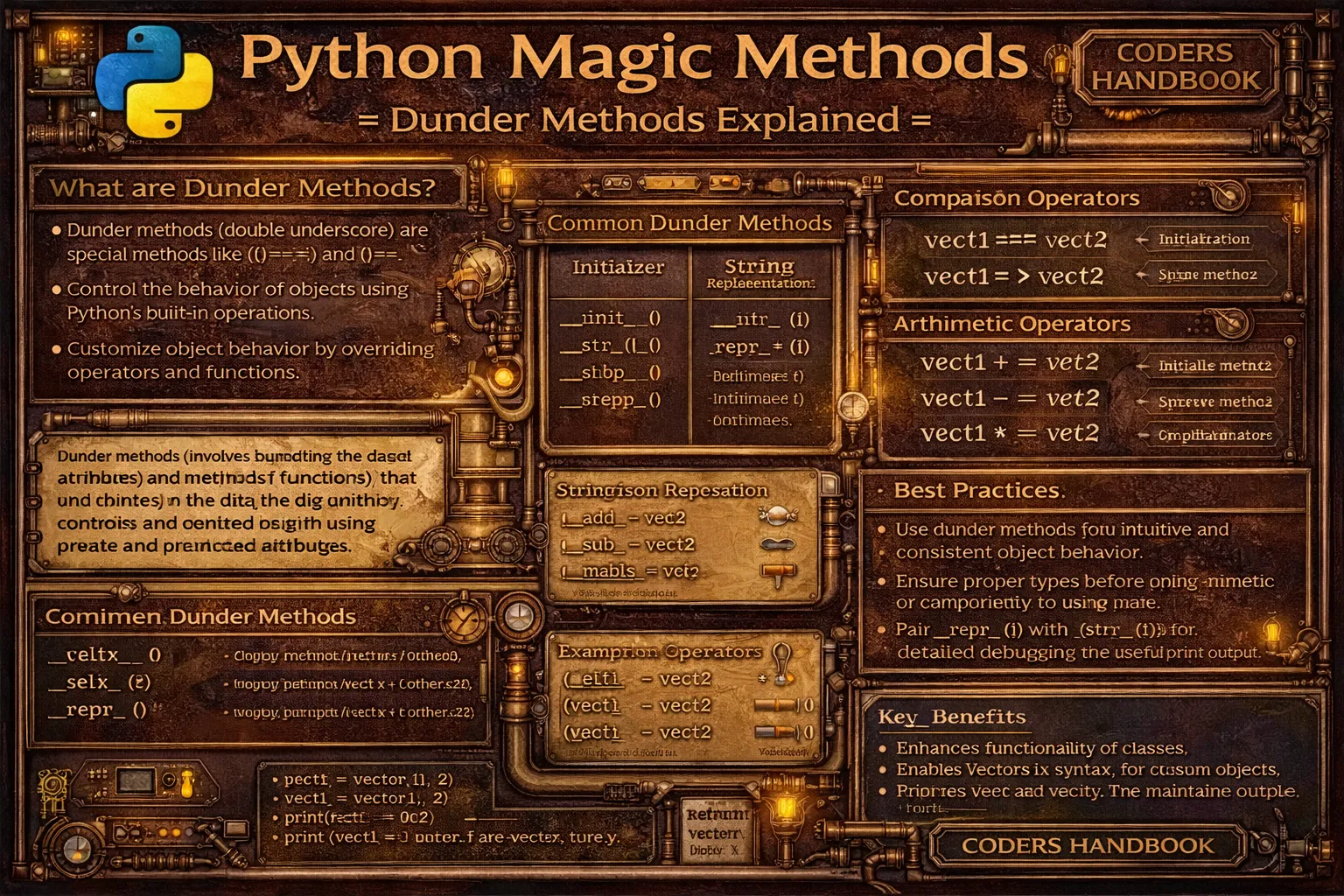
Magic methods, also called dunder methods (double underscore methods), are special Python methods with names surrounded by double underscores enabling customization of class behavior for built-in operations. These methods like __init__, __str__, __add__, and __len__ aren't called directly but are invoked automatically by Python when using built-in functions, operators, or language constructs. Magic methods enable custom objects to behave like built-in types, supporting operations like addition with plus operator, length queries with len() function, string conversion with str() and print(), comparison with equality and less-than operators, iteration with for loops, and context management with with statements, making custom classes integrate seamlessly with Python's syntax and standard operations.
This comprehensive guide explores initialization methods with __init__ constructing instances and __new__ creating objects, string representation methods using __str__ for user-friendly output and __repr__ for debugging and development, arithmetic operator methods including __add__, __sub__, __mul__, and __truediv__ enabling mathematical operations, comparison operator methods with __eq__, __lt__, __gt__, and __ne__ supporting equality and ordering, container emulation methods using __len__ for length, __getitem__ and __setitem__ for indexing, and __contains__ for membership testing, context manager methods with __enter__ and __exit__ enabling with statement usage, callable objects using __call__ making instances callable like functions, type conversion methods including __int__, __float__, and __bool__ for type coercion, attribute access methods with __getattr__, __setattr__, and __delattr__ controlling attribute operations, and best practices implementing __repr__ before __str__, keeping magic methods intuitive matching built-in behavior, returning NotImplemented for unsupported operations, and documenting magic method behavior. Whether you're creating custom data structures supporting built-in operations, implementing mathematical objects with operator support, building framework components with special protocols, designing APIs with Pythonic interfaces, or extending language capabilities through custom types, mastering magic methods provides essential tools for creating classes that integrate naturally with Python's syntax enabling elegant, intuitive code.
Initialization and Construction
Initialization magic methods control object creation and setup. The __init__ method initializes instances after creation setting initial state, while __new__ controls object creation itself returning the instance. The __del__ destructor is called when objects are garbage collected, though explicit cleanup is better handled through context managers. Understanding initialization methods enables proper object lifecycle management.
# Initialization and Construction Magic Methods

# === __init__ - Instance initialization ===

class Person:
    """Person class with __init__."""

    def __init__(self, name, age):
        """Called automatically when creating instance."""
        print(f"Initializing Person: {name}")
        self.name = name
        self.age = age

# __init__ called automatically
person = Person("Alice", 30)
# Output: Initializing Person: Alice

print(person.name)  # Alice
print(person.age)   # 30

# === __new__ - Object creation ===

class Singleton:
    """Singleton pattern using __new__."""

    _instance = None

    def __new__(cls):
        """Create instance only once."""
        if cls._instance is None:
            print("Creating new instance")
            cls._instance = super().__new__(cls)
        else:
            print("Returning existing instance")
        return cls._instance

    def __init__(self):
        print("Initializing instance")

# First creation
s1 = Singleton()
# Output:
# Creating new instance
# Initializing instance

# Second creation - returns same instance
s2 = Singleton()
# Output:
# Returning existing instance
# Initializing instance

print(s1 is s2)  # True - same object

# === __del__ - Destructor ===

class FileHandler:
    """File handler with cleanup."""

    def __init__(self, filename):
        self.filename = filename
        print(f"Opening {filename}")
        self.file = open(filename, 'w')

    def __del__(self):
        """Called when object is garbage collected."""
        print(f"Closing {filename}")
        if hasattr(self, 'file'):
            self.file.close()

handler = FileHandler('test.txt')
# Output: Opening test.txt

del handler
# Output: Closing test.txt

# Note: Better to use context managers than __del__

# === __init__ with validation ===

class BankAccount:
    """Bank account with validated initialization."""

    def __init__(self, account_number, balance=0):
        if not isinstance(account_number, str):
            raise TypeError("Account number must be string")
        if balance < 0:
            raise ValueError("Balance cannot be negative")

        self.account_number = account_number
        self.balance = balance

# Valid creation
account = BankAccount("12345", 1000)

# Invalid creation
try:
    invalid = BankAccount("12345", -100)
except ValueError as e:
print(e) # Balance cannot be negative__new__ creates the object (rarely overridden), __init__ initializes it (commonly used). Use __init__ for most cases.String Representation Methods
String representation magic methods control how objects are converted to strings. The __str__ method provides user-friendly output for print() and str(), while __repr__ provides unambiguous developer-oriented representation for debugging and the interactive interpreter. If __str__ is missing, Python falls back to __repr__, making __repr__ the more important method to implement first.
# String Representation Magic Methods

# === __str__ and __repr__ ===

class Book:
    """Book with string representations."""

    def __init__(self, title, author, pages):
        self.title = title
        self.author = author
        self.pages = pages

    def __str__(self):
        """User-friendly string representation."""
        return f"{self.title} by {self.author}"

    def __repr__(self):
        """Developer-oriented representation."""
        return f"Book('{self.title}', '{self.author}', {self.pages})"

book = Book("Python Mastery", "John Doe", 350)

# __str__ for user display
print(str(book))   # Python Mastery by John Doe
print(book)        # Python Mastery by John Doe (uses __str__)

# __repr__ for debugging
print(repr(book))  # Book('Python Mastery', 'John Doe', 350)

# In interactive interpreter, __repr__ is used
book  # Would show: Book('Python Mastery', 'John Doe', 350)

# === Difference between __str__ and __repr__ ===

class Point:
    """Point demonstrating __str__ vs __repr__."""

    def __init__(self, x, y):
        self.x = x
        self.y = y

    def __str__(self):
        # Human-readable
        return f"Point at ({self.x}, {self.y})"

    def __repr__(self):
        # Unambiguous, ideally can recreate object
        return f"Point({self.x}, {self.y})"

point = Point(3, 4)

print(str(point))   # Point at (3, 4) - for users
print(repr(point))  # Point(3, 4) - for developers

# __repr__ goal: eval(repr(obj)) == obj (when possible)
point_repr = repr(point)
recreated = eval(point_repr)
print(recreated)  # Point at (3, 4)

# === Only __repr__ defined ===

class Vector:
    """Vector with only __repr__."""

    def __init__(self, x, y):
        self.x = x
        self.y = y

    def __repr__(self):
        return f"Vector({self.x}, {self.y})"
    # No __str__ defined

vector = Vector(5, 10)

# Both use __repr__ (fallback)
print(str(vector))   # Vector(5, 10)
print(repr(vector))  # Vector(5, 10)
print(vector)        # Vector(5, 10)

# === Complex example ===

class Employee:
    """Employee with comprehensive string methods."""

    def __init__(self, name, employee_id, salary):
        self.name = name
        self.employee_id = employee_id
        self.salary = salary

    def __str__(self):
        # For end users / reports
        return f"{self.name} (ID: {self.employee_id})"

    def __repr__(self):
        # For debugging / logging
        return f"Employee('{self.name}', '{self.employee_id}', {self.salary})"

emp = Employee("Alice Smith", "E001", 75000)

print(emp)         # Alice Smith (ID: E001)
print(repr(emp))   # Employee('Alice Smith', 'E001', 75000)

# In list, __repr__ is used
emps = [Employee("Bob", "E002", 80000), Employee("Carol", "E003", 70000)]
print(emps)
# [Employee('Bob', 'E002', 80000), Employee('Carol', 'E003', 70000)]

# === Best practice: Always implement __repr__ ===

class Product:
    """Product with proper __repr__."""

    def __init__(self, name, price):
        self.name = name
        self.price = price

    def __repr__(self):
        # Start with __repr__ - can be used alone
        return f"Product(name='{self.name}', price={self.price})"

    def __str__(self):
        # Add __str__ later if needed
        return f"{self.name}: ${self.price}"

product = Product("Laptop", 999.99)
print(product)         # Laptop: $999.99
print(repr(product)) # Product(name='Laptop', price=999.99)__repr__ is for developers, __str__ is for users. Always implement __repr__ first - it serves as fallback for __str__.Arithmetic Operator Methods
Arithmetic magic methods enable custom objects to support mathematical operations. Methods like __add__ for addition, __sub__ for subtraction, __mul__ for multiplication, and __truediv__ for division define how operators work with custom types. These methods make mathematical objects like vectors, matrices, or complex numbers work intuitively with standard Python operators.
# Arithmetic Operator Magic Methods

# === Basic arithmetic operators ===

class Vector:
    """2D vector with arithmetic operations."""

    def __init__(self, x, y):
        self.x = x
        self.y = y

    def __add__(self, other):
        """Vector addition: v1 + v2."""
        return Vector(self.x + other.x, self.y + other.y)

    def __sub__(self, other):
        """Vector subtraction: v1 - v2."""
        return Vector(self.x - other.x, self.y - other.y)

    def __mul__(self, scalar):
        """Scalar multiplication: v * scalar."""
        if isinstance(scalar, (int, float)):
            return Vector(self.x * scalar, self.y * scalar)
        return NotImplemented

    def __rmul__(self, scalar):
        """Reflected multiplication: scalar * v."""
        return self.__mul__(scalar)

    def __truediv__(self, scalar):
        """Scalar division: v / scalar."""
        if isinstance(scalar, (int, float)):
            return Vector(self.x / scalar, self.y / scalar)
        return NotImplemented

    def __repr__(self):
        return f"Vector({self.x}, {self.y})"

v1 = Vector(3, 4)
v2 = Vector(1, 2)

print(v1 + v2)    # Vector(4, 6)
print(v1 - v2)    # Vector(2, 2)
print(v1 * 3)     # Vector(9, 12)
print(3 * v1)     # Vector(9, 12) - uses __rmul__
print(v1 / 2)     # Vector(1.5, 2.0)

# === Complete arithmetic example ===

class Money:
    """Money with arithmetic operations."""

    def __init__(self, amount):
        self.amount = amount

    def __add__(self, other):
        if isinstance(other, Money):
            return Money(self.amount + other.amount)
        return NotImplemented

    def __sub__(self, other):
        if isinstance(other, Money):
            return Money(self.amount - other.amount)
        return NotImplemented

    def __mul__(self, scalar):
        if isinstance(scalar, (int, float)):
            return Money(self.amount * scalar)
        return NotImplemented

    def __rmul__(self, scalar):
        return self.__mul__(scalar)

    def __truediv__(self, scalar):
        if isinstance(scalar, (int, float)):
            return Money(self.amount / scalar)
        return NotImplemented

    def __floordiv__(self, scalar):
        if isinstance(scalar, (int, float)):
            return Money(self.amount // scalar)
        return NotImplemented

    def __neg__(self):
        """Unary negation: -money."""
        return Money(-self.amount)

    def __abs__(self):
        """Absolute value: abs(money)."""
        return Money(abs(self.amount))

    def __repr__(self):
        return f"Money({self.amount})"

    def __str__(self):
        return f"${self.amount:.2f}"

m1 = Money(100)
m2 = Money(50)

print(m1 + m2)    # $150.00
print(m1 - m2)    # $50.00
print(m1 * 2)     # $200.00
print(3 * m2)     # $150.00
print(m1 / 4)     # $25.00
print(m1 // 3)    # $33.00
print(-m1)        # $-100.00
print(abs(-m1))   # $100.00

# === Augmented assignment ===

class Counter:
    """Counter with augmented assignment."""

    def __init__(self, count=0):
        self.count = count

    def __iadd__(self, other):
        """In-place addition: counter += value."""
        if isinstance(other, int):
            self.count += other
            return self  # Must return self
        return NotImplemented

    def __isub__(self, other):
        """In-place subtraction: counter -= value."""
        if isinstance(other, int):
            self.count -= other
            return self
        return NotImplemented

    def __repr__(self):
        return f"Counter({self.count})"

counter = Counter(10)
print(counter)     # Counter(10)

counter += 5       # Calls __iadd__
print(counter)     # Counter(15)

counter -= 3       # Calls __isub__
print(counter)     # Counter(12)

# === Returning NotImplemented ===

class Number:
    def __init__(self, value):
        self.value = value

    def __add__(self, other):
        if isinstance(other, Number):
            return Number(self.value + other.value)
        elif isinstance(other, (int, float)):
            return Number(self.value + other)
        # Return NotImplemented for unsupported types
        return NotImplemented

    def __repr__(self):
        return f"Number({self.value})"

n = Number(10)
print(n + Number(5))  # Number(15)
print(n + 3)          # Number(13)

# Unsupported type
try:
    result = n + "string"
except TypeError:
    print("Unsupported operand type")
Comparison Operator Methods
Comparison magic methods enable custom objects to be compared using operators like ==, !=, <, >, <=, and >=. The __eq__ method defines equality, __lt__ defines less-than, __gt__ defines greater-than, and so on. Implementing these methods enables objects to be sorted, compared in conditionals, and used with functions like min(), max(), and sorted().
# Comparison Operator Magic Methods

# === Basic comparison operators ===

class Person:
    """Person with age comparison."""

    def __init__(self, name, age):
        self.name = name
        self.age = age

    def __eq__(self, other):
        """Equality: person1 == person2."""
        if isinstance(other, Person):
            return self.age == other.age
        return NotImplemented

    def __ne__(self, other):
        """Inequality: person1 != person2."""
        result = self.__eq__(other)
        if result is NotImplemented:
            return result
        return not result

    def __lt__(self, other):
        """Less than: person1 < person2."""
        if isinstance(other, Person):
            return self.age < other.age
        return NotImplemented

    def __le__(self, other):
        """Less than or equal: person1 <= person2."""
        if isinstance(other, Person):
            return self.age <= other.age
        return NotImplemented

    def __gt__(self, other):
        """Greater than: person1 > person2."""
        if isinstance(other, Person):
            return self.age > other.age
        return NotImplemented

    def __ge__(self, other):
        """Greater than or equal: person1 >= person2."""
        if isinstance(other, Person):
            return self.age >= other.age
        return NotImplemented

    def __repr__(self):
        return f"Person('{self.name}', {self.age})"

alice = Person("Alice", 30)
bob = Person("Bob", 25)
charlie = Person("Charlie", 30)

print(alice == charlie)  # True (same age)
print(alice != bob)      # True (different age)
print(bob < alice)       # True (25 < 30)
print(alice <= charlie)  # True (30 <= 30)
print(alice > bob)       # True (30 > 25)
print(bob >= alice)      # False (25 >= 30)

# Can now sort
people = [alice, bob, charlie]
sorted_people = sorted(people)
for p in sorted_people:
    print(p)  # Sorted by age
# Output:
# Person('Bob', 25)
# Person('Alice', 30)
# Person('Charlie', 30)

# === Using functools.total_ordering ===

from functools import total_ordering

@total_ordering
class Student:
    """Student with simplified comparison."""

    def __init__(self, name, grade):
        self.name = name
        self.grade = grade

    def __eq__(self, other):
        if isinstance(other, Student):
            return self.grade == other.grade
        return NotImplemented

    def __lt__(self, other):
        if isinstance(other, Student):
            return self.grade < other.grade
        return NotImplemented
    # @total_ordering automatically implements other comparisons

    def __repr__(self):
        return f"Student('{self.name}', {self.grade})"

s1 = Student("Alice", 85)
s2 = Student("Bob", 90)
s3 = Student("Carol", 85)

print(s1 == s3)  # True
print(s1 < s2)   # True
print(s1 > s2)   # False (auto-implemented)
print(s1 <= s3)  # True (auto-implemented)

# === Complex comparison example ===

class Rectangle:
    """Rectangle compared by area."""

    def __init__(self, width, height):
        self.width = width
        self.height = height

    def area(self):
        return self.width * self.height

    def __eq__(self, other):
        if isinstance(other, Rectangle):
            return self.area() == other.area()
        return NotImplemented

    def __lt__(self, other):
        if isinstance(other, Rectangle):
            return self.area() < other.area()
        return NotImplemented

    def __repr__(self):
        return f"Rectangle({self.width}x{self.height}, area={self.area()})"

r1 = Rectangle(10, 5)   # area = 50
r2 = Rectangle(8, 7)    # area = 56
r3 = Rectangle(5, 10)   # area = 50

print(r1 == r3)  # True (same area)
print(r1 < r2)   # True (50 < 56)

rects = [r2, r1, r3]
sorted_rects = sorted(rects)
for r in sorted_rects:
    print(r)
# Output (sorted by area):
# Rectangle(10x5, area=50)
# Rectangle(5x10, area=50)
# Rectangle(8x7, area=56)functools.total_ordering decorator. Define __eq__ and one other comparison (__lt__, __le__, __gt__, or __ge__), and the rest are auto-generated.Container Emulation Methods
Container emulation magic methods make custom objects behave like lists, dictionaries, or other containers. The __len__ method enables len() function, __getitem__ enables indexing with brackets, __setitem__ enables assignment to indices, __delitem__ enables deletion, and __contains__ enables membership testing with in operator. These methods enable creating custom data structures that work with Python's built-in syntax.
# Container Emulation Magic Methods

# === Basic container methods ===

class MyList:
    """Custom list implementation."""

    def __init__(self):
        self.items = []

    def __len__(self):
        """len(mylist)."""
        return len(self.items)

    def __getitem__(self, index):
        """mylist[index]."""
        return self.items[index]

    def __setitem__(self, index, value):
        """mylist[index] = value."""
        self.items[index] = value

    def __delitem__(self, index):
        """del mylist[index]."""
        del self.items[index]

    def __contains__(self, item):
        """item in mylist."""
        return item in self.items

    def append(self, item):
        self.items.append(item)

    def __repr__(self):
        return f"MyList({self.items})"

mylist = MyList()
mylist.append(10)
mylist.append(20)
mylist.append(30)

print(len(mylist))      # 3 (uses __len__)
print(mylist[1])        # 20 (uses __getitem__)
mylist[1] = 25          # Uses __setitem__
print(mylist[1])        # 25
print(20 in mylist)     # False (uses __contains__)
print(25 in mylist)     # True
del mylist[0]           # Uses __delitem__
print(mylist)           # MyList([25, 30])

# === Custom dictionary ===

class CaseInsensitiveDict:
    """Dictionary with case-insensitive keys."""

    def __init__(self):
        self._data = {}

    def __setitem__(self, key, value):
        """d[key] = value."""
        self._data[key.lower()] = value

    def __getitem__(self, key):
        """d[key]."""
        return self._data[key.lower()]

    def __delitem__(self, key):
        """del d[key]."""
        del self._data[key.lower()]

    def __contains__(self, key):
        """key in d."""
        return key.lower() in self._data

    def __len__(self):
        return len(self._data)

    def __repr__(self):
        return f"CaseInsensitiveDict({dict(self._data)})"

d = CaseInsensitiveDict()
d["Name"] = "Alice"
d["AGE"] = 30

print(d["name"])    # Alice (case-insensitive)
print(d["Age"])     # 30
print("NAME" in d)  # True
print(len(d))       # 2

# === Iteration support ===

class Countdown:
    """Countdown iterator."""

    def __init__(self, start):
        self.start = start
        self.current = start

    def __iter__(self):
        """Return iterator object."""
        self.current = self.start
        return self

    def __next__(self):
        """Get next item."""
        if self.current <= 0:
            raise StopIteration
        self.current -= 1
        return self.current + 1

    def __len__(self):
        return self.start

    def __getitem__(self, index):
        """Support indexing."""
        if index < 0 or index >= self.start:
            raise IndexError("Index out of range")
        return self.start - index

cd = Countdown(5)

# Iteration
for num in cd:
    print(num, end=" ")  # 5 4 3 2 1
print()

# Length
print(len(cd))  # 5

# Indexing
print(cd[0])    # 5
print(cd[2])    # 3

# === Slicing support ===

class Range:
    """Custom range with slicing."""

    def __init__(self, start, end):
        self.start = start
        self.end = end

    def __getitem__(self, index):
        if isinstance(index, slice):
            # Handle slicing
            start = index.start or 0
            stop = index.stop or (self.end - self.start)
            step = index.step or 1
            return [self.start + i for i in range(start, stop, step)]
        else:
            # Handle single index
            if index < 0 or index >= (self.end - self.start):
                raise IndexError("Index out of range")
            return self.start + index

    def __len__(self):
        return self.end - self.start

r = Range(10, 20)

print(r[0])        # 10
print(r[5])        # 15
print(r[2:7])      # [12, 13, 14, 15, 16]
print(r[::2])      # [10, 12, 14, 16, 18]
print(len(r))      # 10
Magic Methods Best Practices
- Always implement __repr__: Implement
__repr__before__str__. It serves as fallback and helps with debugging. Goal:eval(repr(obj))should recreate object - Return NotImplemented for unsupported types: In operator methods, return
NotImplemented(notNotImplementedError) for unsupported operand types allowing Python to try reflected operations - Keep magic methods intuitive: Make operators behave like built-in types.
+should add/concatenate,==should compare equality,len()should return size - Use @total_ordering for comparisons: Import
functools.total_orderingdecorator. Define__eq__and one comparison method; others are auto-generated - Return self from augmented assignment: Methods like
__iadd__,__isub__must returnselffor in-place operations to work correctly - Don't abuse magic methods: Use magic methods for their intended purpose. Don't implement
__add__for non-addition operations just because you can - Handle reflected operations: Implement reflected methods like
__radd__,__rmul__for commutative operations enabling expressions like2 * vector - Document magic method behavior: Use docstrings explaining what magic methods do, especially for non-obvious implementations or custom semantics
- Test magic methods thoroughly: Test all operator combinations, edge cases, and type interactions ensuring correct behavior across different usage patterns
- Use context managers over __del__: Prefer context managers (
__enter__/__exit__) over__del__for resource cleanup.__del__timing is unpredictable
__init__, __new__), representation (__str__, __repr__), arithmetic (__add__, __sub__), comparison (__eq__, __lt__), containers (__len__, __getitem__).Conclusion
Magic methods (dunder methods) are special Python methods with double underscore names enabling custom classes to integrate seamlessly with Python's built-in operations and syntax. Initialization methods include __init__ for instance initialization setting initial state and __new__ for object creation controlling instance creation, with __del__ for cleanup though context managers are preferred for resource management. String representation methods use __str__ providing user-friendly output for print() and str() functions, and __repr__ providing unambiguous developer-oriented representation for debugging with __repr__ serving as fallback when __str__ is undefined making it more important to implement first. Arithmetic operator methods including __add__, __sub__, __mul__, __truediv__, and reflected versions like __radd__ and __rmul__ enable mathematical operations on custom objects, with augmented assignment methods like __iadd__ and __isub__ supporting in-place operations requiring returning self.
Comparison operator methods using __eq__ for equality, __ne__ for inequality, __lt__ for less-than, __gt__ for greater-than, __le__ for less-or-equal, and __ge__ for greater-or-equal enable object comparisons and sorting with functools.total_ordering decorator auto-generating remaining comparison methods from __eq__ and one other. Container emulation methods including __len__ enabling len() function, __getitem__ and __setitem__ for indexing and assignment, __delitem__ for deletion, __contains__ for membership testing with in operator, and __iter__ with __next__ for iteration support make custom objects behave like built-in containers. Best practices emphasize always implementing __repr__ before __str__ as it serves as fallback and aids debugging, returning NotImplemented not NotImplementedError for unsupported operand types enabling Python to try reflected operations, keeping magic methods intuitive matching built-in type behavior, using @total_ordering for simplified comparison implementations, returning self from augmented assignment methods, avoiding magic method abuse for their intended purposes, handling reflected operations for commutative operations, documenting magic method behavior in docstrings, testing thoroughly across different scenarios, and using context managers over __del__ for predictable resource cleanup. By mastering initialization methods controlling object lifecycle, string representation methods providing appropriate output, arithmetic operator methods enabling mathematical operations, comparison operator methods supporting ordering and equality, container methods making objects behave like sequences or mappings, and best practices ensuring intuitive maintainable implementations, you gain essential tools for creating custom classes that integrate naturally with Python's syntax, support built-in operations seamlessly, enable elegant Pythonic APIs, and provide powerful flexible abstractions supporting professional Python development from mathematical libraries to framework components.
$ share --platform
$ cat /comments/ (0)
$ cat /comments/
// No comments found. Be the first!


