Python Iterators and Generators: Memory-Efficient Programming
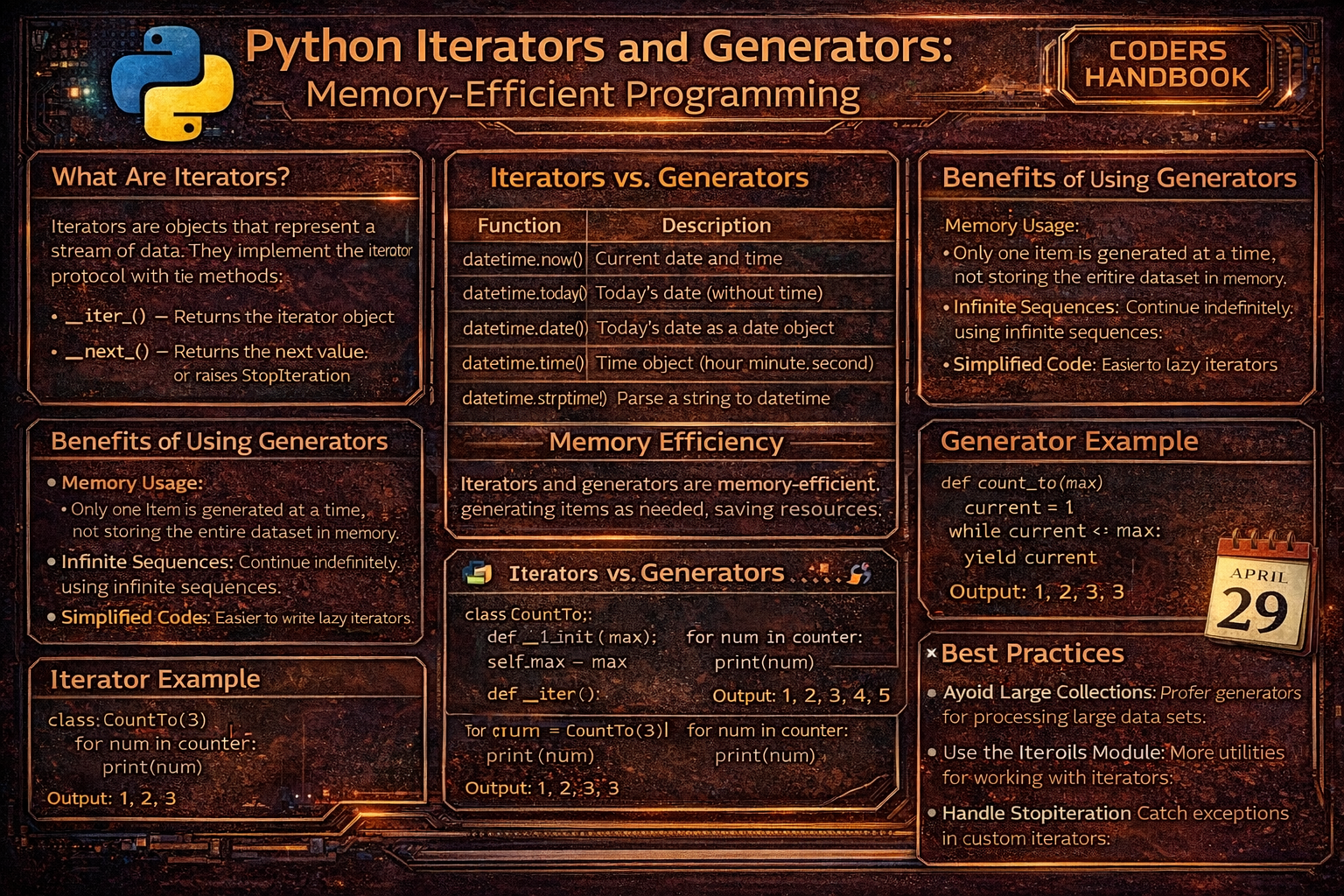
Memory-efficient programming in Python leverages iterators and generators to process data lazily, computing values only when needed rather than loading entire datasets into memory. Iterators are objects implementing the iterator protocol through __iter__() returning the iterator itself and __next__() providing the next item or raising StopIteration when exhausted, enabling sequential access to elements one at a time. Generators are special functions using the yield keyword to produce values on-demand, pausing execution after each yield and resuming when the next value is requested, creating lightweight iterators without maintaining entire sequences in memory. This lazy evaluation paradigm enables processing infinite sequences, handling large files line-by-line, streaming API data, and building data pipelines that transform massive datasets using minimal memory, essential for big data processing, real-time analytics, and resource-constrained environments.
This comprehensive guide explores iterator basics with iter() converting iterables to iterators and next() retrieving elements sequentially, the iterator protocol implementing __iter__() and __next__() for custom iterables, generator functions using yield to produce values lazily maintaining state between calls, generator expressions providing compact syntax for simple generators like list comprehensions but memory-efficient, the yield keyword pausing function execution and resuming from the same point, infinite sequences demonstrating generators' ability to represent endless data streams, chaining iterators with itertools for sophisticated data pipelines, memory comparison showing dramatic savings versus lists, practical applications including file processing and data streaming, and best practices balancing lazy evaluation benefits with readability. Whether you're processing log files, analyzing streaming data, implementing pagination, building ETL pipelines, handling large datasets, or optimizing memory usage, mastering iterators and generators provides essential tools for writing efficient Python code that processes data streams elegantly while consuming minimal memory resources.
Iterator Basics: iter() and next()
Iterators enable sequential element access through the iter() function converting iterables like lists into iterator objects, and next() retrieving elements one at a time. Every for loop internally uses iterators, calling iter() on the sequence and repeatedly calling next() until StopIteration is raised. Understanding iterators reveals how Python's iteration mechanism works under the hood, enabling efficient custom iteration patterns and memory-conscious data processing.
# Iterator Basics: iter() and next()

# === Converting iterable to iterator ===

# List is iterable but not iterator
my_list = [1, 2, 3, 4, 5]
print(type(my_list))  # <class 'list'>

# Convert to iterator
my_iter = iter(my_list)
print(type(my_iter))  # <class 'list_iterator'>

# Get elements one by one with next()
print(next(my_iter))  # 1
print(next(my_iter))  # 2
print(next(my_iter))  # 3

# Continue until exhausted
print(next(my_iter))  # 4
print(next(my_iter))  # 5

# After exhaustion, raises StopIteration
try:
    print(next(my_iter))
except StopIteration:
    print("Iterator exhausted!")

# === How for loops work internally ===

# This for loop:
for item in [1, 2, 3]:
    print(item)

# Is equivalent to:
iterable = [1, 2, 3]
iterator = iter(iterable)  # Get iterator
while True:
    try:
        item = next(iterator)  # Get next item
        print(item)
    except StopIteration:
        break  # Exit when exhausted

# === Different iterables ===

# String iterator
text = "Python"
text_iter = iter(text)
print(next(text_iter))  # P
print(next(text_iter))  # y
print(next(text_iter))  # t

# Dictionary iterator (iterates over keys)
my_dict = {'a': 1, 'b': 2, 'c': 3}
dict_iter = iter(my_dict)
print(next(dict_iter))  # a
print(next(dict_iter))  # b

# Set iterator
my_set = {1, 2, 3}
set_iter = iter(my_set)
print(next(set_iter))

# File iterator (iterates over lines)
with open('data.txt', 'r') as file:
    file_iter = iter(file)
    print(next(file_iter))  # First line
    print(next(file_iter))  # Second line

# === Manual iteration with default value ===

# next() with default value (no exception)
my_iter = iter([1, 2, 3])
print(next(my_iter, 'Done'))  # 1
print(next(my_iter, 'Done'))  # 2
print(next(my_iter, 'Done'))  # 3
print(next(my_iter, 'Done'))  # Done (no exception)

# === Multiple iterators on same iterable ===

my_list = [1, 2, 3, 4, 5]
iter1 = iter(my_list)
iter2 = iter(my_list)

print(next(iter1))  # 1
print(next(iter1))  # 2
print(next(iter2))  # 1 (separate iterator)
print(next(iter1))  # 3

# === Iterator is iterable ===

# Iterators implement __iter__() returning self
my_iter = iter([1, 2, 3])
print(iter(my_iter) is my_iter)  # True

# Can use iterator in for loop
my_iter = iter([1, 2, 3])
for item in my_iter:
    print(item)

# === Check if object is iterable ===

from collections.abc import Iterable

print(isinstance([1, 2, 3], Iterable))     # True
print(isinstance("hello", Iterable))       # True
print(isinstance(123, Iterable))           # False
print(isinstance(iter([1, 2]), Iterable)) # Trueiter(). An iterator is an iterable that tracks position and returns items via next(). All iterators are iterable, but not all iterables are iterators.Creating Custom Iterators
Custom iterators implement the iterator protocol by defining __iter__() returning self and __next__() providing the next value or raising StopIteration when complete. This enables creating custom iteration behavior like infinite sequences, filtered iterations, or complex traversal patterns. While powerful, custom iterators require maintaining state manually, making generators often simpler alternatives for most use cases.
# Creating Custom Iterators

# === Basic custom iterator ===

class CountUp:
    """Iterator that counts from start to stop."""

    def __init__(self, start, stop):
        self.current = start
        self.stop = stop

    def __iter__(self):
        """Return iterator object (self)."""
        return self

    def __next__(self):
        """Return next value or raise StopIteration."""
        if self.current >= self.stop:
            raise StopIteration
        current = self.current
        self.current += 1
        return current

# Use custom iterator
counter = CountUp(1, 5)
for num in counter:
    print(num)  # 1, 2, 3, 4

# Or manually
counter = CountUp(1, 5)
print(next(counter))  # 1
print(next(counter))  # 2

# === Infinite iterator ===

class InfiniteCounter:
    """Iterator that counts infinitely."""

    def __init__(self, start=0):
        self.current = start

    def __iter__(self):
        return self

    def __next__(self):
        current = self.current
        self.current += 1
        return current

# Use with break to avoid infinite loop
counter = InfiniteCounter(1)
for num in counter:
    if num > 5:
        break
    print(num)  # 1, 2, 3, 4, 5

# === Iterator with custom logic ===

class EvenNumbers:
    """Iterator returning even numbers up to limit."""

    def __init__(self, limit):
        self.limit = limit
        self.current = 0

    def __iter__(self):
        return self

    def __next__(self):
        if self.current >= self.limit:
            raise StopIteration
        result = self.current
        self.current += 2
        return result

evens = EvenNumbers(10)
print(list(evens))  # [0, 2, 4, 6, 8]

# === Fibonacci iterator ===

class Fibonacci:
    """Iterator generating Fibonacci sequence."""

    def __init__(self, max_count):
        self.max_count = max_count
        self.count = 0
        self.a, self.b = 0, 1

    def __iter__(self):
        return self

    def __next__(self):
        if self.count >= self.max_count:
            raise StopIteration
        result = self.a
        self.a, self.b = self.b, self.a + self.b
        self.count += 1
        return result

fib = Fibonacci(10)
print(list(fib))  # [0, 1, 1, 2, 3, 5, 8, 13, 21, 34]

# === Iterator with state reset ===

class ReusableCounter:
    """Iterator that can be reset."""

    def __init__(self, limit):
        self.limit = limit
        self.reset()

    def reset(self):
        """Reset iterator to beginning."""
        self.current = 0

    def __iter__(self):
        self.reset()  # Reset on each iteration
        return self

    def __next__(self):
        if self.current >= self.limit:
            raise StopIteration
        current = self.current
        self.current += 1
        return current

counter = ReusableCounter(3)
print(list(counter))  # [0, 1, 2]
print(list(counter))  # [0, 1, 2] (reused)

# === File line iterator with filtering ===

class FileLineIterator:
    """Iterator over non-empty lines in file."""

    def __init__(self, filename):
        self.filename = filename
        self.file = None

    def __iter__(self):
        self.file = open(self.filename, 'r')
        return self

    def __next__(self):
        while True:
            line = self.file.readline()
            if not line:  # EOF
                self.file.close()
                raise StopIteration
            line = line.strip()
            if line:  # Non-empty line
                return line

# Usage
# for line in FileLineIterator('data.txt'):
#     print(line)
Generator Functions with yield
Generator functions use the yield keyword to produce values lazily, pausing execution after each yield and resuming when next() is called. Unlike regular functions that return once and terminate, generators maintain state between yields, remembering local variables and execution position. This makes generators simpler than custom iterators for most use cases, automatically implementing the iterator protocol without manual __iter__() and __next__() definitions while providing elegant syntax for lazy data generation.
# Generator Functions with yield

# === Basic generator function ===

def count_up(start, stop):
    """Generator counting from start to stop."""
    current = start
    while current < stop:
        yield current
        current += 1

# Generator function returns generator object
counter = count_up(1, 5)
print(type(counter))  # <class 'generator'>

# Use like any iterator
for num in counter:
    print(num)  # 1, 2, 3, 4

# Or manually
counter = count_up(1, 5)
print(next(counter))  # 1
print(next(counter))  # 2
print(next(counter))  # 3

# === Multiple yield statements ===

def simple_generator():
    """Generator with multiple yields."""
    print("Starting generator")
    yield 1
    print("Between yields")
    yield 2
    print("Before last yield")
    yield 3
    print("Generator ending")

gen = simple_generator()
print(next(gen))  # Starting generator, then 1
print(next(gen))  # Between yields, then 2
print(next(gen))  # Before last yield, then 3
try:
    print(next(gen))  # Generator ending, then StopIteration
except StopIteration:
    print("Generator exhausted")

# === Generator with parameters ===

def even_numbers(limit):
    """Generate even numbers up to limit."""
    num = 0
    while num < limit:
        yield num
        num += 2

for num in even_numbers(10):
    print(num)  # 0, 2, 4, 6, 8

# === Infinite generator ===

def infinite_sequence(start=0):
    """Generate infinite sequence."""
    num = start
    while True:
        yield num
        num += 1

# Use with break
for num in infinite_sequence(1):
    if num > 5:
        break
    print(num)  # 1, 2, 3, 4, 5

# === Fibonacci generator ===

def fibonacci(n):
    """Generate first n Fibonacci numbers."""
    a, b = 0, 1
    count = 0
    while count < n:
        yield a
        a, b = b, a + b
        count += 1

print(list(fibonacci(10)))
# Output: [0, 1, 1, 2, 3, 5, 8, 13, 21, 34]

# === Generator processing file line by line ===

def read_large_file(file_path):
    """Read file line by line (memory efficient)."""
    with open(file_path, 'r') as file:
        for line in file:
            yield line.strip()

# Process huge file without loading into memory
# for line in read_large_file('huge_file.txt'):
#     process(line)

# === Generator with cleanup ===

def resource_generator():
    """Generator with resource management."""
    print("Acquiring resource")
    resource = "database_connection"
    try:
        for i in range(5):
            yield f"Data {i} from {resource}"
    finally:
        print("Releasing resource")

for data in resource_generator():
    print(data)
# Output:
# Acquiring resource
# Data 0 from database_connection
# ...
# Releasing resource

# === Generator pipeline ===

def numbers(limit):
    """Generate numbers."""
    for i in range(limit):
        yield i

def square(nums):
    """Square each number."""
    for num in nums:
        yield num ** 2

def even_only(nums):
    """Filter even numbers."""
    for num in nums:
        if num % 2 == 0:
            yield num

# Chain generators
pipeline = even_only(square(numbers(10)))
print(list(pipeline))
# Output: [0, 4, 16, 36, 64]

# === Generator with conditional yield ===

def filtered_lines(filename, keyword):
    """Yield lines containing keyword."""
    with open(filename, 'r') as file:
        for line in file:
            if keyword in line:
                yield line.strip()

# Usage:
# for line in filtered_lines('log.txt', 'ERROR'):
#     print(line)

# === Send values to generator ===

def echo():
    """Generator that echoes sent values."""
    while True:
        value = yield
        print(f"Received: {value}")

gen = echo()
next(gen)  # Prime the generator
gen.send("Hello")  # Received: Hello
gen.send("World") # Received: WorldGenerator Expressions
Generator expressions provide compact syntax for creating generators, similar to list comprehensions but using parentheses instead of brackets and evaluating lazily. They're perfect for simple transformations where defining a generator function would be verbose, offering memory efficiency of generators with the conciseness of comprehensions. Use generator expressions for single-pass iterations and list comprehensions only when you need the full result immediately.
# Generator Expressions

# === List comprehension vs generator expression ===

# List comprehension (creates full list in memory)
squares_list = [x ** 2 for x in range(10)]
print(type(squares_list))  # <class 'list'>
print(squares_list)  # [0, 1, 4, 9, 16, 25, 36, 49, 64, 81]

# Generator expression (creates generator)
squares_gen = (x ** 2 for x in range(10))
print(type(squares_gen))  # <class 'generator'>
print(squares_gen)  # <generator object>

# Iterate generator
for square in squares_gen:
    print(square)

# Convert to list if needed
squares_gen = (x ** 2 for x in range(10))
print(list(squares_gen))  # [0, 1, 4, 9, 16, 25, 36, 49, 64, 81]

# === Memory comparison ===

import sys

# List comprehension (memory usage)
large_list = [x for x in range(1000000)]
print(f"List size: {sys.getsizeof(large_list)} bytes")

# Generator expression (minimal memory)
large_gen = (x for x in range(1000000))
print(f"Generator size: {sys.getsizeof(large_gen)} bytes")
# Generator: ~120 bytes regardless of sequence length!

# === With filtering ===

# Even numbers
evens = (x for x in range(20) if x % 2 == 0)
print(list(evens))  # [0, 2, 4, 6, 8, 10, 12, 14, 16, 18]

# Multiple conditions
filtered = (x for x in range(100) if x % 3 == 0 if x % 5 == 0)
print(list(filtered))  # [0, 15, 30, 45, 60, 75, 90]

# === With transformations ===

words = ['hello', 'world', 'python']
uppercase = (word.upper() for word in words)
print(list(uppercase))  # ['HELLO', 'WORLD', 'PYTHON']

# Chained operations
result = (x ** 2 for x in range(10) if x % 2 == 0)
print(list(result))  # [0, 4, 16, 36, 64]

# === Used directly in functions ===

# sum() with generator
total = sum(x ** 2 for x in range(1000000))
print(f"Sum: {total}")

# max() with generator
maximum = max(x ** 2 for x in range(10))
print(f"Max: {maximum}")

# any() with generator
has_even = any(x % 2 == 0 for x in [1, 3, 5, 7, 8])
print(f"Has even: {has_even}")  # True

# all() with generator
all_positive = all(x > 0 for x in [1, 2, 3, 4, 5])
print(f"All positive: {all_positive}")  # True

# === Nested generator expressions ===

# Flatten nested list
nested = [[1, 2, 3], [4, 5, 6], [7, 8, 9]]
flattened = (num for sublist in nested for num in sublist)
print(list(flattened))  # [1, 2, 3, 4, 5, 6, 7, 8, 9]

# === Processing large files ===

# Read file line by line (memory efficient)
# lines = (line.strip() for line in open('huge_file.txt'))
# for line in lines:
#     process(line)

# === String processing ===

text = "The quick brown fox"
words = (word.upper() for word in text.split())
print(list(words))  # ['THE', 'QUICK', 'BROWN', 'FOX']

# Character filtering
text = "Hello, World!"
letters_only = (char for char in text if char.isalpha())
print(''.join(letters_only))  # HelloWorld

# === Dictionary processing ===

data = {'a': 1, 'b': 2, 'c': 3}
doubled = ((k, v * 2) for k, v in data.items())
print(dict(doubled))  # {'a': 2, 'b': 4, 'c': 6}

# === Practical: Processing CSV data ===

def process_csv_memory_efficient(filename):
    """Process CSV without loading all data."""
    with open(filename, 'r') as file:
        # Skip header
        next(file)
        # Process each line
        rows = (line.strip().split(',') for line in file)
        # Extract specific column
        names = (row[0] for row in rows if len(row) > 0)
        return list(names)

# === When to use each ===

# List comprehension: Need full result, multiple iterations
data = [x ** 2 for x in range(10)]
print(sum(data))
print(max(data))  # Multiple uses

# Generator expression: Single-pass, large data, immediate consumption
total = sum(x ** 2 for x in range(1000000))  # One use, memory efficient
Practical Applications
Iterators and generators solve real-world problems requiring memory-efficient data processing. Reading large files line-by-line avoids loading gigabytes into memory, streaming API data processes responses incrementally, implementing pagination yields results in chunks, building data pipelines chains transformations lazily, generating sequences produces infinite or computed series on-demand, and processing CSV or log files handles massive datasets efficiently. These patterns enable building scalable applications handling data volumes far exceeding available memory.
# Practical Applications

import itertools

# === 1. Reading large files efficiently ===

def read_file_in_chunks(filename, chunk_size=1024):
    """Read file in chunks (memory efficient)."""
    with open(filename, 'r') as file:
        while True:
            chunk = file.read(chunk_size)
            if not chunk:
                break
            yield chunk

# Process huge file
# for chunk in read_file_in_chunks('huge_file.txt'):
#     process(chunk)

# === 2. Log file processing ===

def parse_log_file(filename):
    """Parse log file line by line."""
    with open(filename, 'r') as file:
        for line in file:
            if 'ERROR' in line:
                parts = line.split()
                yield {
                    'timestamp': parts[0],
                    'level': parts[1],
                    'message': ' '.join(parts[2:])
                }

# Process errors without loading entire file
# for error in parse_log_file('app.log'):
#     send_alert(error)

# === 3. Pagination generator ===

def paginate(data, page_size=10):
    """Generate pages from data."""
    for i in range(0, len(data), page_size):
        yield data[i:i + page_size]

data = list(range(100))
for page_num, page in enumerate(paginate(data, 10), 1):
    print(f"Page {page_num}: {page[:3]}...")  # Show first 3 items

# === 4. Infinite sequence generators ===

def counter(start=0):
    """Infinite counter."""
    num = start
    while True:
        yield num
        num += 1

# Use with itertools.islice
first_10 = list(itertools.islice(counter(), 10))
print(first_10)  # [0, 1, 2, 3, 4, 5, 6, 7, 8, 9]

def cycle_colors():
    """Cycle through colors infinitely."""
    colors = ['red', 'green', 'blue']
    while True:
        for color in colors:
            yield color

# Get first 7 colors
colors = list(itertools.islice(cycle_colors(), 7))
print(colors)  # ['red', 'green', 'blue', 'red', 'green', 'blue', 'red']

# === 5. Data pipeline ===

def read_data():
    """Simulate reading data."""
    for i in range(100):
        yield {'id': i, 'value': i * 2}

def filter_data(items):
    """Filter items."""
    for item in items:
        if item['value'] > 50:
            yield item

def transform_data(items):
    """Transform items."""
    for item in items:
        yield {'id': item['id'], 'transformed': item['value'] ** 2}

# Chain operations (memory efficient)
pipeline = transform_data(filter_data(read_data()))
results = list(itertools.islice(pipeline, 5))  # Get first 5
print(results)

# === 6. Batch processing ===

def batch_iterator(iterable, batch_size):
    """Yield batches from iterable."""
    batch = []
    for item in iterable:
        batch.append(item)
        if len(batch) == batch_size:
            yield batch
            batch = []
    if batch:  # Yield remaining items
        yield batch

data = range(25)
for batch in batch_iterator(data, 10):
    print(f"Processing batch of {len(batch)} items")
    # Process batch

# === 7. CSV processing ===

def process_csv_generator(filename):
    """Process CSV file line by line."""
    with open(filename, 'r') as file:
        header = next(file).strip().split(',')
        for line in file:
            values = line.strip().split(',')
            yield dict(zip(header, values))

# Process huge CSV without loading into memory
# for row in process_csv_generator('huge_data.csv'):
#     if row['status'] == 'active':
#         process(row)

# === 8. API data streaming ===

def fetch_api_pages(base_url, total_pages):
    """Fetch API data page by page."""
    for page in range(1, total_pages + 1):
        # Simulate API call
        # response = requests.get(f"{base_url}?page={page}")
        # data = response.json()
        data = [f"item_{page}_{i}" for i in range(10)]
        for item in data:
            yield item

# Process API data incrementally
# for item in fetch_api_pages('https://api.example.com', 100):
#     process(item)

# === 9. Moving window ===

def moving_window(iterable, window_size):
    """Generate moving window over iterable."""
    iterator = iter(iterable)
    window = list(itertools.islice(iterator, window_size))
    if len(window) == window_size:
        yield tuple(window)
    for item in iterator:
        window.pop(0)
        window.append(item)
        yield tuple(window)

data = [1, 2, 3, 4, 5, 6, 7, 8]
for window in moving_window(data, 3):
    print(window)
# Output: (1, 2, 3), (2, 3, 4), (3, 4, 5), ...

# === 10. Recursive directory traversal ===

import os

def walk_directory(path):
    """Recursively yield files in directory."""
    for item in os.listdir(path):
        item_path = os.path.join(path, item)
        if os.path.isfile(item_path):
            yield item_path
        elif os.path.isdir(item_path):
            yield from walk_directory(item_path)

# Process all files without loading directory tree
# for file_path in walk_directory('/large/directory'):
#     process(file_path)
Best Practices
- Prefer generators for large datasets: Use generators when processing data that doesn't fit in memory. Generators use constant memory regardless of data size
- Use generator expressions for simple cases: For simple transformations, generator expressions
(x for x in items)are more concise than generator functions - Choose lists for multiple iterations: If you need to iterate multiple times or access by index, use lists. Generators are consumed after one iteration
- Chain generators for pipelines: Chain multiple generators to create data processing pipelines. Each stage processes data lazily
- Close generators explicitly when needed: Use
generator.close()to release resources in generators with cleanup code in finally blocks - Use itertools for common patterns: The itertools module provides optimized generators for common operations like counting, cycling, and chaining
- Document generator exhaustion: Clearly document that generators can only be iterated once. Provide factory functions if reuse is needed
- Avoid side effects in generators: Keep generators pure, avoiding side effects. If side effects are necessary, document them clearly
- Use yield from for delegation: Use
yield fromto delegate to sub-generators, simplifying recursive generator code - Profile memory usage: Use tools like memory_profiler to verify generators reduce memory consumption in your specific use case
Conclusion
Iterators and generators enable memory-efficient Python programming through lazy evaluation computing values on-demand rather than storing entire sequences in memory. Iterators implement the iterator protocol with __iter__() returning self and __next__() providing sequential elements, enabling custom iteration patterns through classes tracking state manually. The iter() function converts iterables to iterators and next() retrieves elements sequentially until StopIteration signals exhaustion, revealing the mechanism underlying Python's for loops which internally create iterators and repeatedly call next(). Generator functions using the yield keyword provide simpler alternatives to custom iterators, pausing execution after each yield and resuming when next() is called while automatically maintaining state including local variables and execution position between yields.
Generator expressions offer compact syntax similar to list comprehensions but using parentheses producing generators that evaluate lazily, perfect for single-pass iterations and immediate consumption by functions like sum(), max(), or any() processing large datasets efficiently. Practical applications demonstrate generators' power for reading large files line-by-line avoiding memory overload, parsing log files incrementally, implementing pagination yielding results in chunks, building data pipelines chaining transformations lazily, generating infinite sequences like counters or cycles, batch processing streaming data, CSV file processing without loading entire datasets, API data streaming fetching pages incrementally, moving window calculations, and recursive directory traversal yielding files on-demand. Best practices recommend preferring generators for large datasets using constant memory, using generator expressions for simple transformations, choosing lists only for multiple iterations or index access, chaining generators creating processing pipelines, closing generators explicitly for resource cleanup, leveraging itertools for optimized common patterns, documenting single-use nature of generators, avoiding side effects maintaining purity, using yield from for sub-generator delegation, and profiling memory usage verifying efficiency gains. By mastering iterator basics with iter() and next(), custom iterators implementing protocols, generator functions using yield for lazy evaluation, generator expressions providing concise syntax, infinite sequence generation, pipeline composition, and practical applications for memory-efficient data processing, you gain essential tools for writing scalable Python applications handling massive datasets, streaming data, and resource-constrained environments where memory efficiency determines feasibility and performance in professional software development.
$ share --platform
$ cat /comments/ (0)
$ cat /comments/
// No comments found. Be the first!


