Email Automation with Python: Send Emails Programmatically
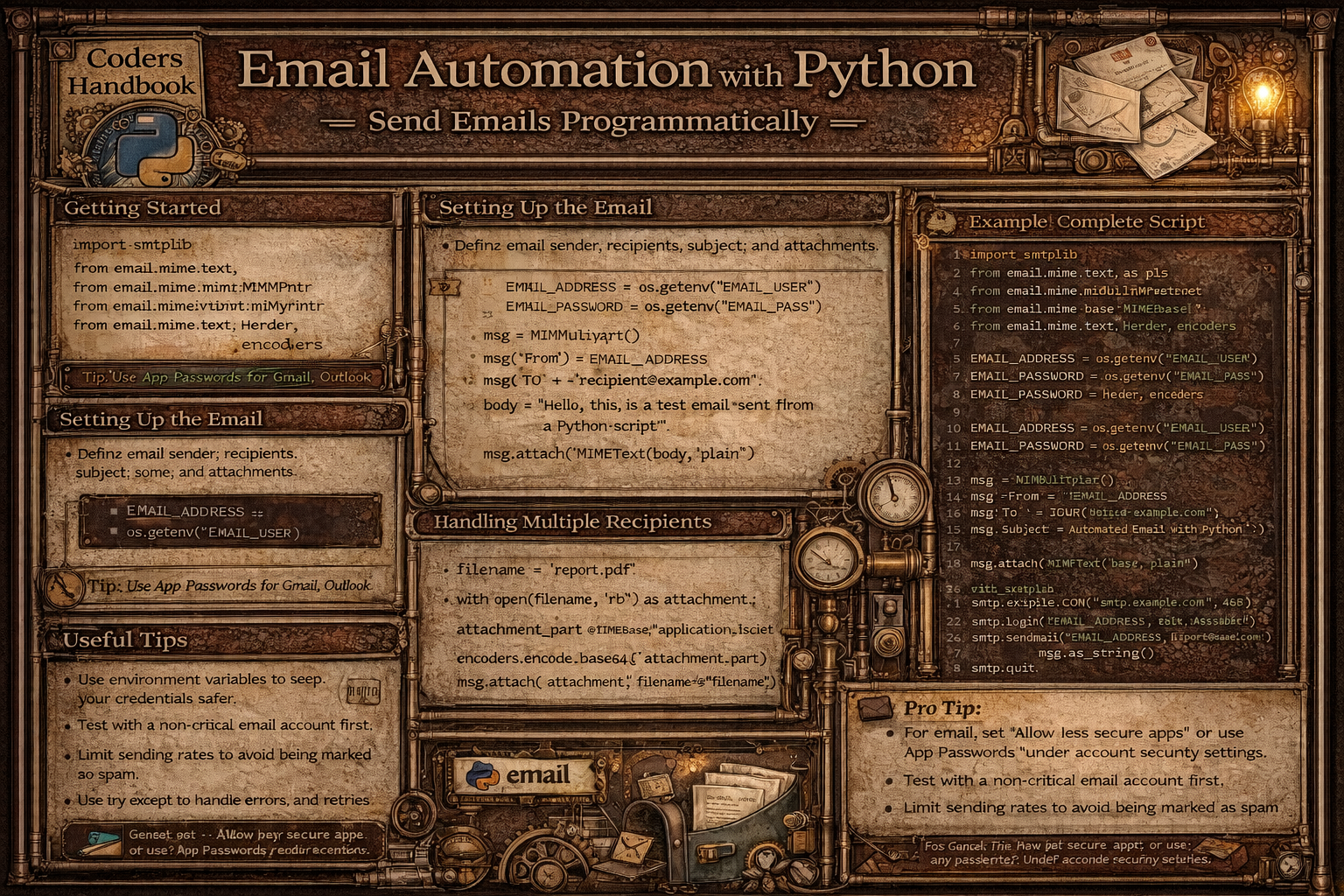
Email automation enables programmatic sending of messages eliminating manual effort for repetitive email tasks including notifications, reports, alerts, and marketing campaigns. Python provides powerful built-in modules including smtplib establishing SMTP (Simple Mail Transfer Protocol) connections to email servers, and email package constructing properly formatted messages with headers, attachments, and HTML content. Automated email sending supports diverse use cases from sending daily reports and system alerts to customer notifications and bulk marketing campaigns, saving time and ensuring consistency.
This comprehensive guide explores basic email sending using smtplib.SMTP connecting to SMTP servers with starttls() enabling encryption, login() authenticating with credentials, and sendmail() transmitting messages, constructing messages with email.mime modules including MIMEText for plain text and HTML content, MIMEMultipart combining multiple parts, and MIMEBase for attachments, sending plain text emails creating simple text messages with Subject, From, and To headers, HTML emails using MIMEText with html subtype enabling rich formatting including colors, fonts, and images, adding attachments with MIMEBase encoding files as base64 and setting appropriate content types, sending to multiple recipients iterating through recipient lists or using comma-separated addresses, bulk email campaigns reading recipient data from CSV files personalizing content, error handling with try-except blocks catching SMTP exceptions, security considerations using environment variables for credentials and SSL/TLS encryption, and best practices including respecting rate limits, implementing retry logic, validating email addresses, providing unsubscribe options, and testing thoroughly before production deployment. Whether you're automating report distribution sending daily analytics to stakeholders, building notification systems alerting users of events, creating customer onboarding emails welcoming new users, implementing password reset functionality, or running email marketing campaigns reaching target audiences, mastering Python email automation provides essential tools for programmatic email communication enabling efficient scalable messaging supporting business operations and customer engagement.
Basic Email Sending with SMTP
Basic email sending establishes SMTP connections to email servers enabling message transmission. The smtplib module provides SMTP and SMTP_SSL classes connecting to servers, with authentication through login() and message sending via sendmail(). Understanding SMTP basics enables sending simple text emails programmatically.
# Basic Email Sending with SMTP

import smtplib
from email.mime.text import MIMEText
from email.mime.multipart import MIMEMultipart
import ssl

# === Simple plain text email ===

def send_simple_email():
    """Send basic plain text email."""

    # Email configuration
    smtp_server = "smtp.gmail.com"
    port = 587  # For TLS
    sender_email = "[email protected]"
    receiver_email = "[email protected]"
    password = "your_app_password"  # Use app-specific password

    # Create message
    subject = "Test Email from Python"
    body = "This is a test email sent from Python using smtplib."

    message = f"Subject: {subject}\n\n{body}"

    try:
        # Create SMTP session
        server = smtplib.SMTP(smtp_server, port)
        server.starttls()  # Enable TLS encryption

        # Login
        server.login(sender_email, password)

        # Send email
        server.sendmail(sender_email, receiver_email, message)

        print("Email sent successfully!")

    except Exception as e:
        print(f"Error: {e}")

    finally:
        server.quit()

# === Using SSL connection ===

def send_email_ssl():
    """Send email using SSL connection."""

    smtp_server = "smtp.gmail.com"
    port = 465  # For SSL
    sender_email = "[email protected]"
    receiver_email = "[email protected]"
    password = "your_app_password"

    subject = "Test Email with SSL"
    body = "This email uses SSL connection for security."

    message = f"Subject: {subject}\n\n{body}"

    # Create SSL context
    context = ssl.create_default_context()

    try:
        # Use SMTP_SSL for direct SSL connection
        with smtplib.SMTP_SSL(smtp_server, port, context=context) as server:
            server.login(sender_email, password)
            server.sendmail(sender_email, receiver_email, message)
            print("Email sent via SSL!")
    except Exception as e:
        print(f"Error: {e}")

# === Structured email with MIME ===

def send_structured_email():
    """Send email with proper MIME structure."""

    smtp_server = "smtp.gmail.com"
    port = 587
    sender_email = "[email protected]"
    receiver_email = "[email protected]"
    password = "your_app_password"

    # Create message
    msg = MIMEMultipart()
    msg['From'] = sender_email
    msg['To'] = receiver_email
    msg['Subject'] = "Structured Email with MIME"

    # Email body
    body = "This is a properly structured email using MIME format."
    msg.attach(MIMEText(body, 'plain'))

    try:
        server = smtplib.SMTP(smtp_server, port)
        server.starttls()
        server.login(sender_email, password)

        # Send email
        text = msg.as_string()
        server.sendmail(sender_email, receiver_email, text)

        print("Structured email sent!")

    except Exception as e:
        print(f"Error: {e}")
    finally:
        server.quit()

# === Multiple recipients ===

def send_to_multiple():
    """Send email to multiple recipients."""

    smtp_server = "smtp.gmail.com"
    port = 587
    sender_email = "[email protected]"
    password = "your_app_password"

    # Multiple recipients
    recipients = [
        "[email protected]",
        "[email protected]",
        "[email protected]"
    ]

    msg = MIMEMultipart()
    msg['From'] = sender_email
    msg['To'] = ", ".join(recipients)  # Join with commas
    msg['Subject'] = "Email to Multiple Recipients"

    body = "This email is sent to multiple recipients."
    msg.attach(MIMEText(body, 'plain'))

    try:
        server = smtplib.SMTP(smtp_server, port)
        server.starttls()
        server.login(sender_email, password)

        # Send to all recipients
        server.sendmail(sender_email, recipients, msg.as_string())

        print(f"Email sent to {len(recipients)} recipients!")

    except Exception as e:
        print(f"Error: {e}")
    finally:
        server.quit()

# === CC and BCC ===

def send_with_cc_bcc():
    """Send email with CC and BCC."""

    smtp_server = "smtp.gmail.com"
    port = 587
    sender_email = "[email protected]"
    password = "your_app_password"

    to_emails = ["[email protected]"]
    cc_emails = ["[email protected]", "[email protected]"]
    bcc_emails = ["[email protected]", "[email protected]"]

    msg = MIMEMultipart()
    msg['From'] = sender_email
    msg['To'] = ", ".join(to_emails)
    msg['Cc'] = ", ".join(cc_emails)
    # Note: BCC not added to headers (hidden)
    msg['Subject'] = "Email with CC and BCC"

    body = "This email demonstrates CC and BCC functionality."
    msg.attach(MIMEText(body, 'plain'))

    # Combine all recipients for actual sending
    all_recipients = to_emails + cc_emails + bcc_emails

    try:
        server = smtplib.SMTP(smtp_server, port)
        server.starttls()
        server.login(sender_email, password)

        server.sendmail(sender_email, all_recipients, msg.as_string())

        print("Email sent with CC and BCC!")

    except Exception as e:
        print(f"Error: {e}")
    finally:
        server.quit()

# === Email configuration class ===

class EmailSender:
    """Reusable email sender class."""

    def __init__(self, smtp_server, port, sender_email, password):
        self.smtp_server = smtp_server
        self.port = port
        self.sender_email = sender_email
        self.password = password

    def send_email(self, receiver_email, subject, body):
        """Send basic email."""
        msg = MIMEMultipart()
        msg['From'] = self.sender_email
        msg['To'] = receiver_email
        msg['Subject'] = subject

        msg.attach(MIMEText(body, 'plain'))

        try:
            server = smtplib.SMTP(self.smtp_server, self.port)
            server.starttls()
            server.login(self.sender_email, self.password)
            server.sendmail(self.sender_email, receiver_email, msg.as_string())
            server.quit()

            return True
        except Exception as e:
            print(f"Error: {e}")
            return False

# Usage
# sender = EmailSender(
#     smtp_server="smtp.gmail.com",
#     port=587,
#     sender_email="[email protected]",
#     password="your_app_password"
# )
# sender.send_email(
#     receiver_email="[email protected]",
#     subject="Test Email",
#     body="This is a test message."
# )

print("Email sending examples completed!")HTML Emails and Attachments
HTML emails enable rich formatting including colors, fonts, images, and layouts creating professional-looking messages. Attachments allow sending files alongside emails including PDFs, images, and documents. The email.mime module provides MIMEText for HTML content and MIMEBase for file attachments with proper encoding and headers.
# HTML Emails and Attachments

import smtplib
from email.mime.text import MIMEText
from email.mime.multipart import MIMEMultipart
from email.mime.base import MIMEBase
from email import encoders
import os

# === HTML email ===

def send_html_email():
    """Send email with HTML content."""

    smtp_server = "smtp.gmail.com"
    port = 587
    sender_email = "[email protected]"
    receiver_email = "[email protected]"
    password = "your_app_password"

    msg = MIMEMultipart('alternative')
    msg['From'] = sender_email
    msg['To'] = receiver_email
    msg['Subject'] = "HTML Email Example"

    # Plain text version (fallback)
    text = "This is a plain text fallback for email clients that don't support HTML."

    # HTML version
    html = """
    <html>
      <head></head>
      <body>
        <h1 style="color: #2E86AB;">Welcome to Our Service!</h1>
        <p style="font-size: 16px;">
          Thank you for signing up. We're excited to have you on board.
        </p>
        <p>
          <strong>Key Features:</strong>
        </p>
        <ul>
          <li>Feature 1: Easy to use</li>
          <li>Feature 2: Fast and reliable</li>
          <li>Feature 3: 24/7 support</li>
        </ul>
        <p>
          <a href="https://example.com"
             style="background-color: #2E86AB;
                    color: white;
                    padding: 10px 20px;
                    text-decoration: none;
                    border-radius: 5px;">
            Get Started
          </a>
        </p>
        <p style="color: #666; font-size: 12px;">
          Best regards,<br>
          The Team
        </p>
      </body>
    </html>
    """

    # Attach both versions
    part1 = MIMEText(text, 'plain')
    part2 = MIMEText(html, 'html')

    msg.attach(part1)
    msg.attach(part2)

    try:
        server = smtplib.SMTP(smtp_server, port)
        server.starttls()
        server.login(sender_email, password)
        server.sendmail(sender_email, receiver_email, msg.as_string())
        server.quit()

        print("HTML email sent successfully!")
    except Exception as e:
        print(f"Error: {e}")

# === Email with single attachment ===

def send_email_with_attachment():
    """Send email with file attachment."""

    smtp_server = "smtp.gmail.com"
    port = 587
    sender_email = "[email protected]"
    receiver_email = "[email protected]"
    password = "your_app_password"

    msg = MIMEMultipart()
    msg['From'] = sender_email
    msg['To'] = receiver_email
    msg['Subject'] = "Email with Attachment"

    # Email body
    body = "Please find the attached document."
    msg.attach(MIMEText(body, 'plain'))

    # Attach file
    filename = "document.pdf"
    filepath = "path/to/document.pdf"

    try:
        # Open file in binary mode
        with open(filepath, 'rb') as attachment:
            # Create MIMEBase object
            part = MIMEBase('application', 'octet-stream')
            part.set_payload(attachment.read())

        # Encode to base64
        encoders.encode_base64(part)

        # Add header
        part.add_header(
            'Content-Disposition',
            f'attachment; filename= {filename}'
        )

        # Attach to message
        msg.attach(part)

        # Send email
        server = smtplib.SMTP(smtp_server, port)
        server.starttls()
        server.login(sender_email, password)
        server.sendmail(sender_email, receiver_email, msg.as_string())
        server.quit()

        print("Email with attachment sent!")

    except FileNotFoundError:
        print(f"File not found: {filepath}")
    except Exception as e:
        print(f"Error: {e}")

# === Multiple attachments ===

def send_email_with_multiple_attachments():
    """Send email with multiple attachments."""

    smtp_server = "smtp.gmail.com"
    port = 587
    sender_email = "[email protected]"
    receiver_email = "[email protected]"
    password = "your_app_password"

    msg = MIMEMultipart()
    msg['From'] = sender_email
    msg['To'] = receiver_email
    msg['Subject'] = "Email with Multiple Attachments"

    body = "Please find the attached files."
    msg.attach(MIMEText(body, 'plain'))

    # List of files to attach
    attachments = [
        'document1.pdf',
        'image.png',
        'spreadsheet.xlsx'
    ]

    for filename in attachments:
        try:
            with open(filename, 'rb') as attachment:
                part = MIMEBase('application', 'octet-stream')
                part.set_payload(attachment.read())

            encoders.encode_base64(part)
            part.add_header(
                'Content-Disposition',
                f'attachment; filename= {filename}'
            )

            msg.attach(part)
            print(f"Attached: {filename}")

        except FileNotFoundError:
            print(f"File not found: {filename}")

    try:
        server = smtplib.SMTP(smtp_server, port)
        server.starttls()
        server.login(sender_email, password)
        server.sendmail(sender_email, receiver_email, msg.as_string())
        server.quit()

        print("Email with multiple attachments sent!")
    except Exception as e:
        print(f"Error: {e}")

# === HTML with embedded image ===

def send_html_with_embedded_image():
    """Send HTML email with embedded image."""

    from email.mime.image import MIMEImage

    smtp_server = "smtp.gmail.com"
    port = 587
    sender_email = "[email protected]"
    receiver_email = "[email protected]"
    password = "your_app_password"

    msg = MIMEMultipart('related')
    msg['From'] = sender_email
    msg['To'] = receiver_email
    msg['Subject'] = "HTML Email with Embedded Image"

    # HTML with image reference
    html = """
    <html>
      <body>
        <h2>Company Logo</h2>
        <img src="cid:logo_image" width="200">
        <p>This email contains an embedded image.</p>
      </body>
    </html>
    """

    msg.attach(MIMEText(html, 'html'))

    # Attach image
    try:
        with open('logo.png', 'rb') as img_file:
            img = MIMEImage(img_file.read())
            img.add_header('Content-ID', '<logo_image>')
            msg.attach(img)

        server = smtplib.SMTP(smtp_server, port)
        server.starttls()
        server.login(sender_email, password)
        server.sendmail(sender_email, receiver_email, msg.as_string())
        server.quit()

        print("HTML email with embedded image sent!")
    except Exception as e:
        print(f"Error: {e}")

# === Reusable attachment function ===

def attach_file(msg, filepath):
    """Attach file to email message."""
    filename = os.path.basename(filepath)

    try:
        with open(filepath, 'rb') as attachment:
            part = MIMEBase('application', 'octet-stream')
            part.set_payload(attachment.read())

        encoders.encode_base64(part)
        part.add_header(
            'Content-Disposition',
            f'attachment; filename= {filename}'
        )

        msg.attach(part)
        return True
    except Exception as e:
        print(f"Error attaching {filename}: {e}")
        return False

print("HTML and attachment examples completed!")Bulk Emails and Automation
Bulk email campaigns send messages to multiple recipients with personalized content reading data from CSV or databases. Automation involves error handling with retries, rate limiting preventing server blocks, logging tracking sent emails, and environment variable management securing credentials. Understanding bulk sending enables scalable email campaigns for marketing, notifications, and reporting.
# Bulk Emails and Automation

import smtplib
from email.mime.text import MIMEText
from email.mime.multipart import MIMEMultipart
import pandas as pd
import time
import os
from datetime import datetime

# === Send bulk emails from CSV ===

def send_bulk_emails_from_csv():
    """Send personalized emails to recipients from CSV."""

    # Read recipients from CSV
    # CSV format: name,email
    df = pd.read_csv('recipients.csv')

    smtp_server = "smtp.gmail.com"
    port = 587
    sender_email = "[email protected]"
    password = "your_app_password"

    successful = 0
    failed = 0

    try:
        server = smtplib.SMTP(smtp_server, port)
        server.starttls()
        server.login(sender_email, password)

        for index, row in df.iterrows():
            name = row['name']
            email = row['email']

            # Create personalized message
            msg = MIMEMultipart()
            msg['From'] = sender_email
            msg['To'] = email
            msg['Subject'] = "Special Offer Just for You!"

            # Personalized body
            body = f"""
            Hi {name},

            We have a special offer exclusively for you!

            Don't miss out on this opportunity.

            Best regards,
            The Team
            """

            msg.attach(MIMEText(body, 'plain'))

            try:
                server.sendmail(sender_email, email, msg.as_string())
                print(f"Email sent to {name} ({email})")
                successful += 1

                # Rate limiting: wait between emails
                time.sleep(1)

            except Exception as e:
                print(f"Failed to send to {email}: {e}")
                failed += 1

        server.quit()

    except Exception as e:
        print(f"SMTP connection error: {e}")

    print(f"\nSummary: {successful} sent, {failed} failed")

# === Bulk emails with error handling and retry ===

def send_email_with_retry(server, sender, recipient, msg, max_retries=3):
    """Send email with retry logic."""
    for attempt in range(max_retries):
        try:
            server.sendmail(sender, recipient, msg.as_string())
            return True
        except Exception as e:
            print(f"Attempt {attempt + 1} failed: {e}")
            if attempt < max_retries - 1:
                time.sleep(2 ** attempt)  # Exponential backoff
            else:
                return False

def send_bulk_with_retry():
    """Send bulk emails with retry logic."""

    recipients = [
        {'name': 'Alice', 'email': '[email protected]'},
        {'name': 'Bob', 'email': '[email protected]'},
        {'name': 'Charlie', 'email': '[email protected]'}
    ]

    smtp_server = "smtp.gmail.com"
    port = 587
    sender_email = "[email protected]"
    password = "your_app_password"

    try:
        server = smtplib.SMTP(smtp_server, port)
        server.starttls()
        server.login(sender_email, password)

        for recipient in recipients:
            msg = MIMEMultipart()
            msg['From'] = sender_email
            msg['To'] = recipient['email']
            msg['Subject'] = "Important Update"

            body = f"Hi {recipient['name']},\n\nThis is an important update."
            msg.attach(MIMEText(body, 'plain'))

            if send_email_with_retry(server, sender_email,
                                    recipient['email'], msg):
                print(f"✓ Sent to {recipient['name']}")
            else:
                print(f"✗ Failed to send to {recipient['name']}")

            time.sleep(1)

        server.quit()

    except Exception as e:
        print(f"Error: {e}")

# === Email campaign with logging ===

def send_campaign_with_logging():
    """Send email campaign with detailed logging."""

    import logging

    # Setup logging
    logging.basicConfig(
        filename='email_campaign.log',
        level=logging.INFO,
        format='%(asctime)s - %(levelname)s - %(message)s'
    )

    recipients = [
        {'name': 'Alice', 'email': '[email protected]'},
        {'name': 'Bob', 'email': '[email protected]'}
    ]

    smtp_server = "smtp.gmail.com"
    port = 587
    sender_email = os.environ.get('EMAIL_USER')  # From environment
    password = os.environ.get('EMAIL_PASSWORD')

    logging.info(f"Starting email campaign to {len(recipients)} recipients")

    try:
        server = smtplib.SMTP(smtp_server, port)
        server.starttls()
        server.login(sender_email, password)

        for recipient in recipients:
            msg = MIMEMultipart()
            msg['From'] = sender_email
            msg['To'] = recipient['email']
            msg['Subject'] = "Newsletter - January 2026"

            body = f"Hi {recipient['name']},\n\nHere's our latest newsletter."
            msg.attach(MIMEText(body, 'plain'))

            try:
                server.sendmail(sender_email, recipient['email'],
                              msg.as_string())
                logging.info(f"Email sent to {recipient['email']}")
            except Exception as e:
                logging.error(f"Failed to send to {recipient['email']}: {e}")

            time.sleep(1)

        server.quit()
        logging.info("Campaign completed successfully")

    except Exception as e:
        logging.error(f"Campaign failed: {e}")

# === Email template system ===

class EmailTemplate:
    """Email template with variable substitution."""

    def __init__(self, subject_template, body_template):
        self.subject_template = subject_template
        self.body_template = body_template

    def render(self, **kwargs):
        """Render template with variables."""
        subject = self.subject_template.format(**kwargs)
        body = self.body_template.format(**kwargs)
        return subject, body

def send_templated_emails():
    """Send emails using templates."""

    # Define template
    template = EmailTemplate(
        subject_template="Welcome, {name}!",
        body_template="""
        Hi {name},

        Thank you for joining {company}!

        Your account ID is: {account_id}

        Best regards,
        {company} Team
        """
    )

    users = [
        {'name': 'Alice', 'email': '[email protected]', 'account_id': 'A001'},
        {'name': 'Bob', 'email': '[email protected]', 'account_id': 'A002'}
    ]

    smtp_server = "smtp.gmail.com"
    port = 587
    sender_email = "[email protected]"
    password = "your_app_password"

    try:
        server = smtplib.SMTP(smtp_server, port)
        server.starttls()
        server.login(sender_email, password)

        for user in users:
            # Render template
            subject, body = template.render(
                name=user['name'],
                account_id=user['account_id'],
                company='TechCorp'
            )

            msg = MIMEMultipart()
            msg['From'] = sender_email
            msg['To'] = user['email']
            msg['Subject'] = subject
            msg.attach(MIMEText(body, 'plain'))

            server.sendmail(sender_email, user['email'], msg.as_string())
            print(f"Sent personalized email to {user['name']}")

            time.sleep(1)

        server.quit()

    except Exception as e:
        print(f"Error: {e}")

# === Scheduled email sending ===

def send_scheduled_report():
    """Send daily report (would be scheduled with cron/Task Scheduler)."""

    smtp_server = "smtp.gmail.com"
    port = 587
    sender_email = "[email protected]"
    password = "your_app_password"
    recipient = "[email protected]"

    # Generate report data
    today = datetime.now().strftime("%Y-%m-%d")
    report_data = {
        'date': today,
        'total_sales': 15000,
        'new_customers': 25,
        'revenue': 45000
    }

    msg = MIMEMultipart()
    msg['From'] = sender_email
    msg['To'] = recipient
    msg['Subject'] = f"Daily Report - {today}"

    body = f"""
    Daily Report for {report_data['date']}

    Total Sales: ${report_data['total_sales']}
    New Customers: {report_data['new_customers']}
    Revenue: ${report_data['revenue']}

    This is an automated report.
    """

    msg.attach(MIMEText(body, 'plain'))

    try:
        server = smtplib.SMTP(smtp_server, port)
        server.starttls()
        server.login(sender_email, password)
        server.sendmail(sender_email, recipient, msg.as_string())
        server.quit()

        print(f"Daily report sent for {today}")
    except Exception as e:
        print(f"Error sending report: {e}")

print("Bulk email and automation examples completed!")time.sleep() between emails. Gmail limits ~500 recipients/day. Use dedicated email services for large campaigns.Email Automation Best Practices
- Use environment variables for credentials: Never hardcode passwords in code. Use
os.environ.get()reading credentials from environment preventing security leaks - Enable SSL/TLS encryption: Always use
starttls()or SMTP_SSL encrypting connections. Protects credentials and email content from interception - Implement rate limiting: Add delays between emails with
time.sleep(). Prevents server blocking and respects email provider limits - Handle errors gracefully: Wrap email sending in try-except blocks. Implement retry logic with exponential backoff for transient failures
- Validate email addresses: Check email format before sending using regex or email validation libraries. Prevents bounces and delivery failures
- Include unsubscribe options: Add unsubscribe links in marketing emails. Required by law (CAN-SPAM, GDPR) and good practice
- Log email activity: Use logging module tracking sent emails, failures, and timestamps. Enables debugging and monitoring campaigns
- Test with small batches first: Test bulk campaigns with few recipients verifying formatting and delivery before full deployment
- Provide plain text alternative: Include plain text version alongside HTML using MIMEMultipart('alternative'). Ensures compatibility with all email clients
- Use email services for scale: For large volumes, use dedicated email services (SendGrid, Mailgun, AWS SES). Better deliverability and features than SMTP
Conclusion
Email automation with Python enables programmatic message sending eliminating manual effort through smtplib module establishing SMTP connections and email package constructing properly formatted messages. Basic email sending uses smtplib.SMTP connecting to email servers with SMTP() for TLS or SMTP_SSL() for direct SSL connections, starttls() enabling encryption protecting credentials, login() authenticating with username and password preferably using app-specific passwords, and sendmail() transmitting messages accepting sender, recipients, and message text. Constructing messages uses email.mime modules with MIMEText creating plain text or HTML content specifying subtype, MIMEMultipart combining multiple parts supporting mixed content types, message headers set through dictionary syntax including From, To, Subject, Cc, and Bcc, and as_string() converting message objects to properly formatted strings for transmission.
HTML emails enable rich formatting using MIMEText with html subtype supporting colors, fonts, links, and images, with MIMEMultipart('alternative') combining plain text and HTML versions ensuring compatibility. Adding attachments uses MIMEBase for binary files, opening files in binary mode reading content, encode_base64() encoding data, add_header() setting Content-Disposition with filename, and attach() adding to message supporting multiple attachments. Bulk email campaigns read recipient data from CSV files using pandas iterating through rows, personalize content using string formatting or template systems, implement rate limiting with time.sleep() preventing server blocks, include error handling with try-except blocks catching SMTP exceptions, retry logic with exponential backoff for transient failures, and logging tracking sent emails and failures. Best practices emphasize using environment variables storing credentials securely with os.environ.get(), enabling SSL/TLS encryption through starttls() or SMTP_SSL, implementing rate limiting respecting provider limits typically 500 recipients per day for Gmail, handling errors gracefully with retry mechanisms, validating email addresses before sending, including unsubscribe options in marketing emails, logging activity for monitoring and debugging, testing with small batches before full deployment, providing plain text alternatives for compatibility, and using dedicated email services like SendGrid or AWS SES for large-scale campaigns offering better deliverability and features. By mastering basic SMTP connections and authentication, message construction with MIME types, HTML email creation with formatting, file attachment handling, bulk sending with personalization, error handling and retry logic, logging and monitoring, and best practices for security and compliance, you gain essential tools for email automation enabling automated notifications sending system alerts, daily reports distributing analytics, customer communications sending welcome emails and password resets, marketing campaigns reaching target audiences, and operational workflows supporting business processes through reliable scalable programmatic email communication.
$ share --platform
$ cat /comments/ (0)
$ cat /comments/
// No comments found. Be the first!


