String Formatting in Python: F-Strings, format(), and More
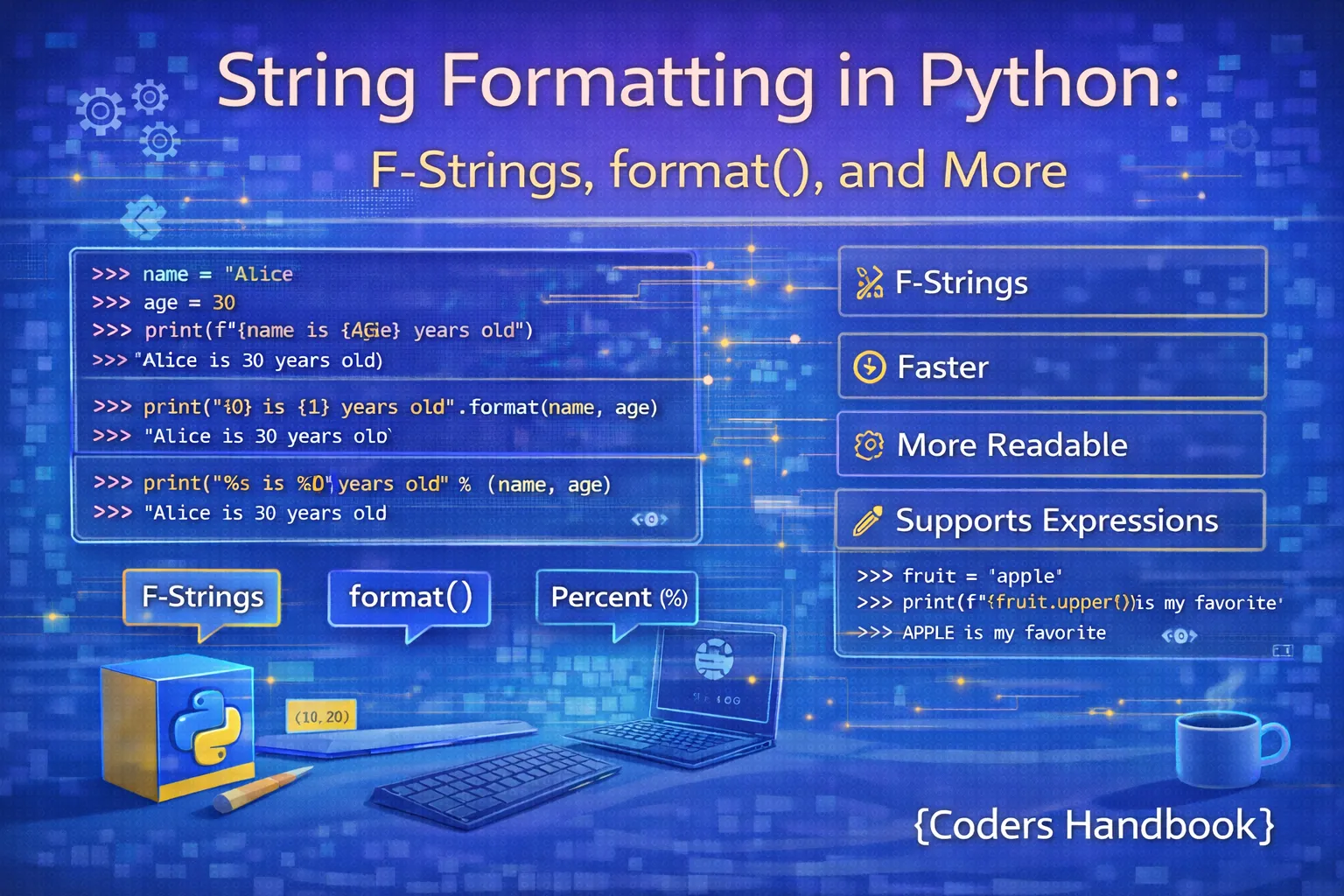
String formatting is essential for creating readable output in Python applications, enabling dynamic text generation by embedding variables, expressions, and formatted values within strings. Python offers multiple formatting approaches including modern f-strings (formatted string literals) introduced in Python 3.6 providing concise syntax and superior performance, the format() method supporting complex formatting patterns and positional arguments, classic percent formatting inherited from C for backward compatibility, and template strings for safe user-facing substitutions. Understanding these techniques enables producing professional output for user interfaces, log messages, reports, and data presentations with precise control over number formatting, alignment, padding, and value interpolation.
This comprehensive guide explores f-strings with embedded expressions and format specifiers, the format() method with positional and keyword arguments, percent formatting for legacy code compatibility, template strings for safe substitution, number formatting including decimals and percentages, alignment and padding for tabular output, date and time formatting, and performance comparisons demonstrating f-strings' advantages. Whether you're building command-line tools displaying structured data, web applications generating HTML content, data science scripts formatting statistics, or logging systems creating diagnostic messages, mastering Python's string formatting techniques ensures your code produces clear, professional, and correctly formatted output meeting application requirements.
F-Strings: Modern String Formatting
F-strings (formatted string literals) provide the most readable and performant string formatting method in Python 3.6+, using an f or F prefix before the string literal and curly braces for embedding expressions evaluated at runtime. Variables, function calls, arithmetic operations, and complex expressions can be placed directly inside braces, with optional format specifiers controlling output appearance. F-strings combine the readability of template literals with powerful formatting capabilities, making them the preferred choice for modern Python development.
F-String Basics and Expressions
# F-String Basics

# Basic variable interpolation
name = "Alice"
age = 25
print(f"Hello, {name}! You are {age} years old.")

# Expressions inside f-strings
print(f"Next year, you'll be {age + 1} years old.")

# Function calls
def greet(name):
    return f"Welcome, {name}!"

print(f"Message: {greet('Bob')}")

# Arithmetic operations
price = 19.99
quantity = 3
print(f"Total: ${price * quantity}")

# Method calls
text = "python"
print(f"Uppercase: {text.upper()}")

# Dictionary access
user = {"name": "Charlie", "role": "Developer"}
print(f"User: {user['name']}, Role: {user['role']}")

# List indexing
fruits = ["apple", "banana", "cherry"]
print(f"First fruit: {fruits[0]}")

# Complex expressions
numbers = [1, 2, 3, 4, 5]
print(f"Sum: {sum(numbers)}, Average: {sum(numbers)/len(numbers)}")

# Conditional expressions
score = 85
print(f"Grade: {'Pass' if score >= 60 else 'Fail'}")

# Multiple variables
first_name = "John"
last_name = "Doe"
print(f"Full name: {first_name} {last_name}")

# Object attributes
class Person:
    def __init__(self, name, age):
        self.name = name
        self.age = age

person = Person("Diana", 28)
print(f"Person: {person.name}, Age: {person.age}")
F-String Format Specifiers
# F-String Format Specifiers

# Number formatting - decimal places
pi = 3.14159265359
print(f"Pi to 2 decimals: {pi:.2f}")
print(f"Pi to 4 decimals: {pi:.4f}")

# Percentage formatting
ratio = 0.856
print(f"Success rate: {ratio:.1%}")
print(f"Completion: {ratio:.2%}")

# Comma separators for large numbers
big_number = 1234567890
print(f"Formatted: {big_number:,}")
print(f"With decimals: {big_number:,.2f}")

# Padding and alignment
name = "Alice"
print(f"Left aligned: |{name:<10}|")
print(f"Right aligned: |{name:>10}|")
print(f"Center aligned: |{name:^10}|")

# Padding with custom characters
print(f"Zero padded: {42:05}")
print(f"Custom padding: {name:*^15}")

# Width and precision
value = 123.456789
print(f"Width 10, 2 decimals: {value:10.2f}")
print(f"Width 15, 3 decimals: {value:15.3f}")

# Binary, octal, hexadecimal
number = 42
print(f"Binary: {number:b}")
print(f"Octal: {number:o}")
print(f"Hex: {number:x}")
print(f"Hex (uppercase): {number:X}")

# Sign handling
positive = 42
negative = -42
print(f"Always show sign: {positive:+}, {negative:+}")
print(f"Space for positive: {positive: }, {negative: }")

# Scientific notation
large = 1234567.89
print(f"Scientific: {large:e}")
print(f"Scientific (uppercase): {large:E}")
print(f"Scientific (2 decimals): {large:.2e}")

# Type conversion
value = 42
print(f"String repr: {value!r}")
print(f"String str: {value!s}")
print(f"ASCII repr: {value!a}")The format() Method
The format() method provides flexible string formatting using curly braces as placeholders, supporting positional arguments accessed by index, keyword arguments accessed by name, and mixed approaches combining both styles. Format specifiers within braces control output appearance identically to f-strings, enabling number formatting, alignment, and padding. While less concise than f-strings, the format() method remains useful for pre-3.6 Python versions, template strings loaded from files or databases, and situations requiring dynamic format string construction.
Format Method Basics
# format() Method Basics

# Basic positional arguments
print("Hello, {}! You are {} years old.".format("Alice", 25))

# Multiple placeholders
print("{} + {} = {}".format(5, 3, 5 + 3))

# Positional with indices
print("{0} likes {1} and {2}".format("Bob", "Python", "Coffee"))

# Reusing arguments
print("{0} {1} {0}".format("Hello", "World"))

# Reordering arguments
print("{2} {1} {0}".format("first", "second", "third"))

# Keyword arguments
print("Name: {name}, Age: {age}".format(name="Charlie", age=30))

# Mixed positional and keyword
print("{0} is {age} years old and likes {1}".format(
    "Diana", "Python", age=28
))

# Dictionary unpacking
user = {"name": "Eve", "age": 32, "city": "NYC"}
print("User: {name}, Age: {age}, City: {city}".format(**user))

# Accessing object attributes
class Person:
    def __init__(self, name, age):
        self.name = name
        self.age = age

person = Person("Frank", 35)
print("Name: {0.name}, Age: {0.age}".format(person))

# List indexing
fruits = ["apple", "banana", "cherry"]
print("First: {0[0]}, Second: {0[1]}".format(fruits))

# Dictionary access
data = {"x": 10, "y": 20}
print("X: {0[x]}, Y: {0[y]}".format(data))
Format Method Specifiers
# format() Method Specifiers

# Number formatting
pi = 3.14159265359
print("Pi: {:.2f}".format(pi))
print("Pi: {:.4f}".format(pi))

# Width and alignment
for name in ["Alice", "Bob", "Charlie"]:
    print("Name: {:<10} Done".format(name))

# Right alignment
for value in [10, 100, 1000]:
    print("Value: {:>8}".format(value))

# Center alignment
print("{:^20}".format("Title"))

# Fill character
print("{:*^20}".format("Python"))
print("{:=^20}".format("Center"))

# Number padding
for i in range(1, 11):
    print("Item {:02d}".format(i))

# Thousands separator
big_number = 1234567.89
print("Amount: {:,.2f}".format(big_number))

# Percentage
ratio = 0.856
print("Success: {:.1%}".format(ratio))

# Scientific notation
large = 1234567890
print("Scientific: {:.2e}".format(large))

# Binary, octal, hex
number = 42
print("Binary: {:b}".format(number))
print("Octal: {:o}".format(number))
print("Hex: {:x}".format(number))

# Sign handling
print("Positive: {:+d}".format(42))
print("Negative: {:+d}".format(-42))

# Type conversion
value = 42
print("Repr: {!r}".format(value))
print("Str: {!s}".format(value))

# Named placeholders with formatting
print("{name:>10} scored {score:05.1f}".format(
    name="Alice", score=95.5
))
Percent (%) Formatting
Percent formatting is Python's oldest string formatting method inherited from C's printf function, using percent signs followed by format characters like %s for strings, %d for integers, and %f for floats. While considered legacy with less flexibility than modern alternatives, percent formatting appears frequently in older codebases and remains supported for backward compatibility. Understanding this syntax helps maintain legacy code and recognize its limitations compared to f-strings and the format() method.
# Percent (%) Formatting

# Basic string interpolation
name = "Alice"
age = 25
print("Hello, %s! You are %d years old." % (name, age))

# Single value (no tuple needed)
print("Hello, %s!" % "Bob")

# Multiple values with tuple
print("%s + %s = %s" % (5, 3, 5 + 3))

# Format specifiers
pi = 3.14159
print("Pi: %.2f" % pi)
print("Pi: %.4f" % pi)

# Integer formatting
number = 42
print("Number: %d" % number)
print("Padded: %05d" % number)

# String formatting
text = "Python"
print("Text: %s" % text)
print("Width 10: %10s" % text)
print("Left aligned: %-10s|" % text)

# Multiple format types
name = "Charlie"
age = 30
height = 5.9
print("%s is %d years old and %.1f feet tall" % (name, age, height))

# Named placeholders (dictionary)
data = {"name": "Diana", "age": 28, "city": "NYC"}
print("%(name)s is %(age)d years old from %(city)s" % data)

# Percentage symbol (escape with %%)
ratio = 0.856
print("Success rate: %.1f%%" % (ratio * 100))

# Hexadecimal and octal
value = 255
print("Hex: %x" % value)
print("Hex (uppercase): %X" % value)
print("Octal: %o" % value)

# Scientific notation
large = 1234567.89
print("Scientific: %e" % large)
print("Scientific: %.2e" % large)

# Sign handling
print("Positive: %+d" % 42)
print("Negative: %+d" % -42)

# Width and precision
value = 123.456
print("Width and precision: %10.2f" % value)Template Strings
Template strings from the string module provide safe string substitution using dollar signs and identifiers, designed primarily for user-facing applications where format strings come from untrusted sources. Unlike f-strings and format() which allow arbitrary Python expressions potentially exposing security vulnerabilities, template strings restrict substitutions to simple named or braced placeholders. This safety makes them ideal for configuration files, user-provided templates, and internationalization scenarios requiring text translation without code execution risks.
# Template Strings

from string import Template

# Basic template
template = Template("Hello, $name! Welcome to $place.")
result = template.substitute(name="Alice", place="Python")
print(result)

# Braced identifiers (required for adjacent text)
template = Template("${name}ization is important")
result = template.substitute(name="Standard")
print(result)

# Dictionary substitution
data = {"product": "Laptop", "price": 999, "currency": "USD"}
template = Template("Product: $product, Price: $price $currency")
result = template.substitute(data)
print(result)

# safe_substitute() - ignores missing keys
template = Template("Name: $name, Age: $age, City: $city")
data = {"name": "Bob", "age": 30}
result = template.safe_substitute(data)
print(result)

# substitute() raises KeyError for missing keys
try:
    result = template.substitute(data)
except KeyError as e:
    print(f"Missing key: {e}")

# Email template example
email_template = Template("""
Dear $name,

Thank you for your order #$order_id.
Total amount: $currency$amount

Regards,
$company
""")

email_data = {
    "name": "Charlie",
    "order_id": "12345",
    "currency": "$",
    "amount": "99.99",
    "company": "TechStore"
}

email = email_template.substitute(email_data)
print(email)

# Safe user-provided templates
user_template = "Welcome $username! You have $messages new messages."
template = Template(user_template)
safe_result = template.safe_substitute(
    username="Diana",
    messages=5
)
print(safe_result)

# Custom delimiter
class CustomTemplate(Template):
    delimiter = '%%'

template = CustomTemplate("Name: %%name, Age: %%age")
result = template.substitute(name="Eve", age=28)
print(result)
Advanced Formatting Techniques
Advanced formatting techniques combine multiple format specifiers, handle complex data structures, format dates and times, create aligned tables, and implement custom formatting for classes. Understanding these patterns enables producing professional output for reports, logs, and user interfaces requiring precise control over data presentation. The format mini-language provides extensive options for customizing output appearance while maintaining code readability.
# Advanced Formatting Techniques

# Nested formatting
width = 10
value = 42
print(f"{value:0{width}}")

# Dynamic format specifiers
precision = 2
pi = 3.14159
print(f"Pi: {pi:.{precision}f}")

# Formatted table
data = [
    ("Alice", 25, 95.5),
    ("Bob", 30, 87.3),
    ("Charlie", 28, 92.1)
]

print(f"{'Name':<10} {'Age':>5} {'Score':>8}")
print("-" * 25)
for name, age, score in data:
    print(f"{name:<10} {age:>5} {score:>8.1f}")

# Date formatting
from datetime import datetime

now = datetime.now()
print(f"Date: {now:%Y-%m-%d}")
print(f"Time: {now:%H:%M:%S}")
print(f"Full: {now:%Y-%m-%d %H:%M:%S}")
print(f"Custom: {now:%B %d, %Y}")

# Formatting with thousands separator
numbers = [1234, 1234567, 1234567890]
for num in numbers:
    print(f"{num:>15,}")

# Custom object formatting
class Product:
    def __init__(self, name, price):
        self.name = name
        self.price = price

    def __format__(self, format_spec):
        if format_spec == 'full':
            return f"{self.name}: ${self.price:.2f}"
        elif format_spec == 'short':
            return f"{self.name}"
        return str(self)

product = Product("Laptop", 999.99)
print(f"{product:full}")
print(f"{product:short}")

# Multi-line f-strings
name = "Diana"
age = 28
city = "NYC"
message = (
    f"User Information:\n"
    f"  Name: {name}\n"
    f"  Age: {age}\n"
    f"  City: {city}"
)
print(message)

# Dictionary formatting
user = {"name": "Eve", "age": 32, "role": "Admin"}
formatted = "\n".join(f"{k}: {v}" for k, v in user.items())
print(formatted)

# Number formatting variations
value = 1234.5678
print(f"Default: {value}")
print(f"Fixed: {value:.2f}")
print(f"Exponential: {value:e}")
print(f"Percentage: {value/10000:.2%}")
print(f"General: {value:g}")
Comparing Formatting Methods
Comparing formatting methods helps choose the right approach for specific situations based on Python version, performance requirements, readability needs, and security considerations. F-strings offer superior performance and readability for Python 3.6+, format() provides flexibility for dynamic templates and older Python versions, percent formatting exists for legacy compatibility, and template strings ensure safety with user-provided formats. Understanding trade-offs enables making informed decisions about which formatting method best serves your application requirements.
# Comparing Formatting Methods

import timeit
from string import Template

name = "Alice"
age = 25

# Same output, different methods
print("F-string:", f"Hello, {name}! Age: {age}")
print("format():", "Hello, {}! Age: {}".format(name, age))
print("% format:", "Hello, %s! Age: %d" % (name, age))
print("Template:", Template("Hello, $name! Age: $age").substitute(
    name=name, age=age
))

# Performance comparison
iterations = 100000

fstring_time = timeit.timeit(
    'f"Hello, {name}! Age: {age}"',
    globals=globals(),
    number=iterations
)

format_time = timeit.timeit(
    '"Hello, {}! Age: {}".format(name, age)',
    globals=globals(),
    number=iterations
)

percent_time = timeit.timeit(
    '"Hello, %s! Age: %d" % (name, age)',
    globals=globals(),
    number=iterations
)

template_time = timeit.timeit(
    'Template("Hello, $name! Age: $age").substitute(name=name, age=age)',
    setup='from string import Template',
    globals=globals(),
    number=iterations
)

print(f"\nPerformance ({iterations} iterations):")
print(f"F-string: {fstring_time:.4f}s")
print(f"format(): {format_time:.4f}s")
print(f"% format: {percent_time:.4f}s")
print(f"Template: {template_time:.4f}s")

# When to use each method
print("\nUse Cases:")
print("F-strings: Python 3.6+, best performance, most readable")
print("format(): Dynamic templates, Python 2.6+, named placeholders")
print("% format: Legacy code, C-style familiarity")
print("Template: User-provided formats, security-sensitive")Best Practices and Guidelines
- Prefer f-strings: Use f-strings for Python 3.6+ code - they're faster, more readable, and less error-prone than older methods
- Use format() for templates: Choose the format() method when format strings come from external sources like config files or databases
- Avoid % formatting in new code: Only use percent formatting when maintaining legacy code or working with pre-2.6 Python versions
- Template strings for security: Use Template strings when format strings come from untrusted user input to prevent code execution vulnerabilities
- Consistent formatting: Keep format specifiers consistent across related outputs for professional, aligned tables and reports
- Debug with =: Use f-string debugging syntax
f'{variable=}'in Python 3.8+ to print both variable name and value for easier debugging - Document format specifiers: Add comments explaining complex format specifiers, especially in table formatting or scientific notation
- Extract repeated formats: Store complex format strings in constants when used multiple times to improve maintainability and consistency
Conclusion
Python string formatting has evolved significantly from early percent formatting to modern f-strings, with each method serving specific purposes in application development. F-strings introduced in Python 3.6 provide the most readable and performant formatting using f prefix and curly braces containing expressions evaluated at runtime, supporting format specifiers for number formatting, alignment, padding, and type conversion while delivering 20-50% better performance than alternatives. The format() method offers flexibility through positional and keyword arguments with identical format specifiers to f-strings, remaining valuable for dynamic templates, pre-3.6 compatibility, and situations requiring format string construction. Percent formatting inherited from C uses percent signs with format characters like %s, %d, and %f, persisting in legacy codebases but considered outdated for new development due to limited flexibility and readability compared to modern alternatives.
Template strings from the string module provide safe substitution using dollar sign placeholders, restricting to simple named replacements without arbitrary Python expressions, making them essential for user-facing applications where format strings come from untrusted sources or require internationalization without security vulnerabilities. Advanced formatting techniques combine multiple specifiers for tables, format dates with strftime codes, implement custom __format__() methods for classes, and use dynamic format specifications for flexible output control. Performance comparisons consistently show f-strings as fastest, followed by percent formatting, format() method, and template strings, though differences matter primarily in performance-critical loops or high-volume logging. Best practices recommend f-strings as default for Python 3.6+ with exceptions for format() when templates are dynamic or loaded externally, template strings when security requires restricted substitution, and percent formatting only in legacy maintenance scenarios. By understanding each formatting method's syntax, capabilities, performance characteristics, and appropriate use cases, you gain comprehensive string manipulation skills for producing clear, professional, and correctly formatted output meeting diverse application requirements from simple variable interpolation to complex tabular reports and secure user-facing templates.
$ share --platform
$ cat /comments/ (0)
$ cat /comments/
// No comments found. Be the first!


