Python Dictionaries: Key-Value Pairs and Hash Maps
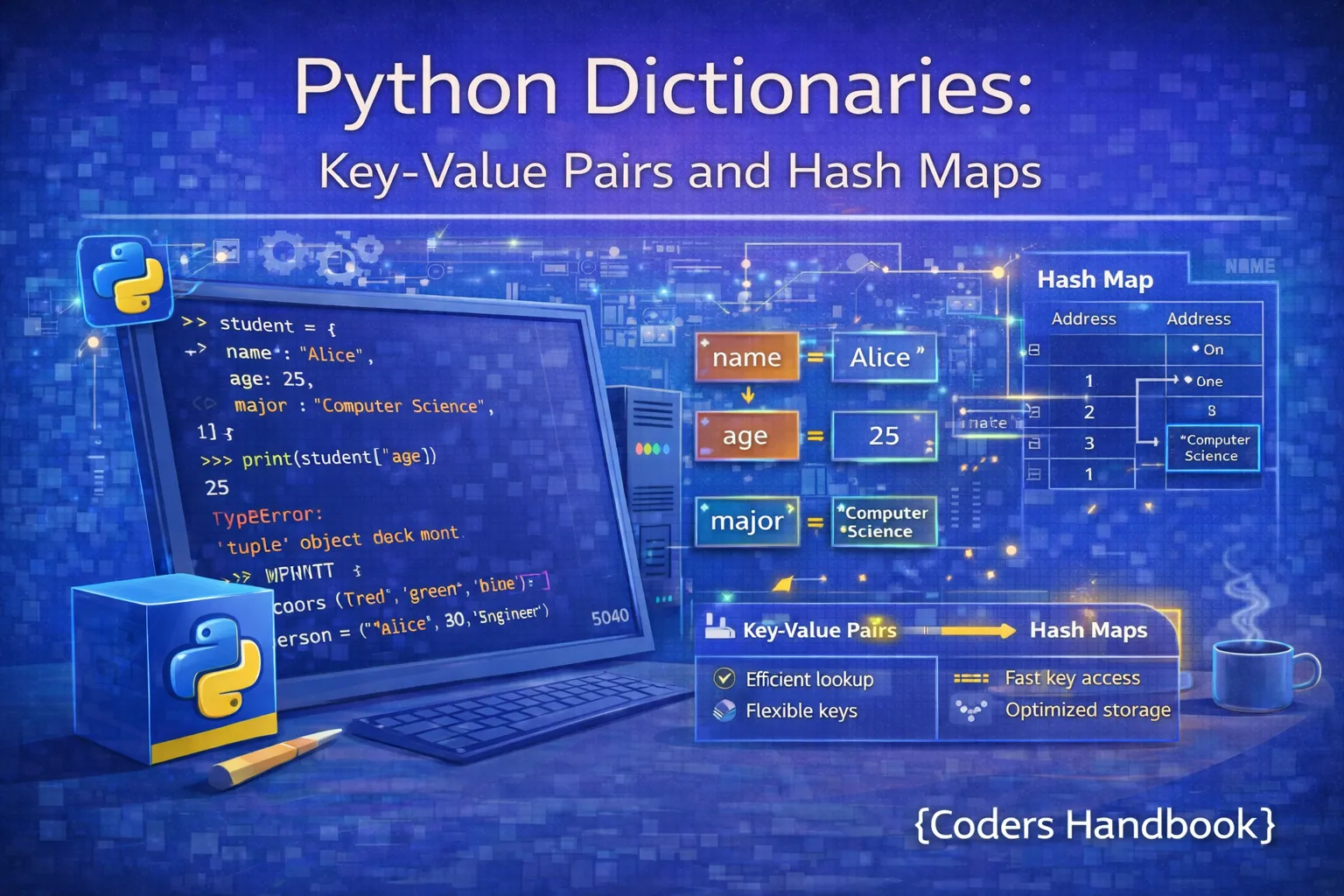
Dictionaries are Python's built-in hash map implementation, providing key-value storage with constant-time O(1) lookup performance that makes them indispensable for efficient data retrieval and mapping operations. Unlike sequences like lists that access elements by numeric indices, dictionaries use immutable keys (strings, numbers, tuples) to directly map to values of any type, enabling lightning-fast lookups regardless of dictionary size. Understanding dictionaries is fundamental to Python programming as they appear everywhere from configuration management and caching to API responses, database query results, counting occurrences, and grouping related data by unique identifiers.
This comprehensive guide explores dictionary creation using literal syntax and constructors, accessing and modifying key-value pairs with square bracket notation, essential dictionary methods including get(), keys(), values(), items(), update(), and pop(), dictionary comprehensions for elegant functional-style creation, nested dictionaries for hierarchical data structures, iteration patterns for processing key-value pairs, performance characteristics demonstrating hash table advantages, and practical use cases showing when dictionaries optimize data access. Whether you're building REST APIs returning JSON, implementing caches for expensive computations, counting word frequencies, or managing configuration settings, mastering Python dictionaries unlocks powerful data manipulation capabilities essential for professional development.
Creating and Initializing Dictionaries
Dictionaries are created using curly braces with colon-separated key-value pairs, the dict() constructor for various initialization patterns, or dictionary comprehensions for programmatic generation. Empty dictionaries serve as starting points for accumulating key-value mappings in loops, while pre-populated dictionaries store known associations. Keys must be immutable types (strings, numbers, tuples) because Python uses hashing to achieve constant-time lookups, but values can be any Python object including lists, other dictionaries, or custom classes.
Dictionary Creation Methods
# Dictionary Creation Methods

# Empty dictionary
empty_dict1 = {}
empty_dict2 = dict()
print(f"Empty dicts: {empty_dict1}, {empty_dict2}")

# Dictionary with initial values
student = {
    "name": "Alice",
    "age": 25,
    "grade": "A",
    "courses": ["Math", "Physics"]
}
print(f"Student: {student}")

# Using dict() constructor with keyword arguments
person = dict(name="Bob", age=30, city="New York")
print(f"Person: {person}")

# From list of tuples
pairs = [("a", 1), ("b", 2), ("c", 3)]
from_pairs = dict(pairs)
print(f"From pairs: {from_pairs}")

# From two lists using zip
keys = ["name", "age", "city"]
values = ["Charlie", 35, "London"]
zipped_dict = dict(zip(keys, values))
print(f"Zipped dict: {zipped_dict}")

# Mixed key types (all must be immutable)
mixed_keys = {
    "string_key": "value1",
    42: "value2",
    (1, 2): "value3"
}
print(f"Mixed keys: {mixed_keys}")

# Nested dictionary
company = {
    "employees": {
        "john": {"age": 30, "role": "Developer"},
        "jane": {"age": 28, "role": "Designer"}
    },
    "founded": 2020
}
print(f"Company: {company}")

# Invalid: list as key (unhashable)
try:
    invalid = {[1, 2]: "value"}
except TypeError as e:
print(f"Error: {e}")Accessing and Modifying Dictionaries
Dictionary values are accessed using square bracket notation with keys, raising KeyError if the key doesn't exist, or the safer get() method which returns None or a default value for missing keys. Adding or updating values uses simple assignment, and dictionaries dynamically grow to accommodate new keys. Deleting entries uses the del statement or pop() method which returns the removed value. Understanding these access patterns prevents common errors and enables defensive programming with graceful handling of missing keys.
Accessing Dictionary Data
# Accessing and Modifying Dictionaries

student = {
    "name": "Alice",
    "age": 25,
    "grade": "A"
}

# Accessing values with square brackets
print(f"Name: {student['name']}")
print(f"Age: {student['age']}")

# KeyError if key doesn't exist
try:
    print(student['email'])
except KeyError:
    print("Key 'email' not found")

# Safe access with get()
email = student.get('email')
print(f"Email: {email}")

# get() with default value
email = student.get('email', 'No email provided')
print(f"Email: {email}")

# Adding new key-value pairs
student['email'] = '[email protected]'
student['courses'] = ['Math', 'Physics']
print(f"Updated: {student}")

# Modifying existing values
student['age'] = 26
student['grade'] = 'A+'
print(f"Modified: {student}")

# Checking if key exists
if 'name' in student:
    print(f"Name exists: {student['name']}")

if 'phone' not in student:
    print("Phone number not provided")

# Deleting entries with del
del student['courses']
print(f"After deletion: {student}")

# Removing with pop (returns value)
grade = student.pop('grade')
print(f"Popped grade: {grade}")
print(f"After pop: {student}")

# pop with default (no error if missing)
phone = student.pop('phone', 'No phone')
print(f"Phone: {phone}")

# Get length
print(f"Dictionary length: {len(student)}")
Essential Dictionary Methods
Python dictionaries provide rich methods for manipulation and traversal including keys(), values(), and items() for accessing dictionary components, update() for merging dictionaries, pop() and popitem() for removal, clear() for emptying, and setdefault() for conditional insertion. Understanding these methods enables efficient dictionary operations without manual key checking or error handling, making code more concise and Pythonic.
Dictionary Methods
# Essential Dictionary Methods

user = {
    "username": "john_doe",
    "email": "[email protected]",
    "age": 30
}

# keys() - get all keys
keys = user.keys()
print(f"Keys: {list(keys)}")

# values() - get all values
values = user.values()
print(f"Values: {list(values)}")

# items() - get key-value pairs
items = user.items()
print(f"Items: {list(items)}")

# update() - merge dictionaries
additional_info = {
    "city": "New York",
    "role": "Developer"
}
user.update(additional_info)
print(f"After update: {user}")

# update() overwrites existing keys
user.update({"age": 31, "email": "[email protected]"})
print(f"After overwrite: {user}")

# setdefault() - get value or set default
phone = user.setdefault('phone', '000-000-0000')
print(f"Phone: {phone}")
print(f"User with phone: {user}")

# setdefault() returns existing if present
username = user.setdefault('username', 'default_user')
print(f"Username: {username}")

# popitem() - remove and return last inserted pair
last_item = user.popitem()
print(f"Popped item: {last_item}")
print(f"After popitem: {user}")

# copy() - create shallow copy
user_copy = user.copy()
user_copy['age'] = 35
print(f"Original: {user}")
print(f"Copy: {user_copy}")

# clear() - remove all items
temp_dict = {'a': 1, 'b': 2}
temp_dict.clear()
print(f"After clear: {temp_dict}")

# fromkeys() - create dict with same value
keys = ['a', 'b', 'c']
default_dict = dict.fromkeys(keys, 0)
print(f"From keys: {default_dict}")dict[key] when you're certain the key exists or want an error for missing keys. Use dict.get(key, default) when keys might be missing and you want to handle it gracefully with a default value.Iterating Over Dictionaries
Dictionaries support multiple iteration patterns including iterating over keys (default), values, or key-value pairs using the items() method. Modern Python dictionaries maintain insertion order, making iteration predictable and useful for ordered operations. Understanding iteration patterns enables processing all dictionary data efficiently whether you need keys for lookups, values for calculations, or both for transformations and filtering operations.
# Iterating Over Dictionaries

scores = {
    "Alice": 95,
    "Bob": 87,
    "Charlie": 92,
    "Diana": 88
}

# Iterate over keys (default)
print("Keys only:")
for name in scores:
    print(f"- {name}")

# Explicitly iterate keys
print("\nKeys (explicit):")
for name in scores.keys():
    print(f"- {name}")

# Iterate over values
print("\nValues only:")
for score in scores.values():
    print(f"- {score}")

# Iterate over key-value pairs
print("\nKey-value pairs:")
for name, score in scores.items():
    print(f"{name}: {score}")

# Conditional iteration
print("\nHigh scorers (>90):")
for name, score in scores.items():
    if score > 90:
        print(f"{name}: {score}")

# Dictionary from filtered items
high_scorers = {name: score for name, score in scores.items() if score > 90}
print(f"\nHigh scorers dict: {high_scorers}")

# Enumerate with dictionaries
print("\nEnumerated items:")
for index, (name, score) in enumerate(scores.items()):
    print(f"{index}. {name}: {score}")

# Sorting dictionary by keys
print("\nSorted by keys:")
for name in sorted(scores.keys()):
    print(f"{name}: {scores[name]}")

# Sorting by values
print("\nSorted by values:")
for name, score in sorted(scores.items(), key=lambda x: x[1], reverse=True):
    print(f"{name}: {score}")
Dictionary Comprehensions
Dictionary comprehensions provide concise syntax for creating dictionaries from iterables using the pattern {key_expr: value_expr for item in iterable if condition}, similar to list comprehensions but producing key-value pairs. This elegant approach enables filtering, transforming, and inverting dictionaries in single expressions, making code more readable and often faster than equivalent loops with dictionary updates. Comprehensions excel at mapping transformations, filtering based on conditions, and creating lookup tables from sequences.
Dictionary Comprehension Patterns
# Dictionary Comprehensions

# Basic comprehension: squares
squares = {x: x**2 for x in range(6)}
print(f"Squares: {squares}")

# From two lists
names = ['Alice', 'Bob', 'Charlie']
ages = [25, 30, 35]
people = {name: age for name, age in zip(names, ages)}
print(f"People: {people}")

# With conditional
scores = {'Alice': 95, 'Bob': 67, 'Charlie': 92, 'Diana': 58}
passing = {name: score for name, score in scores.items() if score >= 70}
print(f"Passing scores: {passing}")

# Transform values
prices = {'apple': 0.50, 'banana': 0.30, 'cherry': 0.75}
prices_with_tax = {item: price * 1.08 for item, price in prices.items()}
print(f"With tax: {prices_with_tax}")

# Transform keys
original = {'name': 'Alice', 'age': 25, 'city': 'NYC'}
uppercase_keys = {key.upper(): value for key, value in original.items()}
print(f"Uppercase keys: {uppercase_keys}")

# Invert dictionary (swap keys and values)
original = {'a': 1, 'b': 2, 'c': 3}
inverted = {value: key for key, value in original.items()}
print(f"Inverted: {inverted}")

# Nested comprehension
matrix = {i: {j: i*j for j in range(3)} for i in range(3)}
print(f"Matrix: {matrix}")

# Create lookup from list
words = ['apple', 'banana', 'cherry']
word_lengths = {word: len(word) for word in words}
print(f"Word lengths: {word_lengths}")

# Conditional expression in value
numbers = range(1, 6)
even_odd = {n: 'even' if n % 2 == 0 else 'odd' for n in numbers}
print(f"Even/Odd: {even_odd}")

# Filter and transform
data = {'a': 10, 'b': 20, 'c': 30, 'd': 40}
filtered = {k.upper(): v * 2 for k, v in data.items() if v > 15}
print(f"Filtered: {filtered}")Nested Dictionaries
Nested dictionaries store dictionaries as values within other dictionaries, creating hierarchical data structures ideal for representing complex relationships, JSON-like data, configuration files, and multi-level categorizations. Accessing nested values requires chaining square brackets or using get() methods for each level, and proper error handling prevents KeyError exceptions when navigating deep structures. Understanding nested dictionaries is essential for working with APIs returning JSON, managing application configurations, and representing tree-like data structures.
Working with Nested Dictionaries
# Nested Dictionaries

# Creating nested structure
company = {
    "employees": {
        "john": {
            "age": 30,
            "role": "Developer",
            "skills": ["Python", "JavaScript"]
        },
        "jane": {
            "age": 28,
            "role": "Designer",
            "skills": ["Photoshop", "Figma"]
        }
    },
    "departments": {
        "engineering": ["john", "mike"],
        "design": ["jane", "sarah"]
    }
}

# Accessing nested values
print(f"John's role: {company['employees']['john']['role']}")
print(f"Jane's age: {company['employees']['jane']['age']}")

# Safe nested access with get()
john_skills = company.get('employees', {}).get('john', {}).get('skills', [])
print(f"John's skills: {john_skills}")

# Adding to nested dictionary
company['employees']['mike'] = {
    "age": 32,
    "role": "DevOps",
    "skills": ["Docker", "Kubernetes"]
}
print(f"\nAdded Mike: {company['employees']['mike']}")

# Modifying nested values
company['employees']['john']['age'] = 31
company['employees']['jane']['skills'].append('Illustrator')
print(f"Updated John's age: {company['employees']['john']['age']}")

# Iterating nested dictionary
print("\nAll employees:")
for name, info in company['employees'].items():
    print(f"{name}: {info['role']}, Age {info['age']}")

# Deep iteration
print("\nEmployee skills:")
for name, info in company['employees'].items():
    print(f"{name}:")
    for skill in info['skills']:
        print(f"  - {skill}")

# Nested comprehension
employee_ages = {
    name: info['age']
    for name, info in company['employees'].items()
}
print(f"\nEmployee ages: {employee_ages}")

# Complex nested structure (JSON-like)
config = {
    "database": {
        "host": "localhost",
        "port": 5432,
        "credentials": {
            "username": "admin",
            "password": "secret"
        }
    },
    "api": {
        "endpoints": {
            "users": "/api/v1/users",
            "posts": "/api/v1/posts"
        }
    }
}

db_host = config['database']['host']
db_user = config['database']['credentials']['username']
print(f"\nDB: {db_user}@{db_host}").get() methods for safe nested access: data.get('level1', {}).get('level2', default). This prevents KeyError when intermediate keys don't exist, making code more robust.Performance and Hash Table Benefits
Dictionaries achieve O(1) average-case lookup performance through hash table implementation, making them vastly superior to lists for searching operations which require O(n) linear time. This constant-time complexity means dictionary lookups take the same time whether the dictionary contains 10 items or 10 million items, while list searches become proportionally slower with size. The performance advantage makes dictionaries essential for caching, frequency counting, fast membership testing, and any scenario requiring rapid key-based lookups, though they consume more memory than lists due to hash table overhead.
# Dictionary Performance Examples

import time

# Lookup comparison: Dictionary vs List
data_size = 100000

# Create test data
test_list = list(range(data_size))
test_dict = {i: i for i in range(data_size)}

# Search in list (O(n) - linear time)
start = time.time()
result = 99999 in test_list
list_time = time.time() - start
print(f"List lookup time: {list_time:.6f} seconds")

# Search in dictionary (O(1) - constant time)
start = time.time()
result = 99999 in test_dict
dict_time = time.time() - start
print(f"Dict lookup time: {dict_time:.6f} seconds")
print(f"Dictionary is {list_time/dict_time:.0f}x faster")

# Practical: Word frequency counter
text = """Python is amazing Python is powerful
          Python is versatile Python is popular"""

# Efficient counting with dictionary
word_count = {}
for word in text.lower().split():
    word_count[word] = word_count.get(word, 0) + 1

print(f"\nWord frequencies: {word_count}")

# Using setdefault for counting
word_count2 = {}
for word in text.lower().split():
    word_count2.setdefault(word, 0)
    word_count2[word] += 1

# Using defaultdict (even cleaner)
from collections import defaultdict

word_count3 = defaultdict(int)
for word in text.lower().split():
    word_count3[word] += 1

print(f"With defaultdict: {dict(word_count3)}")

# Practical: Fast membership testing
valid_users = {f"user{i}" for i in range(10000)}

# Check if user exists (O(1))
def is_valid_user(username):
    return username in valid_users

print(f"\nuser5000 valid: {is_valid_user('user5000')}")
print(f"user99999 valid: {is_valid_user('user99999')}")

# Practical: Caching expensive computations
cache = {}

def expensive_computation(n):
    if n in cache:
        print(f"Retrieved from cache: {n}")
        return cache[n]

    # Simulate expensive operation
    result = sum(range(n))
    cache[n] = result
    print(f"Computed and cached: {n}")
    return result

print(f"\nFirst call: {expensive_computation(1000)}")
print(f"Second call: {expensive_computation(1000)}")Common Dictionary Use Cases
Dictionaries excel at numerous practical scenarios including counting occurrences with frequency maps, grouping items by categories, caching function results to avoid recomputation, creating fast lookup tables for validation or translation, representing structured data like JSON responses, managing configuration settings, and implementing graph adjacency lists. Understanding these patterns helps recognize when dictionaries provide elegant solutions to common programming challenges.
# Common Dictionary Use Cases

# Use Case 1: Counting occurrences
votes = ['Alice', 'Bob', 'Alice', 'Charlie', 'Bob', 'Alice']
vote_count = {}
for vote in votes:
    vote_count[vote] = vote_count.get(vote, 0) + 1

print("Vote counts:")
for candidate, count in vote_count.items():
    print(f"{candidate}: {count} votes")

# Use Case 2: Grouping by category
students = [
    {'name': 'Alice', 'grade': 'A'},
    {'name': 'Bob', 'grade': 'B'},
    {'name': 'Charlie', 'grade': 'A'},
    {'name': 'Diana', 'grade': 'B'}
]

by_grade = {}
for student in students:
    grade = student['grade']
    by_grade.setdefault(grade, []).append(student['name'])

print(f"\nGrouped by grade: {by_grade}")

# Use Case 3: Creating lookup tables
phone_book = {
    'Alice': '555-0001',
    'Bob': '555-0002',
    'Charlie': '555-0003'
}

def get_phone(name):
    return phone_book.get(name, 'Number not found')

print(f"\nAlice's phone: {get_phone('Alice')}")
print(f"David's phone: {get_phone('David')}")

# Use Case 4: Configuration management
config = {
    'debug': True,
    'max_connections': 100,
    'timeout': 30,
    'database': {
        'host': 'localhost',
        'port': 5432
    }
}

if config.get('debug'):
    print(f"\nDebug mode enabled")
    print(f"Max connections: {config['max_connections']}")

# Use Case 5: Mapping/Translation
status_codes = {
    200: 'OK',
    404: 'Not Found',
    500: 'Internal Server Error'
}

def get_status_message(code):
    return status_codes.get(code, 'Unknown Status')

print(f"\n200: {get_status_message(200)}")
print(f"404: {get_status_message(404)}")

# Use Case 6: Inverting relationships
username_to_id = {'alice': 101, 'bob': 102, 'charlie': 103}
id_to_username = {v: k for k, v in username_to_id.items()}

print(f"\nID 102: {id_to_username[102]}")

# Use Case 7: Default values with setdefault
preferences = {}
preferences.setdefault('theme', 'dark')
preferences.setdefault('language', 'en')
print(f"\nPreferences: {preferences}")

# Use Case 8: Merging dictionaries
defaults = {'color': 'blue', 'size': 'medium', 'quantity': 1}
user_prefs = {'color': 'red', 'quantity': 5}

merged = {**defaults, **user_prefs}
print(f"\nMerged settings: {merged}")
Best Practices and Tips
- Use get() for safe access: Prefer
dict.get(key, default)overdict[key]when keys might be missing to avoid KeyError exceptions - Choose immutable keys: Use strings, numbers, or tuples as keys. Lists and dictionaries cannot be keys because they're mutable and unhashable
- Leverage comprehensions: Use dictionary comprehensions for transformations and filtering - they're more concise and often faster than loops
- Use setdefault for initialization: When accumulating values,
dict.setdefault(key, default)eliminates manual existence checks - Consider defaultdict: For counting or grouping,
collections.defaultdictprovides automatic default values, simplifying code - Merge with unpacking: Use
{**dict1, **dict2}to merge dictionaries in Python 3.5+, with later dictionaries overwriting earlier keys - Iterate efficiently: Use
dict.items()to iterate key-value pairs together rather than accessing values by key in the loop - Mind memory usage: Dictionaries consume more memory than lists due to hash table overhead - use lists when order matters more than lookup speed
Conclusion
Python dictionaries provide powerful hash map functionality delivering O(1) constant-time lookups that make them indispensable for efficient key-value storage and rapid data retrieval regardless of dictionary size. Dictionary creation uses curly brace literal syntax, the dict() constructor, or comprehensions, with keys restricted to immutable types (strings, numbers, tuples) because Python's hash table implementation requires hashability for constant-time performance. Accessing values with square brackets raises KeyError for missing keys, while the safer get() method returns None or custom defaults, enabling defensive programming. Essential methods including keys(), values(), items(), update(), pop(), and setdefault() provide comprehensive manipulation capabilities for merging, removing, iterating, and conditional insertion operations.
Dictionary comprehensions enable elegant functional-style creation with {key_expr: value_expr for item in iterable if condition} syntax perfect for transformations, filtering, and inverting dictionaries in single expressions. Nested dictionaries store hierarchical data representing JSON-like structures, configuration files, and multi-level relationships requiring chained access patterns or safe get() calls for robust error handling. Performance benchmarks demonstrate dictionaries' dramatic advantages over lists for lookup operations, with constant-time complexity making them 100-1000x faster for large datasets, though consuming more memory due to hash table overhead. Common use cases include counting occurrences with frequency maps, grouping by categories, caching expensive computations, creating lookup tables for validation or translation, managing configurations, and representing structured data from APIs. By mastering dictionary creation, access patterns, methods, comprehensions, nested structures, iteration techniques, and performance characteristics, you gain essential Python skills for building efficient applications requiring fast data lookups, frequency analysis, caching, grouping operations, and structured data management that leverage hash table capabilities central to modern programming.
$ share --platform
$ cat /comments/ (0)
$ cat /comments/
// No comments found. Be the first!


