Project: Build a Command-Line Calculator in Python
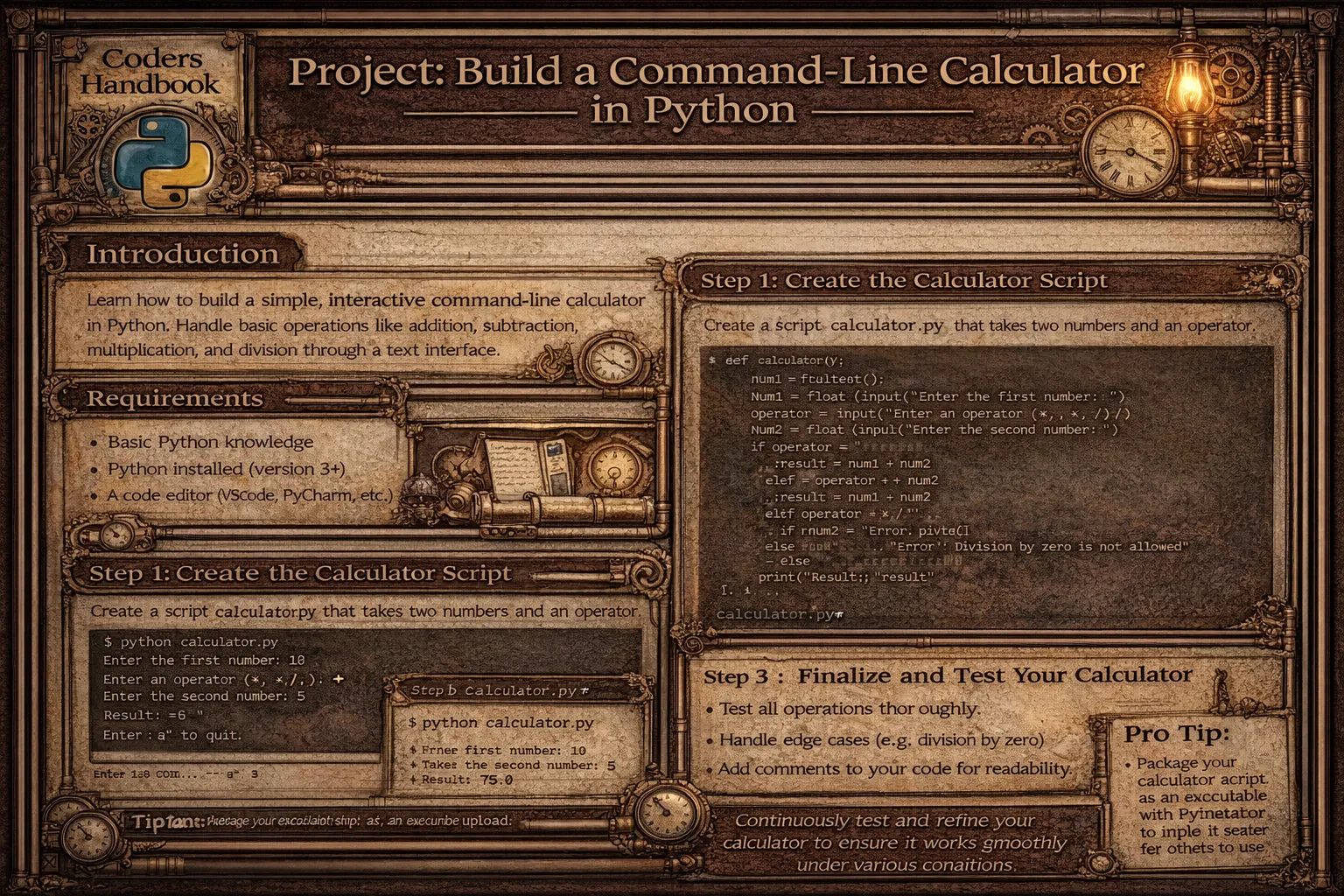
Building a command-line calculator demonstrates fundamental programming concepts including functions, control flow, error handling, and user interaction while creating practical utility. This project implements comprehensive calculator supporting basic arithmetic operations like addition, subtraction, multiplication, and division, scientific functions including trigonometry, logarithms, and exponents, calculation history tracking previous operations, and interactive REPL (Read-Eval-Print Loop) allowing continuous calculations. Command-line calculators provide lightweight alternatives to GUI applications, integrate into scripts and automation workflows, and demonstrate Python's mathematical capabilities through standard library modules.
This comprehensive project explores basic arithmetic operations implementing add, subtract, multiply, and divide functions with error handling for division by zero, scientific operations using math module providing sin, cos, tan, log, sqrt, and power functions, expression evaluation with eval() parsing mathematical expressions safely, calculation history storing previous calculations in list displaying on demand, interactive mode implementing continuous loop accepting user input until exit command, command-line interface using argparse parsing arguments enabling calculator as command-line tool, error handling validating input catching exceptions, and displaying helpful messages, modular design organizing code into functions promoting reusability, and professional features including clear screen functionality, formatted output, and user guidance. This project teaches function definition and calls, conditional statements and loops, exception handling for robustness, working with math module, string parsing and evaluation, list operations for history, user input handling, and program structure organization, providing foundation for more complex applications while creating immediately useful tool for mathematical calculations from terminal.
Basic Calculator Implementation
The basic calculator implements core arithmetic operations through individual functions with error handling. Each operation takes two numbers as input returning calculated result, while division includes zero-check preventing errors. The main loop provides interactive interface continuously accepting user input until exit command.
# Basic Calculator Implementation

import os
import sys

# === Basic arithmetic operations ===

def add(x, y):
    """
    Add two numbers.

    Args:
        x (float): First number
        y (float): Second number

    Returns:
        float: Sum of x and y
    """
    return x + y

def subtract(x, y):
    """
    Subtract y from x.

    Args:
        x (float): First number
        y (float): Second number

    Returns:
        float: Difference of x and y
    """
    return x - y

def multiply(x, y):
    """
    Multiply two numbers.

    Args:
        x (float): First number
        y (float): Second number

    Returns:
        float: Product of x and y
    """
    return x * y

def divide(x, y):
    """
    Divide x by y.

    Args:
        x (float): Numerator
        y (float): Denominator

    Returns:
        float: Quotient of x and y

    Raises:
        ValueError: If y is zero
    """
    if y == 0:
        raise ValueError("Cannot divide by zero!")
    return x / y

def power(x, y):
    """
    Raise x to the power of y.

    Args:
        x (float): Base
        y (float): Exponent

    Returns:
        float: x raised to power y
    """
    return x ** y

def modulo(x, y):
    """
    Calculate x modulo y.

    Args:
        x (float): Dividend
        y (float): Divisor

    Returns:
        float: Remainder of x / y
    """
    if y == 0:
        raise ValueError("Cannot calculate modulo with zero!")
    return x % y

# === Display menu ===

def display_menu():
    """Display calculator menu."""
    print("\n" + "="*50)
    print("       COMMAND-LINE CALCULATOR")
    print("="*50)
    print("\nBasic Operations:")
    print("  1. Addition (+)")
    print("  2. Subtraction (-)")
    print("  3. Multiplication (*)")
    print("  4. Division (/)")
    print("  5. Power (^)")
    print("  6. Modulo (%)")
    print("\nOther Options:")
    print("  7. Scientific Mode")
    print("  8. View History")
    print("  9. Clear Screen")
    print("  0. Exit")
    print("="*50)

# === Get number input ===

def get_number(prompt):
    """
    Get valid number from user.

    Args:
        prompt (str): Input prompt

    Returns:
        float: User input as number
    """
    while True:
        try:
            return float(input(prompt))
        except ValueError:
            print("Error: Please enter a valid number!")

# === Main calculator function ===

def basic_calculator():
    """
    Main calculator function with menu-driven interface.
    """
    history = []  # Store calculation history

    while True:
        display_menu()

        choice = input("\nEnter choice (0-9): ").strip()

        if choice == '0':
            print("\nThank you for using the calculator!")
            print("Goodbye!\n")
            break

        elif choice == '9':
            # Clear screen
            os.system('cls' if os.name == 'nt' else 'clear')
            continue

        elif choice == '8':
            # View history
            print("\n" + "="*50)
            print("CALCULATION HISTORY")
            print("="*50)
            if history:
                for i, calc in enumerate(history, 1):
                    print(f"{i}. {calc}")
            else:
                print("No calculations yet!")
            input("\nPress Enter to continue...")
            continue

        elif choice == '7':
            # Scientific mode (will implement later)
            print("\nSwitching to Scientific Mode...")
            scientific_calculator(history)
            continue

        elif choice in ['1', '2', '3', '4', '5', '6']:
            # Get numbers
            num1 = get_number("Enter first number: ")
            num2 = get_number("Enter second number: ")

            try:
                # Perform operation
                if choice == '1':
                    result = add(num1, num2)
                    operation = "+"
                elif choice == '2':
                    result = subtract(num1, num2)
                    operation = "-"
                elif choice == '3':
                    result = multiply(num1, num2)
                    operation = "*"
                elif choice == '4':
                    result = divide(num1, num2)
                    operation = "/"
                elif choice == '5':
                    result = power(num1, num2)
                    operation = "^"
                elif choice == '6':
                    result = modulo(num1, num2)
                    operation = "%"

                # Display result
                print(f"\nResult: {num1} {operation} {num2} = {result}")

                # Add to history
                history.append(f"{num1} {operation} {num2} = {result}")

            except ValueError as e:
                print(f"\nError: {e}")
            except Exception as e:
                print(f"\nUnexpected error: {e}")

            input("\nPress Enter to continue...")

        else:
            print("\nInvalid choice! Please select 0-9.")
            input("Press Enter to continue...")

# === Expression evaluator ===

def evaluate_expression():
    """
    Evaluate mathematical expressions.
    """
    print("\n" + "="*50)
    print("EXPRESSION EVALUATOR")
    print("="*50)
    print("Enter mathematical expression (e.g., 2 + 3 * 4)")
    print("Type 'back' to return to main menu")
    print("="*50)

    while True:
        expr = input("\nExpression: ").strip()

        if expr.lower() == 'back':
            break

        if not expr:
            continue

        try:
            # Evaluate expression
            result = eval(expr)
            print(f"Result: {expr} = {result}")
        except ZeroDivisionError:
            print("Error: Division by zero!")
        except SyntaxError:
            print("Error: Invalid expression syntax!")
        except Exception as e:
            print(f"Error: {e}")

if __name__ == "__main__":
basic_calculator()eval() for expression evaluation can be dangerous with untrusted input. Only use with controlled user input or implement proper expression parser.Scientific Calculator Functions
Scientific mode extends basic calculator with advanced mathematical functions using Python's math module. Functions include trigonometric operations (sin, cos, tan), logarithms (log, ln), square roots, factorial, and conversions between radians and degrees. This demonstrates importing and using standard library modules for complex calculations.
# Scientific Calculator Functions

import math

# === Trigonometric functions ===

def sin_deg(x):
    """
    Calculate sine of angle in degrees.

    Args:
        x (float): Angle in degrees

    Returns:
        float: Sine of x
    """
    return math.sin(math.radians(x))

def cos_deg(x):
    """
    Calculate cosine of angle in degrees.

    Args:
        x (float): Angle in degrees

    Returns:
        float: Cosine of x
    """
    return math.cos(math.radians(x))

def tan_deg(x):
    """
    Calculate tangent of angle in degrees.

    Args:
        x (float): Angle in degrees

    Returns:
        float: Tangent of x
    """
    return math.tan(math.radians(x))

# === Logarithmic functions ===

def logarithm(x, base=10):
    """
    Calculate logarithm of x with given base.

    Args:
        x (float): Number
        base (float): Logarithm base (default: 10)

    Returns:
        float: log_base(x)

    Raises:
        ValueError: If x <= 0 or base <= 0
    """
    if x <= 0:
        raise ValueError("Logarithm undefined for non-positive numbers!")
    if base <= 0:
        raise ValueError("Base must be positive!")
    return math.log(x, base)

def natural_log(x):
    """
    Calculate natural logarithm (base e).

    Args:
        x (float): Number

    Returns:
        float: ln(x)
    """
    if x <= 0:
        raise ValueError("Natural log undefined for non-positive numbers!")
    return math.log(x)

# === Other mathematical functions ===

def square_root(x):
    """
    Calculate square root.

    Args:
        x (float): Number

    Returns:
        float: sqrt(x)

    Raises:
        ValueError: If x < 0
    """
    if x < 0:
        raise ValueError("Cannot calculate square root of negative number!")
    return math.sqrt(x)

def factorial(n):
    """
    Calculate factorial.

    Args:
        n (int): Non-negative integer

    Returns:
        int: n!

    Raises:
        ValueError: If n < 0 or not integer
    """
    if not isinstance(n, int) or n < 0:
        raise ValueError("Factorial only defined for non-negative integers!")
    return math.factorial(n)

def absolute_value(x):
    """
    Calculate absolute value.

    Args:
        x (float): Number

    Returns:
        float: |x|
    """
    return abs(x)

def ceiling(x):
    """
    Round up to nearest integer.

    Args:
        x (float): Number

    Returns:
        int: Smallest integer >= x
    """
    return math.ceil(x)

def floor(x):
    """
    Round down to nearest integer.

    Args:
        x (float): Number

    Returns:
        int: Largest integer <= x
    """
    return math.floor(x)

# === Scientific calculator interface ===

def scientific_calculator(history):
    """
    Scientific calculator mode.

    Args:
        history (list): Calculation history from main calculator
    """
    while True:
        print("\n" + "="*50)
        print("       SCIENTIFIC CALCULATOR")
        print("="*50)
        print("\nTrigonometric Functions:")
        print("  1. Sine (sin)")
        print("  2. Cosine (cos)")
        print("  3. Tangent (tan)")
        print("\nLogarithmic Functions:")
        print("  4. Logarithm (log)")
        print("  5. Natural Log (ln)")
        print("\nOther Functions:")
        print("  6. Square Root (√)")
        print("  7. Factorial (!)")
        print("  8. Absolute Value (|x|)")
        print("  9. Ceiling/Floor")
        print("\n  0. Back to Main Menu")
        print("="*50)

        choice = input("\nEnter choice (0-9): ").strip()

        if choice == '0':
            break

        elif choice in ['1', '2', '3']:
            # Trigonometric functions
            angle = get_number("Enter angle in degrees: ")

            try:
                if choice == '1':
                    result = sin_deg(angle)
                    func = "sin"
                elif choice == '2':
                    result = cos_deg(angle)
                    func = "cos"
                elif choice == '3':
                    result = tan_deg(angle)
                    func = "tan"

                print(f"\nResult: {func}({angle}°) = {result}")
                history.append(f"{func}({angle}°) = {result}")

            except Exception as e:
                print(f"\nError: {e}")

        elif choice == '4':
            # Logarithm
            num = get_number("Enter number: ")
            base = get_number("Enter base (default 10): ") or 10

            try:
                result = logarithm(num, base)
                print(f"\nResult: log_{base}({num}) = {result}")
                history.append(f"log_{base}({num}) = {result}")
            except ValueError as e:
                print(f"\nError: {e}")

        elif choice == '5':
            # Natural log
            num = get_number("Enter number: ")

            try:
                result = natural_log(num)
                print(f"\nResult: ln({num}) = {result}")
                history.append(f"ln({num}) = {result}")
            except ValueError as e:
                print(f"\nError: {e}")

        elif choice == '6':
            # Square root
            num = get_number("Enter number: ")

            try:
                result = square_root(num)
                print(f"\nResult: √{num} = {result}")
                history.append(f"√{num} = {result}")
            except ValueError as e:
                print(f"\nError: {e}")

        elif choice == '7':
            # Factorial
            try:
                num = int(get_number("Enter non-negative integer: "))
                result = factorial(num)
                print(f"\nResult: {num}! = {result}")
                history.append(f"{num}! = {result}")
            except ValueError as e:
                print(f"\nError: {e}")

        elif choice == '8':
            # Absolute value
            num = get_number("Enter number: ")
            result = absolute_value(num)
            print(f"\nResult: |{num}| = {result}")
            history.append(f"|{num}| = {result}")

        elif choice == '9':
            # Ceiling/Floor
            num = get_number("Enter number: ")
            ceil_result = ceiling(num)
            floor_result = floor(num)
            print(f"\nCeiling: ⌈{num}⌉ = {ceil_result}")
            print(f"Floor: ⌊{num}⌋ = {floor_result}")
            history.append(f"⌈{num}⌉ = {ceil_result}, ⌊{num}⌋ = {floor_result}")

        else:
            print("\nInvalid choice! Please select 0-9.")

        input("\nPress Enter to continue...")

# Helper function from basic calculator
def get_number(prompt):
    """Get valid number from user."""
    while True:
        try:
            return float(input(prompt))
        except ValueError:
print("Error: Please enter a valid number!")math module uses radians. Use math.radians() to convert degrees to radians for trigonometric functions.Command-Line Interface Version
Creating command-line interface version using argparse enables calculator usage as shell command. Arguments specify operation and operands allowing calculator integration into scripts and automation. This demonstrates professional CLI tool development with proper argument parsing, help messages, and error handling.
# Command-Line Interface Version

import argparse
import math
import sys

def create_parser():
    """
    Create argument parser for CLI calculator.

    Returns:
        argparse.ArgumentParser: Configured parser
    """
    parser = argparse.ArgumentParser(
        description='Command-Line Calculator with scientific functions',
        formatter_class=argparse.RawDescriptionHelpFormatter,
        epilog="""
Examples:
  %(prog)s add 10 5          # Add two numbers
  %(prog)s multiply 4 7      # Multiply two numbers
  %(prog)s sqrt 16           # Square root
  %(prog)s sin 90            # Sine of 90 degrees
  %(prog)s power 2 8         # 2 raised to power 8
        """
    )

    # Create subparsers for different operations
    subparsers = parser.add_subparsers(
        dest='operation',
        help='Operation to perform',
        required=True
    )

    # === Basic arithmetic operations ===

    # Addition
    add_parser = subparsers.add_parser('add', help='Add two numbers')
    add_parser.add_argument('x', type=float, help='First number')
    add_parser.add_argument('y', type=float, help='Second number')

    # Subtraction
    sub_parser = subparsers.add_parser('subtract', help='Subtract two numbers')
    sub_parser.add_argument('x', type=float, help='First number')
    sub_parser.add_argument('y', type=float, help='Second number')

    # Multiplication
    mul_parser = subparsers.add_parser('multiply', help='Multiply two numbers')
    mul_parser.add_argument('x', type=float, help='First number')
    mul_parser.add_argument('y', type=float, help='Second number')

    # Division
    div_parser = subparsers.add_parser('divide', help='Divide two numbers')
    div_parser.add_argument('x', type=float, help='Numerator')
    div_parser.add_argument('y', type=float, help='Denominator')

    # Power
    pow_parser = subparsers.add_parser('power', help='Raise to power')
    pow_parser.add_argument('x', type=float, help='Base')
    pow_parser.add_argument('y', type=float, help='Exponent')

    # === Scientific functions ===

    # Square root
    sqrt_parser = subparsers.add_parser('sqrt', help='Square root')
    sqrt_parser.add_argument('x', type=float, help='Number')

    # Sine
    sin_parser = subparsers.add_parser('sin', help='Sine (degrees)')
    sin_parser.add_argument('angle', type=float, help='Angle in degrees')

    # Cosine
    cos_parser = subparsers.add_parser('cos', help='Cosine (degrees)')
    cos_parser.add_argument('angle', type=float, help='Angle in degrees')

    # Tangent
    tan_parser = subparsers.add_parser('tan', help='Tangent (degrees)')
    tan_parser.add_argument('angle', type=float, help='Angle in degrees')

    # Logarithm
    log_parser = subparsers.add_parser('log', help='Logarithm')
    log_parser.add_argument('x', type=float, help='Number')
    log_parser.add_argument('--base', type=float, default=10,
                           help='Base (default: 10)')

    # Natural log
    ln_parser = subparsers.add_parser('ln', help='Natural logarithm')
    ln_parser.add_argument('x', type=float, help='Number')

    # Factorial
    fact_parser = subparsers.add_parser('factorial', help='Factorial')
    fact_parser.add_argument('n', type=int, help='Non-negative integer')

    return parser

def calculate(args):
    """
    Perform calculation based on arguments.

    Args:
        args: Parsed command-line arguments

    Returns:
        float or int: Calculation result
    """
    try:
        # Basic arithmetic
        if args.operation == 'add':
            return args.x + args.y

        elif args.operation == 'subtract':
            return args.x - args.y

        elif args.operation == 'multiply':
            return args.x * args.y

        elif args.operation == 'divide':
            if args.y == 0:
                raise ValueError("Cannot divide by zero")
            return args.x / args.y

        elif args.operation == 'power':
            return args.x ** args.y

        # Scientific functions
        elif args.operation == 'sqrt':
            if args.x < 0:
                raise ValueError("Cannot calculate square root of negative number")
            return math.sqrt(args.x)

        elif args.operation == 'sin':
            return math.sin(math.radians(args.angle))

        elif args.operation == 'cos':
            return math.cos(math.radians(args.angle))

        elif args.operation == 'tan':
            return math.tan(math.radians(args.angle))

        elif args.operation == 'log':
            if args.x <= 0:
                raise ValueError("Logarithm undefined for non-positive numbers")
            return math.log(args.x, args.base)

        elif args.operation == 'ln':
            if args.x <= 0:
                raise ValueError("Natural log undefined for non-positive numbers")
            return math.log(args.x)

        elif args.operation == 'factorial':
            if args.n < 0:
                raise ValueError("Factorial undefined for negative numbers")
            return math.factorial(args.n)

    except ValueError as e:
        print(f"Error: {e}", file=sys.stderr)
        sys.exit(1)
    except Exception as e:
        print(f"Unexpected error: {e}", file=sys.stderr)
        sys.exit(1)

def main():
    """
    Main function for CLI calculator.
    """
    parser = create_parser()
    args = parser.parse_args()

    result = calculate(args)

    # Format output
    if args.operation in ['add', 'subtract', 'multiply', 'divide', 'power']:
        symbol = {
            'add': '+',
            'subtract': '-',
            'multiply': '*',
            'divide': '/',
            'power': '^'
        }[args.operation]
        print(f"{args.x} {symbol} {args.y} = {result}")

    elif args.operation == 'sqrt':
        print(f"√{args.x} = {result}")

    elif args.operation in ['sin', 'cos', 'tan']:
        print(f"{args.operation}({args.angle}°) = {result}")

    elif args.operation == 'log':
        if args.base == 10:
            print(f"log({args.x}) = {result}")
        else:
            print(f"log_{args.base}({args.x}) = {result}")

    elif args.operation == 'ln':
        print(f"ln({args.x}) = {result}")

    elif args.operation == 'factorial':
        print(f"{args.n}! = {result}")

if __name__ == '__main__':
    main()

"""
Usage Examples:

# Basic arithmetic
python calculator_cli.py add 10 5
python calculator_cli.py multiply 4 7
python calculator_cli.py divide 20 4

# Scientific functions
python calculator_cli.py sqrt 16
python calculator_cli.py sin 90
python calculator_cli.py log 100
python calculator_cli.py log 8 --base 2
python calculator_cli.py factorial 5

# Get help
python calculator_cli.py --help
python calculator_cli.py add --help
"""
Complete Project Structure
Professional project organization separates concerns into modules with clear responsibilities. The complete structure includes operations module containing calculation functions, cli module handling command-line interface, interactive module managing REPL, and main entry point coordinating components. This modular design promotes maintainability, testability, and reusability.
# Complete Project Structure

"""
Project Directory Structure:

calculator_project/
├── calculator/
│   ├── __init__.py
│   ├── operations.py      # Basic and scientific operations
│   ├── cli.py             # Command-line interface
│   ├── interactive.py     # Interactive mode
│   └── utils.py           # Utility functions
├── tests/
│   ├── __init__.py
│   ├── test_operations.py
│   └── test_cli.py
├── README.md
├── requirements.txt
└── main.py
"""

# === calculator/__init__.py ===

"""Calculator package initialization."""

__version__ = "1.0.0"
__author__ = "Your Name"

from .operations import (
    add, subtract, multiply, divide, power,
    sin_deg, cos_deg, tan_deg, square_root,
    logarithm, factorial
)

__all__ = [
    'add', 'subtract', 'multiply', 'divide', 'power',
    'sin_deg', 'cos_deg', 'tan_deg', 'square_root',
    'logarithm', 'factorial'
]

# === tests/test_operations.py ===

"""Unit tests for calculator operations."""

import unittest
from calculator.operations import add, subtract, multiply, divide, square_root

class TestBasicOperations(unittest.TestCase):
    """Test basic arithmetic operations."""

    def test_add(self):
        """Test addition."""
        self.assertEqual(add(2, 3), 5)
        self.assertEqual(add(-1, 1), 0)
        self.assertEqual(add(0, 0), 0)

    def test_subtract(self):
        """Test subtraction."""
        self.assertEqual(subtract(5, 3), 2)
        self.assertEqual(subtract(3, 5), -2)

    def test_multiply(self):
        """Test multiplication."""
        self.assertEqual(multiply(3, 4), 12)
        self.assertEqual(multiply(-2, 3), -6)

    def test_divide(self):
        """Test division."""
        self.assertEqual(divide(10, 2), 5)
        self.assertEqual(divide(7, 2), 3.5)

        with self.assertRaises(ValueError):
            divide(5, 0)

    def test_square_root(self):
        """Test square root."""
        self.assertEqual(square_root(16), 4)
        self.assertEqual(square_root(0), 0)

        with self.assertRaises(ValueError):
            square_root(-4)

if __name__ == '__main__':
    unittest.main()

# === main.py (Entry point) ===

"""Main entry point for calculator application."""

import sys
import argparse

def main():
    """Main function with mode selection."""
    parser = argparse.ArgumentParser(
        description='Python Command-Line Calculator',
        formatter_class=argparse.RawDescriptionHelpFormatter
    )

    parser.add_argument(
        '-i', '--interactive',
        action='store_true',
        help='Run in interactive mode'
    )

    parser.add_argument(
        '-v', '--version',
        action='version',
        version='Calculator 1.0.0'
    )

    args, remaining = parser.parse_known_args()

    if args.interactive or len(sys.argv) == 1:
        # Interactive mode
        from calculator.interactive import basic_calculator
        basic_calculator()
    else:
        # CLI mode
        from calculator.cli import main as cli_main
        cli_main()

if __name__ == '__main__':
    main()

# === README.md ===

"""
# Command-Line Calculator

A comprehensive Python calculator supporting basic arithmetic and scientific operations.

## Features

- Basic arithmetic: addition, subtraction, multiplication, division
- Scientific functions: trigonometry, logarithms, square root, factorial
- Interactive mode with menu-driven interface
- Command-line mode for scripting
- Calculation history
- Error handling

## Installation

```bash
pip install -r requirements.txt
```

## Usage

### Interactive Mode

```bash
python main.py
# or
python main.py --interactive
```

### Command-Line Mode

```bash
python main.py add 10 5
python main.py multiply 4 7
python main.py sqrt 16
python main.py sin 90
```

### Get Help

```bash
python main.py --help
```

## Testing

```bash
python -m pytest tests/
```

## License

MIT License
"""

print("Complete project structure defined!")
Possible Enhancements
- Expression parser: Implement proper mathematical expression parser replacing eval() for safer evaluation. Support operator precedence and parentheses
- Variable storage: Add ability to store values in named variables (ans, x, y). Enable using previous results in new calculations
- Persistent history: Save calculation history to file enabling review across sessions. Implement search and filtering in history
- Unit conversions: Add converters for length, temperature, currency, and other units. Useful utility alongside calculations
- Complex numbers: Support complex number arithmetic using Python's complex type. Useful for engineering calculations
- Matrix operations: Implement matrix arithmetic, determinants, and inverse using NumPy. Enables linear algebra calculations
- Graphing capability: Generate ASCII graphs or use matplotlib for function plots. Visualize mathematical functions
- Configuration file: Support configuration for display format, angle units (degrees/radians), decimal places. Customize calculator behavior
- Plugin system: Allow custom function plugins extending calculator functionality. Enable community contributions
- Web interface: Create Flask or FastAPI web interface providing browser-based calculator. Accessible from any device
Conclusion
Building command-line calculator demonstrates essential programming concepts through practical project. The implementation includes basic arithmetic operations with add(), subtract(), multiply(), and divide() functions handling two operands with error checking for division by zero, scientific functions using math module providing sin_deg(), cos_deg(), tan_deg() converting degrees to radians, logarithm() with configurable base, square_root() with negative number validation, and factorial() for integer factorials, interactive mode implementing menu-driven interface with display_menu() showing options, get_number() validating input, main loop continuously accepting commands, calculation history storing operations in list, and clear screen functionality, command-line interface using argparse creating subparsers for each operation, accepting arguments from command line, providing help messages and usage examples, formatting output appropriately, and error handling with proper exit codes, and modular structure organizing code into operations module containing calculation functions, cli module handling argument parsing, interactive module managing REPL, utils module providing helper functions, and tests directory with unit tests.
Key learning outcomes include function definition creating reusable calculation functions with docstrings, parameters, return values, and error handling, control flow using if-elif-else for menu selection, while loops for continuous operation, and try-except for exception handling, working with modules importing math for scientific functions, argparse for CLI parsing, and os for system operations, user interaction accepting input with input() function, validating numeric input, displaying formatted output, and providing clear error messages, error handling catching ValueError for invalid operations, ZeroDivisionError for division errors, and general exceptions for unexpected errors, code organization separating concerns into modules, creating package structure, writing unit tests, and documenting with docstrings and README, and professional practices including input validation, comprehensive error messages, calculation history, help documentation, and testing coverage. Possible enhancements include implementing proper expression parser replacing eval(), adding variable storage for reusing values, implementing persistent history across sessions, supporting unit conversions, handling complex numbers, adding matrix operations with NumPy, generating ASCII or matplotlib graphs, supporting configuration files, creating plugin system for extensibility, and building web interface with Flask or FastAPI. This project provides foundation for understanding Python programming through hands-on development creating immediately useful tool while teaching fundamental concepts applicable to larger applications, demonstrating how basic programming constructs combine into functional software, and offering platform for continued learning through incremental enhancements exploring advanced topics like parsing, data persistence, numerical computing, and web development.
$ share --platform
$ cat /comments/ (0)
$ cat /comments/
// No comments found. Be the first!


