Python Operators: Arithmetic, Comparison, Logical, and More
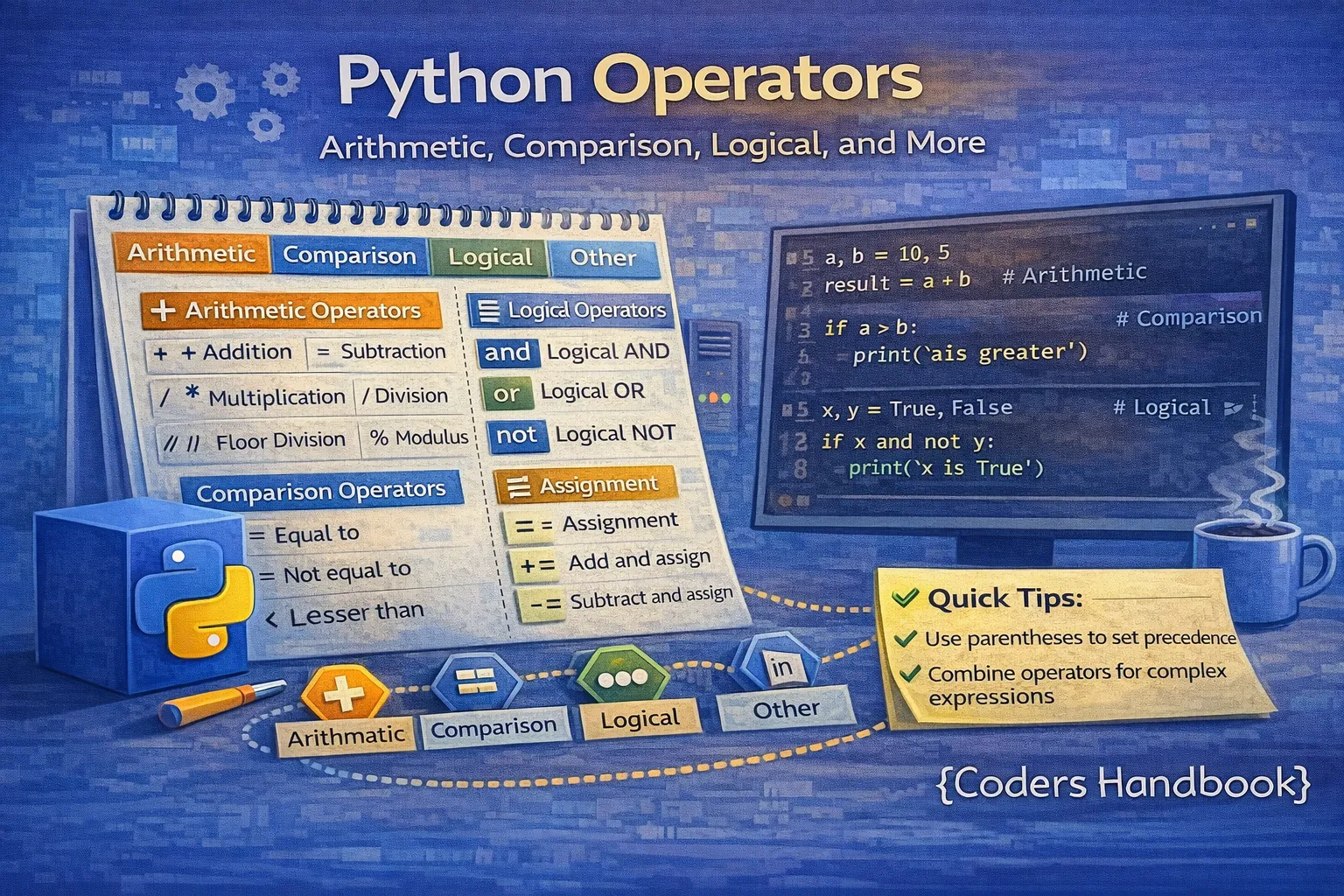
Operators are fundamental building blocks in Python programming that enable you to perform operations on variables and values, from basic arithmetic calculations to complex logical evaluations and bitwise manipulations. Python provides a comprehensive set of operators organized into seven main categories: arithmetic operators for mathematical computations, comparison operators for evaluating relationships between values, logical operators for combining conditional statements, assignment operators for storing and updating values, bitwise operators for low-level binary operations, identity operators for checking object references, and membership operators for testing sequence containment. Understanding how each operator category works, their precedence rules, and practical applications is essential for writing efficient, readable Python code. This comprehensive guide explores all Python operators with detailed explanations, working code examples demonstrating real-world usage patterns, common pitfalls to avoid, and best practices for combining operators effectively in your programs.
Arithmetic Operators
Arithmetic operators perform mathematical calculations on numeric values including integers, floats, and complex numbers. Python provides seven arithmetic operators: addition (+), subtraction (-), multiplication (*), division (/), floor division (//), modulus (%), and exponentiation (**). These operators follow standard mathematical precedence rules where exponentiation has highest priority, followed by multiplication/division/modulus, and finally addition/subtraction.
# Arithmetic Operators Examples
a = 15
b = 4

print("=== Arithmetic Operators ===")

# Addition
print(f"{a} + {b} = {a + b}")           # 19

# Subtraction
print(f"{a} - {b} = {a - b}")           # 11

# Multiplication
print(f"{a} * {b} = {a * b}")           # 60

# Division (always returns float)
print(f"{a} / {b} = {a / b}")           # 3.75

# Floor Division (returns integer, rounds down)
print(f"{a} // {b} = {a // b}")         # 3
print(f"-{a} // {b} = {-a // b}")       # -4 (rounds toward negative infinity)

# Modulus (remainder)
print(f"{a} % {b} = {a % b}")           # 3 (15 divided by 4 leaves remainder 3)

# Exponentiation (power)
print(f"{a} ** {b} = {a ** b}")         # 50625 (15 to the power of 4)

# Operator Precedence
result = 2 + 3 * 4 ** 2 / 2 - 1
print(f"\n2 + 3 * 4 ** 2 / 2 - 1 = {result}")  # 25.0
# Evaluation order: 4**2=16, 3*16=48, 48/2=24, 2+24=26, 26-1=25

# Practical Examples
price = 99.99
quantity = 3
tax_rate = 0.08

subtotal = price * quantity
tax = subtotal * tax_rate
total = subtotal + tax

print(f"\nShopping Cart:")
print(f"Price: ${price:.2f}")
print(f"Quantity: {quantity}")
print(f"Subtotal: ${subtotal:.2f}")
print(f"Tax (8%): ${tax:.2f}")
print(f"Total: ${total:.2f}")

# Check if number is even or odd using modulus
number = 17
if number % 2 == 0:
    print(f"\n{number} is even")
else:
    print(f"\n{number} is odd")
Comparison (Relational) Operators
Comparison operators evaluate relationships between values and return Boolean results (True or False). Python provides six comparison operators: equal to (==), not equal to (!=), greater than (>), less than (<), greater than or equal to (>=), and less than or equal to (<=). These operators work with numbers, strings (lexicographic comparison), and other comparable types, forming the foundation of conditional logic in if statements, while loops, and filtering operations.
# Comparison Operators Examples
print("=== Comparison Operators ===")

x = 10
y = 20

# Equal to
print(f"{x} == {y}: {x == y}")          # False
print(f"{x} == 10: {x == 10}")          # True

# Not equal to
print(f"{x} != {y}: {x != y}")          # True

# Greater than
print(f"{x} > {y}: {x > y}")            # False
print(f"{y} > {x}: {y > x}")            # True

# Less than
print(f"{x} < {y}: {x < y}")            # True

# Greater than or equal to
print(f"{x} >= 10: {x >= 10}")          # True
print(f"{x} >= 15: {x >= 15}")          # False

# Less than or equal to
print(f"{y} <= 20: {y <= 20}")          # True

# String comparison (lexicographic)
print("\n=== String Comparison ===")
name1 = "Alice"
name2 = "Bob"

print(f"'{name1}' < '{name2}': {name1 < name2}")    # True (A comes before B)
print(f"'apple' == 'Apple': {'apple' == 'Apple'}")  # False (case-sensitive)

# Chaining comparisons
print("\n=== Chained Comparisons ===")
age = 25
print(f"18 <= {age} <= 65: {18 <= age <= 65}")     # True
print(f"1 < 2 < 3 < 4: {1 < 2 < 3 < 4}")            # True

# Practical example: Grade checker
score = 85

if score >= 90:
    grade = 'A'
elif score >= 80:
    grade = 'B'
elif score >= 70:
    grade = 'C'
elif score >= 60:
    grade = 'D'
else:
    grade = 'F'

print(f"\nScore: {score}, Grade: {grade}")

# Password validation
password = "SecurePass123"
min_length = 8

if len(password) >= min_length:
    print(f"\nPassword length is valid ({len(password)} >= {min_length})")
else:
    print(f"\nPassword too short (minimum {min_length} characters)")
Logical (Boolean) Operators
Logical operators combine multiple Boolean expressions to create compound conditions. Python has three logical operators: 'and' returns True only if both operands are True, 'or' returns True if at least one operand is True, and 'not' inverts the Boolean value. These operators use short-circuit evaluation, meaning they stop evaluating as soon as the result is determined, which improves performance and enables safe null checking patterns.
# Logical Operators Examples
print("=== Logical Operators ===")

# AND operator - both conditions must be True
print("\n--- AND Operator ---")
print(f"True and True: {True and True}")      # True
print(f"True and False: {True and False}")    # False
print(f"False and True: {False and True}")    # False
print(f"False and False: {False and False}")  # False

# OR operator - at least one condition must be True
print("\n--- OR Operator ---")
print(f"True or True: {True or True}")        # True
print(f"True or False: {True or False}")      # True
print(f"False or True: {False or True}")      # True
print(f"False or False: {False or False}")    # False

# NOT operator - inverts the Boolean value
print("\n--- NOT Operator ---")
print(f"not True: {not True}")                # False
print(f"not False: {not False}")              # True

# Practical examples
age = 25
has_license = True
has_insurance = True

print("\n=== Practical Examples ===")

# Check if person can drive
can_drive = age >= 18 and has_license
print(f"Can drive: {can_drive}")              # True

# Check if person can rent a car
can_rent = age >= 21 and has_license and has_insurance
print(f"Can rent car: {can_rent}")            # True

# Username validation
username = "Alice123"
min_length = 5
max_length = 20

is_valid = len(username) >= min_length and len(username) <= max_length
print(f"\nUsername '{username}' valid: {is_valid}")  # True

# Weekend checker
day = "Saturday"
is_weekend = day == "Saturday" or day == "Sunday"
print(f"Is {day} a weekend: {is_weekend}")    # True

# Short-circuit evaluation
print("\n=== Short-Circuit Evaluation ===")
x = 0
# The second condition is not evaluated because first is False
result = (x != 0) and (10 / x > 5)  # Safe: division not executed
print(f"Result: {result}")                    # False

# Complex condition
temperature = 25
is_raining = False
has_umbrella = True

go_outside = (temperature > 15 and temperature < 30) and (not is_raining or has_umbrella)
print(f"\nGo outside: {go_outside}")           # True

# Truth table demonstration
print("\n=== Combined Operations ===")
print(f"True and True or False: {True and True or False}")      # True
print(f"True and (True or False): {True and (True or False)}")  # True
print(f"not (True and False): {not (True and False)}")          # True
print(f"not True and False: {not True and False}")              # False
Assignment Operators
Assignment operators store values in variables, with the basic assignment operator (=) binding a value to a variable name. Python also provides augmented assignment operators that combine arithmetic or bitwise operations with assignment, including +=, -=, *=, /=, //=, %=, **=, &=, |=, ^=, >>=, and <<=. These operators provide shorthand notation that makes code more concise and often more efficient by avoiding redundant variable lookups.
# Assignment Operators Examples
print("=== Assignment Operators ===")

# Basic assignment
x = 10
print(f"x = 10: x is {x}")

# Add and assign
x += 5   # Equivalent to: x = x + 5
print(f"x += 5: x is {x}")               # 15

# Subtract and assign
x -= 3   # Equivalent to: x = x - 3
print(f"x -= 3: x is {x}")               # 12

# Multiply and assign
x *= 2   # Equivalent to: x = x * 2
print(f"x *= 2: x is {x}")               # 24

# Divide and assign
x /= 4   # Equivalent to: x = x / 4
print(f"x /= 4: x is {x}")               # 6.0

# Floor divide and assign
x //= 2  # Equivalent to: x = x // 2
print(f"x //= 2: x is {x}")              # 3.0

# Modulus and assign
x = 10
x %= 3   # Equivalent to: x = x % 3
print(f"x %= 3: x is {x}")               # 1

# Exponent and assign
x = 2
x **= 3  # Equivalent to: x = x ** 3
print(f"x **= 3: x is {x}")              # 8

# Multiple assignment
a = b = c = 100
print(f"\nMultiple assignment: a={a}, b={b}, c={c}")

# Parallel assignment (unpacking)
x, y, z = 10, 20, 30
print(f"Parallel assignment: x={x}, y={y}, z={z}")

# Swapping values
a, b = 5, 10
print(f"\nBefore swap: a={a}, b={b}")
a, b = b, a  # Elegant swap without temp variable
print(f"After swap: a={a}, b={b}")

# Practical example: Counter
print("\n=== Counter Example ===")
count = 0
count += 1  # Increment
print(f"Count: {count}")
count += 1
print(f"Count: {count}")
count += 1
print(f"Count: {count}")

# Practical example: Score accumulation
print("\n=== Score Accumulation ===")
total_score = 0
total_score += 50  # First game
print(f"After game 1: {total_score}")
total_score += 75  # Second game
print(f"After game 2: {total_score}")
total_score += 100 # Third game
print(f"Final total: {total_score}")
Bitwise Operators
Bitwise operators manipulate individual bits of integer values, performing operations at the binary level. Python provides six bitwise operators: AND (&), OR (|), XOR (^), NOT (~), left shift (<<), and right shift (>>). These operators are crucial for low-level programming, working with binary data, optimizing certain algorithms, implementing flags and permissions systems, and performing fast mathematical operations through bit manipulation techniques.
# Bitwise Operators Examples
print("=== Bitwise Operators ===")

a = 60  # Binary: 0011 1100
b = 13  # Binary: 0000 1101

print(f"a = {a} (binary: {bin(a)})")
print(f"b = {b} (binary: {bin(b)})")

# Bitwise AND - sets bit to 1 if both bits are 1
result = a & b  # 0011 1100 & 0000 1101 = 0000 1100 = 12
print(f"\na & b = {result} (binary: {bin(result)})")

# Bitwise OR - sets bit to 1 if any bit is 1
result = a | b  # 0011 1100 | 0000 1101 = 0011 1101 = 61
print(f"a | b = {result} (binary: {bin(result)})")

# Bitwise XOR - sets bit to 1 if bits are different
result = a ^ b  # 0011 1100 ^ 0000 1101 = 0011 0001 = 49
print(f"a ^ b = {result} (binary: {bin(result)})")

# Bitwise NOT - inverts all bits
result = ~a  # ~0011 1100 = 1100 0011 = -61 (two's complement)
print(f"~a = {result} (binary: {bin(result)})")

# Left shift - shifts bits left, fills with zeros
result = a << 2  # 0011 1100 << 2 = 1111 0000 = 240
print(f"\na << 2 = {result} (binary: {bin(result)})")
print(f"Left shift by 2 is same as multiply by 4: {a} * 4 = {a * 4}")

# Right shift - shifts bits right, discards shifted bits
result = a >> 2  # 0011 1100 >> 2 = 0000 1111 = 15
print(f"a >> 2 = {result} (binary: {bin(result)})")
print(f"Right shift by 2 is same as divide by 4: {a} // 4 = {a // 4}")

# Practical example: Permission system
print("\n=== Permission System ===")
READ = 1    # Binary: 001
WRITE = 2   # Binary: 010
EXECUTE = 4 # Binary: 100

# Grant read and write permissions
user_permissions = READ | WRITE
print(f"User permissions: {user_permissions} (binary: {bin(user_permissions)})")

# Check if user has read permission
has_read = (user_permissions & READ) != 0
print(f"Has READ permission: {has_read}")

# Check if user has execute permission
has_execute = (user_permissions & EXECUTE) != 0
print(f"Has EXECUTE permission: {has_execute}")

# Add execute permission
user_permissions |= EXECUTE
print(f"\nAfter adding EXECUTE: {user_permissions} (binary: {bin(user_permissions)})")

# Remove write permission
user_permissions &= ~WRITE
print(f"After removing WRITE: {user_permissions} (binary: {bin(user_permissions)})")

# Fast multiplication/division using shifts
print("\n=== Fast Operations ===")
num = 10
print(f"Original: {num}")
print(f"Multiply by 2 (shift left 1): {num << 1}")   # 20
print(f"Multiply by 8 (shift left 3): {num << 3}")   # 80
print(f"Divide by 2 (shift right 1): {num >> 1}")    # 5
print(f"Divide by 4 (shift right 2): {num >> 2}")    # 2
Identity Operators
Identity operators check whether two variables refer to the same object in memory, not whether they have equal values. Python provides two identity operators: 'is' returns True if both variables point to the same object, and 'is not' returns True if they point to different objects. Unlike the equality operator (==) which compares values, identity operators compare memory addresses using the id() function internally, making them essential for checking None, comparing singleton objects, and understanding Python's object model.
# Identity Operators Examples
print("=== Identity Operators ===")

# Identity vs Equality
list1 = [1, 2, 3]
list2 = [1, 2, 3]
list3 = list1

print("list1:", list1, "id:", id(list1))
print("list2:", list2, "id:", id(list2))
print("list3:", list3, "id:", id(list3))

print(f"\nlist1 == list2: {list1 == list2}")  # True (same values)
print(f"list1 is list2: {list1 is list2}")    # False (different objects)
print(f"list1 is list3: {list1 is list3}")    # True (same object)

# Integer caching (Python optimization)
print("\n=== Integer Caching ===")
a = 256
b = 256
print(f"a = 256, b = 256")
print(f"a is b: {a is b}")  # True (cached for -5 to 256)

a = 257
b = 257
print(f"\na = 257, b = 257")
print(f"a is b: {a is b}")  # False (not cached)

# Checking for None (correct way)
print("\n=== Checking None ===")
value = None

# Correct: use 'is' for None
if value is None:
    print("Value is None (correct way)")

# Incorrect but works: use '==' for None
if value == None:
    print("Value is None (works but not recommended)")

# is not operator
name = "Alice"
if name is not None:
    print(f"\nName is not None: {name}")

# Practical example: Checking initialization
print("\n=== Checking Initialization ===")
data = None

if data is None:
    print("Data not initialized, creating new list")
    data = []

data.append(1)
data.append(2)
print(f"Data: {data}")

# String interning
print("\n=== String Interning ===")
str1 = "hello"
str2 = "hello"
print(f"str1 is str2: {str1 is str2}")  # True (interned)

str3 = "hello world"
str4 = "hello world"
print(f"str3 is str4: {str3 is str4}")  # May be True or False

# Best practice: Use == for value comparison, is for identity
print("\n=== Best Practices ===")
x = [1, 2]
y = [1, 2]

print(f"Use == for value comparison: x == y: {x == y}")    # True
print(f"Use 'is' for identity comparison: x is y: {x is y}")  # False
print(f"Always use 'is' for None: x is None: {x is None}")     # False
Membership Operators
Membership operators test whether a value exists within a sequence such as strings, lists, tuples, sets, or dictionary keys. Python offers two membership operators: 'in' returns True if the value is found in the sequence, and 'not in' returns True if the value is absent. These operators provide an elegant, readable way to check for element presence, validate input against allowed values, filter data, and implement search functionality across various data structures.
# Membership Operators Examples
print("=== Membership Operators ===")

# Testing membership in lists
fruits = ["apple", "banana", "cherry", "date"]

print("Fruits list:", fruits)
print(f"'apple' in fruits: {'apple' in fruits}")        # True
print(f"'orange' in fruits: {'orange' in fruits}")      # False
print(f"'orange' not in fruits: {'orange' not in fruits}")  # True

# Testing membership in strings
print("\n=== String Membership ===")
text = "Hello, World!"
print(f"Text: '{text}'")
print(f"'World' in text: {'World' in text}")            # True
print(f"'world' in text: {'world' in text}")            # False (case-sensitive)
print(f"'Python' in text: {'Python' in text}")          # False
print(f"'xyz' not in text: {'xyz' not in text}")        # True

# Testing membership in tuples
print("\n=== Tuple Membership ===")
coordinates = (10, 20, 30, 40)
print(f"Coordinates: {coordinates}")
print(f"20 in coordinates: {20 in coordinates}")        # True
print(f"25 in coordinates: {25 in coordinates}")        # False

# Testing membership in sets
print("\n=== Set Membership ===")
numbers = {1, 2, 3, 4, 5}
print(f"Numbers set: {numbers}")
print(f"3 in numbers: {3 in numbers}")                  # True
print(f"6 in numbers: {6 in numbers}")                  # False

# Testing membership in dictionaries (checks keys)
print("\n=== Dictionary Membership ===")
student = {"name": "Alice", "age": 20, "grade": "A"}
print(f"Student dict: {student}")
print(f"'name' in student: {'name' in student}")        # True
print(f"'address' in student: {'address' in student}")  # False
print(f"'Alice' in student: {'Alice' in student}")      # False (checks keys, not values)

# Check if value exists in dictionary values
print(f"'Alice' in student.values(): {'Alice' in student.values()}")  # True

# Practical example: Email validation
print("\n=== Email Validation ===")
email = "[email protected]"

if "@" in email and "." in email:
    print(f"{email} appears to be a valid email format")
else:
    print(f"{email} is not a valid email format")

# Practical example: Vowel counter
print("\n=== Vowel Counter ===")
text = "Hello World"
vowels = "aeiouAEIOU"
vowel_count = sum(1 for char in text if char in vowels)
print(f"Text: '{text}'")
print(f"Vowel count: {vowel_count}")

# Practical example: Access control
print("\n=== Access Control ===")
admin_users = ["alice", "bob", "charlie"]
current_user = "alice"

if current_user in admin_users:
    print(f"User '{current_user}' has admin access")
else:
    print(f"User '{current_user}' does not have admin access")

# Filter example
print("\n=== Filtering ===")
allowed_extensions = [".jpg", ".png", ".gif", ".pdf"]
filename = "document.pdf"

if any(filename.endswith(ext) for ext in allowed_extensions):
    print(f"{filename} has an allowed extension")
else:
    print(f"{filename} has an invalid extension")

# Checking multiple values
print("\n=== Multiple Value Check ===")
weekday = "Saturday"
weekends = ["Saturday", "Sunday"]

if weekday in weekends:
    print(f"{weekday} is a weekend day")
else:
    print(f"{weekday} is a weekday")

# Practical: Command processor
print("\n=== Command Processor ===")
valid_commands = ["start", "stop", "restart", "status"]
user_command = "start"

if user_command in valid_commands:
    print(f"Executing command: {user_command}")
else:
    print(f"Invalid command: {user_command}")
    print(f"Valid commands: {', '.join(valid_commands)}")
Operator Precedence and Associativity
Operator precedence determines the order in which operators are evaluated in expressions with multiple operations, similar to the order of operations in mathematics. Operators with higher precedence are evaluated before operators with lower precedence, and parentheses can override default precedence to force specific evaluation orders. Understanding precedence prevents logical errors and makes complex expressions behave as intended.
# Operator Precedence Examples
print("=== Operator Precedence ===")

# Precedence order (highest to lowest):
# 1. Parentheses: ()
# 2. Exponentiation: **
# 3. Unary: +x, -x, ~x
# 4. Multiplication, Division: *, /, //, %
# 5. Addition, Subtraction: +, -
# 6. Bitwise shifts: <<, >>
# 7. Bitwise AND: &
# 8. Bitwise XOR: ^
# 9. Bitwise OR: |
# 10. Comparison: ==, !=, >, <, >=, <=, is, is not, in, not in
# 11. Logical NOT: not
# 12. Logical AND: and
# 13. Logical OR: or

# Example 1: Mixed arithmetic
result = 2 + 3 * 4
print(f"2 + 3 * 4 = {result}")  # 14 (multiplication before addition)

result = (2 + 3) * 4
print(f"(2 + 3) * 4 = {result}")  # 20 (parentheses override)

# Example 2: Exponentiation and multiplication
result = 2 * 3 ** 2
print(f"\n2 * 3 ** 2 = {result}")  # 18 (3**2 = 9, then 2*9)

result = (2 * 3) ** 2
print(f"(2 * 3) ** 2 = {result}")  # 36

# Example 3: Comparison and logical operators
result = 5 > 3 and 10 < 20
print(f"\n5 > 3 and 10 < 20: {result}")  # True

result = 5 > 3 and 10 < 20 or False
print(f"5 > 3 and 10 < 20 or False: {result}")  # True

# Example 4: Complex expression
x = 10
y = 5
z = 2

result = x + y * z ** 2
print(f"\nx=10, y=5, z=2")
print(f"x + y * z ** 2 = {result}")  # 30 (z**2=4, y*4=20, x+20=30)

# Example 5: Using parentheses for clarity
a = 10
b = 20
c = 30

# Without parentheses (relies on precedence)
result = a + b * c / 2 - 5
print(f"\na + b * c / 2 - 5 = {result}")  # 305.0

# With parentheses (explicit and clear)
result = a + ((b * c) / 2) - 5
print(f"a + ((b * c) / 2) - 5 = {result}")  # 305.0

# Best practice: Use parentheses for readability
print("\n=== Best Practice ===")
age = 25
has_license = True

# Less clear
can_drive = age >= 18 and has_license == True
print(f"Can drive: {can_drive}")

# More clear with parentheses
can_drive = (age >= 18) and (has_license == True)
print(f"Can drive (clear): {can_drive}")

# Even better
can_drive = (age >= 18) and has_license
print(f"Can drive (best): {can_drive}")Conclusion
Mastering Python's comprehensive operator system is fundamental to writing efficient, readable, and powerful code across all programming domains from simple calculations to complex algorithmic implementations. This guide explored seven major operator categories starting with arithmetic operators (+, -, *, /, //, %, **) for mathematical computations following standard precedence where exponentiation takes priority over multiplication and division which precede addition and subtraction, enabling everything from basic calculations to complex mathematical formulas. Comparison operators (==, !=, >, <, >=, <=) evaluate relationships between values returning Boolean results that drive conditional logic in if statements and loops, supporting both numeric comparisons and lexicographic string ordering with the ability to chain multiple comparisons elegantly. Logical operators (and, or, not) combine Boolean expressions using short-circuit evaluation that stops processing as soon as the result is determined, optimizing performance while enabling safe null-checking patterns and complex condition building. Assignment operators including basic assignment (=) and augmented operators (+=, -=, *=, /=, etc.) provide concise syntax for storing and updating values, with Python supporting elegant patterns like multiple assignment, parallel assignment through unpacking, and effortless value swapping without temporary variables.
Bitwise operators (&, |, ^, ~, <<, >>) manipulate individual bits for low-level programming tasks including implementing permission systems using binary flags, optimizing mathematical operations through bit shifting that multiplies or divides by powers of two efficiently, and working with binary protocols and data compression algorithms. Identity operators (is, is not) check object identity by comparing memory addresses rather than values, essential for correctly checking None using 'is None' instead of '== None', understanding Python's object model including integer caching and string interning optimizations, and distinguishing between object equality and object identity. Membership operators (in, not in) test sequence containment elegantly across strings, lists, tuples, sets, and dictionary keys, enabling readable input validation, filtering operations, search functionality, and access control systems. Understanding operator precedence ensures expressions evaluate correctly, with parentheses providing explicit control over evaluation order and improving code clarity even when not strictly necessary. The practical examples throughout this guide demonstrated real-world applications including shopping cart calculations with tax, grade assignment systems, password validation with multiple criteria, permission management using bitwise flags, email format checking, vowel counting in text, access control lists, and command processing systems. By thoroughly understanding these operators, their behaviors, precedence rules, and appropriate use cases, you gain the foundational knowledge necessary for writing Python code that is not only functionally correct but also efficient, maintainable, and professionally structured for projects ranging from simple scripts to enterprise applications.
$ share --platform
$ cat /comments/ (0)
$ cat /comments/
// No comments found. Be the first!


