Python Strings: Complete Guide to String Manipulation
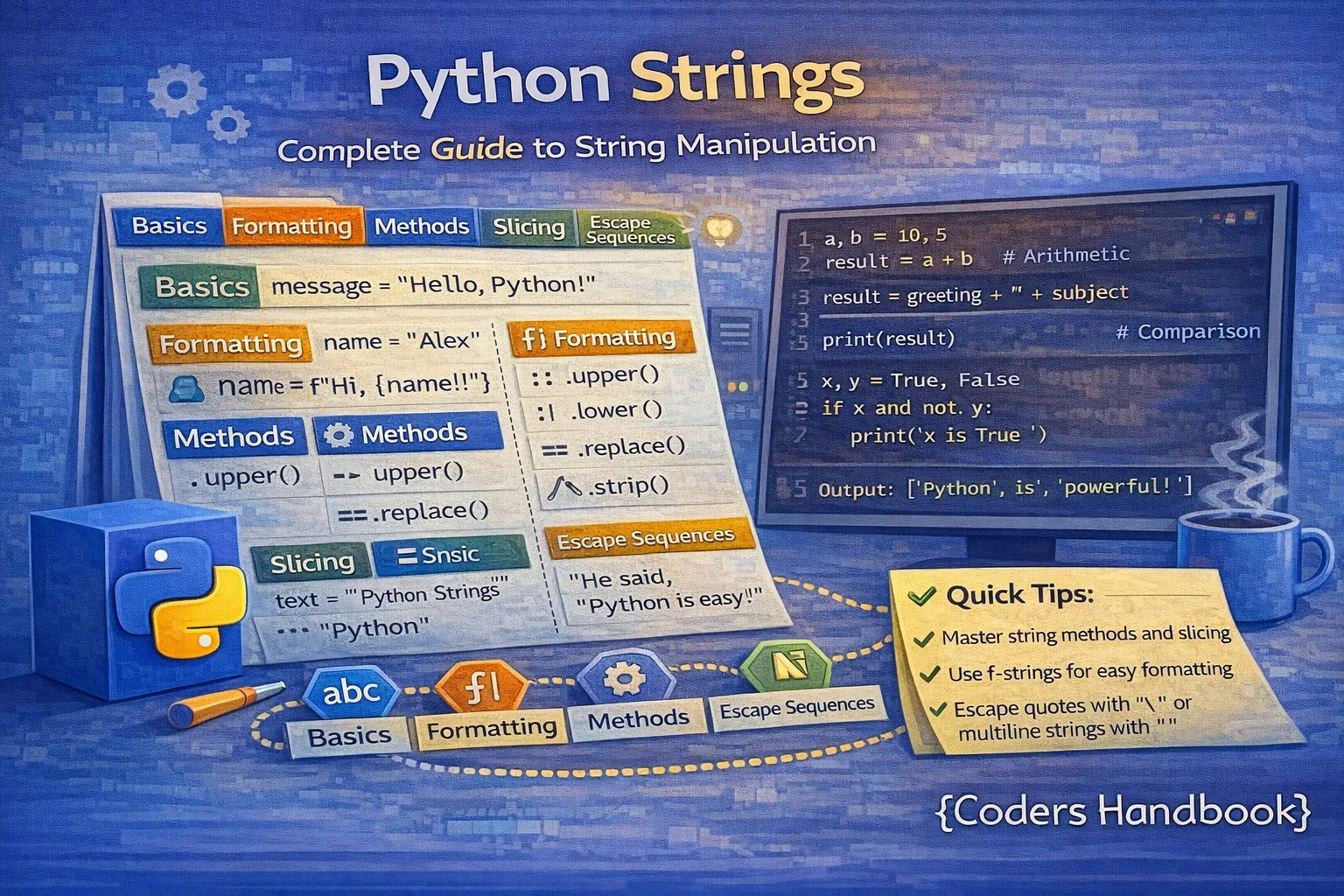
Strings are one of the most fundamental and frequently used data types in Python, representing sequences of characters used for storing and manipulating text data ranging from single characters to entire documents. Python treats strings as immutable sequences, meaning once created, their contents cannot be changed, though you can create new strings based on existing ones through various operations and transformations. Understanding string manipulation is essential for virtually every Python application including user input processing, file handling, data parsing, web scraping, text analysis, and building user interfaces. This comprehensive guide explores Python string fundamentals covering creation methods using single, double, and triple quotes, indexing and slicing techniques for extracting substrings with positive and negative indices, concatenation and repetition operators for combining and duplicating strings, the immutability concept and its implications for memory and performance, and an extensive collection of built-in string methods for searching, replacing, formatting, validating, and transforming text efficiently.
String Creation and Basic Operations
Python provides multiple ways to create strings using single quotes, double quotes, or triple quotes for multiline strings. Single and double quotes are interchangeable for single-line strings, allowing you to include one quote type inside strings delimited by the other without escaping. Triple quotes enable multiline strings that preserve line breaks and formatting, making them ideal for documentation strings, SQL queries, and formatted text blocks.
# String Creation Methods
print("=== String Creation ===")

# Single quotes
name = 'Alice'
print(f"Single quotes: {name}")

# Double quotes
message = "Hello, World!"
print(f"Double quotes: {message}")

# Triple quotes for multiline strings
description = '''This is a
multiline string
that spans three lines'''
print(f"Multiline:\n{description}")

# Alternative triple quotes with double quotes
poem = """Roses are red,
Violets are blue,
Python is awesome,
And so are you!"""
print(f"\nPoem:\n{poem}")

# Quotes within strings
quote = "She said, 'Hello!'"
quote2 = 'He replied, "Hi there!"'
print(f"\n{quote}")
print(quote2)

# Escape characters
path = "C:\\Users\\Documents\\file.txt"  # Backslash needs escaping
print(f"\nFile path: {path}")

newline = "Line 1\nLine 2\nLine 3"  # \n creates newline
print(f"\n{newline}")

tab = "Column1\tColumn2\tColumn3"  # \t creates tab
print(f"\n{tab}")

# Raw strings (ignore escape characters)
raw = r"C:\Users\Documents\file.txt"  # No need to escape backslashes
print(f"\nRaw string: {raw}")

# Empty string
empty = ""
print(f"\nEmpty string length: {len(empty)}")

# Unicode strings
unicode_str = "Hello 世界 🌍"  # Python 3 strings are Unicode by default
print(f"Unicode: {unicode_str}")

# String length
text = "Python Programming"
print(f"\nLength of '{text}': {len(text)} characters")
String Indexing and Slicing
Python strings support indexing to access individual characters and slicing to extract substrings. Positive indices start from 0 at the beginning of the string, while negative indices count backward from -1 at the end, providing intuitive access to both ends of the string. Slicing uses the syntax [start:end:step] where start is inclusive, end is exclusive, and step determines the increment, with all parameters being optional and defaulting to sensible values.
# String Indexing and Slicing
print("=== String Indexing ===")

text = "Python Programming"
print(f"String: '{text}'")
print(f"Length: {len(text)}")

# Positive indexing (starts at 0)
print(f"\nFirst character: {text[0]}")      # P
print(f"Second character: {text[1]}")     # y
print(f"Seventh character: {text[6]}")    # (space)

# Negative indexing (starts at -1 from end)
print(f"\nLast character: {text[-1]}")     # g
print(f"Second last: {text[-2]}")         # n
print(f"Third last: {text[-3]}")          # i

# Slicing: [start:end:step]
print("\n=== String Slicing ===")

# Basic slicing [start:end]
print(f"text[0:6]: '{text[0:6]}'")        # Python (0 to 5, excluding 6)
print(f"text[7:18]: '{text[7:18]}'")      # Programming

# Omitting start (defaults to 0)
print(f"\ntext[:6]: '{text[:6]}'")        # Python

# Omitting end (goes to end of string)
print(f"text[7:]: '{text[7:]}'")          # Programming

# Negative indices in slicing
print(f"\ntext[-11:]: '{text[-11:]}'")    # Programming (last 11 chars)
print(f"text[:-12]: '{text[:-12]}'")      # Python (everything except last 12)

# Step parameter
print("\n=== Slicing with Step ===")
print(f"text[::2]: '{text[::2]}'")        # Pto rgamn (every 2nd character)
print(f"text[::3]: '{text[::3]}'")        # Ph ormn (every 3rd character)
print(f"text[1::2]: '{text[1::2]}'")      # yhnPoamig (start at 1, every 2nd)

# Reverse string using negative step
print(f"\ntext[::-1]: '{text[::-1]}'")    # gnimmargorP nohtyP (reversed)

# Practical examples
print("\n=== Practical Slicing Examples ===")

email = "[email protected]"
username = email[:email.index('@')]        # Extract before @
domain = email[email.index('@')+1:]        # Extract after @
print(f"Email: {email}")
print(f"Username: {username}")
print(f"Domain: {domain}")

# Extract file extension
filename = "document.pdf"
extension = filename[filename.rindex('.')+1:]
print(f"\nFilename: {filename}")
print(f"Extension: {extension}")

# Extract middle portion
sentence = "The quick brown fox jumps"
middle = sentence[4:15]  # "quick brown"
print(f"\nSentence: {sentence}")
print(f"Middle part: {middle}")

# Skip first and last character
word = "Hello"
trimmed = word[1:-1]  # "ell"
print(f"\nOriginal: {word}")
print(f"Trimmed: {trimmed}")
Concatenation and Repetition
String concatenation combines multiple strings into one using the plus (+) operator, while repetition duplicates strings using the multiplication (*) operator. While simple concatenation works for occasional operations, repeated concatenation in loops can be inefficient due to string immutability creating many intermediate objects. For building strings from many parts, use join() method or f-strings for better performance and readability.
# String Concatenation and Repetition
print("=== String Concatenation ===")

# Basic concatenation with +
first_name = "John"
last_name = "Doe"
full_name = first_name + " " + last_name
print(f"Full name: {full_name}")

# Multiple concatenation
greeting = "Hello" + ", " + "how" + " " + "are" + " " + "you" + "?"
print(f"Greeting: {greeting}")

# Concatenation with numbers (requires conversion)
age = 25
message = "I am " + str(age) + " years old"
print(f"Message: {message}")

# Better approach: f-strings
message_f = f"I am {age} years old"
print(f"F-string: {message_f}")

# String Repetition
print("\n=== String Repetition ===")

char = "="
line = char * 50
print(line)
print("Title".center(50))
print(line)

# Creating patterns
pattern = "*-" * 10
print(f"\nPattern: {pattern}")

# Multiplying multicharacter strings
word = "Ha" * 5
print(f"Laughter: {word}")  # HaHaHaHaHa

# Combining operations
header = "-" * 20 + " MENU " + "-" * 20
print(f"\n{header}")

# join() method (efficient for multiple strings)
print("\n=== Using join() for Efficiency ===")

words = ["Python", "is", "awesome"]
sentence = " ".join(words)
print(f"Joined: {sentence}")

# Join with different separator
fruits = ["apple", "banana", "cherry"]
csv = ", ".join(fruits)
print(f"CSV: {csv}")

# Join numbers (must convert to strings first)
numbers = [1, 2, 3, 4, 5]
number_string = "-".join(str(n) for n in numbers)
print(f"Numbers: {number_string}")

# Path construction
path_parts = ["", "home", "user", "documents", "file.txt"]
path = "/".join(path_parts)
print(f"\nPath: {path}")

# Efficient string building in loops
print("\n=== Efficient String Building ===")

# Inefficient (avoid in loops)
result = ""
for i in range(5):
    result += str(i) + " "  # Creates new string each time
print(f"Built string: {result.strip()}")

# Efficient (use list and join)
parts = []
for i in range(5):
    parts.append(str(i))
result_efficient = " ".join(parts)
print(f"Efficiently built: {result_efficient}")
Understanding String Immutability
Python strings are immutable, meaning their contents cannot be modified after creation. Any operation that appears to modify a string actually creates a new string object while leaving the original unchanged. This immutability provides benefits including thread safety without locks, hashability enabling strings as dictionary keys and set members, and predictable behavior in function calls. However, it requires awareness when building strings incrementally, as each modification creates a new object consuming memory and processing time.
# String Immutability Demonstration
print("=== String Immutability ===")

original = "Hello"
print(f"Original string: {original}")
print(f"Memory address: {id(original)}")

# Attempting to modify raises TypeError
try:
    original[0] = 'h'  # This will fail!
except TypeError as e:
    print(f"\nError when trying to modify: {e}")

# String methods return NEW strings
uppercase = original.upper()
print(f"\nOriginal: {original}")           # Still "Hello"
print(f"Uppercase: {uppercase}")          # "HELLO" (new string)
print(f"Original ID: {id(original)}")
print(f"Uppercase ID: {id(uppercase)}")   # Different address!

# Reassignment creates new string
text = "Python"
print(f"\nBefore: text = '{text}', ID = {id(text)}")
text = text + " Programming"
print(f"After: text = '{text}', ID = {id(text)}")
print("(Different ID shows new string was created)")

# Multiple references point to same immutable string
print("\n=== Shared References ===")
a = "Hello"
b = "Hello"
print(f"a = '{a}', ID = {id(a)}")
print(f"b = '{b}', ID = {id(b)}")
print(f"Same object? {a is b}")  # True (Python optimizes identical strings)

# Implications for string operations
print("\n=== Performance Implications ===")

# Each concatenation creates new string
s = "Hello"
print(f"Initial: {s}, ID: {id(s)}")

s = s + " World"  # Creates new string
print(f"After concat: {s}, ID: {id(s)}")

s = s + "!"  # Creates another new string
print(f"After another: {s}, ID: {id(s)}")

# Benefits of immutability
print("\n=== Benefits of Immutability ===")

# 1. Safe as dictionary keys
user_data = {
    "name": "Alice",
    "email": "[email protected]"
}
print(f"Dictionary with string keys: {user_data}")

# 2. Safe in sets
fruits = {"apple", "banana", "cherry"}
print(f"Set with strings: {fruits}")

# 3. Predictable function behavior
def process_string(text):
    text = text.upper()  # Creates new string, doesn't affect original
    return text

original = "hello"
result = process_string(original)
print(f"\nOriginal after function call: {original}")  # Still "hello"
print(f"Returned value: {result}")                    # "HELLO"

# Working with immutability
print("\n=== Working with Immutability ===")

# Convert to list for modifications
text = "Hello World"
char_list = list(text)
char_list[0] = 'h'  # Modify list (mutable)
modified = ''.join(char_list)  # Convert back to string
print(f"Original: {text}")
print(f"Modified: {modified}")Essential String Methods
Python provides over 40 built-in string methods for common text manipulation tasks including case conversion, searching, replacing, splitting, joining, validation, and formatting. All string methods return new strings without modifying the original due to immutability, enabling safe chaining of operations. Understanding these methods eliminates the need for complex manual string processing and makes code more readable and maintainable.
Case Conversion Methods
# Case Conversion Methods
print("=== Case Conversion ===")

text = "Python Programming"

# Convert to uppercase
print(f"upper(): {text.upper()}")          # PYTHON PROGRAMMING

# Convert to lowercase
print(f"lower(): {text.lower()}")          # python programming

# Capitalize first character
print(f"capitalize(): {text.capitalize()}")  # Python programming

# Title case (capitalize each word)
print(f"title(): {text.title()}")          # Python Programming

# Swap case
print(f"swapcase(): {text.swapcase()}")    # pYTHON pROGRAMMING

# Case-insensitive comparison
text1 = "Hello"
text2 = "HELLO"
print(f"\n'{text1}' == '{text2}': {text1 == text2}")                    # False
print(f"'{text1}'.lower() == '{text2}'.lower(): {text1.lower() == text2.lower()}")  # True

# Practical example: Username normalization
username_input = "Alice123"
username_normalized = username_input.lower()
print(f"\nInput: {username_input}")
print(f"Normalized: {username_normalized}")
Searching and Testing Methods
# Searching and Testing Methods
print("=== Searching Methods ===")

text = "Python is a powerful programming language"

# Find substring (returns index or -1)
print(f"find('is'): {text.find('is')}")              # 7
print(f"find('Java'): {text.find('Java')}")          # -1 (not found)

# Index (like find but raises error if not found)
try:
    print(f"index('powerful'): {text.index('powerful')}")  # 13
except ValueError:
    print("Not found")

# Count occurrences
print(f"\ncount('a'): {text.count('a')}")            # 5
print(f"count('pro'): {text.count('pro')}")          # 1

# Check start and end
print("\n=== startswith() and endswith() ===")
print(f"startswith('Python'): {text.startswith('Python')}")    # True
print(f"endswith('language'): {text.endswith('language')}")    # True
print(f"endswith('code'): {text.endswith('code')}")            # False

# Practical: File extension check
filename = "document.pdf"
if filename.endswith('.pdf'):
    print(f"\n{filename} is a PDF file")

# Check multiple extensions
if filename.endswith(('.pdf', '.doc', '.txt')):
    print(f"{filename} is a document")

# URL validation
url = "https://example.com"
if url.startswith(('http://', 'https://')):
    print(f"\n{url} is a valid URL")

# Validation Methods
print("\n=== Validation Methods ===")

test_str = "Hello123"
print(f"String: '{test_str}'")
print(f"isalnum(): {test_str.isalnum()}")    # True (alphanumeric)
print(f"isalpha(): {test_str.isalpha()}")    # False (contains digits)
print(f"isdigit(): {test_str.isdigit()}")    # False (contains letters)

digits = "12345"
print(f"\nString: '{digits}'")
print(f"isdigit(): {digits.isdigit()}")      # True

spaces = "   "
print(f"\nString: '{spaces}'")
print(f"isspace(): {spaces.isspace()}")      # True

# Practical: Input validation
password = "SecurePass123"
print(f"\nPassword: {password}")
if password.isalnum() and len(password) >= 8:
    print("Password format is valid")

# Check if string contains only letters
name = "Alice"
if name.isalpha():
    print(f"\n'{name}' contains only letters")
Transformation Methods
# String Transformation Methods
print("=== String Transformation ===")

# Replace substring
text = "Hello World"
replaced = text.replace("World", "Python")
print(f"Original: {text}")
print(f"Replaced: {replaced}")

# Replace multiple occurrences
sentence = "the quick brown fox jumps over the lazy dog"
modified = sentence.replace("the", "a")
print(f"\nOriginal: {sentence}")
print(f"Modified: {modified}")

# Limit replacements
limited = sentence.replace("the", "a", 1)  # Replace only first occurrence
print(f"Limited: {limited}")

# Strip whitespace
print("\n=== Stripping Methods ===")

padded = "   Python   "
print(f"Original: '{padded}'")
print(f"strip(): '{padded.strip()}'")      # Remove both sides
print(f"lstrip(): '{padded.lstrip()}'")    # Remove left only
print(f"rstrip(): '{padded.rstrip()}'")    # Remove right only

# Strip specific characters
url = "https://example.com/"
cleaned = url.rstrip('/')
print(f"\nURL: {url}")
print(f"Cleaned: {cleaned}")

# Split string into list
print("\n=== Splitting Strings ===")

sentence = "Python is a programming language"
words = sentence.split()  # Split by whitespace (default)
print(f"Words: {words}")

# Split by custom delimiter
csv = "apple,banana,cherry,date"
fruits = csv.split(',')
print(f"\nCSV: {csv}")
print(f"Fruits: {fruits}")

# Split with limit
data = "name:age:city:country"
fields = data.split(':', 2)  # Split into 3 parts maximum
print(f"\nData: {data}")
print(f"Fields: {fields}")

# Split lines
multiline = "Line 1\nLine 2\nLine 3"
lines = multiline.splitlines()
print(f"\nLines: {lines}")

# Join list into string
print("\n=== Joining Strings ===")

words = ["Python", "is", "awesome"]
sentence = " ".join(words)
print(f"Joined: {sentence}")

path_parts = ["folder1", "folder2", "file.txt"]
path = "/".join(path_parts)
print(f"Path: {path}")

# Formatting methods
print("\n=== Formatting Methods ===")

# Center string
text = "Title"
centered = text.center(20, '-')
print(f"Centered: '{centered}'")

# Left justify
left = text.ljust(20, '.')
print(f"Left justified: '{left}'")

# Right justify
right = text.rjust(20, '.')
print(f"Right justified: '{right}'")

# Zero fill
number = "42"
filled = number.zfill(5)
print(f"\nNumber: {number}")
print(f"Zero filled: {filled}")

# Practical example: Creating a formatted table
print("\n=== Formatted Table ===")
print("-" * 50)
print("Product".ljust(20) + "Price".rjust(15) + "Qty".rjust(10))
print("-" * 50)
print("Apple".ljust(20) + "$1.50".rjust(15) + "10".rjust(10))
print("Banana".ljust(20) + "$0.75".rjust(15) + "25".rjust(10))
print("-" * 50)
Practical String Applications
# Practical String Manipulation Examples

# Example 1: Email validation and extraction
print("=== Email Processing ===")

email = "[email protected]"

# Basic validation
if '@' in email and '.' in email.split('@')[1]:
    username = email[:email.index('@')]
    domain = email[email.index('@')+1:]
    print(f"Email: {email}")
    print(f"Username: {username}")
    print(f"Domain: {domain}")

# Example 2: Text cleanup
print("\n=== Text Cleanup ===")

user_input = "  Hello  World!  "
cleaned = ' '.join(user_input.split())  # Remove extra spaces
print(f"Original: '{user_input}'")
print(f"Cleaned: '{cleaned}'")

# Example 3: Word count
print("\n=== Word Counter ===")

text = "Python is a powerful programming language. Python is easy to learn."
words = text.lower().split()
word_count = {}

for word in words:
    # Remove punctuation
    cleaned_word = word.strip('.,!?')
    word_count[cleaned_word] = word_count.get(cleaned_word, 0) + 1

print("Word frequencies:")
for word, count in sorted(word_count.items()):
    print(f"  {word}: {count}")

# Example 4: Password strength checker
print("\n=== Password Strength Checker ===")

password = "SecurePass123!"

has_upper = any(c.isupper() for c in password)
has_lower = any(c.islower() for c in password)
has_digit = any(c.isdigit() for c in password)
has_special = any(not c.isalnum() for c in password)
is_long = len(password) >= 8

strength = sum([has_upper, has_lower, has_digit, has_special, is_long])

print(f"Password: {password}")
print(f"Length: {len(password)} {'✓' if is_long else '✗'}")
print(f"Uppercase: {'✓' if has_upper else '✗'}")
print(f"Lowercase: {'✓' if has_lower else '✗'}")
print(f"Digits: {'✓' if has_digit else '✗'}")
print(f"Special: {'✓' if has_special else '✗'}")
print(f"Strength: {['Very Weak', 'Weak', 'Fair', 'Good', 'Strong', 'Very Strong'][strength]}")

# Example 5: URL parser
print("\n=== URL Parser ===")

url = "https://www.example.com:8080/path/to/page?query=value#section"

if '://' in url:
    protocol, rest = url.split('://', 1)
    print(f"Protocol: {protocol}")

    # Extract domain and path
    if '/' in rest:
        domain_part, path_part = rest.split('/', 1)
        print(f"Domain: {domain_part}")
        print(f"Path: /{path_part}")

# Example 6: CSV processor
print("\n=== CSV Processor ===")

csv_data = """Name,Age,City
Alice,25,New York
Bob,30,Los Angeles
Charlie,35,Chicago"""

lines = csv_data.strip().split('\n')
header = lines[0].split(',')
print(f"Headers: {header}")
print("\nData:")

for line in lines[1:]:
    values = line.split(',')
    print(f"  {dict(zip(header, values))}")

# Example 7: Title formatter
print("\n=== Title Formatter ===")

raw_title = "python programming: a complete guide"
formatted = raw_title.title()

# Fix common title case issues
small_words = ['a', 'an', 'the', 'and', 'but', 'or', 'for', 'nor', 'on', 'at', 'to', 'from', 'by']
words = formatted.split()
for i in range(1, len(words) - 1):  # Don't lowercase first/last word
    if words[i].lower() in small_words:
        words[i] = words[i].lower()

final_title = ' '.join(words)
print(f"Raw: {raw_title}")
print(f"Formatted: {final_title}")
Conclusion
Mastering Python string manipulation unlocks powerful text processing capabilities essential for virtually every programming task from simple user interfaces to complex data parsing and natural language processing applications. This comprehensive guide covered string creation using single, double, and triple quotes with proper handling of quotes within strings, escape sequences for special characters, and raw strings for paths and regular expressions. String indexing provides intuitive access to individual characters using positive indices starting from 0 and negative indices counting backward from -1, while slicing with [start:end:step] syntax extracts substrings efficiently supporting operations like reversal with [::-1], trimming with [1:-1], and extracting portions with custom step values for pattern extraction. Concatenation using the plus operator and repetition with multiplication enable basic string building, though understanding that join() method and f-strings provide superior performance for combining multiple strings helps write efficient code avoiding the performance pitfalls of repeated concatenation in loops.
String immutability fundamentally shapes how Python handles text, preventing in-place modifications while providing benefits including thread safety without synchronization overhead, hashability enabling strings as dictionary keys and set members, and predictable behavior in function calls where strings cannot be accidentally modified. The extensive collection of built-in string methods eliminates most needs for manual character-by-character processing, with case conversion methods like upper(), lower(), and title() for normalization, searching methods including find(), index(), count(), startswith(), and endswith() for locating substrings, validation methods such as isalpha(), isdigit(), and isalnum() for content checking, and transformation methods like replace(), strip(), split(), and join() for modifying and restructuring text. Practical applications demonstrated throughout the guide showcase real-world string manipulation patterns including email parsing and validation, text cleanup removing extra whitespace, word frequency counting for text analysis, password strength assessment checking multiple criteria, URL parsing extracting protocol and domain components, CSV data processing splitting and mapping fields, and title formatting applying proper capitalization rules. By thoroughly understanding string fundamentals, indexing and slicing mechanics, immutability implications, and the rich library of built-in methods, you gain the expertise necessary for handling text processing tasks efficiently in Python applications ranging from simple scripts to enterprise-scale data processing systems, web applications requiring extensive text manipulation, and natural language processing pipelines working with human-readable content.
$ share --platform
$ cat /comments/ (0)
$ cat /comments/
// No comments found. Be the first!


