Working with CSV and JSON Files in Python
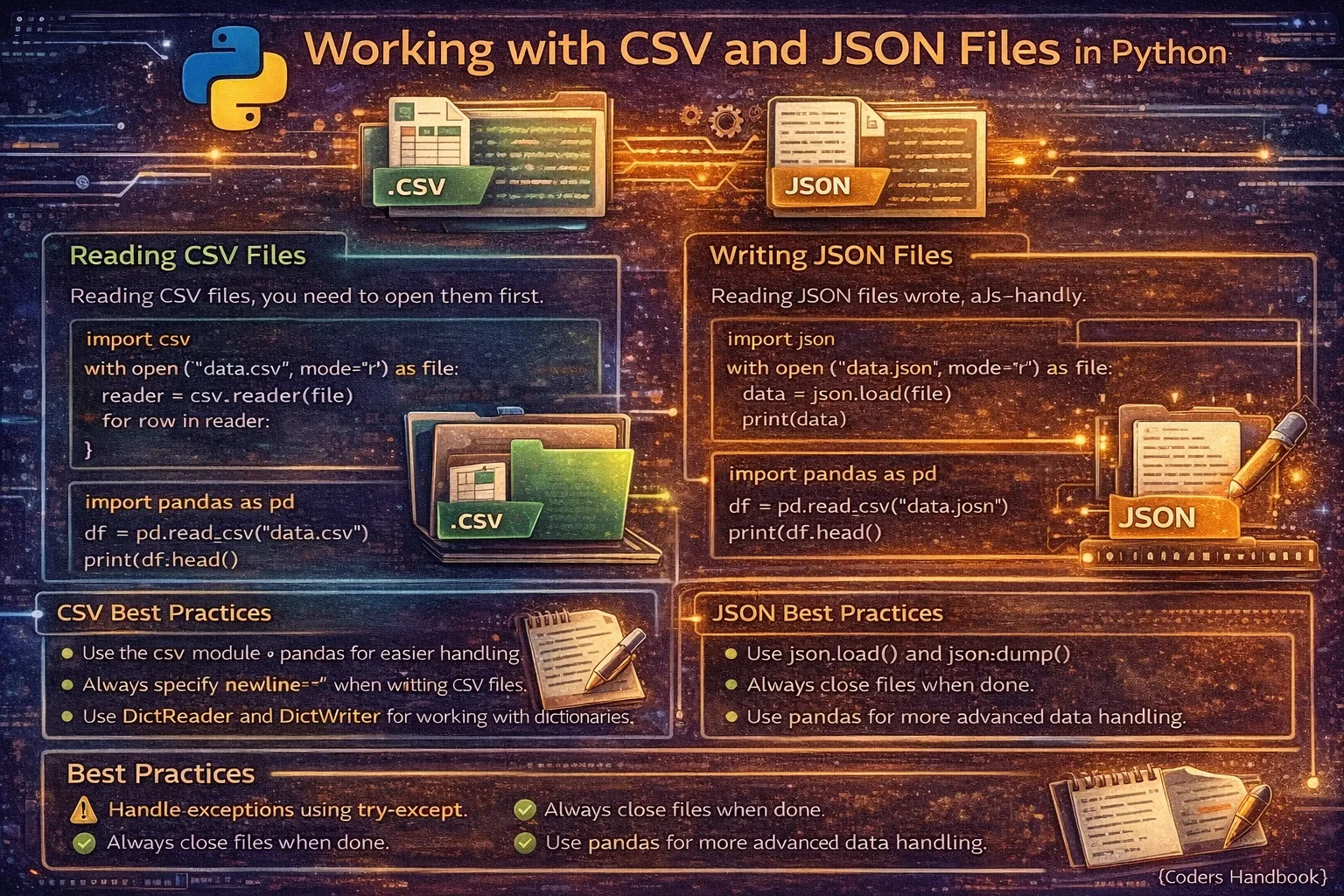
CSV and JSON are ubiquitous data formats for storing and exchanging structured data, with CSV providing simple tabular representation ideal for spreadsheets and databases, while JSON offers hierarchical structure perfect for web APIs and configuration files. Python's built-in csv module handles comma-separated value files with proper delimiter parsing, quoting, and dialect support, while the json module provides seamless conversion between JSON strings and Python data structures preserving types and nested structures. Mastering these formats is essential for data analysis, web development, API integration, data migration, and configuration management, as they serve as standard interchange formats across programming languages, databases, and applications enabling interoperability and data portability in modern software development.
This comprehensive guide explores reading CSV files using csv.reader() for list-based access and csv.DictReader() for dictionary-based rows, writing CSV files with csv.writer() and csv.DictWriter() for structured output, handling CSV dialects and custom delimiters for various formats, reading JSON data using json.load() from files and json.loads() from strings, writing JSON with json.dump() and json.dumps() with formatting options, converting between CSV and JSON formats for data transformation, handling nested structures and data types specific to each format, and best practices including error handling, encoding management, and performance optimization. Whether you're processing datasets from spreadsheets, consuming REST API responses, exporting analysis results, managing application configurations, or building ETL pipelines transforming data between systems, understanding CSV and JSON manipulation provides foundational skills for practical data engineering and software development tasks.
Reading CSV Files
The csv.reader() function provides basic CSV reading returning each row as a list of strings, suitable for simple data without headers. For files with header rows, csv.DictReader() creates dictionaries using column names as keys, enabling more readable and maintainable code accessing data by meaningful names rather than numeric indices. Both approaches handle quoting, escaping, and delimiter variations automatically, abstracting away CSV parsing complexity.
# Reading CSV Files

import csv

# Sample CSV file content (data.csv):
# Name,Age,City
# Alice,25,NYC
# Bob,30,LA
# Charlie,35,Chicago

# Method 1: csv.reader() - Returns list for each row
with open('data.csv', 'r', newline='') as file:
    reader = csv.reader(file)

    # Read header separately
    header = next(reader)
    print(f"Header: {header}")

    # Read data rows
    for row in reader:
        print(f"Row: {row}")
        print(f"Name: {row[0]}, Age: {row[1]}, City: {row[2]}")

# Output:
# Header: ['Name', 'Age', 'City']
# Row: ['Alice', '25', 'NYC']
# Name: Alice, Age: 25, City: NYC

# Method 2: csv.DictReader() - Returns dictionary for each row
with open('data.csv', 'r', newline='') as file:
    reader = csv.DictReader(file)

    # Each row is a dictionary
    for row in reader:
        print(row)
        print(f"Name: {row['Name']}, Age: {row['Age']}, City: {row['City']}")

# Output:
# {'Name': 'Alice', 'Age': '25', 'City': 'NYC'}
# Name: Alice, Age: 25, City: NYC

# Read all rows into a list
with open('data.csv', 'r', newline='') as file:
    reader = csv.DictReader(file)
    data = list(reader)
    print(f"Total rows: {len(data)}")
    print(data)

# Custom delimiter (tab-separated, semicolon, etc.)
with open('data.tsv', 'r', newline='') as file:
    reader = csv.reader(file, delimiter='\t')
    for row in reader:
        print(row)

# Semicolon-separated (common in European CSVs)
with open('data.csv', 'r', newline='') as file:
    reader = csv.reader(file, delimiter=';')
    for row in reader:
        print(row)

# Skip header and process data
with open('data.csv', 'r', newline='') as file:
    reader = csv.DictReader(file)
    ages = [int(row['Age']) for row in reader]
    average_age = sum(ages) / len(ages)
    print(f"Average age: {average_age}")

# Filter data while reading
with open('data.csv', 'r', newline='') as file:
    reader = csv.DictReader(file)
    young_people = [row for row in reader if int(row['Age']) < 30]
    print(young_people)

# Handle CSV with different quoting
with open('data.csv', 'r', newline='') as file:
    reader = csv.reader(file, quotechar='"', quoting=csv.QUOTE_MINIMAL)
    for row in reader:
        print(row)

# Handle missing values
with open('data.csv', 'r', newline='') as file:
    reader = csv.DictReader(file)
    for row in reader:
        name = row.get('Name', 'Unknown')
        age = row.get('Age', '0')
        print(f"{name}: {age}")

# Read CSV with specific encoding
with open('data.csv', 'r', newline='', encoding='utf-8') as file:
    reader = csv.DictReader(file)
    for row in reader:
print(row)csv.DictReader() is more readable than csv.reader(). Access columns by name like row['Name'] instead of index like row[0].Writing CSV Files
Writing CSV files uses csv.writer() for list-based rows and csv.DictWriter() for dictionary-based rows requiring field name specification. The writerow() method writes single rows while writerows() writes multiple rows efficiently. For dictionaries, writeheader() generates header rows automatically from field names, ensuring consistency between column names and data structure.
# Writing CSV Files

import csv

# Method 1: csv.writer() - Write lists
with open('output.csv', 'w', newline='') as file:
    writer = csv.writer(file)

    # Write header
    writer.writerow(['Name', 'Age', 'City'])

    # Write data rows
    writer.writerow(['Alice', 25, 'NYC'])
    writer.writerow(['Bob', 30, 'LA'])
    writer.writerow(['Charlie', 35, 'Chicago'])

# Write multiple rows at once
data = [
    ['Name', 'Age', 'City'],
    ['Alice', 25, 'NYC'],
    ['Bob', 30, 'LA'],
    ['Charlie', 35, 'Chicago']
]

with open('output.csv', 'w', newline='') as file:
    writer = csv.writer(file)
    writer.writerows(data)

# Method 2: csv.DictWriter() - Write dictionaries
with open('output.csv', 'w', newline='') as file:
    fieldnames = ['Name', 'Age', 'City']
    writer = csv.DictWriter(file, fieldnames=fieldnames)

    # Write header automatically
    writer.writeheader()

    # Write data rows
    writer.writerow({'Name': 'Alice', 'Age': 25, 'City': 'NYC'})
    writer.writerow({'Name': 'Bob', 'Age': 30, 'City': 'LA'})

# Write multiple dictionary rows
data = [
    {'Name': 'Alice', 'Age': 25, 'City': 'NYC'},
    {'Name': 'Bob', 'Age': 30, 'City': 'LA'},
    {'Name': 'Charlie', 'Age': 35, 'City': 'Chicago'}
]

with open('output.csv', 'w', newline='') as file:
    fieldnames = ['Name', 'Age', 'City']
    writer = csv.DictWriter(file, fieldnames=fieldnames)
    writer.writeheader()
    writer.writerows(data)

# Custom delimiter (tab-separated)
with open('output.tsv', 'w', newline='') as file:
    writer = csv.writer(file, delimiter='\t')
    writer.writerow(['Name', 'Age', 'City'])
    writer.writerow(['Alice', 25, 'NYC'])

# Semicolon-separated
with open('output.csv', 'w', newline='') as file:
    writer = csv.writer(file, delimiter=';')
    writer.writerow(['Name', 'Age', 'City'])
    writer.writerow(['Alice', 25, 'NYC'])

# Append to existing CSV
with open('data.csv', 'a', newline='') as file:
    writer = csv.writer(file)
    writer.writerow(['Diana', 28, 'Boston'])

# Handle fields with commas or quotes
with open('output.csv', 'w', newline='') as file:
    writer = csv.writer(file, quoting=csv.QUOTE_MINIMAL)
    writer.writerow(['Name', 'Description', 'Price'])
    writer.writerow(['Product A', 'High quality, durable', 99.99])
    writer.writerow(['Product "B"', 'Top seller', 149.99])

# Write from list of tuples
data = [
    ('Alice', 25, 'NYC'),
    ('Bob', 30, 'LA'),
    ('Charlie', 35, 'Chicago')
]

with open('output.csv', 'w', newline='') as file:
    writer = csv.writer(file)
    writer.writerow(['Name', 'Age', 'City'])
    writer.writerows(data)

# Export query results or API data
users = [
    {'username': 'alice', 'email': '[email protected]', 'active': True},
    {'username': 'bob', 'email': '[email protected]', 'active': False}
]

with open('users.csv', 'w', newline='') as file:
    fieldnames = ['username', 'email', 'active']
    writer = csv.DictWriter(file, fieldnames=fieldnames)
    writer.writeheader()
writer.writerows(users)newline='' when opening CSV files in write mode. This prevents extra blank lines on Windows and ensures consistent behavior across platforms.Reading JSON Files
JSON reading uses json.load() for file objects and json.loads() for JSON strings, automatically converting JSON data types to Python equivalents with objects becoming dictionaries, arrays becoming lists, strings remaining strings, numbers converting to int or float, booleans to True/False, and null to None. This seamless type conversion enables working with JSON data using familiar Python data structures and operations.
# Reading JSON Files

import json

# Sample JSON file content (data.json):
# {
#     "name": "Alice",
#     "age": 25,
#     "city": "NYC",
#     "hobbies": ["reading", "coding"],
#     "active": true
# }

# Method 1: json.load() - Read from file
with open('data.json', 'r') as file:
    data = json.load(file)
    print(type(data))  # <class 'dict'>
    print(data)
    print(f"Name: {data['name']}")
    print(f"Age: {data['age']}")
    print(f"Hobbies: {data['hobbies']}")

# Method 2: json.loads() - Parse JSON string
json_string = '{"name": "Bob", "age": 30, "city": "LA"}'
data = json.loads(json_string)
print(data)
print(f"Name: {data['name']}")

# Read JSON array
# File content: [{"name": "Alice"}, {"name": "Bob"}]
with open('users.json', 'r') as file:
    users = json.load(file)
    print(type(users))  # <class 'list'>
    for user in users:
        print(user['name'])

# Read nested JSON
# {
#     "company": "TechCorp",
#     "employees": [
#         {"name": "Alice", "role": "Developer"},
#         {"name": "Bob", "role": "Manager"}
#     ]
# }
with open('company.json', 'r') as file:
    data = json.load(file)
    print(f"Company: {data['company']}")
    for emp in data['employees']:
        print(f"{emp['name']}: {emp['role']}")

# Access nested values
with open('config.json', 'r') as file:
    config = json.load(file)
    db_host = config['database']['host']
    db_port = config['database']['port']
    print(f"Database: {db_host}:{db_port}")

# Handle missing keys with get()
with open('data.json', 'r') as file:
    data = json.load(file)
    email = data.get('email', 'not provided')
    phone = data.get('phone', 'not provided')
    print(f"Email: {email}, Phone: {phone}")

# Read JSON from API response
import requests

response = requests.get('https://api.example.com/data')
data = response.json()  # Equivalent to json.loads(response.text)
print(data)

# Or manually parse:
data = json.loads(response.text)

# Read JSON with specific encoding
with open('data.json', 'r', encoding='utf-8') as file:
    data = json.load(file)

# Type conversions:
# JSON -> Python
# object -> dict
# array -> list
# string -> str
# number -> int or float
# true/false -> True/False
# null -> None

# Example showing type conversions
json_data = '''
{
    "string": "hello",
    "number": 42,
    "float": 3.14,
    "boolean": true,
    "null_value": null,
    "array": [1, 2, 3],
    "object": {"key": "value"}
}
'''

data = json.loads(json_data)
print(f"String: {data['string']} - type: {type(data['string'])}")
print(f"Number: {data['number']} - type: {type(data['number'])}")
print(f"Boolean: {data['boolean']} - type: {type(data['boolean'])}")
print(f"Null: {data['null_value']} - type: {type(data['null_value'])}")
print(f"Array: {data['array']} - type: {type(data['array'])}")
print(f"Object: {data['object']} - type: {type(data['object'])}")
Writing JSON Files
JSON writing uses json.dump() for writing to files and json.dumps() for creating JSON strings, both accepting formatting parameters like indent for pretty printing, sort_keys for alphabetical ordering, and ensure_ascii controlling Unicode character encoding. Python dictionaries, lists, strings, numbers, booleans, and None convert automatically to their JSON equivalents, though custom objects require special handling with custom encoders.
# Writing JSON Files

import json

# Method 1: json.dump() - Write to file
data = {
    'name': 'Alice',
    'age': 25,
    'city': 'NYC',
    'hobbies': ['reading', 'coding'],
    'active': True
}

with open('output.json', 'w') as file:
    json.dump(data, file)

# Method 2: json.dumps() - Create JSON string
json_string = json.dumps(data)
print(json_string)
# Output: {"name": "Alice", "age": 25, "city": "NYC", ...}

# Pretty printing with indentation
with open('output.json', 'w') as file:
    json.dump(data, file, indent=4)

# Result:
# {
#     "name": "Alice",
#     "age": 25,
#     "city": "NYC",
#     "hobbies": [
#         "reading",
#         "coding"
#     ],
#     "active": true
# }

# Sort keys alphabetically
with open('output.json', 'w') as file:
    json.dump(data, file, indent=4, sort_keys=True)

# Write list of dictionaries
users = [
    {'name': 'Alice', 'age': 25},
    {'name': 'Bob', 'age': 30},
    {'name': 'Charlie', 'age': 35}
]

with open('users.json', 'w') as file:
    json.dump(users, file, indent=2)

# Handle Unicode characters
data = {
    'name': 'Alice',
    'message': 'Hello 世界 🌍'
}

# Keep Unicode (default: ASCII escape)
with open('output.json', 'w', encoding='utf-8') as file:
    json.dump(data, file, ensure_ascii=False, indent=2)

# ASCII escape (default behavior)
with open('output.json', 'w') as file:
    json.dump(data, file, ensure_ascii=True, indent=2)
# Result: "message": "Hello \u4e16\u754c \ud83c\udf0d"

# Write nested structures
data = {
    'company': 'TechCorp',
    'employees': [
        {'name': 'Alice', 'role': 'Developer', 'skills': ['Python', 'JavaScript']},
        {'name': 'Bob', 'role': 'Manager', 'skills': ['Leadership', 'Planning']}
    ],
    'locations': {
        'headquarters': 'NYC',
        'branch': 'LA'
    }
}

with open('company.json', 'w') as file:
    json.dump(data, file, indent=2)

# Update existing JSON file
with open('data.json', 'r') as file:
    data = json.load(file)

# Modify data
data['age'] = 26
data['updated'] = True

# Write back
with open('data.json', 'w') as file:
    json.dump(data, file, indent=2)

# Type conversions:
# Python -> JSON
# dict -> object
# list, tuple -> array
# str -> string
# int, float -> number
# True/False -> true/false
# None -> null

# Compact JSON (no spacing)
compact = json.dumps(data, separators=(',', ':'))
print(compact)
# Output: {"name":"Alice","age":25,...}

# Write configuration file
config = {
    'debug': True,
    'database': {
        'host': 'localhost',
        'port': 5432,
        'name': 'mydb'
    },
    'logging': {
        'level': 'INFO',
        'file': 'app.log'
    }
}

with open('config.json', 'w') as file:
    json.dump(config, file, indent=2)

# Append to JSON array
with open('users.json', 'r') as file:
    users = json.load(file)

users.append({'name': 'Diana', 'age': 28})

with open('users.json', 'w') as file:
json.dump(users, file, indent=2)indent=2 or indent=4 when writing JSON for humans. It makes files readable and easier to debug. Omit indentation only for machine-to-machine communication.Converting Between CSV and JSON
Converting between CSV and JSON formats is a common data transformation task. CSV to JSON conversion reads tabular data and creates list of dictionaries or nested structures, while JSON to CSV flattens hierarchical data into tabular format. These conversions enable data portability between tools preferring different formats, such as spreadsheet applications expecting CSV and web APIs expecting JSON.
# Converting Between CSV and JSON

import csv
import json

# === CSV to JSON ===

# Method 1: Read CSV and convert to JSON
with open('data.csv', 'r') as csv_file:
    csv_reader = csv.DictReader(csv_file)
    data = list(csv_reader)

with open('output.json', 'w') as json_file:
    json.dump(data, json_file, indent=2)

# One-step conversion
import csv
import json

csv_data = []
with open('data.csv', 'r') as file:
    reader = csv.DictReader(file)
    for row in reader:
        csv_data.append(row)

with open('output.json', 'w') as file:
    json.dump(csv_data, file, indent=2)

# Result:
# [
#   {"Name": "Alice", "Age": "25", "City": "NYC"},
#   {"Name": "Bob", "Age": "30", "City": "LA"}
# ]

# Convert with type casting
with open('data.csv', 'r') as file:
    reader = csv.DictReader(file)
    data = []
    for row in reader:
        # Convert age to integer
        row['Age'] = int(row['Age'])
        data.append(row)

with open('output.json', 'w') as file:
    json.dump(data, file, indent=2)

# === JSON to CSV ===

# Method 1: Read JSON and convert to CSV
with open('data.json', 'r') as json_file:
    data = json.load(json_file)

with open('output.csv', 'w', newline='') as csv_file:
    if data:  # Check if data exists
        fieldnames = data[0].keys()
        writer = csv.DictWriter(csv_file, fieldnames=fieldnames)
        writer.writeheader()
        writer.writerows(data)

# One-step conversion
import json
import csv

with open('data.json', 'r') as file:
    json_data = json.load(file)

with open('output.csv', 'w', newline='') as file:
    fieldnames = json_data[0].keys()
    writer = csv.DictWriter(file, fieldnames=fieldnames)
    writer.writeheader()
    writer.writerows(json_data)

# Handle nested JSON (flatten)
json_data = [
    {
        'name': 'Alice',
        'contact': {
            'email': '[email protected]',
            'phone': '555-1234'
        }
    }
]

# Flatten nested structure
flattened = []
for item in json_data:
    flat_item = {
        'name': item['name'],
        'email': item['contact']['email'],
        'phone': item['contact']['phone']
    }
    flattened.append(flat_item)

with open('output.csv', 'w', newline='') as file:
    fieldnames = ['name', 'email', 'phone']
    writer = csv.DictWriter(file, fieldnames=fieldnames)
    writer.writeheader()
    writer.writerows(flattened)

# Complete conversion function
def csv_to_json(csv_filepath, json_filepath):
    """Convert CSV file to JSON file."""
    data = []
    with open(csv_filepath, 'r') as file:
        reader = csv.DictReader(file)
        for row in reader:
            data.append(row)

    with open(json_filepath, 'w') as file:
        json.dump(data, file, indent=2)

def json_to_csv(json_filepath, csv_filepath):
    """Convert JSON file to CSV file."""
    with open(json_filepath, 'r') as file:
        data = json.load(file)

    if not data:
        return

    with open(csv_filepath, 'w', newline='') as file:
        fieldnames = data[0].keys()
        writer = csv.DictWriter(file, fieldnames=fieldnames)
        writer.writeheader()
        writer.writerows(data)

# Usage
csv_to_json('data.csv', 'output.json')
json_to_csv('data.json', 'output.csv')

# Handle arrays in JSON fields
import json
import csv

json_data = [
    {'name': 'Alice', 'hobbies': ['reading', 'coding']},
    {'name': 'Bob', 'hobbies': ['gaming', 'cooking']}
]

# Convert arrays to strings
for item in json_data:
    item['hobbies'] = ', '.join(item['hobbies'])

with open('output.csv', 'w', newline='') as file:
    writer = csv.DictWriter(file, fieldnames=['name', 'hobbies'])
    writer.writeheader()
    writer.writerows(json_data)
Best Practices and Tips
- Use DictReader and DictWriter for CSV: Dictionary-based access with
csv.DictReaderandcsv.DictWriteris more readable and maintainable than list-based access - Always use newline='' for CSV: Open CSV files with
newline=''parameter to prevent platform-specific line ending issues, especially on Windows - Specify encoding explicitly: Use
encoding='utf-8'for both CSV and JSON to handle international characters and avoid encoding problems - Pretty print JSON for humans: Use
indent=2orindent=4when writing JSON for human consumption. Omit for machine-to-machine communication - Handle errors gracefully: Wrap file operations in try-except blocks catching
FileNotFoundError,json.JSONDecodeError, andcsv.Error - Validate JSON structure: Check for required keys with
dict.get()orkey in dictbefore accessing to preventKeyErrorexceptions - Use context managers: Always use
with open()for automatic file closing and proper resource management even during errors - Consider pandas for large datasets: For complex data manipulation, use pandas
read_csv()andto_json()providing more features than standard library - Type cast CSV data: CSV readers return strings by default. Convert to appropriate types like
int()orfloat()when needed - Flatten nested JSON for CSV: CSV is tabular and can't represent nested structures. Flatten nested JSON objects before converting to CSV format
load/dump work with file objects, loads/dumps work with strings. Think 's' = string.Conclusion
Working with CSV and JSON files in Python leverages built-in modules providing intuitive interfaces for structured data manipulation. The csv module handles comma-separated values through csv.reader() returning row lists and csv.DictReader() returning row dictionaries using header names as keys, while writing uses csv.writer() for list-based output and csv.DictWriter() for dictionary-based output with automatic header generation via writeheader(). The json module provides json.load() for reading files and json.loads() for parsing strings, plus json.dump() for file writing and json.dumps() for string creation, all automatically converting between JSON and Python data types with objects becoming dictionaries, arrays becoming lists, and primitives mapping to their Python equivalents.
Converting between formats involves reading CSV data into dictionaries with csv.DictReader then writing with json.dump(), or loading JSON with json.load() and writing with csv.DictWriter while handling nested structures requiring flattening for tabular CSV representation. Best practices emphasize using dictionary-based readers and writers for clarity, specifying newline='' for CSV to prevent platform issues, explicitly setting encoding='utf-8' for international character support, pretty-printing JSON with indent parameter for readability, wrapping operations in try-except blocks catching format-specific exceptions, validating JSON structure before accessing nested keys, using context managers ensuring proper file closure, considering pandas for complex manipulations, type-casting CSV strings to appropriate types, and flattening nested JSON before CSV conversion. By mastering CSV reading and writing with appropriate reader types, JSON parsing and serialization with formatting options, bidirectional format conversion handling structure differences, and best practices ensuring robust error handling and encoding management, you gain essential skills for data interchange, API integration, configuration management, data analysis pipelines, and building applications requiring persistent structured data storage across diverse systems and tools in modern software development.
$ share --platform
$ cat /comments/ (0)
$ cat /comments/
// No comments found. Be the first!


