Exception Handling in Python: Try, Except, Finally, and Raise
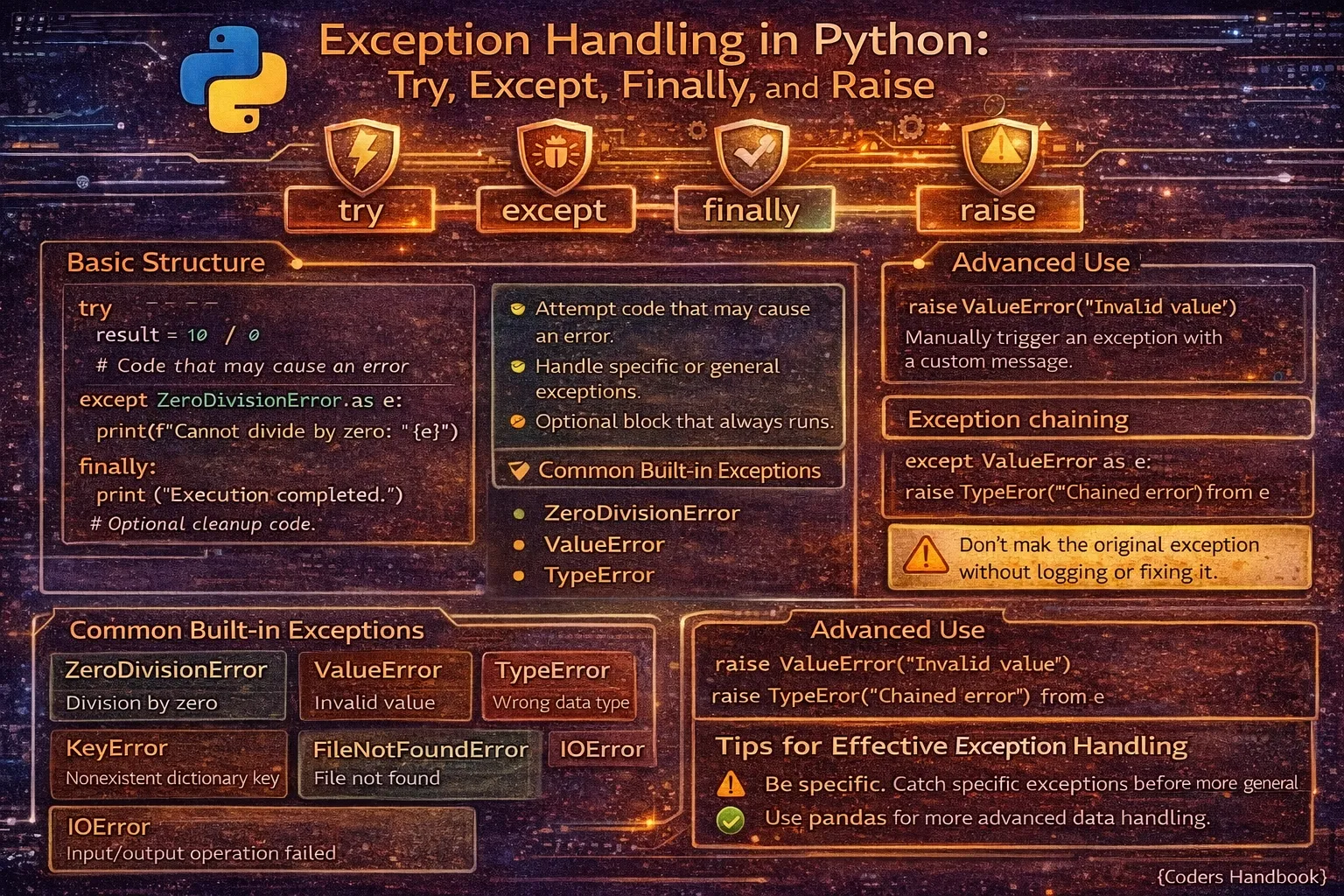
Exception handling is a critical programming technique enabling applications to gracefully recover from errors, provide meaningful feedback, and maintain stability when encountering unexpected situations like missing files, invalid input, network failures, or arithmetic errors. Python's exception handling mechanism uses try-except blocks to catch and handle errors, the finally clause for guaranteed cleanup code execution, the else clause for code running only when no exceptions occur, and the raise statement for explicitly triggering exceptions. Proper exception handling transforms programs from fragile scripts that crash unexpectedly into robust applications that handle errors gracefully, log problems appropriately, provide user-friendly error messages, and continue operating despite encountering issues.
This comprehensive guide explores try-except blocks for catching and handling exceptions preventing crashes, catching specific exception types versus generic exceptions for precise error handling, multiple except clauses handling different errors appropriately, the else clause executing only when no exceptions occur, the finally clause guaranteeing cleanup code execution regardless of errors, raising exceptions explicitly with the raise statement, creating custom exception classes for application-specific errors, exception propagation and re-raising for layered error handling, and best practices including specific exception catching, meaningful error messages, proper logging, and avoiding bare except clauses. Whether you're building web applications handling user input validation, file processing systems managing I/O errors, API clients dealing with network failures, database applications handling connection issues, or any software requiring robust error management, mastering exception handling provides essential tools for writing reliable, maintainable, and professional Python code that handles the unexpected gracefully and informatively.
Try-Except Basics
The try-except block is Python's fundamental error handling structure, wrapping potentially problematic code in a try block and specifying exception handling in except blocks. When exceptions occur in try blocks, Python immediately jumps to the corresponding except block instead of crashing, allowing programs to respond appropriately. Without exception handling, errors terminate programs abruptly with stack traces confusing users, while proper handling provides controlled responses and maintains program flow.
# Try-Except Basics

# Without exception handling (program crashes)
# result = 10 / 0  # ZeroDivisionError: division by zero

# With exception handling (program continues)
try:
    result = 10 / 0
except ZeroDivisionError:
    print("Cannot divide by zero!")
    result = None

print("Program continues executing")
# Output:
# Cannot divide by zero!
# Program continues executing

# Catching any exception (generic)
try:
    number = int(input("Enter a number: "))
    result = 100 / number
except Exception as e:
    print(f"An error occurred: {e}")

# Accessing exception information
try:
    file = open('nonexistent.txt', 'r')
except FileNotFoundError as e:
    print(f"Error: {e}")
    print(f"Exception type: {type(e).__name__}")

# Multiple operations in try block
try:
    file = open('data.txt', 'r')
    content = file.read()
    number = int(content)
    result = 100 / number
    file.close()
except Exception as e:
    print(f"Error during processing: {e}")

# Handling different errors
try:
    values = [1, 2, 3]
    print(values[10])  # IndexError
except IndexError:
    print("Index out of range!")

try:
    dictionary = {'name': 'Alice'}
    print(dictionary['age'])  # KeyError
except KeyError:
    print("Key not found!")

try:
    result = int('abc')  # ValueError
except ValueError:
    print("Invalid conversion!")

# Practical example: User input validation
def get_positive_number():
    """Get positive number from user with error handling."""
    try:
        number = int(input("Enter a positive number: "))
        if number <= 0:
            print("Number must be positive!")
            return None
        return number
    except ValueError:
        print("Invalid input! Please enter a number.")
        return None

# File reading with error handling
def read_file_safely(filename):
    """Read file with error handling."""
    try:
        with open(filename, 'r') as file:
            return file.read()
    except FileNotFoundError:
        print(f"File '{filename}' not found.")
        return None
    except PermissionError:
        print(f"Permission denied for '{filename}'.")
return NoneValueError or FileNotFoundError rather than bare except: or generic Exception. Specific catching enables appropriate responses and prevents masking unexpected errors.Multiple Except Clauses
Python allows multiple except clauses to handle different exception types with specific responses, checking them in order from top to bottom. This enables nuanced error handling where file errors receive different treatment than type conversion errors or division by zero. Multiple excepts can also catch multiple exception types in one clause using tuples, useful when similar handling applies to different errors.
# Multiple Except Clauses

# Handle different exceptions differently
try:
    file = open('data.txt', 'r')
    content = file.read()
    number = int(content)
    result = 100 / number
except FileNotFoundError:
    print("File not found! Please check the filename.")
except ValueError:
    print("File content is not a valid number.")
except ZeroDivisionError:
    print("Cannot divide by zero!")
except Exception as e:
    print(f"Unexpected error: {e}")

# Catch multiple exceptions in one clause
try:
    # Some operation
    result = 10 / int(input("Enter number: "))
except (ValueError, ZeroDivisionError) as e:
    print(f"Invalid input or division by zero: {e}")

# Order matters: specific before general
try:
    result = int('abc')
except ValueError:
    print("Specific: Value error")
except Exception:
    print("General: Any exception")
# ValueError caught by first except

# Wrong order (specific exception never caught)
try:
    result = int('abc')
except Exception:
    print("General: Any exception")
except ValueError:  # This is never reached!
    print("Specific: Value error")

# Comprehensive file processing
def process_data_file(filename):
    """Process data file with comprehensive error handling."""
    try:
        with open(filename, 'r') as file:
            data = file.read()
            numbers = [int(x) for x in data.split()]
            total = sum(numbers)
            average = total / len(numbers)
            return average
    except FileNotFoundError:
        print(f"Error: File '{filename}' does not exist.")
        return None
    except PermissionError:
        print(f"Error: No permission to read '{filename}'.")
        return None
    except ValueError:
        print("Error: File contains non-numeric data.")
        return None
    except ZeroDivisionError:
        print("Error: File is empty.")
        return None
    except Exception as e:
        print(f"Unexpected error: {type(e).__name__}: {e}")
        return None

# API request with multiple error handling
import requests

def fetch_data(url):
    """Fetch data from API with error handling."""
    try:
        response = requests.get(url, timeout=5)
        response.raise_for_status()
        return response.json()
    except requests.exceptions.Timeout:
        print("Request timed out. Please try again.")
    except requests.exceptions.ConnectionError:
        print("Connection error. Check your internet.")
    except requests.exceptions.HTTPError as e:
        print(f"HTTP error: {e}")
    except requests.exceptions.RequestException as e:
        print(f"Request failed: {e}")
    except ValueError:
        print("Invalid JSON response.")
    return None

# Database operations
def query_database(query):
    """Execute database query with error handling."""
    import sqlite3

    try:
        conn = sqlite3.connect('database.db')
        cursor = conn.cursor()
        cursor.execute(query)
        results = cursor.fetchall()
        conn.commit()
        return results
    except sqlite3.OperationalError:
        print("Database operational error. Check SQL syntax.")
    except sqlite3.IntegrityError:
        print("Integrity constraint violated.")
    except sqlite3.DatabaseError as e:
        print(f"Database error: {e}")
    finally:
        if 'conn' in locals():
            conn.close()
Else and Finally Clauses
The else clause executes only when the try block completes without exceptions, useful for code that should run only on success. The finally clause always executes regardless of whether exceptions occurred or were caught, perfect for cleanup operations like closing files, releasing locks, or closing network connections that must happen whether operations succeeded or failed. Finally runs even if try or except contain return statements.
# Else and Finally Clauses

# Else clause: runs only if no exception
try:
    number = int(input("Enter a number: "))
    result = 100 / number
except ValueError:
    print("Invalid input!")
except ZeroDivisionError:
    print("Cannot divide by zero!")
else:
    print(f"Success! Result is {result}")
    # Code here only runs if no exceptions

# Finally clause: always runs
try:
    file = open('data.txt', 'r')
    content = file.read()
    process(content)
except FileNotFoundError:
    print("File not found!")
finally:
    print("Cleanup: This always runs")
    # Close resources, log, etc.

# Complete example: try-except-else-finally
def divide_numbers(a, b):
    """Divide with comprehensive error handling."""
    try:
        result = a / b
    except ZeroDivisionError:
        print("Error: Cannot divide by zero")
        return None
    except TypeError:
        print("Error: Invalid types for division")
        return None
    else:
        print(f"Division successful: {a} / {b} = {result}")
        return result
    finally:
        print("Operation completed")

print(divide_numbers(10, 2))   # Success path
print(divide_numbers(10, 0))   # Error path

# Finally runs even with return
def test_finally():
    try:
        return "returning from try"
    finally:
        print("Finally executed even with return!")

result = test_finally()
# Output: Finally executed even with return!
print(result)  # Output: returning from try

# Practical: File processing with cleanup
def process_file(filename):
    """Process file with guaranteed cleanup."""
    file = None
    try:
        file = open(filename, 'r')
        data = file.read()
        # Process data
        processed = data.upper()
        return processed
    except FileNotFoundError:
        print(f"File '{filename}' not found")
        return None
    except Exception as e:
        print(f"Error processing file: {e}")
        return None
    else:
        print("File processed successfully")
    finally:
        if file is not None:
            file.close()
            print("File closed")

# Better: Using context manager (with statement)
def process_file_better(filename):
    """Process file with context manager."""
    try:
        with open(filename, 'r') as file:
            data = file.read()
            processed = data.upper()
            return processed
    except FileNotFoundError:
        print(f"File '{filename}' not found")
        return None
    else:
        print("File processed successfully")
# File automatically closed by context manager

# Database connection with finally
def execute_query(query):
    """Execute query with guaranteed connection close."""
    import sqlite3
    conn = None
    try:
        conn = sqlite3.connect('database.db')
        cursor = conn.cursor()
        cursor.execute(query)
        conn.commit()
        return cursor.fetchall()
    except sqlite3.Error as e:
        print(f"Database error: {e}")
        if conn:
            conn.rollback()
        return None
    finally:
        if conn:
            conn.close()
            print("Database connection closed")

# Cleanup even with exceptions
try:
    print("Acquiring resource...")
    # Some operation that might fail
    result = 10 / 0
except ZeroDivisionError:
    print("Error occurred")
finally:
    print("Releasing resource...")
# Output:
# Acquiring resource...
# Error occurred
# Releasing resource...finally for cleanup code that must run regardless of success or failure: closing files, releasing locks, closing connections. It executes even if try/except have return statements.Raising Exceptions with Raise
The raise statement explicitly triggers exceptions, useful for validating input, enforcing preconditions, signaling error conditions, or re-raising caught exceptions after logging. Raise can create new exceptions with custom messages or re-raise current exceptions preserving original stack traces. This enables defensive programming where functions validate inputs and signal problems clearly rather than producing incorrect results or crashing mysteriously later.
# Raising Exceptions with Raise

# Basic raise statement
def divide(a, b):
    """Divide with validation."""
    if b == 0:
        raise ZeroDivisionError("Division by zero is not allowed")
    return a / b

try:
    result = divide(10, 0)
except ZeroDivisionError as e:
    print(f"Error: {e}")

# Raise different exception types
def validate_age(age):
    """Validate age with exceptions."""
    if not isinstance(age, int):
        raise TypeError("Age must be an integer")
    if age < 0:
        raise ValueError("Age cannot be negative")
    if age > 150:
        raise ValueError("Age seems unrealistic")
    return True

try:
    validate_age("25")  # TypeError
except TypeError as e:
    print(f"Type error: {e}")

try:
    validate_age(-5)  # ValueError
except ValueError as e:
    print(f"Value error: {e}")

# Re-raising exceptions
def process_data(data):
    """Process data with logging."""
    try:
        # Some processing
        result = int(data)
        return result * 2
    except ValueError as e:
        print(f"Logging error: {e}")
        raise  # Re-raise same exception

try:
    process_data("invalid")
except ValueError:
    print("Error caught in outer scope")

# Raise with custom message
def withdraw(balance, amount):
    """Withdraw money with validation."""
    if amount > balance:
        raise ValueError(
            f"Insufficient funds. Balance: {balance}, Requested: {amount}"
        )
    return balance - amount

try:
    new_balance = withdraw(100, 150)
except ValueError as e:
    print(f"Transaction failed: {e}")

# Raise in conditional logic
def get_user_by_id(user_id, users):
    """Get user or raise exception."""
    for user in users:
        if user['id'] == user_id:
            return user
    raise LookupError(f"User with ID {user_id} not found")

users = [{'id': 1, 'name': 'Alice'}, {'id': 2, 'name': 'Bob'}]

try:
    user = get_user_by_id(3, users)
except LookupError as e:
    print(f"Error: {e}")

# Raise different exceptions based on conditions
def process_file(filename):
    """Process file with detailed exceptions."""
    if not filename:
        raise ValueError("Filename cannot be empty")

    if not filename.endswith('.txt'):
        raise TypeError("Only .txt files are supported")

    try:
        with open(filename, 'r') as file:
            return file.read()
    except FileNotFoundError:
        raise FileNotFoundError(f"File '{filename}' does not exist")

# Chain exceptions (show cause)
def outer_function():
    try:
        inner_function()
    except ValueError as e:
        raise RuntimeError("Outer function failed") from e

def inner_function():
    raise ValueError("Inner function error")

try:
    outer_function()
except RuntimeError as e:
    print(f"Error: {e}")
    print(f"Caused by: {e.__cause__}")

# Practical: API validation
def create_user(username, email, age):
    """Create user with validation."""
    if not username:
        raise ValueError("Username is required")

    if len(username) < 3:
        raise ValueError("Username must be at least 3 characters")

    if '@' not in email:
        raise ValueError("Invalid email format")

    if not isinstance(age, int) or age < 18:
        raise ValueError("Age must be an integer >= 18")

    return {'username': username, 'email': email, 'age': age}

try:
    user = create_user('ab', 'invalid', 15)
except ValueError as e:
    print(f"Validation error: {e}")
Creating Custom Exceptions
Custom exception classes enable application-specific errors with meaningful names and attributes, created by inheriting from Exception or its subclasses. Custom exceptions improve code clarity by providing domain-specific error types like InvalidCredentialsError or InsufficientFundsError instead of generic ValueErrors. They can include additional attributes storing error context and custom methods for specialized error handling.
# Creating Custom Exceptions

# Basic custom exception
class CustomError(Exception):
    """Base class for custom exceptions."""
    pass

# Raise custom exception
raise CustomError("Something went wrong")

# Custom exception with attributes
class ValidationError(Exception):
    """Exception for validation failures."""

    def __init__(self, field, message):
        self.field = field
        self.message = message
        super().__init__(f"{field}: {message}")

try:
    raise ValidationError('email', 'Invalid format')
except ValidationError as e:
    print(f"Field: {e.field}")
    print(f"Message: {e.message}")

# Application-specific exceptions
class InsufficientFundsError(Exception):
    """Raised when account has insufficient funds."""

    def __init__(self, balance, amount):
        self.balance = balance
        self.amount = amount
        message = f"Insufficient funds. Balance: {balance}, Required: {amount}"
        super().__init__(message)

class InvalidCredentialsError(Exception):
    """Raised when login credentials are invalid."""
    pass

class DatabaseConnectionError(Exception):
    """Raised when database connection fails."""
    pass

# Using custom exceptions
def withdraw(balance, amount):
    """Withdraw money from account."""
    if amount > balance:
        raise InsufficientFundsError(balance, amount)
    return balance - amount

try:
    new_balance = withdraw(100, 150)
except InsufficientFundsError as e:
    print(f"Error: {e}")
    print(f"Balance: ${e.balance}")
    print(f"Attempted withdrawal: ${e.amount}")

# Exception hierarchy
class AppError(Exception):
    """Base exception for application."""
    pass

class AuthenticationError(AppError):
    """Authentication-related errors."""
    pass

class AuthorizationError(AppError):
    """Authorization-related errors."""
    pass

class InvalidTokenError(AuthenticationError):
    """Invalid authentication token."""
    pass

class ExpiredTokenError(AuthenticationError):
    """Expired authentication token."""
    pass

# Catch hierarchy
try:
    raise InvalidTokenError("Token is invalid")
except InvalidTokenError:
    print("Invalid token")
except AuthenticationError:
    print("Authentication error")
except AppError:
    print("Application error")

# Practical: E-commerce system
class ProductNotFoundError(Exception):
    """Product not found in inventory."""
    def __init__(self, product_id):
        self.product_id = product_id
        super().__init__(f"Product {product_id} not found")

class OutOfStockError(Exception):
    """Product is out of stock."""
    def __init__(self, product_name, requested, available):
        self.product_name = product_name
        self.requested = requested
        self.available = available
        message = f"{product_name}: requested {requested}, only {available} available"
        super().__init__(message)

def purchase_product(product_id, quantity, inventory):
    """Purchase product with custom exceptions."""
    if product_id not in inventory:
        raise ProductNotFoundError(product_id)

    product = inventory[product_id]

    if product['stock'] < quantity:
        raise OutOfStockError(
            product['name'],
            quantity,
            product['stock']
        )

    product['stock'] -= quantity
    return f"Purchased {quantity} x {product['name']}"

inventory = {
    1: {'name': 'Laptop', 'stock': 5},
    2: {'name': 'Mouse', 'stock': 0}
}

try:
    result = purchase_product(3, 1, inventory)
except ProductNotFoundError as e:
    print(f"Error: Product {e.product_id} not found")
except OutOfStockError as e:
    print(f"Error: {e}")
    print(f"Available: {e.available}")
Exception Handling Best Practices
- Catch specific exceptions: Always catch specific exception types like
ValueErrororFileNotFoundErrorrather than bareexcept:or genericException - Don't silently ignore exceptions: Never use empty except blocks. At minimum, log errors or print messages indicating what went wrong
- Use finally for cleanup: Put resource cleanup (closing files, connections) in finally blocks ensuring execution regardless of exceptions
- Keep try blocks small: Only wrap code that might raise exceptions in try blocks, making it clear what errors you're handling
- Provide meaningful error messages: Include context in exception messages: what operation failed, what values caused it, and what user should do
- Order except clauses correctly: Put specific exceptions before general ones. Python checks except clauses top-to-bottom and uses first match
- Use custom exceptions appropriately: Create custom exception classes for application-specific errors making code more self-documenting and maintainable
- Don't catch exceptions you can't handle: Only catch exceptions you can meaningfully respond to. Let others propagate to callers
- Log exceptions properly: Use logging module to record exceptions with stack traces for debugging while showing user-friendly messages
- Prefer context managers: Use
withstatements for resource management instead of try-finally, as they handle cleanup automatically
except: without specifying exception type. It catches everything including system exits and keyboard interrupts, making debugging impossible and masking serious bugs.Conclusion
Exception handling in Python provides robust mechanisms for gracefully managing errors through try-except blocks wrapping potentially problematic code with except clauses catching and handling specific exception types. Multiple except clauses enable differentiated error handling with specific exceptions like FileNotFoundError or ValueError receiving appropriate responses, while exception order matters with specific exceptions preceding general ones since Python checks clauses top-to-bottom using first match. The else clause executes only when try blocks complete without exceptions providing success-path code, while finally clauses guarantee cleanup code execution regardless of whether exceptions occurred or were caught, perfect for resource cleanup like closing files or connections that must happen even when try or except contain return statements.
Raising exceptions with the raise statement enables explicit error signaling for input validation, precondition enforcement, and error condition communication, supporting re-raising caught exceptions after logging while preserving stack traces. Custom exception classes created by inheriting from Exception provide application-specific error types with meaningful names like InsufficientFundsError or InvalidCredentialsError, improving code clarity and enabling additional attributes storing error context. Best practices emphasize catching specific exception types avoiding bare except or generic Exception catches, never silently ignoring exceptions with empty except blocks, using finally for guaranteed cleanup, keeping try blocks small wrapping only potentially problematic code, providing meaningful error messages with context, ordering except clauses from specific to general, creating custom exceptions for domain-specific errors, only catching exceptions you can meaningfully handle, logging exceptions properly with stack traces while showing user-friendly messages, and preferring context managers over try-finally for resource management. By mastering try-except blocks for error catching, multiple except clauses for differentiated handling, else and finally for success paths and cleanup, raise for explicit error signaling, custom exceptions for application-specific errors, and best practices ensuring robust error management, you gain essential tools for writing reliable, maintainable Python applications that handle unexpected situations gracefully, provide meaningful feedback, maintain stability during errors, and enable effective debugging through proper exception handling and logging practices.
$ share --platform
$ cat /comments/ (0)
$ cat /comments/
// No comments found. Be the first!


