Python Sets: Unique Collections and Set Operations
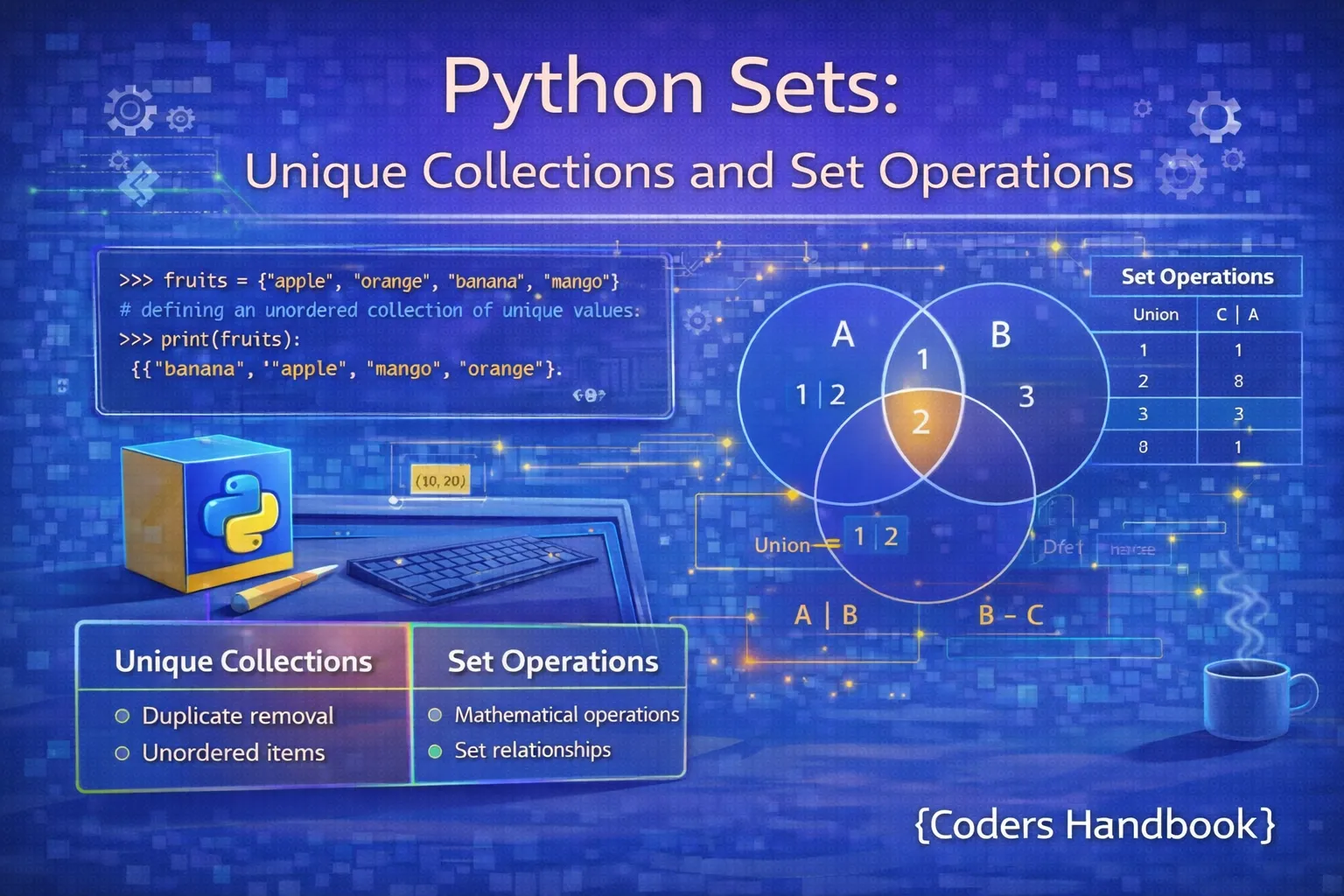
Sets are Python's unordered collection type designed specifically for storing unique elements, automatically eliminating duplicates and providing mathematical set operations like union, intersection, and difference. Implemented as hash tables like dictionaries, sets offer O(1) constant-time membership testing making them dramatically faster than lists for checking element existence, while their uniqueness constraint makes them perfect for deduplication, finding common elements between collections, and performing set algebra on data. Understanding sets is essential for efficient data processing, removing duplicates from lists, finding relationships between datasets, implementing mathematical logic, and optimizing membership testing operations that would be slow with traditional sequences.
This comprehensive guide explores set creation using curly brace literals and the set() constructor, uniqueness characteristics and automatic duplicate removal, adding and removing elements with set methods, mathematical set operations including union(), intersection(), difference(), and symmetric_difference(), set comprehensions for functional-style creation, frozen sets for immutable variants, performance advantages demonstrating hash table benefits, and practical use cases showing when sets optimize data processing tasks. Whether you're removing duplicates from user input, finding common tags between articles, validating uniqueness constraints, or implementing efficient membership testing, mastering Python sets unlocks powerful collection manipulation capabilities that complement lists and dictionaries.
Creating and Understanding Sets
Sets are created using curly braces with comma-separated values or the set() constructor for converting iterables, with automatic duplicate removal ensuring only unique elements remain. Empty sets must use set() since empty curly braces create dictionaries, and set elements must be immutable types (strings, numbers, tuples) because sets use hashing for constant-time operations. Sets are unordered, meaning elements have no indices and iteration order is unpredictable, distinguishing them from lists and tuples which maintain insertion order.
Set Creation Methods
# Set Creation Methods

# Basic set with curly braces
fruits = {"apple", "banana", "cherry"}
print(f"Fruits set: {fruits}")

# Automatic duplicate removal
numbers = {1, 2, 3, 2, 4, 3, 5, 1}
print(f"Numbers (duplicates removed): {numbers}")

# Empty set (must use set(), not {})
empty_set = set()
empty_dict = {}
print(f"Empty set type: {type(empty_set)}")
print(f"Empty dict type: {type(empty_dict)}")

# Creating set from list
list_with_dupes = [1, 2, 2, 3, 4, 4, 5]
unique_set = set(list_with_dupes)
print(f"From list: {unique_set}")

# Creating set from string (unique characters)
letters = set("hello")
print(f"From string: {letters}")

# Creating set from tuple
tuple_data = (1, 2, 3, 2, 1)
set_from_tuple = set(tuple_data)
print(f"From tuple: {set_from_tuple}")

# Mixed data types (all must be immutable)
mixed_set = {1, "hello", 3.14, (1, 2)}
print(f"Mixed types: {mixed_set}")

# Sets are unordered
ordered_list = [5, 1, 3, 2, 4]
resulting_set = set(ordered_list)
print(f"Unordered set: {resulting_set}")

# Invalid: mutable elements not allowed
try:
    invalid_set = {1, 2, [3, 4]}
except TypeError as e:
    print(f"Error: {e}")

# Converting back to list
my_set = {3, 1, 4, 2}
back_to_list = list(my_set)
print(f"Back to list: {back_to_list}")set() to create empty sets, not {} which creates an empty dictionary. This is a common beginner mistake since both use curly braces for non-empty collections.Adding and Removing Elements
Sets provide methods for adding and removing elements including add() for single elements, update() for multiple elements from iterables, remove() which raises KeyError if element doesn't exist, discard() which silently ignores missing elements, and pop() which removes and returns an arbitrary element. Understanding these operations enables dynamic set manipulation, though the unordered nature means you cannot control which element pop() removes or predict iteration order.
# Adding and Removing Set Elements

fruits = {"apple", "banana"}
print(f"Initial set: {fruits}")

# add() - add single element
fruits.add("cherry")
print(f"After add: {fruits}")

# Adding duplicate (no effect)
fruits.add("apple")
print(f"After adding duplicate: {fruits}")

# update() - add multiple elements
fruits.update(["date", "elderberry"])
print(f"After update: {fruits}")

# update() with multiple iterables
fruits.update(["fig"], {"grape"}, ("honeydew",))
print(f"After multiple updates: {fruits}")

# remove() - remove element (raises KeyError if missing)
fruits.remove("banana")
print(f"After remove: {fruits}")

try:
    fruits.remove("kiwi")
except KeyError:
    print("Cannot remove 'kiwi': not in set")

# discard() - remove element (no error if missing)
fruits.discard("cherry")
print(f"After discard: {fruits}")

fruits.discard("kiwi")
print("Discard 'kiwi': no error")

# pop() - remove and return arbitrary element
numbers = {1, 2, 3, 4, 5}
popped = numbers.pop()
print(f"Popped: {popped}")
print(f"After pop: {numbers}")

# clear() - remove all elements
temp_set = {1, 2, 3}
temp_set.clear()
print(f"After clear: {temp_set}")

# len() - get set size
my_set = {1, 2, 3, 4, 5}
print(f"Set length: {len(my_set)}")

# Membership testing (O(1) - very fast!)
if "apple" in fruits:
    print("Apple found")

if "kiwi" not in fruits:
    print("Kiwi not found")
Mathematical Set Operations
Python sets support mathematical set operations enabling elegant solutions to common data processing problems. Union combines all unique elements from multiple sets, intersection finds common elements, difference identifies elements in one set but not another, and symmetric difference returns elements in either set but not both. These operations have both method and operator forms, with methods accepting any iterable while operators require sets, providing flexibility for different programming styles and requirements.
Union and Intersection
# Union and Intersection Operations

set1 = {1, 2, 3, 4, 5}
set2 = {4, 5, 6, 7, 8}

print(f"Set 1: {set1}")
print(f"Set 2: {set2}")

# Union: all unique elements from both sets
union_method = set1.union(set2)
union_operator = set1 | set2
print(f"\nUnion (method): {union_method}")
print(f"Union (operator): {union_operator}")

# Union with multiple sets
set3 = {8, 9, 10}
union_multi = set1.union(set2, set3)
print(f"Union of three sets: {union_multi}")

# Union with other iterables (method only)
union_with_list = set1.union([11, 12, 13])
print(f"Union with list: {union_with_list}")

# Intersection: common elements
intersection_method = set1.intersection(set2)
intersection_operator = set1 & set2
print(f"\nIntersection (method): {intersection_method}")
print(f"Intersection (operator): {intersection_operator}")

# Intersection with multiple sets
set_a = {1, 2, 3, 4}
set_b = {2, 3, 4, 5}
set_c = {3, 4, 5, 6}
common = set_a & set_b & set_c
print(f"Common to all three: {common}")

# Practical example: Find common skills
alice_skills = {"Python", "JavaScript", "SQL"}
bob_skills = {"Python", "Java", "SQL"}
charlie_skills = {"Python", "C++", "SQL"}

common_skills = alice_skills & bob_skills & charlie_skills
print(f"\nSkills all three know: {common_skills}")

all_skills = alice_skills | bob_skills | charlie_skills
print(f"All unique skills: {all_skills}")
Difference and Symmetric Difference
# Difference and Symmetric Difference

set1 = {1, 2, 3, 4, 5}
set2 = {4, 5, 6, 7, 8}

print(f"Set 1: {set1}")
print(f"Set 2: {set2}")

# Difference: elements in first set but not in second
difference_method = set1.difference(set2)
difference_operator = set1 - set2
print(f"\nSet1 - Set2 (method): {difference_method}")
print(f"Set1 - Set2 (operator): {difference_operator}")

# Difference is not commutative
reverse_diff = set2 - set1
print(f"Set2 - Set1: {reverse_diff}")

# Symmetric difference: elements in either set but not both
sym_diff_method = set1.symmetric_difference(set2)
sym_diff_operator = set1 ^ set2
print(f"\nSymmetric difference (method): {sym_diff_method}")
print(f"Symmetric difference (operator): {sym_diff_operator}")

# Practical example: Event attendance
registered = {"Alice", "Bob", "Charlie", "Diana", "Eve"}
attended = {"Alice", "Charlie", "Eve", "Frank"}

no_shows = registered - attended
print(f"\nRegistered but didn't attend: {no_shows}")

walk_ins = attended - registered
print(f"Attended without registration: {walk_ins}")

total_unique = registered | attended
print(f"Total unique people: {total_unique}")

# Practical example: Tag comparison
article1_tags = {"python", "programming", "tutorial"}
article2_tags = {"python", "data-science", "tutorial"}

unique_to_article1 = article1_tags - article2_tags
unique_to_article2 = article2_tags - article1_tags
common_tags = article1_tags & article2_tags
all_unique_tags = article1_tags ^ article2_tags

print(f"\nUnique to article 1: {unique_to_article1}")
print(f"Unique to article 2: {unique_to_article2}")
print(f"Common tags: {common_tags}")
print(f"Tags in only one article: {all_unique_tags}")union() when working with any iterables. Use operators like | for cleaner code when all operands are sets. Methods are more flexible; operators are more concise.Subset and Superset Testing
Sets provide methods for testing relationships between collections including issubset() to check if all elements exist in another set, issuperset() to verify a set contains all elements of another, and isdisjoint() to confirm no common elements exist. These comparison operations enable validation logic, hierarchical relationship testing, and constraint checking, with corresponding operators like <= for subset and >= for superset providing mathematical notation.
# Subset and Superset Operations

all_fruits = {"apple", "banana", "cherry", "date"}
some_fruits = {"apple", "cherry"}

print(f"All fruits: {all_fruits}")
print(f"Some fruits: {some_fruits}")

# issubset() - check if all elements are in another set
is_subset = some_fruits.issubset(all_fruits)
print(f"\nIs some_fruits subset of all_fruits? {is_subset}")

# Operator form
print(f"Using <=: {some_fruits <= all_fruits}")

# issuperset() - check if contains all elements of another
is_superset = all_fruits.issuperset(some_fruits)
print(f"\nIs all_fruits superset of some_fruits? {is_superset}")

# Operator form
print(f"Using >=: {all_fruits >= some_fruits}")

# isdisjoint() - check if no common elements
set1 = {1, 2, 3}
set2 = {4, 5, 6}
set3 = {3, 4, 5}

print(f"\nSet1: {set1}, Set2: {set2}")
print(f"Are set1 and set2 disjoint? {set1.isdisjoint(set2)}")
print(f"Are set1 and set3 disjoint? {set1.isdisjoint(set3)}")

# Practical example: Permission checking
required_permissions = {"read", "write"}
user_permissions = {"read", "write", "delete"}
admin_permissions = {"read", "write", "delete", "admin"}

has_required = required_permissions.issubset(user_permissions)
print(f"\nUser has required permissions? {has_required}")

is_admin = admin_permissions.issuperset(user_permissions)
print(f"Admin has all user permissions? {is_admin}")

# Practical example: Course prerequisites
prerequisites = {"Math 101", "Physics 101"}
completed_courses = {"Math 101", "Physics 101", "Chemistry 101"}

can_enroll = prerequisites.issubset(completed_courses)
print(f"\nCan enroll in advanced course? {can_enroll}")

# Practical example: Ingredient availability
recipe_ingredients = {"flour", "eggs", "milk", "sugar"}
available_ingredients = {"flour", "eggs", "butter"}

can_make_recipe = recipe_ingredients.issubset(available_ingredients)
print(f"\nCan make recipe? {can_make_recipe}")

missing = recipe_ingredients - available_ingredients
print(f"Missing ingredients: {missing}")
Set Comprehensions
Set comprehensions provide concise syntax for creating sets from iterables using {expression for item in iterable if condition}, similar to list comprehensions but producing sets with automatic duplicate removal. This functional approach enables elegant filtering and transformation while guaranteeing uniqueness, making comprehensions perfect for extracting unique values from sequences, computing derived sets, and creating sets based on complex conditions.
# Set Comprehensions

# Basic comprehension: squares
squares = {x**2 for x in range(10)}
print(f"Squares: {squares}")

# With condition: even squares
even_squares = {x**2 for x in range(10) if x % 2 == 0}
print(f"Even squares: {even_squares}")

# Extract unique values
numbers = [1, 2, 2, 3, 4, 4, 5, 5, 5]
unique = {n for n in numbers}
print(f"Unique numbers: {unique}")

# Transform and filter
words = ["hello", "world", "python", "programming"]
long_words = {word.upper() for word in words if len(word) > 5}
print(f"Long words (uppercase): {long_words}")

# Extract unique lengths
word_lengths = {len(word) for word in words}
print(f"Unique word lengths: {word_lengths}")

# Practical: Extract unique characters
sentence = "the quick brown fox jumps over the lazy dog"
unique_chars = {char for char in sentence if char.isalpha()}
print(f"\nUnique letters: {sorted(unique_chars)}")

# Practical: Extract domains from emails
emails = [
    "[email protected]",
    "[email protected]",
    "[email protected]",
    "[email protected]"
]
domains = {email.split('@')[1] for email in emails}
print(f"\nUnique domains: {domains}")

# Practical: Extract file extensions
files = ["doc.txt", "image.jpg", "data.csv", "photo.jpg", "notes.txt"]
extensions = {file.split('.')[-1] for file in files}
print(f"\nFile extensions: {extensions}")

# Nested iteration
matrix = [[1, 2], [3, 4], [5, 6]]
all_values = {num for row in matrix for num in row}
print(f"\nAll matrix values: {all_values}")

# Conditional expression
numbers = range(-5, 6)
abs_values = {x if x >= 0 else -x for x in numbers}
print(f"\nAbsolute values: {abs_values}"){x for x in data} instead of set([x for x in data]) for cleaner code.Frozen Sets: Immutable Sets
Frozen sets are immutable variants of sets created with frozenset(), providing all set operations without modification methods like add or remove. Because they're immutable and hashable, frozen sets can serve as dictionary keys or elements of other sets, enabling hierarchical set structures and complex data relationships. Use frozen sets when you need immutability guarantees, want to use sets as dictionary keys, or require set elements to be sets themselves.
# Frozen Sets: Immutable Sets

# Creating frozen set
frozen = frozenset([1, 2, 3, 4, 5])
print(f"Frozen set: {frozen}")
print(f"Type: {type(frozen)}")

# From regular set
regular_set = {1, 2, 3}
frozen_copy = frozenset(regular_set)
print(f"From set: {frozen_copy}")

# Frozen sets support all query operations
frozen1 = frozenset([1, 2, 3, 4])
frozen2 = frozenset([3, 4, 5, 6])

print(f"\nUnion: {frozen1 | frozen2}")
print(f"Intersection: {frozen1 & frozen2}")
print(f"Difference: {frozen1 - frozen2}")

# Frozen sets are immutable
try:
    frozen.add(6)
except AttributeError as e:
    print(f"\nError: {e}")

# Use as dictionary keys
cache = {}
key1 = frozenset([1, 2, 3])
key2 = frozenset([4, 5, 6])

cache[key1] = "Result 1"
cache[key2] = "Result 2"
print(f"\nCache: {cache}")
print(f"Lookup: {cache[frozenset([1, 2, 3])]}")

# Sets of sets (using frozenset)
set_of_sets = {
    frozenset([1, 2]),
    frozenset([3, 4]),
    frozenset([5, 6])
}
print(f"\nSet of sets: {set_of_sets}")

# Practical: Store user groups as keys
user_groups = {
    frozenset(["admin", "editor"]): "Full access",
    frozenset(["viewer"]): "Read only",
    frozenset(["guest"]): "Limited access"
}

user_roles = frozenset(["admin", "editor"])
access_level = user_groups.get(user_roles, "No access")
print(f"\nAccess level: {access_level}")

# Practical: Immutable configuration
DEFAULT_FEATURES = frozenset([
    "login",
    "search",
    "notifications"
])

print(f"\nDefault features: {DEFAULT_FEATURES}")
print(f"Has login? {'login' in DEFAULT_FEATURES}")
Performance and Use Cases
Sets provide O(1) constant-time membership testing through hash table implementation, making them dramatically faster than lists for checking element existence, especially with large datasets. This performance advantage makes sets ideal for removing duplicates, finding common elements, validating uniqueness constraints, and implementing efficient lookup operations. Understanding when to use sets versus lists or dictionaries enables writing optimized code that leverages the right data structure for each task.
# Set Performance and Use Cases

import time

# Performance comparison: Set vs List
test_data = list(range(10000))
test_set = set(test_data)

# List membership (O(n))
start = time.time()
result = 9999 in test_data
list_time = time.time() - start

# Set membership (O(1))
start = time.time()
result = 9999 in test_set
set_time = time.time() - start

print("Membership Testing:")
print(f"List time: {list_time:.6f}s")
print(f"Set time: {set_time:.6f}s")
print(f"Set is {list_time/set_time:.0f}x faster")

# Use Case 1: Remove duplicates
data_with_dupes = [1, 2, 2, 3, 4, 4, 5, 1, 3]
unique_data = list(set(data_with_dupes))
print(f"\nOriginal: {data_with_dupes}")
print(f"Unique: {unique_data}")

# Use Case 2: Find common elements
list1 = [1, 2, 3, 4, 5]
list2 = [4, 5, 6, 7, 8]
common = list(set(list1) & set(list2))
print(f"\nCommon elements: {common}")

# Use Case 3: Validate uniqueness
def has_duplicates(items):
    return len(items) != len(set(items))

data1 = [1, 2, 3, 4, 5]
data2 = [1, 2, 2, 3, 4]
print(f"\nData1 has duplicates? {has_duplicates(data1)}")
print(f"Data2 has duplicates? {has_duplicates(data2)}")

# Use Case 4: Track seen items
def find_first_duplicate(items):
    seen = set()
    for item in items:
        if item in seen:
            return item
        seen.add(item)
    return None

data = [1, 2, 3, 4, 2, 5]
first_dup = find_first_duplicate(data)
print(f"\nFirst duplicate: {first_dup}")

# Use Case 5: Filter unique words
text = "the quick brown fox jumps over the lazy dog"
words = text.split()
unique_words = set(words)
print(f"\nTotal words: {len(words)}")
print(f"Unique words: {len(unique_words)}")

# Use Case 6: Set-based validation
VALID_STATUSES = {"pending", "approved", "rejected"}

def validate_status(status):
    return status in VALID_STATUSES

print(f"\nValid 'approved': {validate_status('approved')}")
print(f"Valid 'invalid': {validate_status('invalid')}")

# Use Case 7: User activity tracking
active_users = set()
active_users.add("user123")
active_users.add("user456")
active_users.add("user123")
print(f"\nActive users: {len(active_users)}")
Best Practices and Decision Guide
- Remove duplicates: Convert lists to sets and back when you need unique elements:
unique = list(set(data))for quick deduplication - Fast membership testing: Use sets instead of lists when frequently checking if elements exist, especially with large collections (O(1) vs O(n))
- Set operations: Use union, intersection, and difference instead of nested loops when finding common or unique elements between collections
- Immutable elements only: Set elements must be immutable (strings, numbers, tuples). Use frozensets for sets containing other sets
- No duplicates needed: Choose sets when uniqueness is required and order doesn't matter; use lists when duplicates or order is important
- Validation and tracking: Use sets for tracking seen items, validating against allowed values, or maintaining unique identifiers
- Set comprehensions: Prefer
{x for x in data}overset([x for x in data])for cleaner, more efficient unique value extraction - Empty set creation: Always use
set()for empty sets, never{}which creates empty dictionaries
Conclusion
Python sets provide unordered collections optimized for storing unique elements with automatic duplicate removal and O(1) constant-time membership testing through hash table implementation. Set creation uses curly brace literals or the set() constructor for converting iterables, with empty sets requiring set() since empty braces create dictionaries, and elements restricted to immutable types (strings, numbers, tuples) for hashing. Basic operations include add() and update() for adding elements, remove() and discard() for deletion with different error behaviors, and membership testing delivering dramatically faster performance than lists for large datasets. Mathematical set operations including union() combining all unique elements, intersection() finding common elements, difference() identifying unique elements, and symmetric_difference() returning elements in either set but not both enable elegant data processing solutions with both method and operator forms.
Subset and superset testing with issubset(), issuperset(), and isdisjoint() validate relationships between collections enabling permission checking, prerequisite validation, and constraint verification. Set comprehensions provide concise {expression for item in iterable if condition} syntax for creating sets with automatic deduplication, perfect for extracting unique values from sequences. Frozen sets offer immutable variants created with frozenset() supporting all query operations while serving as dictionary keys or set elements for hierarchical structures. Performance benchmarks demonstrate sets' dramatic advantages over lists for membership testing, often providing 100-1000x speedup for large datasets, making them ideal for removing duplicates, finding common elements, validating uniqueness constraints, and tracking seen items. Common use cases include deduplicating data by converting lists to sets, implementing efficient membership validation against allowed values, finding relationships between collections with set operations, tracking unique identifiers or active users, and filtering unique elements from text or data streams. By mastering set creation, basic operations, mathematical set operations, subset testing, comprehensions, frozen sets, and understanding performance characteristics, you gain powerful collection manipulation capabilities for writing optimized Python code that leverages the right data structure for uniqueness requirements, membership testing, and set algebra operations essential to efficient data processing.
$ share --platform
$ cat /comments/ (0)
$ cat /comments/
// No comments found. Be the first!


