Project: Web Scraper for Data Collection and Analysis
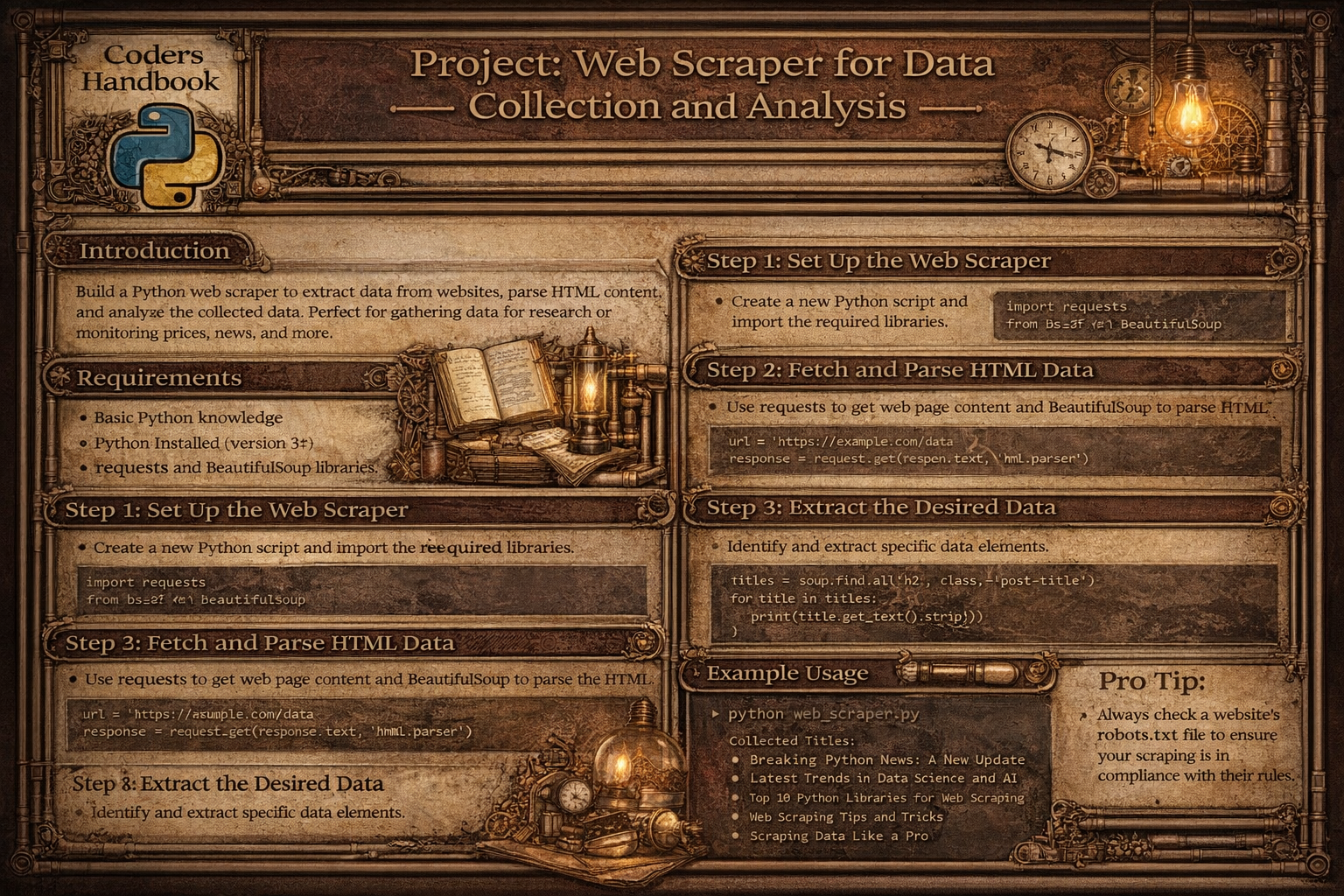
Web scraping automates data extraction from websites enabling systematic collection for analysis, research, and monitoring. This project implements comprehensive scraper supporting multi-page navigation traversing pagination links, data extraction parsing HTML with BeautifulSoup, structured storage saving to CSV and SQLite database, data cleaning normalizing and validating extracted content, analytics generation computing statistics and trends, scheduling automated periodic scraping, and error handling managing network issues and parsing failures. Web scrapers enable price monitoring tracking product costs over time, job aggregation collecting listings from multiple sites, research data gathering content for analysis, content monitoring detecting website changes, and competitive intelligence analyzing competitor information, demonstrating practical automation transforming unstructured web data into actionable insights.
This comprehensive project explores HTTP requests using requests library with get() fetching pages, headers customizing user agents, session() maintaining cookies, and timeout handling, HTML parsing with BeautifulSoup using find() locating single elements, find_all() getting multiple matches, select() with CSS selectors, and navigating DOM tree, data extraction identifying target elements inspecting page structure, extracting text and attributes, handling pagination with next links, and dealing with dynamic content, storage mechanisms writing CSV files with proper formatting, creating SQLite databases with schema design, implementing pandas DataFrames for manipulation, and ensuring data persistence, data cleaning removing HTML entities and whitespace, validating data types, handling missing values, and normalizing formats, analytics generation computing descriptive statistics, identifying trends over time, creating summary reports, and visualizing patterns, and automation scheduling with time intervals, implementing retry logic, logging operations, and handling rate limits. This project teaches HTTP fundamentals understanding requests and responses, status codes, headers and cookies, working with HTML inspecting page structure, understanding tags and attributes, DOM navigation, parsing libraries using BeautifulSoup effectively, CSS selectors for targeting, XPath alternatives, data structures organizing scraped data, cleaning and validation, storage formats, database operations creating tables and schemas, inserting records, querying data, error handling managing network timeouts, parsing errors, gracefully handling failures, and ethics following robots.txt, respecting rate limits, and avoiding overload, providing foundation for data engineering, automation systems, and analytics pipelines while creating practical tool demonstrating web data extraction and analysis capabilities.
Basic Web Scraper Implementation
The basic scraper implements fundamental functionality for fetching web pages and extracting data. Using requests library for HTTP operations and BeautifulSoup for parsing, it demonstrates core web scraping workflow including sending requests with proper headers, parsing HTML content, locating target elements, and extracting text and attributes.
# Basic Web Scraper Implementation

import requests
from bs4 import BeautifulSoup
import time
import csv
from urllib.parse import urljoin, urlparse
import random

# Configuration
BASE_URL = 'https://example.com'  # Replace with target URL
HEADERS = {
    'User-Agent': 'Mozilla/5.0 (Windows NT 10.0; Win64; x64) AppleWebKit/537.36'
}
TIMEOUT = 10
DELAY_RANGE = (1, 3)  # Delay between requests in seconds

# === HTTP request functions ===

def fetch_page(url, headers=None, timeout=TIMEOUT):
    """
    Fetch web page content.

    Args:
        url (str): URL to fetch
        headers (dict): HTTP headers
        timeout (int): Request timeout

    Returns:
        requests.Response: Response object or None
    """
    if headers is None:
        headers = HEADERS

    try:
        response = requests.get(url, headers=headers, timeout=timeout)
        response.raise_for_status()  # Raise exception for bad status

        print(f"✓ Fetched: {url} (Status: {response.status_code})")
        return response

    except requests.exceptions.Timeout:
        print(f"✗ Timeout error for: {url}")
        return None
    except requests.exceptions.RequestException as e:
        print(f"✗ Request error for {url}: {e}")
        return None

def parse_html(html_content, parser='html.parser'):
    """
    Parse HTML content with BeautifulSoup.

    Args:
        html_content (str): HTML content
        parser (str): Parser to use

    Returns:
        BeautifulSoup: Parsed soup object
    """
    return BeautifulSoup(html_content, parser)

# === Data extraction functions ===

def extract_text(element, strip=True):
    """
    Extract text from element.

    Args:
        element: BeautifulSoup element
        strip (bool): Whether to strip whitespace

    Returns:
        str: Extracted text
    """
    if element is None:
        return ''

    text = element.get_text()
    return text.strip() if strip else text

def extract_attribute(element, attribute):
    """
    Extract attribute from element.

    Args:
        element: BeautifulSoup element
        attribute (str): Attribute name

    Returns:
        str: Attribute value or empty string
    """
    if element is None:
        return ''

    return element.get(attribute, '')

def extract_links(soup, base_url):
    """
    Extract all links from page.

    Args:
        soup: BeautifulSoup object
        base_url (str): Base URL for resolving relative links

    Returns:
        list: List of absolute URLs
    """
    links = []

    for link in soup.find_all('a', href=True):
        href = link['href']
        # Convert relative URLs to absolute
        absolute_url = urljoin(base_url, href)
        links.append(absolute_url)

    return links

# === Example scraping function ===

def scrape_article_page(url):
    """
    Scrape article data from page.

    Args:
        url (str): Article URL

    Returns:
        dict: Scraped article data
    """
    response = fetch_page(url)

    if not response:
        return None

    soup = parse_html(response.text)

    # Extract data (customize selectors for target site)
    article = {
        'url': url,
        'title': extract_text(soup.find('h1', class_='article-title')),
        'author': extract_text(soup.find('span', class_='author-name')),
        'date': extract_text(soup.find('time', class_='publish-date')),
        'content': extract_text(soup.find('div', class_='article-content')),
        'tags': [extract_text(tag) for tag in soup.find_all('span', class_='tag')]
    }

    return article

def scrape_product_page(url):
    """
    Scrape product data from page.

    Args:
        url (str): Product URL

    Returns:
        dict: Scraped product data
    """
    response = fetch_page(url)

    if not response:
        return None

    soup = parse_html(response.text)

    # Extract product data
    product = {
        'url': url,
        'name': extract_text(soup.find('h1', class_='product-name')),
        'price': extract_text(soup.find('span', class_='price')),
        'description': extract_text(soup.find('div', class_='description')),
        'rating': extract_text(soup.find('span', class_='rating')),
        'availability': extract_text(soup.find('span', class_='stock-status')),
        'image_url': extract_attribute(soup.find('img', class_='product-image'), 'src')
    }

    return product

# === Pagination handling ===

def get_next_page_url(soup, current_url):
    """
    Find next page URL from pagination.

    Args:
        soup: BeautifulSoup object
        current_url (str): Current page URL

    Returns:
        str: Next page URL or None
    """
    # Method 1: Find "Next" button
    next_button = soup.find('a', text='Next')
    if next_button and next_button.get('href'):
        return urljoin(current_url, next_button['href'])

    # Method 2: Find by class
    next_link = soup.find('a', class_='next-page')
    if next_link and next_link.get('href'):
        return urljoin(current_url, next_link['href'])

    # Method 3: Find pagination links
    pagination = soup.find('div', class_='pagination')
    if pagination:
        links = pagination.find_all('a')
        for link in links:
            if 'next' in link.get_text().lower():
                return urljoin(current_url, link['href'])

    return None

def scrape_multiple_pages(start_url, max_pages=10, scrape_function=None):
    """
    Scrape multiple pages following pagination.

    Args:
        start_url (str): Starting URL
        max_pages (int): Maximum pages to scrape
        scrape_function: Function to scrape individual pages

    Returns:
        list: List of scraped data
    """
    all_data = []
    current_url = start_url
    page_count = 0

    while current_url and page_count < max_pages:
        print(f"\nScraping page {page_count + 1}: {current_url}")

        response = fetch_page(current_url)

        if not response:
            break

        soup = parse_html(response.text)

        # Use provided scrape function or extract items
        if scrape_function:
            data = scrape_function(soup, current_url)
            if data:
                all_data.extend(data)

        # Get next page
        current_url = get_next_page_url(soup, current_url)
        page_count += 1

        # Delay between requests
        if current_url:
            delay = random.uniform(*DELAY_RANGE)
            print(f"Waiting {delay:.2f} seconds...")
            time.sleep(delay)

    print(f"\n✓ Scraped {page_count} pages, collected {len(all_data)} items")
    return all_data

# === Rate limiting and politeness ===

def respect_robots_txt(url):
    """
    Check if scraping is allowed by robots.txt.

    Args:
        url (str): URL to check

    Returns:
        bool: True if allowed

    Note: Simplified check - use robotparser for production
    """
    parsed = urlparse(url)
    robots_url = f"{parsed.scheme}://{parsed.netloc}/robots.txt"

    try:
        response = requests.get(robots_url, timeout=5)
        if response.status_code == 200:
            print(f"\nRobots.txt found: {robots_url}")
            print("Please review and respect the rules.")
            return True
    except:
        pass

    return True

print("Basic web scraper implementation completed!")Data Storage and Persistence
Data storage implements mechanisms for persisting scraped data to CSV files and SQLite databases. CSV provides simple tabular format suitable for spreadsheets, while SQLite enables relational queries and data integrity. Both approaches support data cleaning, validation, and structured organization enabling subsequent analysis.
# Data Storage and Persistence

import csv
import sqlite3
import json
from datetime import datetime
import os
import pandas as pd

# === CSV storage ===

def save_to_csv(data, filename, fieldnames=None, mode='w'):
    """
    Save data to CSV file.

    Args:
        data (list): List of dictionaries
        filename (str): Output filename
        fieldnames (list): CSV column headers
        mode (str): Write mode ('w' or 'a')

    Returns:
        bool: True if successful
    """
    if not data:
        print("No data to save")
        return False

    try:
        # Extract fieldnames from first item if not provided
        if fieldnames is None:
            fieldnames = list(data[0].keys())

        # Check if file exists for append mode
        file_exists = os.path.exists(filename)

        with open(filename, mode, newline='', encoding='utf-8') as f:
            writer = csv.DictWriter(f, fieldnames=fieldnames)

            # Write header only if new file or write mode
            if mode == 'w' or not file_exists:
                writer.writeheader()

            writer.writerows(data)

        print(f"✓ Saved {len(data)} records to {filename}")
        return True

    except Exception as e:
        print(f"✗ Error saving to CSV: {e}")
        return False

def read_from_csv(filename):
    """
    Read data from CSV file.

    Args:
        filename (str): CSV filename

    Returns:
        list: List of dictionaries
    """
    try:
        with open(filename, 'r', encoding='utf-8') as f:
            reader = csv.DictReader(f)
            data = list(reader)

        print(f"✓ Loaded {len(data)} records from {filename}")
        return data

    except FileNotFoundError:
        print(f"✗ File not found: {filename}")
        return []
    except Exception as e:
        print(f"✗ Error reading CSV: {e}")
        return []

# === SQLite database storage ===

class ScraperDatabase:
    """
    SQLite database manager for scraped data.
    """

    def __init__(self, db_path='scraped_data.db'):
        """
        Initialize database connection.

        Args:
            db_path (str): Database file path
        """
        self.db_path = db_path
        self.conn = None
        self.cursor = None

    def connect(self):
        """Connect to database."""
        try:
            self.conn = sqlite3.connect(self.db_path)
            self.cursor = self.conn.cursor()
            print(f"✓ Connected to database: {self.db_path}")
            return True
        except sqlite3.Error as e:
            print(f"✗ Database connection error: {e}")
            return False

    def create_products_table(self):
        """
        Create products table.
        """
        query = '''
        CREATE TABLE IF NOT EXISTS products (
            id INTEGER PRIMARY KEY AUTOINCREMENT,
            url TEXT UNIQUE,
            name TEXT NOT NULL,
            price REAL,
            description TEXT,
            rating REAL,
            availability TEXT,
            image_url TEXT,
            scraped_at TIMESTAMP DEFAULT CURRENT_TIMESTAMP
        )
        '''

        try:
            self.cursor.execute(query)
            self.conn.commit()
            print("✓ Products table created/verified")
            return True
        except sqlite3.Error as e:
            print(f"✗ Error creating table: {e}")
            return False

    def insert_product(self, product):
        """
        Insert product into database.

        Args:
            product (dict): Product data

        Returns:
            int: Inserted row ID or None
        """
        query = '''
        INSERT OR REPLACE INTO products
        (url, name, price, description, rating, availability, image_url)
        VALUES (?, ?, ?, ?, ?, ?, ?)
        '''

        try:
            # Extract price as float
            price_str = product.get('price', '0')
            price = float(price_str.replace('$', '').replace(',', '')) if price_str else 0.0

            # Extract rating as float
            rating_str = product.get('rating', '0')
            rating = float(rating_str) if rating_str else 0.0

            values = (
                product.get('url', ''),
                product.get('name', ''),
                price,
                product.get('description', ''),
                rating,
                product.get('availability', ''),
                product.get('image_url', '')
            )

            self.cursor.execute(query, values)
            self.conn.commit()
            return self.cursor.lastrowid

        except sqlite3.Error as e:
            print(f"✗ Error inserting product: {e}")
            return None

    def bulk_insert_products(self, products):
        """
        Insert multiple products.

        Args:
            products (list): List of product dictionaries

        Returns:
            int: Number of inserted records
        """
        count = 0
        for product in products:
            if self.insert_product(product):
                count += 1

        print(f"✓ Inserted {count}/{len(products)} products")
        return count

    def get_all_products(self):
        """
        Retrieve all products.

        Returns:
            list: List of product tuples
        """
        query = 'SELECT * FROM products ORDER BY scraped_at DESC'

        try:
            self.cursor.execute(query)
            return self.cursor.fetchall()
        except sqlite3.Error as e:
            print(f"✗ Error fetching products: {e}")
            return []

    def get_products_by_price_range(self, min_price, max_price):
        """
        Get products within price range.

        Args:
            min_price (float): Minimum price
            max_price (float): Maximum price

        Returns:
            list: Matching products
        """
        query = '''
        SELECT * FROM products
        WHERE price BETWEEN ? AND ?
        ORDER BY price ASC
        '''

        try:
            self.cursor.execute(query, (min_price, max_price))
            return self.cursor.fetchall()
        except sqlite3.Error as e:
            print(f"✗ Error querying products: {e}")
            return []

    def export_to_csv(self, filename='products_export.csv'):
        """
        Export database to CSV.

        Args:
            filename (str): Output filename

        Returns:
            bool: True if successful
        """
        query = 'SELECT * FROM products'

        try:
            df = pd.read_sql_query(query, self.conn)
            df.to_csv(filename, index=False)
            print(f"✓ Exported {len(df)} records to {filename}")
            return True
        except Exception as e:
            print(f"✗ Export error: {e}")
            return False

    def close(self):
        """Close database connection."""
        if self.conn:
            self.conn.close()
            print("✓ Database connection closed")

# === Data cleaning functions ===

def clean_price(price_str):
    """
    Clean and convert price string to float.

    Args:
        price_str (str): Price string

    Returns:
        float: Cleaned price
    """
    if not price_str:
        return 0.0

    # Remove currency symbols and commas
    cleaned = price_str.replace('$', '').replace('£', '').replace('€', '')
    cleaned = cleaned.replace(',', '').strip()

    try:
        return float(cleaned)
    except ValueError:
        return 0.0

def clean_text(text):
    """
    Clean text by removing extra whitespace.

    Args:
        text (str): Input text

    Returns:
        str: Cleaned text
    """
    if not text:
        return ''

    # Remove extra whitespace
    cleaned = ' '.join(text.split())
    return cleaned.strip()

def validate_url(url):
    """
    Validate URL format.

    Args:
        url (str): URL to validate

    Returns:
        bool: True if valid
    """
    from urllib.parse import urlparse

    try:
        result = urlparse(url)
        return all([result.scheme, result.netloc])
    except:
        return False

print("Data storage implementation completed!")Data Analysis and Reporting
Analytics functions transform raw scraped data into meaningful insights through statistical analysis, trend identification, and report generation. Using pandas for data manipulation and analysis, the system computes descriptive statistics, tracks changes over time, and generates formatted reports enabling data-driven decisions based on collected information.
# Data Analysis and Reporting

import pandas as pd
import numpy as np
from datetime import datetime, timedelta
import statistics
from collections import Counter

# === Data analysis functions ===

def analyze_products(products_df):
    """
    Analyze product data.

    Args:
        products_df (DataFrame): Products DataFrame

    Returns:
        dict: Analysis results
    """
    analysis = {}

    # Basic statistics
    analysis['total_products'] = len(products_df)

    if 'price' in products_df.columns:
        analysis['avg_price'] = products_df['price'].mean()
        analysis['median_price'] = products_df['price'].median()
        analysis['min_price'] = products_df['price'].min()
        analysis['max_price'] = products_df['price'].max()
        analysis['price_std'] = products_df['price'].std()

    if 'rating' in products_df.columns:
        analysis['avg_rating'] = products_df['rating'].mean()
        analysis['median_rating'] = products_df['rating'].median()

    if 'availability' in products_df.columns:
        availability_counts = products_df['availability'].value_counts()
        analysis['availability_distribution'] = availability_counts.to_dict()

    return analysis

def find_price_trends(df, date_column='scraped_at', price_column='price'):
    """
    Identify price trends over time.

    Args:
        df (DataFrame): Data with dates and prices
        date_column (str): Date column name
        price_column (str): Price column name

    Returns:
        dict: Trend analysis
    """
    # Convert date column to datetime
    df[date_column] = pd.to_datetime(df[date_column])

    # Sort by date
    df_sorted = df.sort_values(date_column)

    # Calculate daily average prices
    daily_avg = df_sorted.groupby(df_sorted[date_column].dt.date)[price_column].mean()

    trends = {
        'start_date': str(daily_avg.index[0]),
        'end_date': str(daily_avg.index[-1]),
        'start_price': daily_avg.iloc[0],
        'end_price': daily_avg.iloc[-1],
        'price_change': daily_avg.iloc[-1] - daily_avg.iloc[0],
        'percent_change': ((daily_avg.iloc[-1] - daily_avg.iloc[0]) / daily_avg.iloc[0] * 100)
    }

    return trends

def generate_summary_report(analysis, output_file='report.txt'):
    """
    Generate summary report.

    Args:
        analysis (dict): Analysis results
        output_file (str): Output filename

    Returns:
        bool: True if successful
    """
    try:
        with open(output_file, 'w') as f:
            f.write("="*60 + "\n")
            f.write("WEB SCRAPING ANALYSIS REPORT\n")
            f.write("="*60 + "\n\n")

            f.write(f"Generated: {datetime.now().strftime('%Y-%m-%d %H:%M:%S')}\n\n")

            f.write("SUMMARY STATISTICS\n")
            f.write("-" * 60 + "\n")

            for key, value in analysis.items():
                if isinstance(value, float):
                    f.write(f"{key}: {value:.2f}\n")
                elif isinstance(value, dict):
                    f.write(f"\n{key}:\n")
                    for k, v in value.items():
                        f.write(f"  {k}: {v}\n")
                else:
                    f.write(f"{key}: {value}\n")

            f.write("\n" + "="*60 + "\n")

        print(f"✓ Report saved to {output_file}")
        return True

    except Exception as e:
        print(f"✗ Error generating report: {e}")
        return False

def create_price_comparison(df, product_names, price_col='price', name_col='name'):
    """
    Compare prices across products.

    Args:
        df (DataFrame): Product data
        product_names (list): Products to compare
        price_col (str): Price column
        name_col (str): Name column

    Returns:
        DataFrame: Comparison DataFrame
    """
    filtered = df[df[name_col].isin(product_names)]

    comparison = filtered.groupby(name_col)[price_col].agg([
        ('avg_price', 'mean'),
        ('min_price', 'min'),
        ('max_price', 'max'),
        ('count', 'count')
    ]).round(2)

    return comparison

def identify_outliers(df, column, method='iqr'):
    """
    Identify outliers in data.

    Args:
        df (DataFrame): Data
        column (str): Column to analyze
        method (str): Method ('iqr' or 'zscore')

    Returns:
        DataFrame: Outlier records
    """
    if method == 'iqr':
        Q1 = df[column].quantile(0.25)
        Q3 = df[column].quantile(0.75)
        IQR = Q3 - Q1

        lower_bound = Q1 - 1.5 * IQR
        upper_bound = Q3 + 1.5 * IQR

        outliers = df[(df[column] < lower_bound) | (df[column] > upper_bound)]

    elif method == 'zscore':
        z_scores = np.abs((df[column] - df[column].mean()) / df[column].std())
        outliers = df[z_scores > 3]

    return outliers

# === Complete scraping and analysis workflow ===

def complete_scraping_workflow(start_url, output_csv='products.csv',
                              output_db='products.db'):
    """
    Complete workflow from scraping to analysis.

    Args:
        start_url (str): Starting URL
        output_csv (str): CSV output file
        output_db (str): Database output file

    Returns:
        dict: Analysis results
    """
    from basic_scraper import scrape_multiple_pages, scrape_product_page
    from data_storage import save_to_csv, ScraperDatabase

    print("\n" + "="*60)
    print("STARTING WEB SCRAPING WORKFLOW")
    print("="*60)

    # Step 1: Scrape data
    print("\n[1/4] Scraping data...")
    products = scrape_multiple_pages(start_url, max_pages=5)

    if not products:
        print("✗ No data scraped")
        return None

    # Step 2: Save to CSV
    print("\n[2/4] Saving to CSV...")
    save_to_csv(products, output_csv)

    # Step 3: Save to database
    print("\n[3/4] Saving to database...")
    db = ScraperDatabase(output_db)
    db.connect()
    db.create_products_table()
    db.bulk_insert_products(products)

    # Step 4: Analyze data
    print("\n[4/4] Analyzing data...")
    df = pd.DataFrame(products)
    analysis = analyze_products(df)

    # Generate report
    generate_summary_report(analysis)

    # Display summary
    print("\n" + "="*60)
    print("ANALYSIS SUMMARY")
    print("="*60)
    print(f"Total products: {analysis.get('total_products', 0)}")
    print(f"Average price: ${analysis.get('avg_price', 0):.2f}")
    print(f"Price range: ${analysis.get('min_price', 0):.2f} - ${analysis.get('max_price', 0):.2f}")
    print("="*60)

    db.close()

    return analysis

print("Analytics and reporting implementation completed!")
Web Scraping Best Practices
- Check robots.txt: Always review robots.txt file before scraping. Respect crawl delays and disallowed paths. Follow website policies
- Use appropriate User-Agent: Set descriptive User-Agent headers identifying your scraper. Helps website owners understand traffic
- Implement rate limiting: Add delays between requests (1-3 seconds minimum). Use exponential backoff for retries. Avoid overloading servers
- Handle errors gracefully: Catch network timeouts and HTTP errors. Implement retry logic with limits. Log failures for debugging
- Parse HTML carefully: Use CSS selectors or XPath for targeting. Handle missing elements gracefully. Validate extracted data
- Clean and validate data: Remove HTML entities and whitespace. Normalize formats (dates, prices). Validate data types before storage
- Store data appropriately: Use CSV for simple tabular data. Use databases for complex queries. Include timestamps for tracking
- Handle dynamic content: Use Selenium for JavaScript-rendered pages. Wait for elements to load. Consider API alternatives when available
- Monitor and log operations: Log successful and failed requests. Track scraping progress. Monitor for website structure changes
- Consider legal and ethical aspects: Review website Terms of Service. Don't scrape personal data without consent. Use data responsibly
Conclusion
Building web scraper demonstrates data collection automation and analysis capabilities through practical implementation. The project includes HTTP operations using requests library with get() fetching pages, headers customizing requests, sessions maintaining state, timeout handling preventing hangs, and status code checking, HTML parsing with BeautifulSoup using find() locating elements by tag and attributes, find_all() getting multiple matches, select() with CSS selectors, text extraction and cleaning, navigating DOM tree structure, multi-page scraping implementing pagination following with get_next_page_url(), scraping multiple pages with loops, adding delays for politeness, and collecting items across pages, data storage mechanisms saving to CSV files with proper formatting and headers, creating SQLite databases with schema design, inserting records with data validation, querying stored data, and exporting to different formats, and data cleaning functions removing whitespace and special characters, converting prices to floats, validating URLs and data types, handling missing values, and normalizing formats.
Key learning outcomes include HTTP fundamentals understanding request/response cycle, status codes and meanings, headers and cookies, working with HTML inspecting page structure with browser DevTools, understanding tags and CSS selectors, navigating DOM hierarchy, parsing libraries using BeautifulSoup effectively, CSS selectors for precise targeting, extracting text and attributes, data structures organizing scraped data in dictionaries and lists, cleaning and validation, pandas DataFrames for analysis, database operations creating tables with proper schema, inserting records efficiently, querying with SQL, error handling managing network timeouts gracefully, handling parsing failures, implementing retry logic, logging errors, data analysis computing descriptive statistics, identifying trends and patterns, generating reports, and ethics respecting robots.txt, adding appropriate delays, using descriptive User-Agent, reviewing Terms of Service. Analytics capabilities include computing summary statistics for prices and ratings, tracking price trends over time, comparing products across attributes, identifying outliers with IQR or Z-score methods, generating formatted reports, and creating data visualizations. Best practices emphasize checking robots.txt before scraping, using appropriate User-Agent headers, implementing rate limiting with delays, handling errors with retry logic, parsing HTML carefully with selectors, cleaning and validating extracted data, choosing appropriate storage format, handling dynamic JavaScript content, monitoring operations with logging, and considering legal and ethical aspects. Possible enhancements include adding Selenium for dynamic pages, implementing proxy rotation, creating scheduling with cron jobs, adding email notifications, supporting multiple data formats, implementing incremental scraping, creating RESTful API, adding data visualization dashboard, supporting concurrent requests, and implementing change detection. This project provides foundation for data engineering pipelines, market research automation, competitive intelligence systems, and content aggregation platforms demonstrating how programming automates data collection enabling insights from web sources supporting informed decisions.
$ share --platform
$ cat /comments/ (0)
$ cat /comments/
// No comments found. Be the first!


