Tauri 2.0 IPC Communication Frontend to Rust Backend
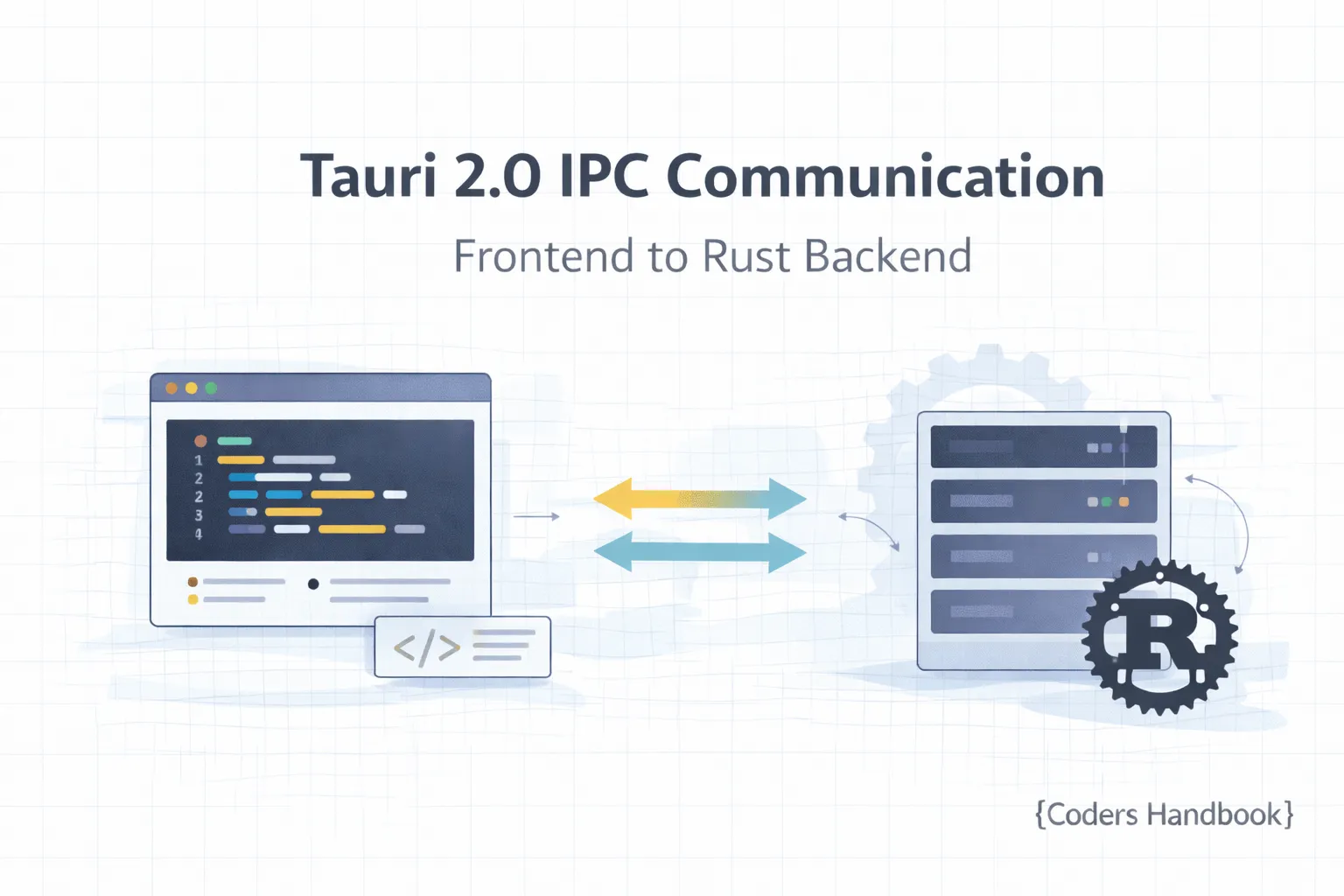
Inter-Process Communication (IPC) in Tauri 2.0 bridges your JavaScript frontend with Rust backend enabling seamless data exchange, command execution, and event-driven architecture while maintaining security boundaries preventing unauthorized access to system resources—this fundamental mechanism powers all desktop functionality from file operations to system integration making it essential knowledge for building robust Tauri applications. Tauri's IPC system uses a type-safe, asynchronous communication model where frontend code invokes Rust commands using the invoke function passing serialized data, Rust processes requests and returns results, and the event system enables bidirectional communication for real-time updates maintaining responsive user interfaces throughout async operations. This comprehensive guide covers understanding IPC architecture and security model preventing XSS and injection attacks, using the invoke API for calling Rust commands with TypeScript type safety, handling async operations and promises managing loading states and errors, serializing complex data types between JavaScript and Rust with serde, implementing the event system for real-time communication, error handling and propagation providing meaningful user feedback, performance optimization reducing IPC overhead, and debugging IPC communication troubleshooting common issues. Mastering IPC patterns enables building sophisticated desktop applications with clean separation between presentation and business logic, leveraging Rust's performance for heavy computation, maintaining security through proper allowlist configuration, and creating responsive UIs with event-driven updates. Before diving in, ensure you understand Tauri basics and project structure.
Understanding IPC Architecture
Tauri's IPC architecture separates frontend and backend processes communicating through a secure message-passing system where JavaScript cannot directly access Rust code preventing security vulnerabilities while enabling controlled interaction through explicitly defined commands.
| Component | Role | Location | Language |
|---|---|---|---|
| Frontend | UI rendering, user interaction | Webview process | JavaScript/TypeScript |
| IPC Bridge | Secure message passing | Tauri runtime | Rust (internal) |
| Backend | Business logic, system access | Main process | Rust |
| invoke() | Call Rust commands | Frontend API | JavaScript |
| Commands | Rust functions exposed to frontend | src-tauri/src/ | Rust |
| Events | Async notifications | Both processes | Both |
| Serialization | Data conversion (JSON) | IPC boundary | serde |
Using the Invoke API
The invoke function is the primary IPC mechanism calling Rust commands from JavaScript with type-safe parameters and return values enabling seamless frontend-backend communication. Learn more about creating commands.
// Frontend: JavaScript/TypeScript
import { invoke } from "@tauri-apps/api/core";

// Basic invoke - no parameters
async function basicInvoke() {
  try {
    const result = await invoke<string>("simple_command");
    console.log("Result:", result);
  } catch (error) {
    console.error("Error:", error);
  }
}

// Invoke with parameters
async function invokeWithParams() {
  try {
    const greeting = await invoke<string>("greet", {
      name: "Alice",
      age: 30
    });
    console.log(greeting);
  } catch (error) {
    console.error("Failed to greet:", error);
  }
}

// Invoke with complex data
interface User {
  id: number;
  username: string;
  email: string;
}

async function createUser(userData: Omit<User, "id">) {
  try {
    const user = await invoke<User>("create_user", {
      username: userData.username,
      email: userData.email
    });
    console.log("Created user:", user);
    return user;
  } catch (error) {
    console.error("User creation failed:", error);
    throw error;
  }
}

// Multiple simultaneous invokes
async function fetchMultiple() {
  try {
    const [users, posts, settings] = await Promise.all([
      invoke<User[]>("get_users"),
      invoke<any[]>("get_posts"),
      invoke<any>("get_settings")
    ]);

    console.log("All data loaded", { users, posts, settings });
  } catch (error) {
    console.error("Failed to fetch data:", error);
  }
}

// Type-safe invoke with generics
async function typeSafeInvoke<T>(command: string, args?: Record<string, unknown>): Promise<T> {
  try {
    return await invoke<T>(command, args);
  } catch (error) {
    console.error(`Command ${command} failed:`, error);
    throw error;
  }
}

// Usage
const result = await typeSafeInvoke<User>("get_user", { id: 1 });
Creating Rust Commands
Rust commands are functions marked with the #[tauri::command] attribute exposing them to the frontend through IPC with automatic serialization and deserialization. Learn detailed command creation in the commands tutorial.
// src-tauri/src/main.rs
use tauri::Manager;

// Simple command with no parameters
#[tauri::command]
fn simple_command() -> String {
    String::from("Hello from Rust!")
}

// Command with parameters
#[tauri::command]
fn greet(name: String, age: u32) -> String {
    format!("Hello {}, you are {} years old!", name, age)
}

// Command with struct parameter and return
use serde::{Deserialize, Serialize};

#[derive(Debug, Serialize, Deserialize)]
struct User {
    id: u32,
    username: String,
    email: String,
}

#[tauri::command]
fn create_user(username: String, email: String) -> User {
    User {
        id: 1, // In real app, generate or get from database
        username,
        email,
    }
}

// Command returning Result for error handling
#[tauri::command]
fn get_user(id: u32) -> Result<User, String> {
    if id == 0 {
        return Err("Invalid user ID".to_string());
    }

    Ok(User {
        id,
        username: format!("user{}", id),
        email: format!("user{}@example.com", id),
    })
}

// Async command
#[tauri::command]
async fn fetch_data(url: String) -> Result<String, String> {
    let response = reqwest::get(&url)
        .await
        .map_err(|e| e.to_string())?
        .text()
        .await
        .map_err(|e| e.to_string())?;

    Ok(response)
}

// Command with state access
#[tauri::command]
fn get_app_state(state: tauri::State<AppState>) -> String {
    state.get_data()
}

// Register commands in main
fn main() {
    tauri::Builder::default()
        .invoke_handler(tauri::generate_handler![
            simple_command,
            greet,
            create_user,
            get_user,
            fetch_data,
            get_app_state,
        ])
        .run(tauri::generate_context!())
        .expect("error while running tauri application");
}
Error Handling in IPC
Proper error handling ensures commands fail gracefully communicating issues to the frontend with meaningful messages enabling users to understand and recover from errors maintaining application stability.
// Rust: Custom error types
use serde::{Deserialize, Serialize};
use std::fmt;

#[derive(Debug, Serialize, Deserialize)]
struct ApiError {
    code: String,
    message: String,
}

impl fmt::Display for ApiError {
    fn fmt(&self, f: &mut fmt::Formatter) -> fmt::Result {
        write!(f, "{}: {}", self.code, self.message)
    }
}

impl std::error::Error for ApiError {}

// Command with custom error
#[tauri::command]
fn risky_operation(value: i32) -> Result<i32, ApiError> {
    if value < 0 {
        return Err(ApiError {
            code: "INVALID_VALUE".to_string(),
            message: "Value must be non-negative".to_string(),
        });
    }

    if value > 100 {
        return Err(ApiError {
            code: "VALUE_TOO_LARGE".to_string(),
            message: "Value cannot exceed 100".to_string(),
        });
    }

    Ok(value * 2)
}

// Using thiserror for better error handling
use thiserror::Error;

#[derive(Error, Debug)]
enum AppError {
    #[error("Database error: {0}")]
    Database(String),

    #[error("File not found: {0}")]
    FileNotFound(String),

    #[error("Permission denied")]
    PermissionDenied,

    #[error("Invalid input: {0}")]
    InvalidInput(String),
}

// Serialize for frontend
impl Serialize for AppError {
    fn serialize<S>(&self, serializer: S) -> Result<S::Ok, S::Error>
    where
        S: serde::Serializer,
    {
        serializer.serialize_str(&self.to_string())
    }
}

#[tauri::command]
fn complex_operation(input: String) -> Result<String, AppError> {
    if input.is_empty() {
        return Err(AppError::InvalidInput("Input cannot be empty".to_string()));
    }

    // Simulate database operation
    if input == "forbidden" {
        return Err(AppError::PermissionDenied);
    }

    Ok(format!("Processed: {}", input))
}

// Frontend: TypeScript error handling
import { invoke } from "@tauri-apps/api/core";

interface ApiError {
  code: string;
  message: string;
}

class TauriError extends Error {
  code?: string;

  constructor(message: string, code?: string) {
    super(message);
    this.code = code;
    this.name = "TauriError";
  }
}

async function handleOperation(value: number) {
  try {
    const result = await invoke<number>("risky_operation", { value });
    console.log("Success:", result);
    return result;
  } catch (error) {
    // Parse error from Rust
    if (typeof error === "string") {
      // Try to parse as JSON if it's an ApiError
      try {
        const apiError: ApiError = JSON.parse(error);
        throw new TauriError(apiError.message, apiError.code);
      } catch {
        // Plain string error
        throw new TauriError(error);
      }
    }
    throw new TauriError("Unknown error occurred");
  }
}

// Usage with error handling
async function safeOperation() {
  try {
    await handleOperation(-5);
  } catch (error) {
    if (error instanceof TauriError) {
      console.error(`Error [${error.code}]: ${error.message}`);

      // Handle specific error codes
      if (error.code === "INVALID_VALUE") {
        alert("Please enter a valid positive number");
      } else if (error.code === "VALUE_TOO_LARGE") {
        alert("The value is too large. Maximum is 100");
      }
    }
  }
}
Data Serialization and Types
Tauri uses serde for JSON serialization converting between JavaScript objects and Rust structs automatically enabling type-safe data exchange across the IPC boundary with support for complex nested structures.
// Rust: Complex data types
use serde::{Deserialize, Serialize};
use std::collections::HashMap;

// Basic struct
#[derive(Debug, Serialize, Deserialize)]
struct Post {
    id: u32,
    title: String,
    content: String,
    published: bool,
    created_at: String,
}

// Nested structs
#[derive(Debug, Serialize, Deserialize)]
struct Author {
    id: u32,
    name: String,
    email: String,
}

#[derive(Debug, Serialize, Deserialize)]
struct BlogPost {
    id: u32,
    title: String,
    content: String,
    author: Author,
    tags: Vec<String>,
    metadata: HashMap<String, String>,
}

// Enum serialization
#[derive(Debug, Serialize, Deserialize)]
#[serde(tag = "type", content = "data")]
enum Message {
    Text(String),
    Image { url: String, caption: Option<String> },
    Video { url: String, duration: u32 },
}

// Option types (nullable)
#[derive(Debug, Serialize, Deserialize)]
struct UserProfile {
    id: u32,
    username: String,
    bio: Option<String>,        // Can be null
    avatar_url: Option<String>,
    age: Option<u32>,
}

// Commands using these types
#[tauri::command]
fn get_blog_post(id: u32) -> Result<BlogPost, String> {
    Ok(BlogPost {
        id,
        title: "Sample Post".to_string(),
        content: "This is content".to_string(),
        author: Author {
            id: 1,
            name: "Alice".to_string(),
            email: "[email protected]".to_string(),
        },
        tags: vec!["rust".to_string(), "tauri".to_string()],
        metadata: HashMap::from([
            ("category".to_string(), "tech".to_string()),
            ("views".to_string(), "1234".to_string()),
        ]),
    })
}

#[tauri::command]
fn send_message(message: Message) -> String {
    match message {
        Message::Text(text) => format!("Received text: {}", text),
        Message::Image { url, caption } => {
            format!("Received image: {} ({})", url, caption.unwrap_or_default())
        }
        Message::Video { url, duration } => {
            format!("Received video: {} ({}s)", url, duration)
        }
    }
}

// TypeScript: Matching interfaces
interface Author {
  id: number;
  name: string;
  email: string;
}

interface BlogPost {
  id: number;
  title: string;
  content: string;
  author: Author;
  tags: string[];
  metadata: Record<string, string>;
}

type Message =
  | { type: "Text"; data: string }
  | { type: "Image"; data: { url: string; caption?: string } }
  | { type: "Video"; data: { url: string; duration: number } };

interface UserProfile {
  id: number;
  username: string;
  bio?: string;
  avatar_url?: string;
  age?: number;
}

// Frontend usage
import { invoke } from "@tauri-apps/api/core";

async function loadBlogPost(id: number): Promise<BlogPost> {
  return await invoke<BlogPost>("get_blog_post", { id });
}

async function sendTextMessage(text: string) {
  const message: Message = {
    type: "Text",
    data: text,
  };

  return await invoke<string>("send_message", { message });
}

async function sendImageMessage(url: string, caption?: string) {
  const message: Message = {
    type: "Image",
    data: { url, caption },
  };

  return await invoke<string>("send_message", { message });
}
Async Operations and Promises
IPC operations are inherently asynchronous returning promises in JavaScript and futures in Rust enabling non-blocking operations maintaining responsive UIs during long-running tasks like file I/O or network requests.
// Rust: Async commands
use tokio::time::{sleep, Duration};

#[tauri::command]
async fn async_operation(duration_secs: u64) -> String {
    // Simulate long-running task
    sleep(Duration::from_secs(duration_secs)).await;
    format!("Completed after {} seconds", duration_secs)
}

#[tauri::command]
async fn fetch_from_api(url: String) -> Result<String, String> {
    let client = reqwest::Client::new();
    let response = client
        .get(&url)
        .send()
        .await
        .map_err(|e| e.to_string())?;

    let body = response
        .text()
        .await
        .map_err(|e| e.to_string())?;

    Ok(body)
}

// Multiple concurrent operations
#[tauri::command]
async fn fetch_multiple_urls(urls: Vec<String>) -> Vec<Result<String, String>> {
    let mut handles = vec![];

    for url in urls {
        let handle = tokio::spawn(async move {
            fetch_from_api(url).await
        });
        handles.push(handle);
    }

    let mut results = vec![];
    for handle in handles {
        match handle.await {
            Ok(result) => results.push(result),
            Err(e) => results.push(Err(e.to_string())),
        }
    }

    results
}

// TypeScript: Handling async operations
import { invoke } from "@tauri-apps/api/core";
import { ref } from "vue"; // or useState in React

// With loading state
const loading = ref(false);
const data = ref<string | null>(null);
const error = ref<string | null>(null);

async function performAsyncOperation() {
  loading.value = true;
  error.value = null;

  try {
    const result = await invoke<string>("async_operation", {
      duration_secs: 3
    });
    data.value = result;
  } catch (err) {
    error.value = String(err);
  } finally {
    loading.value = false;
  }
}

// With timeout
async function invokeWithTimeout<T>(
  command: string,
  args: any,
  timeoutMs: number = 5000
): Promise<T> {
  return Promise.race([
    invoke<T>(command, args),
    new Promise<T>((_, reject) =>
      setTimeout(() => reject(new Error("Operation timed out")), timeoutMs)
    ),
  ]);
}

// Usage
try {
  const result = await invokeWithTimeout<string>(
    "slow_operation",
    {},
    3000 // 3 second timeout
  );
  console.log(result);
} catch (error) {
  if (error.message === "Operation timed out") {
    console.error("Operation took too long");
  }
}

// Parallel operations
async function fetchAllData() {
  try {
    const [users, posts, comments] = await Promise.all([
      invoke<User[]>("get_users"),
      invoke<Post[]>("get_posts"),
      invoke<Comment[]>("get_comments"),
    ]);

    return { users, posts, comments };
  } catch (error) {
    console.error("Failed to fetch data:", error);
    throw error;
  }
}

// Sequential with error recovery
async function processSteps() {
  const results = [];
  const steps = ["step1", "step2", "step3"];

  for (const step of steps) {
    try {
      const result = await invoke<string>("process_step", { step });
      results.push({ step, success: true, result });
    } catch (error) {
      results.push({ step, success: false, error: String(error) });
      // Continue or break depending on requirements
    }
  }

  return results;
}
IPC Performance Optimization
| Technique | Description | Use Case | Impact |
|---|---|---|---|
| Batching | Combine multiple operations into one call | Bulk data operations | High |
| Debouncing | Delay invoke until user stops typing | Search, autocomplete | Medium |
| Caching | Store results to avoid repeated calls | Static data, settings | High |
| Streaming | Use events for large data | Real-time updates | High |
| Pagination | Load data in chunks | Large lists | Medium |
| Lazy Loading | Load only when needed | Heavy computations | Medium |
| Minimize Payload | Send only necessary data | All operations | Low-Medium |
// Batching: Combine operations
// Bad: Multiple separate calls
for (const item of items) {
  await invoke("process_item", { item });
}

// Good: Batch processing
await invoke("process_items", { items });

// Rust implementation
#[tauri::command]
fn process_items(items: Vec<String>) -> Vec<String> {
    items.iter().map(|item| {
        // Process each item
        format!("Processed: {}", item)
    }).collect()
}

// Debouncing: Reduce frequent calls
import { ref, watch } from "vue";
import { debounce } from "lodash";

const searchQuery = ref("");
const results = ref([]);

const debouncedSearch = debounce(async (query: string) => {
  if (query.length < 3) return;
  results.value = await invoke("search", { query });
}, 300); // Wait 300ms after user stops typing

watch(searchQuery, (newQuery) => {
  debouncedSearch(newQuery);
});

// Caching: Store results
class TauriCache {
  private cache = new Map<string, { data: any; timestamp: number }>();
  private ttl: number;

  constructor(ttlMs: number = 60000) {
    this.ttl = ttlMs;
  }

  async invoke<T>(command: string, args?: any): Promise<T> {
    const key = `${command}:${JSON.stringify(args || {})}`;
    const cached = this.cache.get(key);

    if (cached && Date.now() - cached.timestamp < this.ttl) {
      return cached.data as T;
    }

    const result = await invoke<T>(command, args);
    this.cache.set(key, { data: result, timestamp: Date.now() });
    return result;
  }

  clear() {
    this.cache.clear();
  }
}

const cache = new TauriCache(60000); // 1 minute TTL
const settings = await cache.invoke("get_settings");

// Minimize payload: Send only IDs, fetch details later
// Bad: Send entire objects
await invoke("process_users", { users: largeUserArray });

// Good: Send IDs only
const userIds = largeUserArray.map(u => u.id);
await invoke("process_users", { user_ids: userIds });
Debugging IPC Communication
- Console Logging: Use
console.login frontend andprintln!in Rust to trace data flow - Rust Logging: Add
env_loggercrate for structured logging with log levels (debug, info, warn, error) - DevTools: Open browser DevTools to inspect network tab showing IPC messages
- Error Messages: Return detailed error messages from Rust commands for easier debugging
- Type Checking: Enable strict TypeScript mode catching type mismatches before runtime
- Serialization Issues: Test JSON serialization manually with
serde_json::to_string - Command Registration: Verify commands are registered in
invoke_handler - Parameter Naming: Ensure JavaScript parameter names match Rust function parameters exactly
- Async Issues: Check for proper
awaitusage on invoke calls - Security Errors: Review CSP and allowlist configuration if commands fail silently
IPC Best Practices
- Type Safety: Use TypeScript and define matching interfaces for Rust structs ensuring compile-time safety
- Error Handling: Always return
Resulttypes from commands handling errors gracefully - Async by Default: Use
asynccommands for any I/O or long-running operations - Validate Input: Check and sanitize all parameters in Rust commands preventing security issues
- Minimize Data: Transfer only necessary data across IPC reducing serialization overhead
- Use Events: For real-time updates use event system instead of polling with invoke
- Document Commands: Add doc comments to Rust functions explaining parameters and return values
- Batch Operations: Combine multiple operations into single command when possible
- Handle Timeouts: Implement timeout logic for commands that might hang
- Cache Results: Store frequently accessed data avoiding repeated IPC calls
Next Steps
- Create Commands: Learn detailed command creation patterns
- Event System: Explore event-driven architecture
- State Management: Implement global state sharing
- File System: Build file operations
- Security: Master security configuration
- Frontend Integration: Apply IPC in React, Vue, or Svelte
Conclusion
Mastering IPC communication in Tauri 2.0 enables building sophisticated desktop applications with clean separation between frontend presentation and backend business logic leveraging JavaScript's UI capabilities with Rust's performance and system access through secure, type-safe message passing. The invoke API provides simple async command execution with automatic serialization, error handling mechanisms propagate failures with meaningful messages, performance optimization techniques reduce IPC overhead, and proper debugging practices accelerate development identifying issues quickly. Understanding IPC architecture including security boundaries preventing unauthorized access, serialization enabling complex data exchange, async operations maintaining responsive UIs, and best practices ensuring robust communication forms the foundation for professional Tauri application development creating reliable, performant desktop software serving diverse use cases from simple utilities to complex enterprise applications!
$ share --platform
$ cat /comments/ (0)
$ cat /comments/
// No comments found. Be the first!


