Tauri 2.0 Dialog API File Picker and Message Boxes
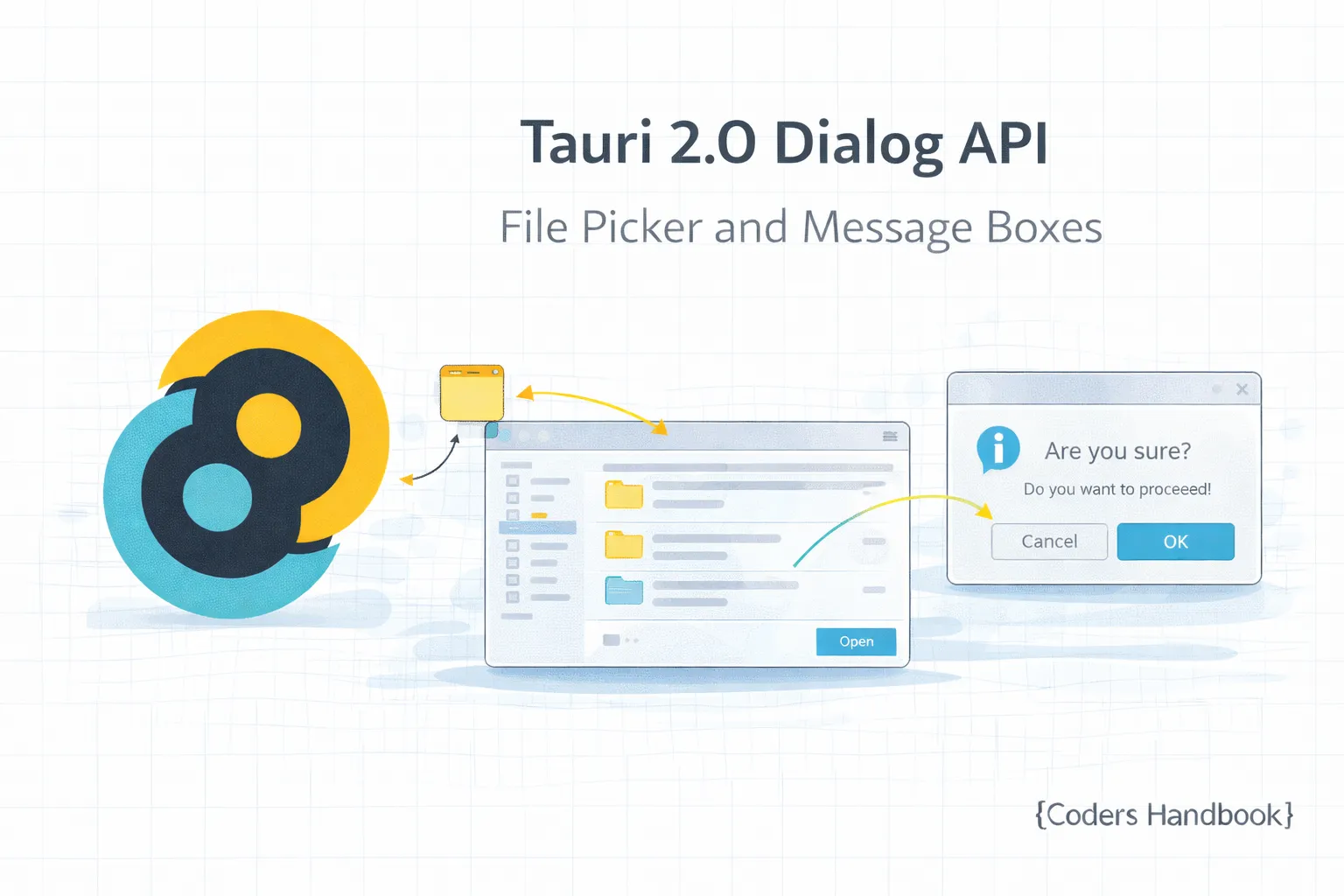
Tauri's Dialog API provides native file picker dialogs and message boxes enabling seamless integration with operating system UI patterns users expect from desktop applications—including file open/save dialogs with filters and multiple selection, folder selection for choosing directories, confirmation dialogs with yes/no/cancel options, message boxes for information and warnings, and custom prompts maintaining consistent native appearance across Windows, macOS, and Linux. These native dialogs provide superior user experience compared to HTML-based alternatives offering familiar OS-specific styling, keyboard shortcuts, recent files, favorites integration, and proper modal behavior blocking application interaction until user responds. This comprehensive guide covers understanding dialog types and native integration benefits, using file open dialogs with file type filters and multiple selection, implementing save dialogs with default filenames and extensions, selecting folders for directory operations, showing message boxes for information, warnings, and errors, creating confirmation dialogs with custom buttons, building custom prompts for user input, handling dialog cancellation gracefully, integrating dialogs with file operations and window management, and implementing real-world patterns including document open/save workflows, settings import/export, and batch file processing. Mastering dialog patterns enables building professional desktop applications with native OS integration, familiar user interactions, proper file handling workflows, clear error messaging, and confirmation for destructive actions preventing accidental data loss. Before proceeding, understand file system operations and window management.
Dialog Types Overview
| Dialog Type | Purpose | Returns | Use Case |
|---|---|---|---|
| Open File | Select file(s) to open | File path(s) | Opening documents |
| Save File | Choose save location | File path | Saving documents |
| Select Folder | Choose directory | Directory path | Batch operations |
| Message Box | Show information | void | Notifications, errors |
| Confirm | Yes/No question | boolean | Destructive actions |
| Ask | Get text input | string | null | User prompts |
File Open Dialogs
// Frontend: File open dialog
import { open } from "@tauri-apps/api/dialog";
import { readTextFile } from "@tauri-apps/api/fs";

// Simple file open
const selected = await open();
if (selected) {
  console.log("Selected:", selected);
}

// Open with file filters
const textFile = await open({
  multiple: false,
  filters: [
    {
      name: "Text",
      extensions: ["txt", "md"],
    },
    {
      name: "All Files",
      extensions: ["*"],
    },
  ],
});

// Open multiple files
const files = await open({
  multiple: true,
  filters: [
    {
      name: "Images",
      extensions: ["png", "jpg", "jpeg", "gif"],
    },
  ],
});

if (Array.isArray(files)) {
  console.log(`Selected ${files.length} files`);
  files.forEach((file) => console.log(file));
}

// Open with default path
const file = await open({
  defaultPath: "/home/user/documents",
  filters: [
    {
      name: "Documents",
      extensions: ["pdf", "docx"],
    },
  ],
});

// Open and read file
async function openAndReadFile() {
  const selected = await open({
    filters: [
      {
        name: "Text Files",
        extensions: ["txt", "md", "json"],
      },
    ],
  });

  if (selected && typeof selected === "string") {
    try {
      const content = await readTextFile(selected);
      return { path: selected, content };
    } catch (error) {
      console.error("Failed to read file:", error);
      throw error;
    }
  }

  return null;
}

// React component with file open
import { useState } from "react";

function FileOpener() {
  const [selectedFile, setSelectedFile] = useState<string | null>(null);
  const [content, setContent] = useState<string>("");

  const handleOpen = async () => {
    const result = await openAndReadFile();
    if (result) {
      setSelectedFile(result.path);
      setContent(result.content);
    }
  };

  return (
    <div>
      <button onClick={handleOpen}>Open File</button>
      {selectedFile && (
        <div>
          <h3>File: {selectedFile}</h3>
          <pre>{content}</pre>
        </div>
      )}
    </div>
  );
}

// Common file type filters
const FILE_FILTERS = {
  text: [
    {
      name: "Text Files",
      extensions: ["txt", "md", "log"],
    },
  ],
  images: [
    {
      name: "Images",
      extensions: ["png", "jpg", "jpeg", "gif", "webp", "svg"],
    },
  ],
  documents: [
    {
      name: "Documents",
      extensions: ["pdf", "doc", "docx", "odt"],
    },
  ],
  audio: [
    {
      name: "Audio",
      extensions: ["mp3", "wav", "ogg", "flac"],
    },
  ],
  video: [
    {
      name: "Video",
      extensions: ["mp4", "avi", "mkv", "mov"],
    },
  ],
  all: [
    {
      name: "All Files",
      extensions: ["*"],
    },
  ],
};

// Usage
const imageFile = await open({
  filters: FILE_FILTERS.images,
});
File Save Dialogs
// Frontend: File save dialog
import { save } from "@tauri-apps/api/dialog";
import { writeTextFile } from "@tauri-apps/api/fs";

// Simple save dialog
const savePath = await save();
if (savePath) {
  console.log("Save to:", savePath);
}

// Save with default filename
const path = await save({
  defaultPath: "document.txt",
  filters: [
    {
      name: "Text",
      extensions: ["txt"],
    },
  ],
});

// Save with file type filters
const imagePath = await save({
  defaultPath: "image.png",
  filters: [
    {
      name: "PNG Image",
      extensions: ["png"],
    },
    {
      name: "JPEG Image",
      extensions: ["jpg", "jpeg"],
    },
  ],
});

// Save and write file
async function saveFile(content: string, defaultName: string) {
  const path = await save({
    defaultPath: defaultName,
    filters: [
      {
        name: "Text Files",
        extensions: ["txt", "md"],
      },
    ],
  });

  if (path) {
    try {
      await writeTextFile(path, content);
      return path;
    } catch (error) {
      console.error("Failed to save file:", error);
      throw error;
    }
  }

  return null;
}

// React component with save
function DocumentEditor() {
  const [content, setContent] = useState("");
  const [currentPath, setCurrentPath] = useState<string | null>(null);
  const [modified, setModified] = useState(false);

  const handleSave = async () => {
    if (currentPath) {
      // Save to existing file
      await writeTextFile(currentPath, content);
      setModified(false);
    } else {
      // Show save dialog
      await handleSaveAs();
    }
  };

  const handleSaveAs = async () => {
    const path = await save({
      defaultPath: currentPath || "untitled.txt",
      filters: [
        {
          name: "Text Files",
          extensions: ["txt", "md"],
        },
      ],
    });

    if (path) {
      await writeTextFile(path, content);
      setCurrentPath(path);
      setModified(false);
    }
  };

  const handleChange = (newContent: string) => {
    setContent(newContent);
    setModified(true);
  };

  return (
    <div>
      <div className="toolbar">
        <button onClick={handleSave}>Save</button>
        <button onClick={handleSaveAs}>Save As...</button>
        {modified && <span>● Modified</span>}
      </div>
      <textarea
        value={content}
        onChange={(e) => handleChange(e.target.value)}
      />
    </div>
  );
}

// Save with confirmation if file exists
async function saveWithConfirmation(
  content: string,
  defaultName: string
): Promise<string | null> {
  const path = await save({
    defaultPath: defaultName,
  });

  if (path) {
    // Tauri automatically shows overwrite confirmation
    await writeTextFile(path, content);
    return path;
  }

  return null;
}

// Export functionality
async function exportData(data: any, format: "json" | "csv") {
  const extension = format === "json" ? "json" : "csv";
  const path = await save({
    defaultPath: `export.${extension}`,
    filters: [
      {
        name: format.toUpperCase(),
        extensions: [extension],
      },
    ],
  });

  if (path) {
    const content =
      format === "json"
        ? JSON.stringify(data, null, 2)
        : convertToCSV(data);

    await writeTextFile(path, content);
    return path;
  }

  return null;
}

function convertToCSV(data: any[]): string {
  // CSV conversion logic
  return "";
}
Folder Selection Dialog
// Frontend: Folder selection
import { open } from "@tauri-apps/api/dialog";
import { readDir } from "@tauri-apps/api/fs";

// Select folder
const folderPath = await open({
  directory: true,
  multiple: false,
});

if (folderPath && typeof folderPath === "string") {
  console.log("Selected folder:", folderPath);
}

// Select multiple folders
const folders = await open({
  directory: true,
  multiple: true,
});

if (Array.isArray(folders)) {
  console.log(`Selected ${folders.length} folders`);
}

// Select folder with default path
const projectFolder = await open({
  directory: true,
  defaultPath: "/home/user/projects",
});

// Select and list folder contents
async function selectAndListFolder() {
  const folder = await open({
    directory: true,
  });

  if (folder && typeof folder === "string") {
    const entries = await readDir(folder);
    return {
      path: folder,
      files: entries.filter((e) => !e.children),
      folders: entries.filter((e) => e.children),
    };
  }

  return null;
}

// Folder browser component
import { useState } from "react";

interface FolderInfo {
  path: string;
  files: any[];
  folders: any[];
}

function FolderBrowser() {
  const [currentFolder, setCurrentFolder] = useState<FolderInfo | null>(null);

  const handleSelectFolder = async () => {
    const result = await selectAndListFolder();
    if (result) {
      setCurrentFolder(result);
    }
  };

  return (
    <div>
      <button onClick={handleSelectFolder}>Select Folder</button>
      {currentFolder && (
        <div>
          <h3>Folder: {currentFolder.path}</h3>
          <p>{currentFolder.files.length} files</p>
          <p>{currentFolder.folders.length} folders</p>
        </div>
      )}
    </div>
  );
}

// Batch file processor
async function selectFolderForBatchProcessing() {
  const folder = await open({
    directory: true,
    title: "Select folder to process",
  });

  if (folder && typeof folder === "string") {
    // Process all files in folder
    const entries = await readDir(folder, { recursive: true });
    const files = entries.filter((e) => !e.children);

    console.log(`Processing ${files.length} files...`);
    // Process files...
  }
}

// Project folder selection
async function selectProjectFolder(): Promise<string | null> {
  const folder = await open({
    directory: true,
    title: "Select project folder",
    defaultPath: "~/projects",
  });

  return typeof folder === "string" ? folder : null;
}
Message Boxes and Alerts
// Frontend: Message boxes
import { message } from "@tauri-apps/api/dialog";

// Simple message
await message("Operation completed successfully!");

// Message with title
await message("File saved successfully!", {
  title: "Success",
  type: "info",
});

// Error message
await message("Failed to save file. Please try again.", {
  title: "Error",
  type: "error",
});

// Warning message
await message("This action cannot be undone.", {
  title: "Warning",
  type: "warning",
});

// Message types: "info", "warning", "error"

// Show success message
async function showSuccess(text: string) {
  await message(text, {
    title: "Success",
    type: "info",
  });
}

// Show error message
async function showError(error: string | Error) {
  const text = error instanceof Error ? error.message : error;
  await message(text, {
    title: "Error",
    type: "error",
  });
}

// Show warning
async function showWarning(text: string) {
  await message(text, {
    title: "Warning",
    type: "warning",
  });
}

// Usage in try-catch
async function saveDocument(content: string) {
  try {
    const path = await save();
    if (path) {
      await writeTextFile(path, content);
      await showSuccess("Document saved successfully!");
    }
  } catch (error) {
    await showError(error);
  }
}

// Message utility class
class DialogMessages {
  static async info(message: string, title = "Information") {
    await message(message, { title, type: "info" });
  }

  static async error(message: string, title = "Error") {
    await message(message, { title, type: "error" });
  }

  static async warning(message: string, title = "Warning") {
    await message(message, { title, type: "warning" });
  }

  static async success(message: string) {
    await this.info(message, "Success");
  }
}

// Usage
await DialogMessages.success("File uploaded!");
await DialogMessages.error("Network connection failed");
await DialogMessages.warning("Low disk space");
Confirmation Dialogs
// Frontend: Confirmation dialogs
import { ask, confirm } from "@tauri-apps/api/dialog";

// Simple confirmation
const confirmed = await confirm("Are you sure?");
if (confirmed) {
  console.log("User confirmed");
}

// Confirmation with title
const result = await confirm("Do you want to delete this file?", {
  title: "Delete File",
  type: "warning",
});

// Ask dialog (Yes/No/Cancel)
const answer = await ask("Do you want to save changes?", {
  title: "Unsaved Changes",
  type: "warning",
});

// answer is boolean (Yes = true, No = false)
if (answer === true) {
  // Save changes
} else if (answer === false) {
  // Discard changes
}

// Delete confirmation
async function confirmDelete(itemName: string): Promise<boolean> {
  return await confirm(
    `Are you sure you want to delete "${itemName}"? This action cannot be undone.`,
    {
      title: "Confirm Delete",
      type: "warning",
    }
  );
}

// Unsaved changes dialog
async function confirmUnsavedChanges(): Promise<boolean | null> {
  const result = await ask(
    "You have unsaved changes. Do you want to save them?",
    {
      title: "Unsaved Changes",
      type: "warning",
    }
  );

  return result; // true = save, false = discard, null = cancel
}

// Usage in component
function DocumentEditor() {
  const [content, setContent] = useState("");
  const [modified, setModified] = useState(false);

  const handleClose = async () => {
    if (modified) {
      const result = await ask("Do you want to save changes?", {
        title: "Unsaved Changes",
      });

      if (result === true) {
        await saveDocument();
      } else if (result === false) {
        // Close without saving
      } else {
        // Cancel close
        return;
      }
    }

    // Close window or navigate away
  };

  return (
    <div>
      <button onClick={handleClose}>Close</button>
    </div>
  );
}

// Destructive action confirmation
async function performDestructiveAction() {
  const confirmed = await confirm(
    "This will permanently delete all data. This cannot be undone.",
    {
      title: "Confirm Destructive Action",
      type: "warning",
    }
  );

  if (confirmed) {
    // Perform action
  }
}

// Confirmation utility
class Confirmations {
  static async delete(itemName: string): Promise<boolean> {
    return await confirm(
      `Delete "${itemName}"? This action cannot be undone.`,
      {
        title: "Confirm Delete",
        type: "warning",
      }
    );
  }

  static async unsavedChanges(): Promise<boolean | null> {
    return await ask("Save changes before closing?", {
      title: "Unsaved Changes",
      type: "warning",
    });
  }

  static async overwrite(filename: string): Promise<boolean> {
    return await confirm(`Overwrite existing file "${filename}"?\`, {
      title: "File Exists",
      type: "warning",
    });
  }
}

// Usage
if (await Confirmations.delete("document.txt")) {
  // Delete file
}

const saveResult = await Confirmations.unsavedChanges();
if (saveResult === true) {
  // Save
} else if (saveResult === false) {
  // Don't save
} else {
  // Cancel
}
Dialog Best Practices
- Use Native Dialogs: Prefer Tauri dialogs over HTML-based alternatives for native OS integration
- Clear Titles: Provide descriptive titles explaining dialog purpose
- File Filters: Always specify appropriate file filters guiding users to correct file types
- Default Paths: Set sensible default paths improving user experience
- Handle Cancellation: Always check for null/undefined when user cancels dialog
- Confirmation for Destructive Actions: Always confirm delete, overwrite, and other permanent changes
- Meaningful Messages: Write clear, actionable error and warning messages
- Appropriate Dialog Types: Use correct message type (info, warning, error) for context
- Error Handling: Wrap dialog operations in try-catch blocks
- Consistent Patterns: Create utility functions for common dialog patterns
Real-World Example: Document Workflow
// Complete document workflow with dialogs
import { open, save, ask, message } from "@tauri-apps/api/dialog";
import { readTextFile, writeTextFile } from "@tauri-apps/api/fs";
import { useState, useEffect } from "react";

interface Document {
  path: string | null;
  content: string;
  modified: boolean;
}

function DocumentWorkflow() {
  const [doc, setDoc] = useState<Document>({
    path: null,
    content: "",
    modified: false,
  });

  // Handle new document
  const handleNew = async () => {
    if (doc.modified) {
      const result = await ask("Save current document?", {
        title: "Unsaved Changes",
      });

      if (result === true) {
        const saved = await handleSave();
        if (!saved) return; // User cancelled save
      } else if (result === null) {
        return; // User cancelled
      }
    }

    setDoc({ path: null, content: "", modified: false });
  };

  // Handle open document
  const handleOpen = async () => {
    if (doc.modified) {
      const result = await ask("Save current document?", {
        title: "Unsaved Changes",
      });

      if (result === true) {
        const saved = await handleSave();
        if (!saved) return;
      } else if (result === null) {
        return;
      }
    }

    const selected = await open({
      filters: [
        {
          name: "Text Files",
          extensions: ["txt", "md"],
        },
      ],
    });

    if (selected && typeof selected === "string") {
      try {
        const content = await readTextFile(selected);
        setDoc({ path: selected, content, modified: false });
        await message("Document opened successfully!", {
          title: "Success",
          type: "info",
        });
      } catch (error) {
        await message(`Failed to open document: ${error}`, {
          title: "Error",
          type: "error",
        });
      }
    }
  };

  // Handle save
  const handleSave = async (): Promise<boolean> => {
    if (doc.path) {
      try {
        await writeTextFile(doc.path, doc.content);
        setDoc({ ...doc, modified: false });
        return true;
      } catch (error) {
        await message(`Failed to save: ${error}`, {
          title: "Error",
          type: "error",
        });
        return false;
      }
    } else {
      return await handleSaveAs();
    }
  };

  // Handle save as
  const handleSaveAs = async (): Promise<boolean> => {
    const path = await save({
      defaultPath: doc.path || "untitled.txt",
      filters: [
        {
          name: "Text Files",
          extensions: ["txt", "md"],
        },
      ],
    });

    if (path) {
      try {
        await writeTextFile(path, doc.content);
        setDoc({ ...doc, path, modified: false });
        await message("Document saved successfully!", {
          title: "Success",
          type: "info",
        });
        return true;
      } catch (error) {
        await message(`Failed to save: ${error}`, {
          title: "Error",
          type: "error",
        });
        return false;
      }
    }

    return false;
  };

  // Handle content change
  const handleChange = (newContent: string) => {
    setDoc({ ...doc, content: newContent, modified: true });
  };

  // Handle window close
  useEffect(() => {
    const handleBeforeUnload = async (e: BeforeUnloadEvent) => {
      if (doc.modified) {
        e.preventDefault();
        e.returnValue = "";

        const result = await ask("Save changes before closing?", {
          title: "Unsaved Changes",
        });

        if (result === true) {
          await handleSave();
        }
      }
    };

    window.addEventListener("beforeunload", handleBeforeUnload);
    return () => {
      window.removeEventListener("beforeunload", handleBeforeUnload);
    };
  }, [doc]);

  return (
    <div className="document-editor">
      <div className="toolbar">
        <button onClick={handleNew}>New</button>
        <button onClick={handleOpen}>Open</button>
        <button onClick={handleSave} disabled={!doc.modified}>
          Save
        </button>
        <button onClick={handleSaveAs}>Save As</button>
        {doc.modified && <span className="modified">● Modified</span>}
        {doc.path && <span className="path">{doc.path}</span>}
      </div>
      <textarea
        value={doc.content}
        onChange={(e) => handleChange(e.target.value)}
        placeholder="Start typing..."
        className="editor-textarea"
      />
    </div>
  );
}
Next Steps
- File Operations: Integrate dialogs with file system API
- Window Management: Coordinate dialogs with windows
- State Management: Store recent files with state
- HTTP Client: Upload files using API requests
- Security: Validate paths with security config
Conclusion
Mastering Tauri's Dialog API enables building professional desktop applications with native OS integration providing familiar file picker dialogs, save workflows, folder selection, message boxes, and confirmation dialogs users expect from desktop software maintaining consistency with platform conventions and keyboard shortcuts. Native dialogs offer superior user experience compared to HTML alternatives featuring OS-specific styling on Windows, macOS, and Linux, proper modal behavior blocking application interaction, recent files and favorites integration, file type filtering, and familiar keyboard shortcuts creating seamless desktop experiences. Understanding dialog patterns including proper file filters guiding users, default paths improving convenience, cancellation handling preventing errors, confirmation for destructive actions preventing data loss, meaningful error messages helping troubleshooting, and workflow integration maintaining document state establishes foundation for professional desktop application development delivering reliable file handling workflows. Your Tauri applications now possess powerful native dialog capabilities enabling features like document editors with proper open/save workflows, settings import/export, batch file processing, and user-friendly error handling delivering professional desktop experiences matching native application quality!
$ share --platform
$ cat /comments/ (0)
$ cat /comments/
// No comments found. Be the first!


